USB, External Disk and Removable Media Security: Data Leakage and Malware Risks
USB and removable media security: BadUSB, USB baiting, device control, DLP, encryption and media transfer in air-gapped environments.
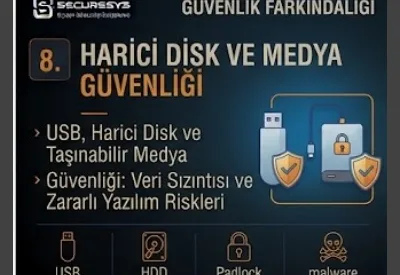
USB sticks, external disks and other portable storage devices are used quite widely in business life.
They offer practical solutions for carrying files, taking backups, transferring data between different systems or taking files to environments that have no internet access.
However, precisely because of these portability features they can create an important security risk.
A user can plug a USB device containing a malicious file into a corporate computer without being aware of it.
Another user can copy sensitive corporate data to a personal USB.
An external disk that is lost and not encrypted can cause customer or company data to be exposed.
In more advanced attack scenarios, on the other hand, a USB device can show a different hardware behavior even though it only looks like a storage device.
For this reason the modern USB Security and Removable Media Security approach does not consist only of saying:
"Do not use USB."
this.
Organizations need to manage technically which devices can be used, which data can be carried and how these operations will be monitored.
Modern removable media security requires the following layers to be applied together:
Device Control + Endpoint Security + DLP + Encryption + Data Classification + Logging + User Awareness + SOC Monitoring
The fundamental principle, on the other hand, is this:
Portable media can be a small device but it can be a powerful attack vector that can take data out of the organization or bring malware into the organization.
What Is USB Security?
USB Security is the technical and organizational security approach that provides for USB storage and other USB-based devices to be used safely on corporate systems.
The aim is to manage two fundamental risks:
Malware Ingress
and
Data Exfiltration.
That is, a USB device can both bring a threat into the organization and take data out of the organization.
For this reason it is not possible for USB security to be solved with antivirus alone.
What Is Removable Media Security?
Removable Media Security is the broader concept that covers the safe use of portable media devices such as USB flash disks, external disks, memory cards and similar.
This approach:
device authorization,
encryption,
malware scanning,
data transfer control,
audit logging
includes controls such as these.
Why Does USB Create a Security Risk?
Because USB devices connect directly to the endpoint they can bypass some of the network security controls.
For example the malicious file may not have been downloaded over the internet.
Therefore:
Secure Web Gateway,
DNS Security,
E-mail Gateway
controls such as these may not come into play.
The file comes to the endpoint directly over the USB.
For this reason endpoint security and device control become critical.
What Is USB Malware?
USB Malware expresses the malicious software carried over removable media.
A malicious executable, script, document or shortcut can be present inside the USB.
When the user opens the file the malware can run.
The success of this attack can increase especially on devices with an outdated system, local admin rights or weak endpoint protection.
What Are the Autorun Risks?
In the past the autorun mechanisms that made it possible for some content to be run automatically when removable media was plugged in created an important attack surface.
Modern operating systems apply stricter controls on this subject.
However, malicious files based on user interaction can still create risk.
For this reason:
Autorun being disabled does not mean that the USB is completely safe.
What Is a Malicious Shortcut?
Inside a USB there can be a malicious shortcut that looks like a normal document or folder.
When the user clicks it, instead of the file they expect a different command or a malicious process can run.
For this reason file extension visibility and endpoint behavior monitoring are important.
What Is BadUSB?
BadUSB is the attack class associated with the abuse of USB device firmware or device behavior.
A USB device does not have to work only as a storage device.
For example it can behave like a different device class.
For this reason:
"No files are visible inside the USB, so it must be safe."
this approach is not correct.
The risk may not be limited only to stored files.
What Is a USB HID Attack?
A USB device can in some scenarios show Human Interface Device, that is, keyboard-like behavior.
In this case the operating system can perceive the device as an input device.
In terms of security this risk shows why USB devices that do not look physically trusted should not be plugged directly into a corporate endpoint.
Should a USB Stick That Is Found Be Used?
No.
It should not be assumed that a USB device found around the organization or in the car park is safe.
Devices of this kind may have been left there for social engineering purposes.
This attack approach is known as:
USB Baiting
this.
The user's curiosity is used as the attack vector.
What Is USB Baiting?
USB Baiting is the attacker leaving an eye-catching or curiosity-arousing USB device in the target environment and trying to get an employee to plug the device into a computer.
On it:
"Salary"
"Confidential"
"Management"
expressions such as these can be found.
The aim is to use human behaviour before a technical exploit.
For this reason USB security is directly connected with Security Awareness.
What Is Device Control?
Device Control is the control that provides for USB and other peripheral devices connected to the endpoint to be managed with a central security policy.
Through policy the device can be managed as:
allow,
block,
read-only,
approved-only
in these ways.
In this way users using every USB device freely can be prevented.
What Is a USB Block Policy?
A USB Block Policy blocks the use of removable storage devices completely or under particular conditions.
It can be suitable for high-security environments.
However, the business requirement should be taken into account.
Some departments may have to use USB because of a real operational need.
In this case controlled access instead of a complete block can be more applicable.
What Is USB Allowlisting?
USB Allowlisting is only previously approved devices being permitted to be used.
Authorized media can be defined through device serial numbers or different identifiers.
This approach:
Any USB Allowed
is safer than this model.
What Is a Read-Only USB Policy?
A Read-Only Policy permits the files inside the USB to be read but prevents data being written from the endpoint to the USB.
This control can be used especially to reduce the data exfiltration risk.
However, the malicious file ingress risk can continue.
Therefore endpoint scanning is still necessary.
Is There a Write-Only USB Use?
In some special use cases a controlled write policy can be applied for data export.
However, in terms of security destination device encryption and logging are necessary.
Organizations should generally design a granular device control policy according to the use case.
What Is USB Encryption?
USB Encryption is the data on removable storage being protected with cryptographic protection.
When the USB is lost or stolen it makes it harder for the stored data to be read by unauthorized people.
Encryption is a critical control especially for removable media carrying sensitive corporate data.
What Is Removable Media Encryption?
Removable Media Encryption is the broader approach that provides for storage devices such as USB flash drives, portable hard drives and similar to be used encrypted.
Organizations can block the use of unencrypted removable media and permit only managed encrypted devices.
What Happens If an External Disk Is Lost?
If there is no encryption a data breach risk can arise.
Especially if on the disk there is:
personal data,
financial information,
customer data,
source code,
confidential documents
if this is present the event can be serious.
For this reason the loss of physical storage should be evaluated not only as a hardware loss but as an information security event.
What Is Data Leakage?
Data Leakage is sensitive information leaving the authorized environment deliberately or by mistake.
For example the user can copy a sensitive document to a personal USB.
This can be malicious insider activity.
However, the employee may only have wanted to take the file in order to work at home.
In both cases uncontrolled data movement is risky.
What Is Data Exfiltration?
Data Exfiltration is data being taken outside the environment in an unauthorized way.
This operation:
USB,
cloud storage,
e-mail,
web upload,
network transfer
can be carried out over these.
USB data exfiltration can be used especially for large-volume data transfer.
What Is Endpoint DLP?
Endpoint DLP controls to which channels sensitive data is carried over the endpoint.
USB copy operations are an important example of this.
DLP:
file content,
data classification,
user,
device,
destination
can apply policy by evaluating this information.
Can DLP Block USB Copying?
Yes.
A DLP policy can for example work as:
Confidential document → USB Copy → Block
in this way.
Another policy:
Internal document → Approved Encrypted USB → Allow
can be in this way.
For this reason DLP can provide context-aware control instead of a binary allow/block.
Why Is Data Classification Important for USB Security?
Not every piece of data has the same risk level.
A public brochure and a customer database should not be managed with the same policy.
Thanks to data classification information can be separated into levels such as:
Public
Internal
Confidential
Restricted
levels such as these.
The USB policy can afterwards be applied according to this classification.
Should Restricted Data Be Written to a USB?
It depends on the organization policy.
For highly sensitive information removable media can be completely prohibited.
If there is a legitimate business requirement:
approved encrypted media,
authorization,
logging
additional controls such as these can be necessary.
What Is the Difference Between DLP and Device Control?
Device Control mostly manages which device can be used.
DLP, on the other hand, evaluates which data can be carried where.
For example:
Device Control → Is this USB approved?
DLP → Can this document be copied to this USB?
For this reason the two together provide stronger protection.
Insider Risk and USB Use
USB devices can be used in Insider Risk scenarios.
An employee who is about to leave the department can try to copy a large amount of corporate data to removable media.
For this reason unusual USB behavior monitoring can be important.
However, not every large file copy is malicious.
Context is necessary.
Are Insider Threat and Insider Risk the Same?
Not exactly.
Insider Threat mostly expresses malicious or harmful insider activity.
Insider Risk, on the other hand, covers the broader human-sourced risk area whether deliberate or unintentional.
For example an employee can copy sensitive files to a personal disk by mistake.
This can create a security incident even without malicious intent.
What Is Large File Copy Detection?
Through endpoint telemetry or DLP a high amount of data being copied to removable media in a short time can be detected.
This event can be one of the:
normal backup,
business transfer,
data exfiltration
scenarios.
For this reason an alert on its own is not a verdict.
It should be evaluated together with the user role and data sensitivity.
Why Is USB Activity Logging Important?
Organizations can keep an audit trail about removable media activity.
For example:
which device was plugged in,
which user used it,
on which endpoint it was used,
which files were transferred
information such as this can be valuable for incident investigation.
The scope of logging should be determined by taking privacy and business requirements into account.
Why Is a USB Serial Number Used?
Some security tools can track devices through identifiers such as the removable device serial number.
In this way an approved corporate USB and an unknown personal USB can be separated.
However, it should not be assumed that hardware identifiers are definite and cannot be manipulated in every case.
Can EDR Detect Malware Coming over USB?
Yes.
When a malicious file comes to the endpoint over USB, EDR:
file creation,
process execution,
script activity,
network connection
can monitor behaviours such as these.
For this reason removable media controls and EDR should be used together.
Should Antivirus Scan the USB Automatically?
Depending on the security product capability and policy removable media scan can be applied.
This is valuable in terms of known malware detection.
However, because of BadUSB or unknown behavioral attacks traditional file scanning may not be sufficient on its own.
USB Malware Detection Chain
A sample defense chain can be as follows:
Unknown USB Connected
↓
Device Control Evaluates Device
↓
File Access Allowed
↓
Antivirus Scans Files
↓
EDR Monitors Execution
↓
DLP Controls Data Transfer
This is the Defense in Depth approach.
Can Ransomware Be Transmitted over USB?
Yes.
A malicious file can be delivered to the endpoint over removable media.
When the user runs the file ransomware or a downloader can run.
For this reason even internet disconnected systems can have a malware risk over removable media.
What Is an Air-Gapped System?
An Air-Gapped System is a system separated physically or logically from other networks or from the internet.
This structure can reduce the attack surface.
However, it is not completely risk-free.
Removable media can cause the air gap to be crossed physically.
Why Is USB Critical for Air-Gapped Systems?
In an air-gapped environment USB can be necessary for file transfer.
For this reason removable media becomes one of the most important trusted transfer channels.
If the USB is compromised malware can be carried into the isolated environment.
For this reason a stricter removable media policy should be applied for air-gapped systems.
The USB Risk in OT/ICS Environments
OT and ICS systems may not have internet access in some environments.
A software update, configuration file or maintenance data can be carried over USB.
For this reason removable media risk management is especially important for OT security.
Controls such as a USB scanning station, approved media and a strict transfer workflow can be evaluated.
What Is a USB Scanning Station?
A USB Scanning Station is the controlled system or process used for removable media to be put through security inspection before being connected to a critical system.
The aim is to prevent malware being carried into the critical environment.
This is especially valuable for:
OT,
ICS,
air-gapped environments,
high-security networks
these.
The Use of a Kiosk or Transfer Station
Instead of permitting USB devices to be connected directly to critical endpoints some organizations use a controlled transfer station.
The file first goes through inspection.
Afterwards it is transferred to the target system over approved media or a secure transfer mechanism.
This model provides strong isolation for high-security environments.
What Is a Clean USB?
The expression Clean USB is generally used in the sense of removable media that has passed a security check and been prepared for approved use.
However, a USB being clean once does not mean it will remain safe continuously.
When it is connected to another endpoint it can be compromised again.
For this reason continuous control is necessary.
What Is a Dedicated USB?
A Dedicated USB is removable media set aside for a particular system, department or process.
This device being connected to different personal or external systems can be prevented.
This approach can reduce the cross-environment malware transfer risk.
What Is USB Chain of Custody?
Chain of Custody is recording by whom removable media was taken, used, carried and delivered.
It is important especially for media carrying sensitive data or forensic evidence.
In this way accountability is provided.
Is an External Disk Safe for Backup?
An external disk can be used for backup.
However, if the disk remains continuously connected to the endpoint it can be accessible by ransomware.
For this reason backup media should be managed:
offline,
encrypted,
controlled
in these ways.
A backup being present on an external disk does not automatically mean secure backup.
What Is Offline Backup?
Offline Backup is a backup copy that is not continuously accessible by the normal production environment.
A USB disk or removable storage can provide offline backup in particular scenarios.
However, media management, encryption and physical security are important.
Removable Backup Media Security
For removable media used for backup purposes:
encryption,
secure storage,
access control,
rotation,
restore testing
should be applied.
In addition when media is lost the data breach risk should be evaluated.
What Can Be Used Instead of Data Transfer with USB?
According to the business requirement:
managed cloud storage,
secure file transfer,
MFT,
a controlled network share
methods such as these can be preferred.
The aim should not be to ban USB but to provide safer transfer alternatives.
What Is Managed File Transfer?
Managed File Transfer, or MFT, is the platform approach that provides for files to be transferred in a secure, auditable and policy-controlled way.
It can reduce the need for removable media.
It can be evaluated especially when large or sensitive files are transferred between partners and external organizations.
Why Is a Personal USB Risky?
It is not known to which systems a personal USB device has been connected in the past.
Malware may have been transmitted over a home computer or a public device.
In addition device security and encryption may not be manageable by the organization.
For this reason personal removable media can be limited in corporate environments.
What Is a Corporate USB?
A Corporate USB is a removable device provided by the organization and managed in accordance with the security policy.
This device can be:
encrypted,
registered in the inventory,
approved
these.
Corporate ownership is not sufficient on its own; lifecycle management is necessary.
Removable Media Lifecycle Management
A USB device should be managed from the moment it is purchased to the disposal stage.
The lifecycle:
Procure
↓
Register
↓
Configure
↓
Assign
↓
Monitor
↓
Revoke
↓
Securely Dispose
can be thought of in this way.
This approach reduces the risk of uncontrolled media proliferation.
How Is a USB Disposed of Safely?
If removable media will no longer be used, secure disposal should be carried out in such a way that sensitive data recovery is not possible.
Only a file delete or a quick format may not be sufficient in every case.
A sanitization/destruction method suitable for the media type and data sensitivity should be chosen.
What Is Media Sanitization?
Media Sanitization is the information on a storage device being cleaned in such a way that unauthorized recovery cannot be carried out, or the media being destroyed physically.
This operation is important at the end of the lifecycle of USBs, disks and other storage devices.
How Should a Lost USB Incident Be Managed?
When a corporate USB is lost the event should not be evaluated only as an asset loss.
The following questions should be asked:
Was the USB encrypted?
What data was on it?
What was the data classification level?
By whom was the device being used?
What was the last known location?
The information security impact is evaluated through this information.
Why Is Encryption Critical in a USB Loss?
If strong encryption is active and recovery keys are managed securely the data exposure effect of the loss of physical media can be reduced significantly.
If there is no encryption the attacker can read the storage directly.
For this reason removable media encryption is the fundamental preventive control.
The Relationship Between USB Security and Physical Security
Because removable media is a physical device it is at the intersection of physical security and cyber security.
A USB:
can be lost,
can be stolen,
can be used by another person.
For this reason secure storage and access control are also important.
EDR and Device Control Integration
Modern endpoint security platforms can relate device events with endpoint behavior.
For example:
Unknown USB Connected
↓
Executable Launched
↓
Suspicious Process Created
↓
Outbound Connection
can be seen under a single incident context.
This correlation makes SOC investigation easier.
DLP and SIEM Integration
When DLP produces a large sensitive file copy alert the SIEM can add other context.
For example:
Employee resignation event
Large USB copy
Cloud upload attempt
if signals such as these are evaluated together they can become more meaningful for an Insider Risk investigation.
How Does the SOC Investigate a USB Event?
The SOC analyst can look at the following questions:
Is the device approved?
To which endpoint was it plugged in?
Who is the user?
Which files were accessed?
Did file execution take place?
Was sensitive data copied?
Was an EDR alert created?
These questions help to understand whether the event is:
malware,
data leakage,
normal business activity
or not.
USB Incident Response
A removable media incident can be separated into two main categories:
Malware Incident
and
Data Loss Incident.
In the case of malware endpoint investigation and containment are necessary.
In the case of data loss, on the other hand, information classification, DLP logs and business impact should be evaluated.
What Should Be Done If a Suspicious USB Was Plugged In?
The user should not try to check the USB by opening the files on their own.
It should be reported to the IT or security team according to the organization's security procedure.
If necessary the media can be analyzed in an isolated scanning environment.
If a Malicious File Was Executed
EDR telemetry should be examined.
The process tree, network activity and persistence indicators should be investigated.
If necessary the endpoint is isolated.
If there is a possibility of credential theft an investigation is also started on the Identity Security side.
If Sensitive Data Was Copied to a USB
First of all:
which data,
which user,
which USB,
which business purpose
these questions should be answered.
It can be authorized activity.
It can be a policy violation.
Or it can be deliberate exfiltration.
For this reason a context-based investigation is necessary.
How Should USB Security Awareness Be?
Telling the user only:
"Do not plug in a USB."
is not sufficient.
More meaningful awareness messages are these:
Do not use a USB whose source you do not know.
Do not plug a USB you have found into the computer.
Do not carry corporate data with a personal USB.
Use approved encrypted media.
Report lost media immediately.
Do not bypass security warnings.
These behaviours provide more applicable security guidance.
The Most Frequently Made Mistakes in USB Security
The mistakes frequently seen in organizations are these:
- Giving unlimited permission to all USB devices
- Not controlling personal USB use
- Not using Device Control
- Not logging removable media activity
- Not applying DLP while sensitive data is copied to a USB
- Not using encryption
- Not evaluating a USB loss as a security incident
- Not applying USB malware scanning
- Not correlating USB events with EDR
- Using the same USB policy for air-gapped systems
- Using uncontrolled removable media in OT/ICS environments
- Not keeping an approved device inventory
- Not managing the USB lifecycle
- Not disposing of unused media safely
- Leaving external backup disks continuously online
- Not offering users a secure file transfer alternative
- Not giving USB Baiting awareness training
USB and Removable Media Security Checklist
Organizations can evaluate the following controls:
- Is a USB usage policy defined?
- Is personal USB use being limited?
- Is Device Control active?
- Are unknown USB devices being blocked?
- Is there an approved USB allowlist?
- Is a read-only policy being applied for the departments that need it?
- Is there DLP control while sensitive data is copied to a USB?
- Are corporate USB devices encrypted?
- Is unencrypted removable storage being blocked?
- Is USB activity being logged?
- Are device serial numbers kept in the inventory?
- Does EDR see removable media events?
- Is USB malware scanning being applied?
- Have local admin rights been limited?
- Is application control active?
- Is there a separate media policy for air-gapped systems?
- Is there a controlled transfer process in OT/ICS environments?
- Has the need for a USB scanning station been evaluated?
- Is a lost media incident process defined?
- Is removable media lifecycle management being applied?
- Is there a secure disposal procedure?
- Are backup disks encrypted?
- Can backup media be kept offline?
- Are DLP alerts going to the SIEM?
- Are USB events being monitored by the SOC?
- Do Insider Risk scenarios cover removable media use?
- Are users being trained on USB Baiting?
- Are secure file transfer alternatives being offered?
USB Security Maturity Model
Level 1 – Uncontrolled Removable Media
Users can freely use personal and corporate USB devices.
Logging and data control are limited.
The malware and Data Leakage risk is high.
Level 2 – Basic Device Control
Unknown USB devices are blocked or a usage policy is applied.
Antivirus scanning and basic logging are active.
Level 3 – Managed and Encrypted Media
Only approved encrypted removable media can be used.
Device inventory, DLP and centralized endpoint management are applied.
Level 4 – Context-Aware Data Protection
Which data can be carried to which media is managed dynamically through Data Classification and Endpoint DLP.
EDR, DLP and SIEM events are correlated.
Level 5 – Zero Trust Removable Media Security
Every device, user, endpoint and data transfer operation is evaluated with a separate risk context.
High-risk transfers are blocked or require approval.
Dedicated media transfer workflows are used for critical and isolated environments.
Frequently Asked Questions
What is USB Security?
USB Security is the technical and organizational controls that provide for USB storage and other USB devices to be used safely against malware, unauthorized access and data leakage risks.
What is Removable Media Security?
It is portable media such as USB sticks, external disks and memory cards being protected with controls such as encryption, access control, malware scanning and DLP.
Can a USB transmit a virus?
Yes. A malicious file present on a USB or other malicious device behaviours can create an endpoint security risk.
Can a USB in which no files are visible be dangerous?
Yes. USB risks are not limited only to stored files. Attack classes based on device behavior such as BadUSB also exist.
What is BadUSB?
It is the attack class related to the device behaving like a different device class through the abuse of USB device firmware or device behavior.
What is USB Baiting?
It is the social engineering method in which the attacker leaves a curiosity-arousing USB device and targets an employee plugging it into the computer.
What is Device Control?
It is USB and peripheral devices connected to the endpoint being managed centrally with policies such as allow, block or read-only.
What is USB Allowlisting?
It is only removable devices approved by the organization being permitted to be used.
What is USB encryption?
It is cryptographic protection being applied in order to prevent the data on removable media being read by unauthorized people.
Can Endpoint DLP control USB use?
Yes. Sensitive data being copied to removable media can be blocked, warned or logged according to policy.
What is the difference between DLP and Device Control?
Device Control controls the use of the device, and DLP controls whether the data can be carried to that device.
How does data leakage happen with a USB?
It can take place through sensitive corporate files being copied to personal or unauthorized removable media.
Is USB risky for air-gapped systems?
Yes. Removable media can be used to carry malware to systems that have no network connection. For this reason strict media controls are necessary for air-gapped environments.
Is an external disk safe for backup?
If correct encryption, offline storage, access control and restore testing are applied it can be used. A continuously connected backup disk can be open to the ransomware risk.
What should be done if a USB is lost?
The organization's incident reporting process should be used and the sensitivity level of the data on the media together with its encryption state should be evaluated.
Why is USB Activity Logging important?
It helps to investigate which user used which device on which endpoint and which data transfers took place.
Conclusion: A USB Is Not a Small Storage Device but a Two-Way Security Channel
USB and removable media security is most of the time seen as a simple endpoint policy subject.
However, the real risk is much broader than this.
A USB is on one side:
Malware Ingress
this channel.
On the other side:
Data Exfiltration
this channel.
That is, the same device can carry an attack into the organization or take sensitive data out of the organization.
For this reason it is not correct for the modern USB Security approach to remain only at the level of:
"Let us close the USB ports."
this level.
The real architecture:
Approved Device
↓
Device Control
↓
Malware Scanning
↓
Endpoint Security / EDR
↓
Data Classification
↓
DLP
↓
Encryption
↓
SIEM / SOC Monitoring
should be thought of in this way.
Especially for air-gapped, OT/ICS and high-security environments removable media becomes even more critical.
Network isolation can be very strong.
However, if the user is bringing a file in from outside over a USB a physical data bridge is created.
For this reason for isolated system security:
Removable Media Control = Perimeter Security
it can be as important as this.
From the user's point of view the fundamental principle is simple:
Do not use a USB whose source you do not know.
Do not carry corporate data to personal media.
Use approved encrypted devices.
Report lost removable media immediately.
From the organization's point of view, on the other hand, the more critical principle is this:
Base USB use not on trust but on policy, encryption, telemetry and data classification.
Because the user can be authorized.
The USB can belong to the organization.
However, these two pieces of information:
that every data transfer is safe
do not mean this.
The fundamental formula of modern Removable Media Security:
Device Control + Encryption + Endpoint Security + DLP + Data Classification + Monitoring + User Awareness
can be thought of in this way.
And the most important sentence of this chapter is this:
A USB device looking empty does not mean it is safe; the removable media risk needs to be evaluated not at the file level but at the device and data flow level.
Related Articles
End-User Security
What Is End-User Security? User-Driven Cyber Risks and Security Awareness
What is end user security? A guide to reducing human cyber risk with phishing awareness, passwords, MFA, endpoint and data security.
What Is Phishing? Phishing Attacks, Fake Emails and User Security
What is phishing? A guide to protecting against oltalama attacks, fake e-mails, BEC, MFA bypass and session token theft.
What Is Social Engineering? Cyber Attacks Targeting the Human Factor
What is social engineering? A guide to defending against pretexting, impersonation, CEO fraud, help desk manipulation and deepfake risks.
Password Security and MFA: Strong Passwords, Password Managers and Multi-Factor Authentication
Password security and MFA: a guide to identity security with strong passwords, password managers, phishing-resistant MFA and conditional access.
Email Security: Malicious Attachments, Fake Links, BEC and Corporate Email Fraud
E-mail security: a guide to protecting against malicious attachments, fake links, BEC, vendor email compromise and account takeover.
What Is Endpoint Security? Endpoint Protection, EDR, Antivirus and Device Security
What is endpoint security? A guide to device protection with EDR, NGAV, application control, disk encryption and endpoint hardening.
Looking for professional support on this topic?
Our expert team will reach out for a free consultation as soon as possible.