VPN, ZTNA and Secure Remote Access: How Is Secure Remote Access Designed?
VPN, ZTNA and secure remote access: how to design a remote access architecture with MFA, device posture, least privilege, PAM and SASE.
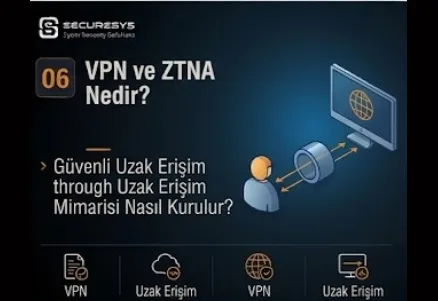
Remote working, outsourcing, cloud services and mobile users have completely changed the corporate network access model.
In the past, in order for a user to be able to reach corporate resources they mostly had to be physically connected to the office network.
Today, however, users;
from home,
from travel,
from a mobile device,
from different countries,
from third-party networks
can reach corporate systems.
This change brings with it a critical security question:
How can a user reach corporate resources securely even when they are outside the organization?
The classical answer to this need has been:
VPN - Virtual Private Network
this technology.
A VPN provides remote access by creating an encrypted tunnel between the user and the organization.
However, modern security architecture does not consider an encrypted connection alone to be sufficient.
Because the fundamental problem is this:
Which resources can a user reach after connecting with a VPN?
If after the VPN connection the remote user:
to the whole server network,
to the databases,
to the management interfaces,
to the file servers,
to the internal applications
gains broad access, the lateral movement risk can continue despite the use of strong authentication.
For this reason the modern secure remote access approach:
VPN
from this approach
ZTNA - Zero Trust Network Access
is developing towards this model.
The fundamental principle of ZTNA:
Connecting the user to only the application or resource they need instead of to the network
can be summarized in this way.
For this reason secure remote access today;
VPN,
MFA,
Identity,
Device Posture,
Least Privilege,
ZTNA,
PAM,
Bastion Host,
SASE
requires many security layers such as these to be evaluated together.
What Is a VPN?
VPN:
Virtual Private Network
is the technology that creates an encrypted communication tunnel between two networks or between a user and a network.
What Does a VPN Do?
The fundamental purpose of a VPN:
is to provide secure communication over an untrusted network.
For example, a user can connect to the company network over the internet.
Does a VPN Encrypt the Traffic?
Yes.
An encrypted tunnel is created according to the protocol used.
Does a VPN Provide Security?
Yes.
However, it is not sufficient on its own.
What Does a VPN Not Provide?
A VPN does not automatically provide:
Least Privilege
Device Security
Application-Level Access
Zero Trust
these.
What Is Remote Access VPN?
Remote Access VPN is the VPN model that allows individual users to connect to the corporate network over the internet.
Who Is Remote Access VPN Used For?
Employee
Administrator
Contractor
Third-Party Support
it can be used for users such as these.
What Is Site-to-Site VPN?
It is the VPN model that creates an encrypted tunnel between two different networks.
For example:
Head Office
↔
Branch Office
Where Is Site-to-Site VPN Used?
Branch connectivity
Data Center connectivity
Cloud connectivity
Partner network
it can be used in scenarios such as these.
What Is IPsec VPN?
IPsec:
Internet Protocol Security
is the protocol suite that provides secure communication at the IP level.
For Which Purposes Is IPsec Used?
Site-to-Site VPN
Remote Access VPN
it can be used in areas such as these.
What Is SSL VPN?
It is the VPN approach that provides secure remote access using TLS/SSL technologies.
What Is the Difference Between SSL VPN and IPsec VPN?
They differ according to deployment, client, protocol and access model.
What Is a VPN Tunnel?
It is the logical connection over which network traffic is carried through an encrypted channel.
What Is a VPN Gateway?
It is the network security device on which VPN connections are terminated.
What Is a VPN Concentrator?
It is the system that manages a large number of VPN connections centrally.
What Is VPN Authentication?
It is the verification of the identity of the user connecting to the VPN.
Should the VPN Be Protected Only With a Username and Password?
No.
Should MFA Be Used on the VPN?
Definitely.
What Is MFA?
MFA:
Multi-Factor Authentication
is the use of more than one authentication factor.
What Are the Types of Authentication Factor?
Something You Know
Something You Have
Something You Are
What Is Something You Know?
It is information such as a password or a PIN.
What Is Something You Have?
It can be a mobile authenticator, a hardware token or a certificate.
What Is Something You Are?
It can be biometric authentication.
Why Is VPN Credential Theft Dangerous?
With the captured credential the attacker can connect to the VPN like a legitimate user.
Does MFA Reduce the Credential Theft Risk?
Yes.
However, phishing-resistant MFA is stronger.
What Is Push Fatigue?
It is the user giving approval by mistake as a result of continuously receiving MFA push notifications.
What Is an MFA Fatigue Attack?
It is the attacker trying to obtain approval by sending MFA requests to the user one after another.
What Is Phishing-Resistant MFA?
They are the authentication methods that are more difficult to capture with phishing.
What Is Certificate-Based VPN Authentication?
It is VPN authentication being performed with a device or user certificate.
Why Is a Device Certificate Important?
It can ensure that only authorized corporate devices receive VPN access.
What Is VPN Device Posture?
It is the checking of the security state of the device before the VPN connection.
What Can a Device Posture Check Control?
EDR Active
Antivirus Active
OS Updated
Disk Encryption
Firewall Enabled
Should a Non-Compliant Device Connect to the VPN?
According to the policy it can be blocked or given restricted access.
What Is a Managed Device?
It is an endpoint managed centrally by the organization.
What Is an Unmanaged Device?
It is a device that is not under corporate endpoint management.
Is Unmanaged Device Remote Access Risky?
Yes.
The malware or data leakage risk can be higher.
What Is BYOD Remote Access?
It is the user reaching corporate resources remotely with their personal device.
Should Full VPN Access Be Given for BYOD?
It is generally risky.
Application-level access can be more secure.
What Is VPN Full Tunnel?
It is all the user's internet and corporate traffic being passed over the VPN.
What Is Split Tunneling?
It is some traffic going over the VPN tunnel and some traffic going directly over the internet.
What Is the Advantage of Split Tunnel?
It reduces VPN bandwidth usage.
What Is the Security Risk of Split Tunnel?
The endpoint can communicate with both the internet and the corporate network at the same time.
Can Split Tunnel Create a Lateral Movement Risk?
In the case of an incorrect configuration, yes.
Is Full Tunnel More Secure?
It can provide an advantage in terms of visibility and centralized security.
However, it has a bandwidth and latency cost.
What Is Always-On VPN?
It is the VPN connection being established automatically when the device is turned on.
Why Is Always-On VPN Used?
It can ensure that the remote endpoint remains continuously under corporate security controls.
What Is Pre-Logon VPN?
It is the device connecting to the corporate network before the user logs in.
What Does Pre-Logon VPN Do?
It can be used for needs such as domain authentication and policy updates.
What Is VPN Access Control?
It is the determination of which resources the VPN user can reach.
Should a VPN User Reach the Whole Network?
No.
What Is Role-Based VPN Access?
It is network access being given according to the user's job role.
An Example
Finance User
→
Finance Applications
IT Administrator
→
Management Network
Vendor
→
Specific Server
What Is a VPN ACL?
It is the Access Control List applied to VPN user traffic.
What Is a VPN Group Policy?
It is the application of a VPN access policy according to the user group.
What Is Active Directory VPN Integration?
User identity and group information can be verified through AD.
Can LDAP Be Used on the VPN?
Yes.
What Is SAML?
SAML:
Security Assertion Markup Language
is one of the standards used for federated authentication.
Can a VPN Use SAML Authentication?
Yes.
What Is an Identity Provider?
It is the central identity service that provides user authentication.
Why Is VPN and Identity Provider Integration Important?
It can make it easier to apply SSO and MFA.
What Is Conditional Access?
It is the access decision being made according to identity and context.
A VPN Conditional Access Example
User Identity
Managed Device
MFA
Approved Location
↓
Access
What Is Impossible Travel?
It is the same user account logging in within a short period from different locations that are not physically possible.
What Is a VPN Login Anomaly?
It is VPN login activity that differs from normal user behaviour.
What Is VPN Brute Force?
It is a large number of password attempts being made on the VPN authentication portal.
Does Password Spraying Affect the VPN?
Yes.
Should VPN Login Logs Be Sent to the SIEM?
Yes.
What Are the VPN SOC Use Cases?
Multiple Failed Login
Impossible Travel
Unusual Country Login
New Device Login
Concurrent Session
What Is a Concurrent VPN Session?
It is the same user account opening more than one VPN session at the same time.
Is a Concurrent Session Always Harmful?
No.
However, it can be abnormal behaviour.
What Is VPN Geo-Restriction?
It is the limiting of VPN login from certain countries or regions.
Is Geo-Restriction a Strong Security Control?
On its own, no.
It can be an additional control.
What Is the VPN Attack Surface?
It is the attack surface of the internet-facing VPN gateway and authentication infrastructure.
Why Is the VPN Gateway Frequently Targeted?
It is an internet-facing and high-value entry point.
Why Is a VPN Vulnerability Critical?
A remote attacker can gain direct internal access.
Should the VPN Firmware Be Up to Date?
Definitely.
Is It Risky If the VPN Gateway Reaches EOL?
Yes.
Security updates may not be available.
Should the VPN Management Interface Be Open to the Internet?
As far as possible, no.
Should the VPN Portal and the Admin Portal Be Separated?
Yes.
What Should VPN Logging Contain?
User
Source IP
Login Time
Assigned IP
Session Duration
What Is VPN Session Monitoring?
It is the monitoring of the active remote user sessions.
What Is Idle Timeout?
It is the automatic closing of a session that has had no activity for a certain period.
What Is Maximum Session Duration?
It is the maximum period for which a VPN session can remain open.
Why Is Idle Timeout Important?
It reduces the unattended connection risk.
What Is VPN Reauthentication?
It is user authentication being requested again after a certain period.
What Is VPN Session Hijacking?
It is an active VPN session being taken over by an attacker.
What Is VPN Token Theft?
It is the theft of the authentication token.
What Is VPN Client Security?
It is the secure management of the VPN software used on the endpoint.
Should the VPN Client Be Up to Date?
Yes.
What Is Third-Party Remote Access?
It is a vendor, consultant or support team reaching corporate systems remotely.
Why Is Third-Party Access Risky?
Users and devices the organization does not control directly gain access.
Should a Vendor VPN Account Be Shared?
No.
Should the Vendor User Use an Individual Account?
Yes.
Should Vendor Access Be Time-Limited?
As far as possible, yes.
What Is Just-In-Time Access?
It is access becoming active only during the period in which it is needed.
What Is Just-Enough Access?
It is the user being given only the necessary minimum permissions.
What Is Third-Party Access Approval?
It is owner approval being obtained before vendor access is opened.
Should Vendor Access Be Monitored?
Yes.
What Is Vendor Session Recording?
It is the recording of a privileged remote session.
What Is PAM?
PAM:
Privileged Access Management
is the secure management of highly privileged accounts and sessions.
How Are PAM and Remote Access Used Together?
Vendor:
Internet
↓
Secure Access
↓
PAM
↓
Target Server
What Does PAM Provide?
Credential Vault
Session Recording
Approval
Just-In-Time Access
What Is a Bastion Host?
It is the hardened intermediary system used in access to critical systems.
What Is a Jump Server?
It is the controlled intermediate server the administrator or vendor uses before passing to the target system.
Why Are VPN + Jump Server Strong?
They provide the user with a limited management path instead of the whole network.
Are VPN + PAM Stronger?
For privileged access, yes.
What Is a Remote Desktop Gateway?
It is the system that controls RDP access through a central gateway.
Should Direct RDP Be Opened to the Internet?
No.
Should Direct SSH Be Opened to the Internet?
As far as possible, no.
How Should Secure Admin Remote Access Be?
MFA
↓
VPN/ZTNA
↓
PAM/Bastion
↓
Management Network
↓
Target System
What Is ZTNA?
ZTNA:
Zero Trust Network Access
is the secure access model that aims to give the user access only to an authorized application or resource instead of to the whole network.
What Is the Fundamental Principle of ZTNA?
Resource access instead of network access.
What Is the Fundamental Difference Between VPN and ZTNA?
A VPN allows the user to connect to the network.
ZTNA aims to connect the user to a particular application.
The Simple VPN Model
User
↓
VPN Gateway
↓
Corporate Network
↓
Applications
The Simple ZTNA Model
User
↓
Identity Verification
↓
Device Verification
↓
ZTNA Broker
↓
Specific Application
Does ZTNA Give the User IP-Level Access?
Not in every architecture.
An application-level connection can be provided.
How Does ZTNA Reduce the Attack Surface?
It can reduce internal applications being exposed directly on the network.
What Is a Dark Network?
It is the approach of resources not being visible to unauthorized users through network discovery.
Can ZTNA Reduce Network Discovery?
Yes.
The user can see only the authorized resource.
How Does ZTNA Reduce Lateral Movement?
By not giving the user broad network access.
Is ZTNA Zero Trust?
It is one of the important technologies that support the Zero Trust principles.
What Is Zero Trust?
Zero Trust is fundamentally built on the principle:
Never Trust, Always Verify
this principle.
What Are the Fundamental Controls of Zero Trust?
Identity
Device
Least Privilege
Continuous Verification
Context
Is ZTNA Identity-Aware?
Yes.
What Is an Identity-Aware Proxy?
It is the proxy approach that provides application access through user identity.
What Is Device-Aware Access?
It is the device status being used in the access decision.
What Is Context-Aware Access?
It is the inclusion of context information such as location, time, device and risk in the access policy.
What Is ZTNA Continuous Verification?
It is the re-evaluation of the user or device trust level throughout the session.
When Is Authentication Generally Performed on a VPN?
At the start of the session.
Is Authentication Continuous in ZTNA?
According to the architecture more frequent context validation can be applied.
A Comparison of VPN and ZTNA
| Feature | VPN | ZTNA |
|---|---|---|
| Access Model | Network Access | Application Access |
| Trust Model | Network-Oriented | Identity-Oriented |
| Visibility | Network-Level | Resource-Level |
| Lateral Movement | Can be higher | More limited |
| Device Context | Extra integration needed | Generally central |
| Least Privilege | Can be applied manually | Is the basis of the design |
Does ZTNA Completely Take the Place of VPN?
Not always.
In Which Situations Is a VPN Still Necessary?
Legacy applications
Non-Web Protocols
Site-to-Site Connectivity
Full Network Administration
a VPN can be necessary in scenarios such as these.
What Is Hybrid VPN + ZTNA?
It is some users using VPN and some users using ZTNA.
What Is ZTNA Migration?
It is the gradual moving of VPN-based remote access to an application-level access model.
How Is ZTNA Migration Started?
Application Inventory
↓
User Mapping
↓
Access Mapping
↓
Pilot
↓
Policy Enforcement
Why Is an Application Inventory Necessary?
It must be determined which resources can be published with ZTNA.
What Is Access Mapping?
It is the determination of which user needs to reach which application.
What Is Least Privilege Remote Access?
It is the user being given only the remote resources necessary for the task.
What Is Remote Access Micro-Segmentation?
It is the limiting of the remote user's access on an application or workload basis.
What Is Agent-Based ZTNA?
It is secure access being provided using an agent on the endpoint.
What Is Agentless ZTNA?
It is access being provided through a browser or proxy without requiring an agent.
Where Can Agentless ZTNA Be Used?
Web application
Third-party access
BYOD
in scenarios such as these.
What Is a Private Application?
It is an internal application that is not directly open to the public internet.
What Is a ZTNA Connector?
It is the component that establishes an outbound connection between the internal application and the ZTNA service.
Why Is an Outbound Connector Secure?
It can reduce the need to open an inbound firewall port.
What Is a ZTNA Broker?
It is the system that manages the access decision between the user and the private resource.
What Is a Policy Decision Point?
It is the system on which the access decision is made.
What Is a Policy Enforcement Point?
It is the point at which the access decision is applied.
What Can a Zero Trust Policy Contain?
User
Device
Application
Location
Risk
Time
What Is SASE?
SASE:
Secure Access Service Edge
is the architectural approach that combines network and security services in a cloud-centric model.
Which Technologies Can SASE Contain?
ZTNA
SWG
CASB
FWaaS
SD-WAN
What Is SWG?
SWG:
Secure Web Gateway
controls internet access traffic from a security point of view.
What Is CASB?
CASB:
Cloud Access Security Broker
provides visibility and policy enforcement over cloud service usage.
What Is FWaaS?
Firewall as a Service is the delivery of firewall capability as a cloud service.
What Is SD-WAN?
Software-Defined Wide Area Network makes it possible for branch connectivity to be managed with central policy.
What Is SSE?
SSE:
Security Service Edge
expresses the security service side of SASE.
Is ZTNA Part of SSE?
Yes.
How Should a Secure Remote Access Architecture Be?
A strong architecture can contain the following layers:
Identity Provider
↓
MFA
↓
Device Posture
↓
ZTNA / VPN
↓
Access Policy
↓
PAM / Bastion
↓
Application
What Is Remote Access Defense in Depth?
It is the application of multi-layered protection instead of relying on a single authentication control.
An Example of Defense in Depth
User
↓
MFA
↓
Managed Device
↓
ZTNA
↓
Application-Level Access
↓
Session Monitoring
The Relationship Between Remote Access and NAC
NAC controls local network access.
ZTNA/VPN controls remote network access.
The Relationship Between Remote Access and NDR
The network behaviour after a remote user connection can be monitored with NDR.
The Relationship Between Remote Access and the SIEM
VPN/ZTNA logs can be sent to the SIEM.
The Relationship Between Remote Access and the SOC
The SOC monitors remote login anomalies and suspicious access events.
The Relationship Between Remote Access and EDR
Endpoint posture and security alerts can affect the access decision.
Can a ZTNA Session Be Closed After an EDR Alert?
If there is suitable integration, yes.
What Is Dynamic Access Revocation?
It is the automatic revocation of existing access when the risk rises.
What Is Continuous Risk Assessment?
It is the tracking of the user/device risk level throughout the session.
What Is Risk-Based Authentication?
It is extra authentication being requested when the risk rises.
What Is Step-Up Authentication?
It is extra MFA being applied during sensitive resource access.
What Is Privileged Remote Access?
It is the remote access process of administrators and high-privilege users.
Should Privileged Remote Access Be Stricter?
Definitely.
Privileged Remote Access Controls
MFA
PAM
Session Recording
Approval
JIT
Dedicated Admin Account
Should a Shared Admin Account Be Used?
No.
Should an Admin User Perform Remote Management With a Normal User Account?
As far as possible a separate privileged account must be used.
What Is a Dedicated Admin Workstation?
It is the hardened endpoint used for administrative tasks.
What Is PAW?
PAW:
Privileged Access Workstation
is the special secure workstation for critical administration.
Can PAW + ZTNA Be Used Together?
Yes.
Why Is Remote Access Logging Important?
It makes it possible to track user activity for incident investigation.
Which Remote Access Logs Should Be Collected?
Login Success
Login Failure
MFA Event
Device Information
Session Start/End
Accessed Resource
Should ZTNA Logs Be Sent to the SIEM?
Yes.
Remote Access Detection Use Cases
Impossible Travel
Credential Stuffing
Password Spray
Unusual Login Time
Unknown Device
Unauthorized Resource Access
What Is Credential Stuffing?
It is username/password combinations leaked from other systems being tried for login.
What Is Password Spraying?
It is a small number of passwords being tried on a large number of user accounts.
What Is the Difference Between Brute Force and Password Spraying?
Brute Force:
One account → many passwords
Password Spraying:
Many accounts → few passwords
Is MFA Bypass Possible?
Some attack techniques can aim to bypass MFA.
For this reason MFA is not sufficient on its own.
What Is Adversary-in-the-Middle?
It is the attacker trying to capture the session or the token by interposing themselves between the user and the legitimate authentication service.
What Is Token Replay?
It is the reuse of a captured authentication token.
Why Should Session Risk Be Monitored?
After login the session token rather than the credential can be compromised.
What Is a Remote Access Security Assessment?
It is the evaluation of VPN, ZTNA and remote access policies from a security point of view.
What Does a VPN Security Assessment Examine?
Authentication
MFA
Firmware
Access Policy
Logging
Split Tunnel
What Does a ZTNA Assessment Examine?
Identity
Application Mapping
Device Posture
Policy
Logging
What Is a Remote Access Penetration Test?
It is the evaluation of the remote access infrastructure in terms of attack surface within the scope of authorized security testing.
Should a Vulnerability Scan Be Performed on the Internet-Facing VPN?
Yes.
What Is a VPN Configuration Audit?
It is the evaluation of the VPN gateway security configuration according to hardening standards.
What Is VPN Hardening?
It is the strengthening of the VPN infrastructure with secure configuration.
VPN Hardening Checklist
- Is the firmware up to date?
- Is MFA active?
- Is the admin portal open to the internet?
- Are weak protocols disabled?
- Is strong cryptography being used?
- Is user group access limited?
- Is logging active?
- Is there an idle timeout?
- Is device posture being checked?
- Has a split tunnel risk analysis been done?
ZTNA Security Checklist
- Is an application inventory available?
- Is there a user-to-application mapping?
- Has Identity Provider integration been done?
- Is MFA active?
- Is device posture being checked?
- Is least privilege being applied?
- Is there session monitoring?
- Is the access policy being reviewed?
- Do the logs go to the SIEM?
- Is there risk-based access?
Third-Party Access Checklist
- Does the vendor use an individual account?
- Is MFA active?
- Is access time-limited?
- Has the target resource been limited?
- Is PAM being used?
- Is the session recorded?
- Is the access owner known?
- Does the account expire automatically?
The Most Frequently Made Mistakes in Remote Access Security
The mistakes frequently seen in organizations:
- Thinking that remote access is secure if there is a VPN
- Using only a password
- Not using MFA
- Giving the VPN user full network access
- Using vendor accounts as shared accounts
- Leaving third-party access without a time limit
- Not evaluating the split tunneling risk
- Not checking device posture
- Delaying VPN gateway patches
- Using an EOL VPN appliance
- Opening the admin portal to the internet
- Not sending VPN logs to the SIEM
- Not monitoring remote user activity
- Not evaluating ZTNA
- Giving privileged remote access without using PAM
Remote Access Security Maturity Model
Level 1 - Basic VPN
VPN access is provided with a username/password.
Level 2 - MFA VPN
VPN access is protected with MFA.
Level 3 - Controlled VPN
Role-based access and device posture are applied.
Level 4 - ZTNA
The user is provided with application-level access instead of network access.
Level 5 - Adaptive Zero Trust Access
Dynamic access policy is applied with identity, device, risk and continuous verification.
Frequently Asked Questions
What is a VPN?
A VPN is the technology that provides secure network communication by creating an encrypted tunnel over an untrusted network.
What is Remote Access VPN?
It is the VPN model that allows a remote user to connect to the corporate network over the internet.
What is SSL VPN?
It is the VPN approach that provides secure remote access over TLS/SSL technologies.
What is IPsec VPN?
It is the VPN technology that creates an encrypted network tunnel using the IPsec protocol suite.
What is Split Tunneling?
It is some of the VPN user's traffic going over the VPN and some of it going directly over the internet.
What is Full Tunnel?
It is all user traffic being routed to the corporate network over the VPN.
Is MFA necessary on a VPN?
Yes. MFA is a critical control for reducing the remote access credential theft risk.
What is ZTNA?
Zero Trust Network Access is the security model that aims to give the user access only to an authorized application or resource instead of the entire network.
What is the difference between VPN and ZTNA?
A VPN mostly provides network-level access. ZTNA focuses on an application-level and identity-based access approach.
Does ZTNA take the place of VPN?
Not always. A VPN may be needed in legacy application, site-to-site and some network administration scenarios.
What is Secure Remote Access?
It is the remote user reaching corporate resources securely with identity, MFA, device posture and least privilege controls.
How should third-party remote access be protected?
Individual accounts, MFA, time-limited access, PAM, a bastion host and session monitoring must be used.
Is a VPN Zero Trust?
Not on its own. A VPN provides encrypted connectivity, while Zero Trust requires continuous verification and least privilege access.
Conclusion: Secure Remote Access Is Not Connecting the User to the Whole Network
The VPN has been one of the fundamental technologies of remote access for years.
And today it is still necessary for many architectures.
However, from the point of view of modern security this assumption is no longer sufficient:
"If they have connected to the VPN they are a trusted user."
Because even if the VPN session is successful:
the credential may have been stolen,
the device may have been compromised,
the session token may have been captured,
the user may have more network access than necessary.
For this reason the modern remote access model:
Identity
↓
MFA
↓
Device Trust
↓
Least Privilege
↓
Continuous Monitoring
must be built on these.
The classical VPN model includes the user in the network.
ZTNA, on the other hand, focuses on this question:
"Which application does this user need to reach?"
This difference, which looks small, is very large from the point of view of security architecture.
Because one of the attacker's goals is:
Network Discovery → Credential Access → Lateral Movement
this chain.
If the user cannot reach the whole network an important part of this chain can be broken.
For this reason the modern secure remote access transformation can be thought of in this way:
VPN Everywhere
↓
MFA VPN
↓
Role-Based VPN
↓
Application-Level Access
↓
ZTNA
↓
Adaptive Zero Trust
The aim is not to eliminate the VPN completely.
The aim:
is to reduce the network-level trust model.
In the end a strong remote access architecture must adopt this principle:
"Give the user not the network but the resource they need."
And for privileged remote access this principle must be applied even more strictly:
Identity + MFA + Managed Device + PAM + JIT Access + Session Monitoring
The fundamental equation of modern secure remote access is this:
Secure Remote Access = Identity + Device + Least Privilege + Visibility + Continuous Verification
Related Articles
Network Security
What Is Network Security? Cyber Security in Corporate Networks
What is network security? A corporate guide reaching from firewall and NGFW to segmentation, NAC and IDS/IPS, NDR, Zero Trust and DDoS protection.
What Are Firewall and NGFW? Corporate Network Security and Firewall Hardening
What are firewall and NGFW? A guide to firewall architecture, rule review, TLS inspection, hardening and firewall management in corporate networks.
What Is Network Segmentation? VLAN, Micro-Segmentation and Lateral Movement
What is network segmentation? A guide to limiting lateral movement with VLANs, security zones, micro-segmentation and an access matrix.
What Is NAC? Network Access Control, 802.1X and Unauthorised Device Access
What is NAC? A guide to blocking unauthorized device access with 802.1X, RADIUS, EAP-TLS, device profiling and quarantine VLANs.
What Are IDS and IPS? Network Intrusion Detection and Prevention Systems
What are IDS and IPS? A guide to attack detection with signature and anomaly detection, inline IPS, tuning, false positives and evasion techniques.
Wireless Network Security: Wi-Fi Security, WPA3, Rogue AP and Evil Twin Risks
Wireless network security: how to protect corporate Wi-Fi against rogue AP and Evil Twin risks with WPA3, 802.1X and EAP-TLS.
Looking for professional support on this topic?
Our expert team will reach out for a free consultation as soon as possible.