Data Security and User Mistakes: File Sharing, Cloud Storage and Data Leakage
Data security and user mistakes: data classification, DLP, public link sharing, cloud storage risks and AI-driven data leakage.
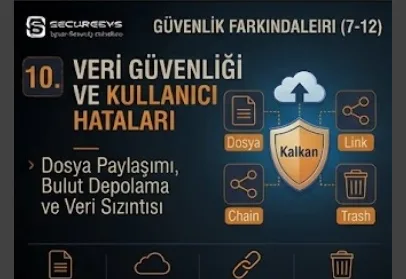
When corporate cyber security is mentioned what most often comes to mind is attackers, malware, ransomware, phishing and network attacks. Yet data loss or a data breach does not always take place as the result of a malicious attack.
Sometimes the user sends an e-mail to the wrong person.
Sometimes they share a confidential file with a public sharing link.
Sometimes they upload a company document to personal cloud storage.
Sometimes they put customer data in the wrong folder.
Sometimes they paste sensitive information into a public Generative AI service.
In none of these situations does there have to be an attacker.
However, the result can again be:
Data Leakage, Data Exposure or Data Breach
this.
For this reason the modern Data Security approach does not consist only of encrypting files.
The real target should be:
To know where the data is, how sensitive it is, who can access it, how it is shared and how it can leave the organization
this.
A modern data security architecture handles the following components together:
Data Discovery + Data Classification + Access Control + DLP + Encryption + Cloud Security + CASB + Insider Risk + Monitoring + Incident Response
The fundamental principle is this:
In order to be able to protect data it is first necessary to know the data, classify it and be able to see its movement.
What Is Data Security?
Data Security is the technical and organizational security approach that provides for corporate data to be protected in terms of confidentiality, integrity and availability.
In other words the aim of data security is:
to prevent unauthorized people accessing the data,
to prevent the data being changed without permission,
to prevent the data being lost,
to prevent the data leaving the organization over the wrong channels
and to provide for it to be accessible safely when necessary.
Corporate data security is not only database security.
At the same time:
file server,
endpoint,
e-mail,
SharePoint,
OneDrive,
Google Drive,
SaaS applications,
cloud storage,
USB devices,
mobile devices
it also covers the data on these.
What Is Data Leakage?
Data Leakage is sensitive information leaving the authorized environment by mistake or deliberately.
For example an employee can send a confidential document to the wrong person.
Or they can forward it to a personal e-mail address.
In this case there may not be an external attacker.
However, the data is now outside organization control.
For this reason data leakage is one of the most important risk areas of modern information security.
What Is the Difference Between Data Loss and Data Leakage?
Data Loss means the data being lost or becoming inaccessible.
Data Leakage, on the other hand, is the data reaching an unauthorized person or environment.
For example if a hard disk fails and the file is deleted:
Data Loss
this can arise.
If the same file is sent to the wrong person:
Data Leakage
this arises.
The two risks require different controls.
What Is a Data Breach?
A Data Breach is the security event that results in sensitive, confidential or protected information being accessed, disclosed or obtained in an unauthorized way.
Not every Data Leakage is necessarily classified officially as a Data Breach.
This evaluation is made according to factors such as:
data type,
exposure scope,
regulatory requirements,
actual access
these.
What Is Data Exfiltration?
Data Exfiltration is data being taken outside the organization in an unauthorized way.
This operation:
USB,
e-mail,
cloud upload,
web upload,
network transfer,
a messaging application
can be carried out over these.
Data exfiltration can be done by a malicious insider or an external attacker.
However, user mistakes can also create a similar result.
How Does Human Error Affect Data Security?
The small operations users carry out can turn into large security incidents.
For example:
choosing the wrong recipient,
sending the wrong attachment,
creating a public link,
giving external sharing permission,
uploading a file to a personal drive,
copy-pasting confidential data
behaviours such as these can create serious risk.
For this reason the data security architecture must accept that human error can be inevitable.
What Is Data Classification?
Data Classification is corporate information being classified according to its sensitivity and business importance level.
For example the basic classification model can be:
Public
Internal
Confidential
Restricted
in this way.
In this way security controls can be applied according to the risk level of the data.
What Is Public Data?
Public Data is information whose sharing outside the organization does not create a serious risk.
Website content, public brochures or press announcements can be examples of this.
For this data security controls can be more flexible.
What Is Internal Data?
Internal Data is information that should be used only by organization employees or particular business partners.
Public disclosure may not be wanted but exposure may not always mean a critical breach.
What Is Confidential Data?
Confidential Data is information that in the case of unauthorized disclosure can create a serious risk for the organization, the customer or the employee.
For example:
contracts,
customer records,
financial documents,
internal strategy,
source code
these can fall into this category.
What Is Restricted Data?
Restricted Data can be used for information at the highest sensitivity level.
For example:
authentication secrets,
critical personal data,
high-value intellectual property,
sensitive financial information
these can be included in this category.
For this data strong encryption, strict access control and DLP must be applied.
Why Is Data Classification Important?
It is not possible to protect all data with the same security policy.
If maximum restriction is applied to every file business productivity can fall.
If no classification is made at all sensitive data can be treated like a normal document.
For this reason data classification:
Security + Usability
provides a balance between these.
What Is Data Discovery?
Data Discovery is the process of determining where the sensitive information inside the organization is located.
Data can be found in these environments:
file servers,
endpoints,
cloud storage,
SaaS platforms,
databases,
e-mail systems.
If the organization does not know what data it has it cannot apply effective protection.
How Is Sensitive Data Discovery Carried Out?
DLP or data security platforms can detect particular patterns or document types by using content inspection.
For example:
personal information,
financial identifiers,
confidential labels,
source code
can be found.
But automatic discovery is not flawless on its own.
Business context and manual classification can also be necessary.
What Is a Data Inventory?
A Data Inventory is the inventory in which the organization records its important datasets and information assets.
As important as an Asset Inventory is for devices, a Data Inventory is that important for information security.
The fundamental question:
"Which of our critical data is where?"
should be this.
What Is Data Ownership?
A business owner should be defined for every important dataset.
The Data Owner carries business responsibility on the subject of by whom the data can be accessed and how it will be used.
The security team can provide technical controls but the one that always knows the business value of the data best is the business unit.
What Is the Need-to-Know Principle?
Need-to-Know is the security principle that the user should access only the information genuinely necessary for their work.
The user should not access all corporate data just because they are an employee.
This approach works together with Least Privilege.
Least Privilege Data Access
Least Privilege is not used only for system privilege.
It is valid for data access too.
For example if an employee can access only their own department documents the impact a compromised account will create can be more limited.
What Is Role-Based Access Control?
RBAC, that is, Role-Based Access Control, provides for permissions to be managed through job roles instead of users.
For example:
Finance
HR
Sales
IT
different document access rights can be assigned to these roles.
This makes access management more sustainable.
What Is Attribute-Based Access Control?
ABAC provides for the access decision to be given with different attributes beyond the role.
For example:
department,
location,
device,
data classification
information such as this can be used.
This approach can provide more granular data protection.
What Is File Sharing Security?
File Sharing Security is the body of controls that provides for users to share documents and files safely with internal or external parties.
Because modern file sharing takes place over cloud platforms security is not only attachment protection.
The sharing permission is very important.
What Is a Public Link?
A Public Link is the sharing model in which everyone who knows the link can access the file.
Even if this link is not indexed by a search engine it can reach unintended recipients.
Especially for confidential data public links can create a high risk.
The "Anyone with the Link" Risk
The "Anyone with the Link" permission provides easy collaboration.
However, if the user forwards the link to the wrong person the access control weakens.
For this reason authenticated sharing should be preferred for sensitive data.
What Is Authenticated Sharing?
Authenticated Sharing provides for only previously determined or logged-in recipients to be able to access the file.
This model offers stronger access control than a public link.
What Is External Sharing?
External Sharing is a corporate file being shared with users or domains outside the organization.
It can be necessary for business collaboration.
However, uncontrolled external sharing can create:
data leakage,
persistent access,
third-party risk
these.
How Should External Sharing Be Managed?
The organization:
allowed domains,
guest users,
link expiration,
download permissions,
data classification
can apply a granular policy through these.
Not every external sharing is at the same risk level.
What Is Link Expiration?
A shared link can expire automatically at the end of a particular period.
This is valuable especially for temporary collaboration.
If a two-week sharing is needed with a supplier, creating a link that stays open for years creates unnecessary risk.
What Is Guest Access?
Cloud collaboration platforms can add external users as a guest identity.
Guest access should be:
time-limited,
reviewable,
revocable
these.
Guest accounts belonging to old projects should not remain active for years.
What Is an Access Review?
An Access Review is the periodic evaluation of whether the current permissions of users or guests are still necessary.
Especially for sensitive repositories:
quarterly,
semi-annual
review can be applied.
This reduces the privilege accumulation risk.
What Is Permission Creep?
Permission Creep is access rights accumulating as users take on new roles or projects over time and permissions that are no longer needed not being removed.
After a long time the user can access far more data than they need.
For this reason periodic access reviews are necessary.
SharePoint Security
On collaboration platforms such as SharePoint document libraries can contain broad access permissions.
In terms of security:
site permissions,
external sharing,
guest users,
public links,
sensitivity labels
should be checked regularly.
The aim is not to close the platform completely but to provide controlled collaboration.
OneDrive Security
OneDrive can provide a personal corporate storage area for users.
However, while sharing a file the user can create an external link.
For this reason within the scope of OneDrive security:
sharing restrictions,
DLP,
sensitivity labels,
device access
should be evaluated.
Google Drive Security
Cloud storage services such as Google Drive also carry similar risks.
A document:
private,
organization-wide,
specific users,
public link
can be shared with different permission levels such as these.
If the user chooses the wrong permission sensitive data exposure can arise.
What Is Cloud Storage Security?
Cloud Storage Security is the files and data kept on the cloud being protected with:
access control,
encryption,
sharing,
logging,
DLP
these.
The cloud provider provides infrastructure security but the customer configuration is also critical.
The Shared Responsibility Model and Data Security
The cloud provider can manage an important part of the physical infrastructure and service security.
However, the customer is generally responsible for:
user access,
sharing permissions,
data classification,
identity security
these subjects.
For this reason:
We are using the cloud, the data is already safe
this approach is not correct.
What Is Misconfiguration?
Misconfiguration is security settings being configured in an incorrect or risky way.
For example a confidential cloud storage folder being opened to public access can be a misconfiguration.
One of the important risks of cloud data breaches is configuration errors.
What Is Overexposed Data?
Overexposed Data is data that can be accessed by broader users or groups than the business requirement.
The attacker can unexpectedly reach sensitive files over a low-level user account they have compromised.
For this reason entitlement visibility is important.
What Is Data Security Posture Management?
DSPM, that is, Data Security Posture Management, is the approach class used to discover and classify sensitive data on cloud and modern data environments and to detect risky access relationships.
DSPM in particular aims to provide visibility of:
shadow data,
overexposed data,
sensitive cloud data
these.
What Is Shadow Data?
Shadow Data is copied, old or unknown data that the organization does not actively track or manage.
For example the user may have copied a production export to a personal folder.
The original database can be secure but the duplicate file may not be protected.
For this reason source system security alone is not sufficient.
What Is Stale Data?
Stale Data is information whose business value is now low or that is not used but that continues to be kept in the system.
Unnecessary data increases the security risk.
Data Minimization is therefore important.
What Is Data Minimization?
Data Minimization is the principle of only genuinely necessary information being collected and kept.
Data you do not store cannot be leaked.
For this reason retention and deletion policies are fundamental parts of data security.
What Is Data Retention?
Data Retention is the policy that determines for how long information will be kept.
Legal, regulatory and business requirements should be taken into account.
Data should not be kept forever.
What Is Secure Deletion?
Data whose retention period has ended needs to be deleted appropriately.
Only removing it from the folder view may not always be sufficient.
A deletion mechanism suitable for the storage architecture should be used.
What Is DLP?
DLP:
Data Loss Prevention
is the security approach that detects and where necessary blocks sensitive information being transferred, shared or taken outside in an unauthorized way.
DLP is one of the most important controls of modern data security.
How Does DLP Work?
A DLP policy can evaluate different contexts:
Data Type
Classification
User
Destination
Channel
For example:
Restricted Document
Personal Email
↓
Block
In another case:
Internal Document
Approved Partner
↓
Allow
This provides context-aware protection.
What Is Endpoint DLP?
Endpoint DLP controls the data movement on the user device.
For example:
USB copy,
clipboard,
print,
local transfer,
browser upload
can be monitored.
This is valuable in terms of insider risk and accidental leakage.
What Is E-mail DLP?
E-mail DLP can prevent sensitive data being sent to unauthorized recipients by analyzing outgoing messages.
For example when a confidential attachment is attempted to be sent to an external address a warning or block can be applied.
What Is Cloud DLP?
Cloud DLP applies security policies to data located or shared on SaaS and cloud storage.
Public sharing, external sharing and sensitive data exposure can be detected.
What Is Network DLP?
Network DLP analyzes the sensitive information going out over network traffic.
However, because of modern encrypted and cloud-heavy environments network visibility may not be sufficient on its own.
Endpoint and cloud DLP have become increasingly critical.
Should DLP Block or Warn?
Every policy does not have to be a direct block.
For some scenarios:
Monitor
Warn
Require Justification
Require Approval
Block
a graduated response such as this can be applied.
This approach can create security awareness while preserving the user experience.
What Is User Coaching?
A DLP warning can explain to the user why the operation is risky.
For example:
"This file has been classified as Confidential and cannot be sent to a personal e-mail address."
This is not only a block but at the same time provides real-time security awareness.
The False Positive DLP Problem
If DLP produces a wrong detection user productivity can be affected.
For this reason policies should be applied with a:
pilot,
tune,
measure
approach.
Overly aggressive controls can cause users to look for a workaround.
What Is Information Rights Management?
IRM provides for access and usage restrictions to be applied to a document.
For example a document:
view only,
no print,
no copy,
expiration
can have this policy.
This protection can provide for particular controls to continue even if the file goes outside the organization.
What Is a Sensitivity Label?
A Sensitivity Label indicates the classification level of a document or e-mail.
For example:
Public
Internal
Confidential
Highly Confidential
a label such as this can be applied.
The label can also trigger controls such as encryption or sharing restrictions.
Why Is Encryption Important in Data Security?
Encryption makes it harder for data to be read by unauthorized people.
Encryption:
at rest,
in transit
can be applied.
However, if an authorized user shares a file with the wrong person encryption cannot on its own prevent data leakage.
For this reason access control is still necessary.
What Is Data at Rest Encryption?
It is data located on storage being kept in an encrypted state.
It provides protection when a disk or cloud storage is compromised.
What Is Data in Transit Encryption?
It is data transferred over the network being protected with encrypted communication.
TLS and VPN can be examples of this.
What Is Data in Use?
Data in Use is data actively processed by an application or user.
At this stage the data is in a more accessible state.
Endpoint security and access control are therefore important.
What Is Insider Risk?
Insider Risk is the security risk arising from the deliberate or unintentional behaviours of employees, contractors or trusted users.
A user:
can share data by mistake,
can bypass policy,
can knowingly steal data.
For this reason insider risk is not only a malicious employee subject.
What Is Insider Threat?
Insider Threat is the narrower threat concept related to a person with trusted access carrying out malicious or harmful behavior.
For example an employee who is about to leave can copy confidential files to personal storage.
How Is Insider Risk Detection Carried Out?
Instead of looking at a single event the behavior context can be evaluated.
For example:
Large Download
USB Copy
Personal Cloud Upload
Employee Departure Context
together these can create a more meaningful risk.
For this reason DLP, UEBA and SIEM correlation are valuable.
How Is UEBA Used in Data Security?
UEBA can create normal data access patterns for users.
If a user who normally does not access a particular folder suddenly downloads thousands of files an anomaly can arise.
However, behavior analytics should be managed carefully in terms of privacy and false positives.
What Is a Bulk Download?
A Bulk Download is an unusual amount of files being downloaded in a short time.
This can be:
a legitimate migration,
a backup,
malicious exfiltration
these.
Context is necessary.
What Is Bulk Sharing?
A user sharing a large number of documents with external users can be a security signal.
DLP or cloud security platforms can detect this behaviour.
Data Leakage with Personal E-mail
A user can send a corporate file to personal e-mail in order to finish their work at home.
There may not be malicious intent.
However, the data goes outside organization control.
DLP can block this.
Messaging Applications and Data Leakage
Corporate documents can be shared over WhatsApp, Telegram or other consumer messaging tools.
This situation can create:
data retention,
access control,
compliance
these risks.
The organization should determine approved collaboration channels.
Data Leakage with a Screenshot
Even if DLP blocks a file transfer the user can take the information outside with a screen capture or photo.
For this reason no technical control provides absolute protection.
In high-security environments:
watermark,
screen restrictions,
physical controls
additional methods such as these can be evaluated.
Data Leakage with Printing
If a confidential document is printed the data goes outside the digital security controls.
A printed document:
can be forgotten,
can be lost,
can be photographed.
For this reason print control and a clean desk policy are important.
Cloud Clipboard and the Copy-Paste Risk
A user can copy-paste sensitive data from a corporate application to an external website.
Endpoint DLP or enterprise browser controls can apply clipboard restrictions for particular scenarios.
What Is Generative AI Data Leakage?
Employees entering confidential corporate data into a public Generative AI service is one of the new generation Data Leakage risks.
For example the user:
source code,
a contract,
customer information,
internal strategy
can share these.
Even though this operation looks like a simple productivity activity it can create a data security and compliance risk.
Data Security in ChatGPT and Similar AI Tools
Instead of banning AI tools completely organizations should create an approved usage policy.
The fundamental questions:
Which AI services are approved?
Which data classification can be uploaded?
Should a corporate account be used?
Should sensitive data be masked?
Is DLP control being applied?
This approach is the intersection of AI Governance + Data Security.
What Is AI DLP?
The expression AI DLP can be used for DLP controls aimed at controlling users uploading or pasting sensitive data into Generative AI applications.
The policy can for example work as:
Restricted Data
Public AI Service
↓
Block
in this way.
What Is Prompt Data Leakage?
Confidential information being written inside a prompt can create data leakage.
Even if the user does not upload a file they can share sensitive content by copy-paste.
For this reason AI Security should cover not only uploaded files but also prompt content.
Source Code Data Leakage
Developers can paste corporate source code into public services for troubleshooting purposes.
This is an intellectual property risk.
Source Code Classification and DLP are therefore important in DevSecOps environments.
What Is Shadow AI?
Shadow AI is AI tools that are not approved by the organization being used by employees.
It can be thought of as the Generative AI version of Shadow IT.
SWG and CASB can provide usage visibility.
What Is CASB?
CASB, that is, Cloud Access Security Broker, is the security technology class that provides visibility, access control and data protection in cloud application use.
CASB:
approved apps,
unsanctioned apps,
data sharing,
downloads,
uploads
can provide policy enforcement on these subjects.
The Relationship Between CASB and DLP
CASB provides the cloud application context.
DLP, on the other hand, provides the data sensitivity context.
For example:
Confidential Data
Unsanctioned Cloud App
↓
Block
the decision can be given together.
Shadow IT and Data Security
If a user is using a file-sharing service that is not approved the security team can lose track of where the data is.
For this reason Shadow IT visibility is critical in terms of data security.
The aim is not only to block but to provide an approved alternative.
What Is SaaS Security Posture Management?
SSPM, that is, SaaS Security Posture Management, is the approach class aimed at evaluating the security configuration and access posture of SaaS applications.
For example:
external sharing,
weak configuration,
excessive permissions
can be detected.
In terms of data security it is valuable in cloud collaboration environments.
Is Data Backup Part of Data Security?
Yes.
Backup mostly provides availability and recovery.
While DLP protects confidentiality, backup protects against data loss.
For this reason Data Security:
Confidentiality + Integrity + Availability
must handle this trio together.
Backup and DLP Are Not the Same Thing
DLP prevents data leaving in an unauthorized way.
Backup, on the other hand, provides for returning when data is lost.
Both controls manage different risks.
What Is Versioning?
Cloud file platforms can keep document versions.
If the user changes or deletes a file by mistake the previous version can be returned to.
This can be useful for ransomware and accidental change scenarios.
Is Recycle Bin Security Sufficient?
The Recycle Bin can help for accidental deletion.
However, the attacker can exceed the retention period or use privileged access.
For this reason the recycle bin does not take the place of backup.
Data Security Incident Response
When a data security incident arises the first question:
Which data was affected?
should be this.
Afterwards:
Who accessed it?
Did the data go external?
Is the link still active?
Was it downloaded?
How many people were affected?
these questions should be answered.
What Should Be Done If an E-mail Was Sent to the Wrong Person?
The user should report the event immediately.
The security/privacy team can evaluate factors such as:
data type,
recipient,
exposure,
possible deletion confirmation
these.
Delay can increase the incident impact.
If a Wrong Public Link Was Created
The link should be revoked in the shortest possible time.
Over the audit logs:
who accessed it,
whether it was downloaded,
how long it stayed open
can be examined.
If a Sensitive File Was Uploaded to Personal Cloud
The file should if possible be removed and the sharing/access history should be investigated.
If there is no possibility of the user account or device being compromised the incident can be evaluated as accidental leakage.
However, the regulatory impact should also be examined.
What Should Be Done If Sensitive Data Was Entered into an AI Tool?
The organization's AI incident process should be used.
Which data was shared and which service was used should be determined.
A risk assessment should be made according to the data classification and the contractual/privacy context.
The Relationship Between Data Security and SIEM
When DLP, cloud, identity and endpoint events are sent to the SIEM data security incidents can be correlated better.
For example:
Unusual Login
Bulk Download
USB Copy
External Share
if these are seen on the same user the risk rises.
How Does the SOC Investigate a Data Leakage Event?
The SOC analyst should not look only at the DLP alert.
As context:
user role,
device,
data classification,
destination,
identity activity,
business justification
should be evaluated.
In this way a false positive and real exfiltration can be separated.
Data Security KPIs
In a Data Security programme the following metrics can be used:
Sensitive Data Discovery Coverage
Classification Coverage
DLP Policy Coverage
Public Sharing Rate
External Sharing Rate
Stale Guest Accounts
Data Leakage Incident Count
Mean Time to Revoke Sharing
DLP False Positive Rate
These metrics help to measure the security posture.
What Is Classification Coverage?
It shows how much of the documents inside the organization carry a classification label.
If classification coverage is low the effectiveness of DLP policies can also be limited.
What Is Public Sharing Rate?
It can measure how much of the files on cloud collaboration platforms are shared with a public or anonymous link.
For sensitive repositories this rate should be as low as possible.
The Most Frequently Made Mistakes in Data Security
The mistakes frequently seen in corporate environments are these:
- Not creating a data inventory
- Not knowing where sensitive data is
- Not applying data classification
- Giving every user broad file access
- Not controlling permission creep
- Leaving public sharing links free
- Not monitoring external sharing
- Not reviewing guest accounts regularly
- Not applying shared link expiration
- Not using DLP
- Applying DLP only on e-mail
- Not seeing endpoint data movement
- Not controlling the use of personal cloud storage
- Not creating Shadow IT visibility
- Not managing the risk of sensitive data upload to public AI services
- Not applying a data retention policy
- Keeping unnecessary stale data
- Not reviewing cloud permissions regularly
- Not sending data security events to the SIEM
- Not creating a data leakage incident response plan
Data Security Checklist
Organizations can regularly evaluate the following controls:
- Is a data inventory present?
- Is Sensitive Data Discovery being carried out?
- Is there a data classification policy?
- Are sensitivity labels being applied?
- Are data owners defined?
- Is Need-to-Know access being applied?
- Is Least Privilege access being used?
- Are shared folder permissions reviewed regularly?
- Is external sharing controlled?
- Are public links being limited?
- Are anonymous access policies defined?
- Do shared links use expiration?
- Are guest users reviewed periodically?
- Is permission creep being monitored?
- Is DLP active on e-mail?
- Is Endpoint DLP being applied?
- Is Cloud DLP being applied?
- Is there a USB data transfer policy?
- Are web upload controls present?
- Is personal cloud storage being controlled?
- Has the use of CASB been evaluated?
- Is Shadow IT discovery being carried out?
- Are public AI services managed with policy?
- Is DLP applied while sensitive data is sent to AI tools?
- Is data at rest encryption active?
- Is data in transit encryption being applied?
- Is a data retention policy present?
- Is there a secure deletion process?
- Are public sharing alerts going to the SIEM?
- Is bulk download detection being carried out?
- Does the SOC use a data leakage playbook?
Data Security Maturity Model
Level 1 – File and Folder-Focused Security
The organization uses basic file permissions and backup.
Sensitive data location and movement visibility is limited.
Level 2 – Data Classification and Access Control
Data classification is defined.
RBAC, encryption and sharing restrictions are applied for sensitive repositories.
Level 3 – DLP and Cloud Data Protection
E-mail, endpoint and cloud DLP are applied together.
External sharing, USB and web uploads are monitored centrally.
Level 4 – Context-Aware Data Security
Data classification, user identity, device posture, destination and behavior context are evaluated together.
CASB, SIEM, UEBA and DLP are integrated.
Level 5 – Zero Trust Data Security
Access and data movement are re-evaluated in every operation.
Sensitive data:
who,
from which device,
with which application,
to which destination
is accessing or transferring it is analyzed in real time.
Policy is applied adaptively.
Frequently Asked Questions
What is data security?
Data security is the security approach that provides for corporate data to be protected against unauthorized access, disclosure, modification, loss and leakage risks.
What is Data Leakage?
It is sensitive information leaving the authorized environment by mistake or deliberately.
What is Data Loss?
It is data being lost, deleted or becoming inaccessible.
What is Data Exfiltration?
It is data being taken outside the organization in an unauthorized way.
What is DLP?
Data Loss Prevention is the security approach that detects or blocks sensitive information being shared in an unauthorized way over channels such as e-mail, USB, web, endpoint or cloud.
What is Data Classification?
It is information being separated into categories such as Public, Internal, Confidential or Restricted according to its sensitivity and business importance level.
What is Sensitive Data Discovery?
It is determining in which systems and locations the sensitive information inside the organization is located.
What is Cloud Storage Security?
It is data stored on the cloud being protected with access control, encryption, sharing restrictions, DLP and monitoring.
Is public link sharing safe?
A public link is easy for collaboration but if everyone who knows the link can access it can create a high risk for sensitive data. Authenticated sharing can be safer.
What is external sharing?
It is a corporate file or document being shared with a user or domain outside the organization.
Are SharePoint and OneDrive safe?
If correct identity, sharing, DLP, classification and access controls are applied they can be used safely. Misconfiguration or public sharing can create data exposure.
Is it risky to share company data over Google Drive?
The sharing configuration is more important than the platform itself. Public links or wrong external permissions can create data leakage.
What is CASB?
Cloud Access Security Broker is the technology class that provides visibility and policy enforcement on the subject of cloud application usage, data movement and access security.
What is Shadow IT?
It is users using cloud applications or services that are not approved by the organization.
What is Shadow AI?
It is users using Generative AI tools that are not approved by the organization.
Is uploading company data to artificial intelligence counted as data leakage?
It depends on the data sensitivity, the service used and the organization policy. Confidential information being transferred to an AI service that is not approved can create Data Leakage and compliance risk.
What is a Sensitivity Label?
It is the label that determines the classification level of a document or e-mail and that can trigger security controls such as encryption or a sharing policy.
What is Insider Risk?
It is the data security risk arising from the deliberate or unintentional actions of employees or trusted users.
What is DSPM?
Data Security Posture Management is the security approach that aims to find and classify sensitive data especially in cloud environments and to evaluate exposure risks.
Conclusion: Data Security Is Much More Than Protecting a File
In modern organizations data is no longer located inside a single data center.
Data:
is on the laptop,
is in e-mail,
is in SharePoint,
is in OneDrive,
is in Google Drive,
is in a SaaS application,
is on a USB,
is in cloud storage.
Therefore it is not possible for the security perimeter to be only the network.
The real perimeter is now:
the data itself.
For this reason the modern Data Security architecture should be thought of as follows:
Discover
↓
Classify
↓
Control Access
↓
Protect
↓
Monitor
↓
Respond
The first step:
"How do we protect our data?"
is not this,
"Which of our data is where and how sensitive is it?"
it should be this.
Because data that is not known cannot be protected.
The correct policy cannot be applied for data that is not classified.
Data movement without visibility cannot be detected.
The other most important point of modern data security is to accept human error.
The user can choose the wrong recipient.
They can give the wrong permission.
They can create a public link.
They can upload the file to personal cloud.
They can enter sensitive content into an AI tool.
For this reason the security architecture:
"The user does not make mistakes."
should not be designed with this assumption.
DLP must come into play when the user carries out the wrong operation.
Classification must know the sensitivity of the data.
Access control must prevent unnecessary permission.
The SIEM must see unusual behavior.
The SOC must be able to respond quickly when an incident takes place.
For this reason the fundamental formula of modern data security:
Data Discovery + Data Classification + Least Privilege + DLP + Encryption + Cloud Security + Monitoring + Incident Response
can be thought of in this way.
And the most important sentence of this chapter is this:
A hacker is not always needed for data to be stolen; the wrong sharing, the wrong permission or the wrong platform choice can also take the same data outside organization control.
Related Articles
End-User Security
What Is End-User Security? User-Driven Cyber Risks and Security Awareness
What is end user security? A guide to reducing human cyber risk with phishing awareness, passwords, MFA, endpoint and data security.
What Is Phishing? Phishing Attacks, Fake Emails and User Security
What is phishing? A guide to protecting against oltalama attacks, fake e-mails, BEC, MFA bypass and session token theft.
What Is Social Engineering? Cyber Attacks Targeting the Human Factor
What is social engineering? A guide to defending against pretexting, impersonation, CEO fraud, help desk manipulation and deepfake risks.
Password Security and MFA: Strong Passwords, Password Managers and Multi-Factor Authentication
Password security and MFA: a guide to identity security with strong passwords, password managers, phishing-resistant MFA and conditional access.
Email Security: Malicious Attachments, Fake Links, BEC and Corporate Email Fraud
E-mail security: a guide to protecting against malicious attachments, fake links, BEC, vendor email compromise and account takeover.
What Is Endpoint Security? Endpoint Protection, EDR, Antivirus and Device Security
What is endpoint security? A guide to device protection with EDR, NGAV, application control, disk encryption and endpoint hardening.
Looking for professional support on this topic?
Our expert team will reach out for a free consultation as soon as possible.