Safe Internet and Web Use: Malicious Sites, Drive-by Download and Browser Security
A guide to safe internet use: malicious sites, drive-by downloads, malvertising, SEO poisoning, browser extension risks and DNS/SWG controls.
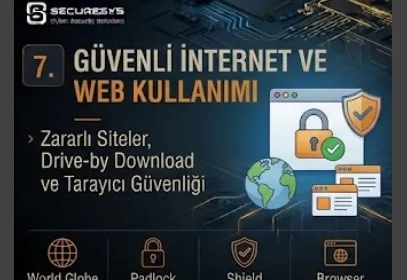
Internet browsers are no longer simple applications used only to view web sites.
In the modern business world e-mail is read through the browser, corporate applications are accessed, CRM and ERP systems are used, files are opened on cloud storage, financial transactions are carried out and sensitive data is processed on SaaS platforms.
In other words the web browser has for many employees become almost a second working environment inside the operating system.
This change has also changed the targets of attackers.
The user can be redirected to a malicious web site, can share credentials over a fake login page, can download a fake software update, can install a malicious browser extension or can move to an attacker-controlled website over an advertisement that looks trustworthy.
For this reason the modern Web Security and Browser Security approach cannot be managed only with the advice:
"Do not visit suspicious sites."
this advice.
Organizations need to create technical controls that will prevent user error from turning directly into a compromise.
Modern safe internet use requires the following layers to be evaluated together:
DNS Security + URL Filtering + Secure Web Gateway + Browser Security + Endpoint Security + Identity Security + DLP + User Awareness + SOC Monitoring
The fundamental principle is quite clear:
A web site looking professional, using HTTPS or carrying the logo of a well-known brand does not prove that the site is trustworthy.
What Is Safe Internet Use?
Safe internet use, or Safe Browsing, is the body of behavioural and technical controls that enables users to carry out transactions safely on the internet and on cloud services while being protected from web-based threats.
This approach:
malicious websites,
phishing pages,
malware downloads,
drive-by downloads,
malvertising,
fake software updates,
browser extensions,
credential theft
aims to provide protection against threats such as these.
In a corporate environment Safe Browsing is not only the responsibility of the user.
Additional security controls must be applied at the network, DNS, endpoint and browser level.
What Is Browser Security?
Browser Security is the protection of the web browser and of the operations carried out through the browser against cyber threats.
The browser now processes:
identity,
session,
credential,
corporate data
extremely valuable information such as this.
For this reason it is an important attack surface from the attacker's point of view.
Within the scope of modern browser security:
secure configuration,
extension management,
download protection,
safe browsing,
session security,
patch management,
web filtering
controls such as these are evaluated.
Why Is the Browser an Important Target of Cyber Attacks?
When a user's daily working time is examined it can be seen that an important part of it passes inside the browser.
Webmail, cloud applications, collaboration tools, banking systems and business portals can be used through the browser.
Therefore when the browser is compromised the attacker may not obtain only the browsing history.
Authenticated sessions and corporate data can also be at risk.
For this reason the browser is now one of the critical components of the endpoint security architecture.
What Is a Malicious Website?
A Malicious Website is a web site used for the purpose of harming the user, obtaining credentials, distributing malware or carrying out fraudulent activity.
This site can be created specially by the attacker.
However, a legitimate website can also be compromised and used to host malicious content.
Therefore:
"This site used to be trustworthy."
this thought is not sufficient on its own.
The security state of a web site can change over time.
What Is a Phishing Website?
A Phishing Website is a fake web site that aims to obtain user credentials by imitating the login page of a legitimate service or organization.
The attacker:
Microsoft 365,
Google Workspace,
VPN portal,
banking portal,
cloud storage
can imitate the appearance of platforms such as these.
Modern phishing pages can be visually almost identical to the real site.
For this reason a trust decision should not be made through design alone.
Why Is URL Checking Important?
The appearance of a web site can easily be copied.
However, the domain cannot be copied by the attacker in exactly the same way.
For this reason URL and registered domain checking is important for phishing defense.
The user should check the domain especially in:
login,
payment,
password reset,
MFA enrollment
critical operations such as these.
What Is a Lookalike Domain?
A Lookalike Domain is an attacker-controlled domain that visually resembles a legitimate domain.
The attacker:
can add a letter,
can remove a letter,
can use a similar character,
can change the order of the words.
The aim is for the user to read the URL quickly and think it is the real domain.
What Is Typosquatting?
Typosquatting is the registration for attack purposes of domains that resemble the spelling mistakes users frequently make.
For example a fake site can be created by swapping the position of two characters in the real company domain.
These domains can be used for:
phishing,
malware distribution,
credential theft
these purposes.
What Is a Homograph Attack?
A Homograph Attack is a domain being made to resemble a real address through the use of different characters that look visually similar to each other.
Internationalized domain names in particular should be evaluated carefully in this respect.
Modern browsers can provide some protections but users should not trust visual similarity alone.
Does HTTPS Show That a Web Site Is Safe?
No.
This is one of the most important misunderstandings in end user security.
HTTPS shows that the communication between the browser and the web server is encrypted using TLS.
However, it does not show that the server is well-intentioned.
The attacker can also obtain a valid TLS certificate for their own phishing domain.
Therefore:
HTTPS = Encrypted Connection
but
HTTPS ≠ Trusted Website
it should be thought of in this way.
Is the Padlock Icon a Security Guarantee?
No.
The HTTPS/padlock indicator in the browser gives information about connection security.
It does not provide a definite assurance about the trustworthiness of the web site owner or about whether the content is malicious.
For this reason users thinking:
"There is a padlock, the site is safe."
in this way is not correct.
What Is TLS?
TLS, Transport Layer Security, is the protocol that provides for communication over the internet to be protected with encryption and integrity protection.
HTTPS is HTTP communication being carried out over TLS.
TLS protects the communication on the network but it does not on its own solve the risk of phishing or malicious content.
Why Is a Certificate Warning Important?
When the browser detects a problem during certificate validation it can show a warning.
Users bypassing these warnings without thinking is not correct.
Especially in critical operations such as corporate login or banking a certificate warning should be evaluated as a serious security signal.
What Is a Drive-by Download?
A Drive-by Download is the attack class that expresses malicious content being downloaded to the user's device or an exploit chain being started as a result of the user visiting a malicious or compromised website.
In some scenarios user interaction can be minimal.
The use of an outdated browser or a vulnerable plugin/application in particular can increase the risk.
For this reason browser patch management is of critical importance.
Why Are Browser Updates Important?
Modern browsers are complex software platforms and security vulnerabilities can be found in them from time to time.
Browser vendors publish security patches for these vulnerabilities.
A browser that is not updated can remain defenseless against known exploits.
For this reason in organizations browser update:
Cyber Hygiene + Vulnerability Management
should be managed centrally within this scope.
Should Automatic Browser Update Be Used?
Taking corporate compatibility requirements into account, it is important for browser security updates to be applied without delay.
With centralized browser management the update policy can be managed in a controlled way.
For critical browser vulnerabilities fast patch deployment is especially valuable.
What Is Malvertising?
Malvertising is the abuse of the online advertising infrastructure for malicious purposes.
The user can be redirected to an attacker-controlled site over an advertisement that appears on a legitimate website.
For this reason:
"The advertisement appeared on a trustworthy site."
this statement does not mean that the destination is safe.
What Is Search Engine Phishing?
The attacker can try to make a malicious or fake website appear within search engine results.
While the user thinks they are searching for the official site they can go to a fake login or fake download page.
This risk is important especially in:
software download,
technical support,
banking,
cryptocurrency,
cloud login
searches such as these.
What Is SEO Poisoning?
SEO Poisoning is the attack approach in which the attacker tries to increase the visibility of malicious content within search engine results.
The aim is to enable the user to reach a phishing or malware distribution site over a natural search result.
For this reason being a search engine result is not a trust guarantee for a web site.
Is a Sponsored Search Result Safe?
A result being an advertisement or a sponsored result is not a guarantee of trustworthiness.
The user should check the domain especially when searching for a software download or a login portal.
For critical corporate applications the use of a bookmark or a managed application portal can be safer.
What Is a Fake Software Download?
The attacker can create fake download pages for popular software.
While the user thinks they are downloading a legitimate application they can download:
a trojan,
an infostealer,
remote access malware
these instead.
For this reason software installation on corporate endpoints should be under control.
What Is a Fake Software Update?
A Fake Software Update is a fake notification telling the user that the browser, a PDF reader, a media player or another application needs to be updated.
The aim is to make the user download malware.
Especially pop-ups appearing inside a web site such as:
"Your browser is out of date, update it now."
similar to this should be evaluated carefully.
Corporate software updates should as far as possible be carried out over a trusted centralized update mechanism.
What Is a Fake CAPTCHA?
Attackers can use fake CAPTCHA-like screens in order to make the web site look more trustworthy or to make the user perform particular operations.
The purpose of a real CAPTCHA is to verify that the user is human.
However, a CAPTCHA appearing does not mean that the site is trustworthy.
If the user is being directed to run a command, download a file or perform an unusual action especially on the pretext of a CAPTCHA the operation should be stopped.
What Is Browser Notification Abuse?
A web site continuously sending notifications to the user after obtaining browser notification permission can be abused.
Malicious notifications:
a fake antivirus warning,
a fake update,
a phishing link
can contain these.
For this reason notification permissions should not be given to unnecessary sites.
What Is a Browser Permission?
Modern websites:
camera,
microphone,
location,
notifications,
clipboard
can request browser permissions such as these.
The user should give these permissions only to trusted sites they genuinely need.
Corporate browser policies can manage some permissions centrally.
What Is a Browser Extension?
A Browser Extension is a software component that provides additional functionality to the browser.
Legitimate extensions such as a password manager, an ad blocker or productivity tools can exist.
However, extensions can have powerful permissions.
For example some extensions:
can read the web pages visited,
can change page content,
can access the clipboard.
For this reason extension security is important.
What Is a Malicious Browser Extension?
A Malicious Browser Extension is a harmful browser add-on used for the purpose of collecting user data, injecting advertisements, monitoring browsing activity or targeting credential/session information.
Even if an extension is legitimate at the beginning it can later create risk because of ownership or code changes.
For this reason the organization:
Allow Any Extension
instead of this approach can use a controlled extension policy.
What Is a Browser Extension Allowlist?
An Extension Allowlist is only browser extensions approved by the organization being permitted to be installed.
For high-security environments it is an effective browser hardening control.
In this way users installing random extensions can be prevented.
Is Browser Password Storage Safe?
Modern browsers can offer password management capabilities.
However, within the corporate Password Security strategy how credential storage will be managed should be clearly determined.
The use of an organization-approved password manager can provide advantages in terms of centralized policy, MFA and audit.
What is important is that users do not store credentials with uncontrolled methods.
What Is a Browser Session?
After the user authenticates to a web application a browser session is created.
The session cookie or token enables the user to remain authenticated without entering the password again on every request.
For this reason the browser session can be a valuable target for the attacker.
What Is Session Cookie Theft?
If the attacker obtains the browser session information they can in some scenarios try to abuse the authenticated session without the user password or MFA being asked again.
For this reason browser security is directly related to identity security.
This is one of the reasons why infostealer malware targets browser data.
What Is a Cookie?
A Cookie is a small piece of data stored on the browser by a website.
Cookies:
session management,
preferences,
tracking
can be used for purposes such as these.
Authentication cookies in particular can be sensitive and must be protected strongly.
Infostealers and Browser Security
Infostealer malware can target data stored on the browser such as:
credentials,
cookies,
tokens,
history,
wallet information
this kind of data.
For this reason browser security is not only URL filtering.
It should be evaluated together with Endpoint Security and EDR.
What Is Safe Browsing?
Safe Browsing is the protection approach that enables the browser or a security service to warn the user about known phishing, malware or unsafe websites.
When the user tries to enter a malicious site the browser can show a warning.
This is an important defense layer but all new malicious domains may not be known instantly.
Therefore Safe Browsing is not sufficient on its own.
What Is URL Filtering?
URL Filtering is web requests being allowed or blocked according to destination URL or category information.
For example:
known malware,
phishing,
gambling,
newly registered domains
categories such as these can be evaluated within the scope of the policy.
Security and business requirements should be handled together.
What Is Web Filtering?
Web Filtering is the security approach that controls which web content or categories users can access.
The aim is not only productivity.
Limiting access to malicious websites and high-risk categories is important for cyber security.
What Is DNS Security?
DNS Security aims to protect the user by detecting or blocking name resolution requests made to malicious domains.
Even if the user clicks a phishing link, if DNS security knows the destination domain as malicious the access can be blocked.
This is an important example for Defense in Depth.
What Is Protective DNS?
Protective DNS is the approach aimed at preventing access to known malicious domains by evaluating DNS queries with threat intelligence and security policies.
The DNS layer can provide a common control point for many applications.
However, because of IP-based access or different bypass methods it is not sufficient on its own.
Are DNS Filtering and URL Filtering the Same?
No.
DNS filtering works at the domain resolution level.
URL filtering can evaluate a more detailed path or web request context.
For example within the same domain one page can be malicious and another page legitimate.
For this reason the two controls can complement each other.
What Is a Secure Web Gateway?
A Secure Web Gateway, or SWG, is the platform class that analyzes users' internet traffic according to security policies.
SWG:
URL filtering,
malware inspection,
content control,
application visibility,
DLP
can provide capabilities such as these.
Modern cloud-based SWG solutions can also provide web security for remote users.
Why Is a Secure Web Gateway Important?
In the past the large majority of users went out to the internet from inside the corporate office.
Today employees:
home,
a hotel,
a mobile network,
a customer location
can work from many places such as these.
For this reason applying web security only on the office firewall may not be sufficient.
A cloud-delivered security architecture gains importance at this point.
What Is a Proxy?
A Web Proxy is the system that mediates between the client and the destination web server.
A security proxy on web traffic can provide:
policy enforcement,
logging,
content inspection
these.
Modern SWG platforms can use proxy-based or different traffic steering architectures.
What Is SSL/TLS Inspection?
Because HTTPS traffic is encrypted security tools may not see the content directly.
SSL/TLS Inspection provides for encrypted traffic to be analyzed in a controlled way for security inspection within the scope of the organization policy.
This approach can provide visibility for malware detection and DLP.
However:
privacy,
certificate management,
performance,
regulatory requirements
should be taken into account.
What Is Web Download Protection?
Web Download Protection is files downloaded over the internet being analyzed in terms of malware and security risks.
The file can be evaluated in terms of:
reputation,
hash,
content,
behavior
these aspects.
A suspicious file can be sent to a sandbox or examined by EDR on the endpoint.
What Is Browser Isolation?
Browser Isolation is the approach of web content being run inside an isolated environment instead of on the user endpoint.
The aim is to prevent potentially malicious web code from performing execution directly on the endpoint.
What Is Remote Browser Isolation?
Remote Browser Isolation, or RBI, is the approach of the browser session being run in a remote isolated environment and a safe representation being transferred to the user.
In this way a malicious website can be separated physically or logically from the endpoint.
It can be a strong web security control especially for unknown or risky websites.
Should Browser Isolation Be Used for Every Site?
This depends on the organization's risk model.
Isolating all web traffic can create performance and usability effects.
For this reason risk-based isolation can be applied.
For example:
an unknown category,
a newly registered domain,
an uncategorized site
can be opened with a stricter policy.
What Is Web DLP?
Web DLP controls sensitive data being uploaded over the browser to an unauthorized website or cloud service.
For example the user:
a customer database,
a confidential document,
source code
can try to upload data such as this to personal cloud storage.
DLP can apply a warning or blocking according to the content and destination context.
What Is Upload Control?
Upload Control manages file upload operations to particular websites or applications.
For example while upload to corporate cloud storage is allowed, sensitive file upload to a personal file sharing service can be blocked.
This approach can reduce the Data Leakage risk.
What Is Shadow IT?
Shadow IT is employees using applications and cloud services that are not approved or managed by IT/security.
For example the user can use a public file-sharing service of their own choosing in order to send a large file.
This behaviour can solve the business need but can create:
data leakage,
compliance,
access control
these risks.
How Is Shadow IT Detected?
SWG,
CASB,
DNS logs,
endpoint telemetry
sources such as these can provide visibility about which cloud applications are being used.
The aim is not only to block applications but to understand why they are used.
The user may be using shadow IT because the approved solution is insufficient.
What Is CASB?
CASB:
Cloud Access Security Broker
is the security technology class used for security policy enforcement and visibility between users and cloud services.
CASB:
cloud application discovery,
data protection,
access control,
risk analysis
can provide capabilities such as these.
What Is the Difference Between CASB and SWG?
While SWG focuses predominantly on web traffic security, CASB can provide deeper context on cloud application usage and data security.
Within modern SSE/SASE architectures these capabilities can be combined on the same platform.
What Is SSE?
SSE:
Security Service Edge
is the architecture approach that brings cloud-delivered security capabilities together.
Inside SSE generally:
SWG,
CASB,
ZTNA
security services such as these can be found.
The aim is to apply a consistent security policy independently of the user's location.
What Is SASE?
SASE:
Secure Access Service Edge
is the approach of networking and security capabilities being combined within a cloud-delivered architecture.
It has gained importance with the increase in remote workforce and cloud application use.
SASE is not only a web filtering product but a broader architecture model.
What Is Zero Trust Web Access?
In the Zero Trust Web Access approach the user is not automatically accepted as trusted when they access the internet or SaaS resources.
During access:
user identity,
device posture,
destination risk,
data sensitivity
factors such as these can be evaluated.
In this way a different policy can be applied to the same website for different users or devices.
What Is Identity-Aware Web Security?
Traditional web filtering mostly applies policy over the IP or network segment.
Identity-aware web security, on the other hand, knows which user made the request.
For example while a particular technical site can be allowed for a developer, a different policy can be applied for other user groups.
This approach provides more granular security.
What Is Device-Aware Web Security?
The user can be legitimate but the device can be unmanaged or compromised.
In this case download or upload to a sensitive SaaS application can be limited.
For this reason web security can work together with Conditional Access and Device Compliance.
SaaS Security and the Browser
An important part of modern corporate data is located inside SaaS applications.
The user through the browser:
CRM,
ERP,
HR,
cloud storage,
a collaboration platform
can use these.
For this reason the browser is one of the important enforcement points of SaaS security.
The Personal Cloud Storage Risk
The user can upload a corporate document to a personal cloud account.
This may not be deliberate data theft.
The employee may only want to transfer the file to themselves in order to work at home.
However, the result can again be Data Leakage.
For this reason user awareness and DLP must be used together.
Copy-Paste and Browser Data Leakage
Sensitive data does not always leave as a file.
The user can copy information from a corporate application and paste it to another website.
Modern web DLP or enterprise browser controls can manage clipboard operations with policy in particular scenarios.
Generative AI and Web Data Security
Employees can enter corporate information into public Generative AI services.
For example the user can upload sensitive content to a public AI service in order to have a document summarized or to get help about source code.
This behaviour can provide productivity but if the organization does not have a:
data classification,
AI usage policy,
DLP,
approved AI services
approach it can create a data leakage risk.
For this reason modern Safe Browsing must now also cover the subject of Generative AI Security.
What Is AI Shadow IT?
Employees using AI services that are not approved by the organization can be evaluated as AI Shadow IT.
Instead of organizations only saying:
"Do not use AI."
defining clearly which data can be used on which services can be more sustainable.
How Do Browser Security and Endpoint Security Work Together?
When the user accesses a malicious site web security is the first defense layer.
However, if a malicious file download takes place endpoint security comes into play.
For example:
DNS Security missed the domain.
↓
SWG allowed the URL.
↓
The user downloaded the file.
↓
EDR detected the malicious behavior.
This is the Defense in Depth approach.
The Relationship Between Browser Security and Identity Security
The user authenticates to cloud applications through the browser.
For this reason when the browser session is compromised an identity risk arises.
Conditional Access:
device,
user,
location,
risk
can limit access by evaluating this context.
Browser security and identity security should therefore not be thought of separately from each other.
Web Security and SIEM Integration
When DNS, SWG, browser, EDR and identity logs are sent to the SIEM the web attack chain can be seen more clearly.
For example:
User clicked malicious URL
↓
DNS request observed
↓
File downloaded
↓
EDR alert generated
↓
Suspicious login occurred
These events can be correlated under the same user/device context.
How Does the SOC Investigate a Web Security Event?
The SOC analyst should not look only at the information:
"The site was blocked."
this information.
At the same time:
Did the user reach the site?
Did they enter credentials?
Did they download a file?
Was an EDR alert created?
Did authentication activity change?
they should evaluate these questions.
This approach turns the web alert into a real incident context.
Web Security Incident Response
When the user accesses a malicious site the response changes according to the level of interaction.
The website may only have been visited.
Credentials may have been shared.
A file may have been downloaded.
Malware execution may have taken place.
For this reason the standard response:
Identify → Validate → Scope → Contain → Investigate → Recover
can proceed in this way.
What Should Be Done If the User Entered Their Password on a Phishing Site?
Action should be taken on the assumption of identity compromise.
Alongside a password reset:
active sessions,
MFA methods,
login activity,
mailbox activity
should be checked.
Because the attacker may have obtained an authentication session.
What Should Be Done If the User Downloaded a File?
The file's:
hash,
reputation,
source,
execution status
should be examined.
The user may only have downloaded the file or may have run it.
EDR telemetry is valuable for determining this distinction.
If the File Was Executed
The process tree and network activity on the endpoint should be examined.
If there is suspicious behavior device isolation can be applied.
If there is a possibility of credential theft an identity response should also be started.
How Should Browser Security Awareness Be?
Telling the user only:
"Do not visit suspicious sites."
is not sufficient.
Because a malicious site can look professional.
Training should teach more concrete behaviours:
Question an unexpected login page.
Check the domain.
Do not count HTTPS as proof of trustworthiness.
Do not install an unknown extension.
Do not directly download a software update suggested by a web site.
Do not bypass browser security warnings.
Do not open an unexpected download.
Report a suspicious event.
The Most Frequently Made Mistakes in Safe Internet Use
The mistakes frequently seen in organizations and in user behaviour are as follows:
- Accepting every site that has HTTPS as safe
- Thinking the first result in the search engine is the official site
- Automatically accepting a sponsored result as trusted
- Downloading software from a random download site
- Trusting fake browser update warnings
- Bypassing browser warnings without thinking
- Giving notification permission to every website
- Installing unknown browser extensions
- Delaying browser updates
- Using personal cloud storage
- Uploading sensitive corporate data to public web applications
- Sending confidential information to public AI tools
- Not using DNS filtering
- Not using a Secure Web Gateway
- Not managing browser policies centrally
- Not sending web logs to the SIEM
- Not correlating web security with endpoint security
- Not providing web security for remote users
- Not creating Shadow IT visibility
Safe Internet and Browser Security Checklist
Organizations can evaluate the following controls:
- Is a managed browser policy being applied?
- Are browser updates managed centrally?
- Is Safe Browsing protection active?
- Is DNS Security being used?
- Is Protective DNS being applied?
- Is URL Filtering present?
- Is a Secure Web Gateway being used?
- Are remote users included in the web security scope?
- Is there malicious download protection?
- Are downloaded files analyzed by endpoint security?
- Is there a browser extension policy?
- Has an extension allowlist been evaluated?
- Are browser notification permissions managed?
- Is a browser credential policy defined?
- Is a corporate password manager being used?
- Have the need for SSL/TLS inspection and its privacy effects been evaluated?
- Has the need for Browser Isolation been evaluated?
- Is there a risk policy for newly registered domains?
- Is Shadow IT discovery being carried out?
- Is a CASB capability being used?
- Are SaaS application risks being evaluated?
- Is Web DLP being applied?
- Is there a personal cloud storage policy?
- Has a Generative AI usage policy been defined?
- Is the sending of sensitive data to public AI tools being controlled?
- Is device compliance included in the web access decision?
- Are DNS/SWG logs being sent to the SIEM?
- Are web and EDR events being correlated?
- Does the SOC use a playbook for web incidents?
- Does user security awareness cover Safe Browsing scenarios?
Web and Browser Security Maturity Model
Level 1 – User Awareness and Basic Web Filtering
The organization uses basic firewall/web filtering and gives employees training on safe internet use.
Remote user visibility is limited.
Level 2 – DNS and Endpoint Integration
DNS Security, a managed browser, endpoint protection and centralized URL filtering are applied.
Layered protection is created for malicious websites and downloads.
Level 3 – Secure Web Gateway and Data Protection
SWG, Web DLP, cloud application visibility and Shadow IT discovery are applied.
Remote users are taken into the scope of the same security policy.
Level 4 – Identity-Aware Web Security
User identity, device compliance, SaaS risk and data classification are included in web access policies.
CASB, SWG, EDR and SIEM work together.
Level 5 – Zero Trust and Adaptive Web Security
Web access decisions:
user,
device,
destination,
data,
real-time threat risk
are applied dynamically according to this context.
Risky or unknown websites can be opened over additional security controls such as Browser Isolation.
Frequently Asked Questions
What is safe internet use?
Safe internet use is the behavioural and technical security approach that provides for users to be protected from web-based threats such as phishing, malware, malicious websites, unsafe downloads and data leakage.
What is Browser Security?
Browser Security is the protection of the web browser, of browser sessions and of the corporate data processed through the browser against cyber threats.
What is Safe Browsing?
Safe Browsing is the security approach that warns the user about known phishing, malware or unsafe websites and can block access.
Does HTTPS mean the site is safe?
No. HTTPS shows that the communication is encrypted. It does not on its own show whether the web site is legitimate or malicious.
Is the padlock icon enough to trust the site?
No. Malicious websites can also use a valid TLS certificate.
What is a Drive-by Download?
It is the attack class related to malicious content being downloaded or the exploit process being started as a result of the user visiting a malicious or compromised website.
What is Malvertising?
It is the abuse of the online advertisement infrastructure for the purpose of directing the user to a malicious website or content.
What is SEO Poisoning?
It is the attack approach aimed at directing users to malicious websites by increasing their visibility within search engine results.
What is a Fake Software Update?
It is the social engineering method that aims to have malware downloaded by presenting it to the user as an application or browser update.
Is a Browser Extension safe?
Not every extension is safe. Because extensions can take broad permissions it is useful for organizations to apply an approved extension policy.
What is DNS Security?
DNS Security is the security approach that helps to protect users by detecting or blocking DNS requests made to malicious domains.
What is URL Filtering?
It is web requests being allowed or blocked according to destination URL, category or risk information.
What is a Secure Web Gateway?
A Secure Web Gateway is the platform class that applies security policy by analyzing internet traffic in terms of URL, malware, application, content and data security.
What is Browser Isolation?
It is the security approach that makes it harder for web-based attacks to reach the endpoint by running web content in an environment isolated from the user endpoint.
What is Remote Browser Isolation?
It is the approach of the browser session being run inside a remote isolated environment and the safe output being transferred to the user.
What is CASB?
Cloud Access Security Broker is the security technology class aimed at providing visibility, access control and data protection in cloud application use.
What is Shadow IT?
It is employees using applications and cloud services that are not approved or managed by the organization.
What is Web DLP?
It is the Data Loss Prevention control that detects or blocks sensitive data being transferred over the browser to unauthorized websites or cloud services.
Is it risky to upload company data to public artificial intelligence tools?
It depends on the organization's data classification and AI usage policy. Confidential or sensitive corporate information being transferred to public AI services that are not approved can create a data leakage and compliance risk.
What is Zero Trust Web Access?
It is web and SaaS access decisions being made by continuously evaluating user, device, destination and data risk.
Conclusion: The Browser Is Now One of the Most Important Working Areas of Corporate Security
There was a period when the browser was seen only as:
"the program used to go on the internet"
in this way.
Today, however, the situation is completely different.
The user through the browser:
reads e-mail,
connects to corporate applications,
uses cloud storage,
downloads files,
processes data on SaaS,
uses Generative AI tools.
For this reason the browser is now:
Identity + Application + Data + Internet
the critical security boundary where these layers come together.
This is the reason why the modern Web Security approach does not consist only of blocking URLs.
An attack chain can proceed as follows:
Malicious Search Result
↓
Fake Website
↓
Fake Login
↓
Credential Theft
↓
Account Takeover
In another attack:
Malvertising
↓
Fake Software Download
↓
Infostealer
↓
Browser Session Theft
↓
Cloud Account Access
Another risk, on the other hand, may not directly contain malware:
Employee
↓
Unapproved Cloud Service
↓
Sensitive File Upload
↓
Data Leakage
All three of these scenarios take place through the browser.
However, the defense controls used are different from each other.
For this reason the modern browser security architecture:
DNS Security
↓
URL Filtering
↓
Secure Web Gateway
↓
Managed Browser
↓
Endpoint Security / EDR
↓
Identity Security
↓
DLP / CASB
↓
SIEM / SOC
should be designed in layers in this way.
From the user's point of view the most critical point is this:
A web site:
looking professional,
appearing in Google,
being shown as an advertisement,
using HTTPS,
carrying a well-known logo
is not proof that it is trustworthy.
The trust decision:
Domain + Context + Expected Action + Security Controls
should be made by evaluating these together.
From the organization's point of view the more important principle is this:
A security architecture cannot be designed by assuming that the user will never make a mistake on the internet.
The user can click a malicious link.
But DNS Security can block it.
DNS can miss it.
But the SWG can block it.
The SWG can miss it.
But EDR can stop the downloaded malware.
Credentials can be stolen.
But phishing-resistant MFA can prevent account takeover.
A sensitive file can be uploaded to the wrong place.
But DLP can stop the transfer.
This is what real Defense in Depth is.
The fundamental formula of modern safe internet use:
Safe Browsing + DNS Security + Secure Web Gateway + Managed Browser + Endpoint Security + Identity Security + DLP + SOC Monitoring
can be thought of in this way.
And the most important sentence of this chapter is this:
HTTPS can show that the connection is safe; it does not show that the person or the web site you are connecting to is trustworthy.
Related Articles
End-User Security
What Is End-User Security? User-Driven Cyber Risks and Security Awareness
What is end user security? A guide to reducing human cyber risk with phishing awareness, passwords, MFA, endpoint and data security.
What Is Phishing? Phishing Attacks, Fake Emails and User Security
What is phishing? A guide to protecting against oltalama attacks, fake e-mails, BEC, MFA bypass and session token theft.
What Is Social Engineering? Cyber Attacks Targeting the Human Factor
What is social engineering? A guide to defending against pretexting, impersonation, CEO fraud, help desk manipulation and deepfake risks.
Password Security and MFA: Strong Passwords, Password Managers and Multi-Factor Authentication
Password security and MFA: a guide to identity security with strong passwords, password managers, phishing-resistant MFA and conditional access.
Email Security: Malicious Attachments, Fake Links, BEC and Corporate Email Fraud
E-mail security: a guide to protecting against malicious attachments, fake links, BEC, vendor email compromise and account takeover.
What Is Endpoint Security? Endpoint Protection, EDR, Antivirus and Device Security
What is endpoint security? A guide to device protection with EDR, NGAV, application control, disk encryption and endpoint hardening.
Looking for professional support on this topic?
Our expert team will reach out for a free consultation as soon as possible.