What Is Phishing? Phishing Attacks, Fake Emails and User Security
What is phishing? A guide to protecting against oltalama attacks, fake e-mails, BEC, MFA bypass and session token theft.
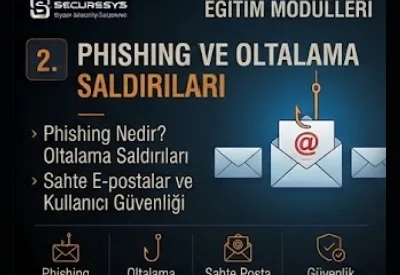
Phishing is one of the best known attack types in cyber security.
However, most users think of phishing only as:
"a fake e-mail"
they think of it as this.
In reality modern phishing attacks are far more advanced.
An attacker;
e-mail,
SMS,
telephone,
QR code,
a fake login screen,
an OAuth consent screen,
a fake support call,
a cloud sharing invitation
can use many channels such as these.
The aim is sometimes to steal a password.
Sometimes it is to obtain an MFA approval.
Sometimes it is to capture a session token.
And sometimes it is to make the user carry out a financial transaction.
For this reason phishing must not be handled only at the level of:
"Do not click suspicious links."
at this level.
The modern phishing attack chain progresses more in this way:
Initial Contact
↓
Social Engineering
↓
User Interaction
↓
Credential / Session Theft
↓
Account Takeover
↓
Persistence / Abuse
For this reason phishing defense must not be limited to awareness training either.
A strong phishing defense model:
Email Security + Identity Security + MFA + Browser Security + Endpoint Security + User Awareness + Monitoring
must consist of the combination of these.
What Is Phishing?
Phishing is, by deceiving the user:
credentials,
sensitive information,
a financial transaction,
malicious file execution
or unauthorized access
it is the social engineering attack aimed at obtaining these.
What Is an Oltalama Attack?
The most widespread Turkish equivalent of phishing:
oltalama saldırısı
is used as this.
The aim is to make the user believe that they are communicating with a real institution, person or service.
Why Is Phishing So Effective?
Because instead of a technical weakness it most often targets:
human behaviour
it targets this.
Which Psychological Elements Does Phishing Use?
Urgency
Authority
Fear
Curiosity
Trust
What Is Urgency-Based Phishing?
It is the user being given the feeling that they need to take action immediately.
Example Urgency Messages
"Your password will be closed within 30 minutes."
"Your payment must be completed today."
"Your account will be suspended."
What Is Authority-Based Phishing?
It is the attacker behaving like the CEO, IT, a bank, an official institution or a manager.
What Is Fear-Based Phishing?
It tries to make the user decide quickly out of fear or anxiety.
What Is Curiosity-Based Phishing?
A file, message or link that arouses curiosity is used.
What Is Trust Exploitation?
A person, brand or business relationship the user knows is imitated.
What Is Spear Phishing?
It is the targeted phishing attack specially prepared for a particular person or organization.
Why Is Spear Phishing More Dangerous?
The message can contain real information about the victim.
Which Information Can Spear Phishing Use?
Job Title
Company
Colleague Name
Project Name
What Is Whaling?
It is the type of spear phishing that targets senior executives such as the CEO, CFO or a board member.
Why Is Whaling Critical?
High-value users:
sensitive information,
payment approval,
privileged access
can have authorities such as these.
What Is Smishing?
Smishing:
SMS Phishing
is the phishing attack carried out over SMS or a messaging platform.
Examples of Smishing
A parcel delivery
A bank notification
A penalty notification
A password reset link
What Is Vishing?
Vishing:
Voice Phishing
is the social engineering attack carried out over the telephone or voice communication.
How Does Vishing Work?
The attacker:
IT support,
a bank employee,
a vendor
can behave like these.
What Is Caller ID Spoofing?
It is the telephone number being shown on the screen as a different number.
Can an MFA Code Be Asked For in Vishing?
Yes.
For this reason the user must be taught:
not to share the MFA code
they must be taught this.
What Is Quishing?
Quishing is the phishing attack carried out using a QR code.
Why Is QR Phishing Effective?
The destination URL inside the QR code may not be seen directly by the user.
Where Can QR Phishing Be Used?
Poster
Invoice
Document
What Is QR Phishing Defense?
QR destination analysis and user awareness are important.
What Is Credential Phishing?
It is the phishing attack aimed at stealing the user's username and password.
What Is a Fake Login Page?
It is the malicious web page that imitates the real login screen.
What Can a Fake Login Page Imitate?
Microsoft 365
VPN Portal
Banking Login
How Does the User Recognize a Fake Login Page?
The domain,
the certificate,
an unexpected redirect,
design inconsistency
these must be checked.
Why Is Checking the Domain Critical?
The appearance of the page can be imitated exactly.
The domain, on the other hand, provides a more reliable signal.
What Is a Lookalike Domain?
It is the fake domain that visually resembles the real domain.
An Example Lookalike Approach
Real:
company.com
Fake:
cornpany.com
What Is Typosquatting?
It is domains resembling a spelling mistake being registered for a malicious purpose.
What Is a Homograph Attack?
It is a domain being imitated using similar-looking Unicode characters.
What Is Punycode?
It is the ASCII representation format of internationalized domain names.
Why Should Attention Be Paid to the Homograph Risk?
The characters can look the same to the user.
What Is Subdomain Phishing?
It is the attack that aims for the user to look only at the beginning part of the domain.
An Example
secure-login.company.example-malicious.com
Here the real registered domain can be different.
What Is URL Inspection?
It is the analysis of the real destination address of the link.
What Is Hover Link Checking?
It is the destination URL being seen by holding the mouse over the link.
Is a Short URL Risky?
Not every short URL is malicious.
However, it can hide the destination.
What Is a URL Shortener?
It is the service that converts a long URL into a short link.
What Is a Redirect Chain?
It is one URL performing successive redirects to other URLs.
What Is Open Redirect?
It is the weakness that allows a redirect to an external URL on a legitimate website.
Can Open Redirect Be Used in Phishing?
Yes.
The legitimate domain can appear as the first link.
What Is a Malicious Attachment?
It is the file that carries malware or an exploit over an e-mail attachment.
In Which Formats Can Harmful Attachments Be?
Office Documents
Archive
Executable
Is a ZIP Attachment Risky?
Not every ZIP file is malicious.
However, it can be used to escape security controls.
Why Is a Password-Protected Archive Used?
The security scanner may not be able to analyze the file content.
Can an ISO or Disk Image Attachment Be Risky?
Yes.
It can be used to carry malicious content.
What Is Macro-Based Phishing?
The execution of malicious code using an Office macro is targeted.
What Is a Macro?
It is the programming mechanism used for Office automation.
Should Macro Use Be Controlled?
Yes.
What Is Protected View?
It is the security feature that helps untrusted Office documents to be opened in a restricted mode.
What Is an Embedded Object?
It is a different file or object added inside a document.
What Is a Malicious PDF?
It is the abuse of the link, script or exploit mechanisms inside a PDF.
Is Opening a PDF Always Safe?
No.
The reader software must be kept up to date.
What Is HTML Attachment Phishing?
It is a local fake login page or redirect being created using an HTML file.
What Is HTML Smuggling?
It is the delivery technique class based on a file payload being created using a script in the browser.
What Is Email Phishing?
It is the phishing message being sent over e-mail.
What Is Email Spoofing?
It is the sender identity being shown falsely.
What Is Display Name Spoofing?
It is the sender's visible name being shown as a trusted person.
An Example
Display Name:
CEO Name
Actual Sender:
Should the User Look Only at the Display Name?
No.
The sender address must be checked.
What Is Reply-To Manipulation?
It is the visible From address and the Reply-To address being different.
Why Should Reply-To Be Checked?
The reply can go to an attacker-controlled mailbox.
What Is SPF?
SPF:
Sender Policy Framework
determines which mail servers can send e-mail on behalf of the domain.
What Is DKIM?
DKIM:
DomainKeys Identified Mail
provides message integrity and domain authentication by adding a cryptographic signature to the e-mail.
What Is DMARC?
DMARC:
Domain-based Message Authentication, Reporting and Conformance
evaluates the SPF and DKIM results with policy.
Does DMARC Completely Prevent Phishing?
No.
Why?
The attacker:
a lookalike domain,
a compromised account,
legitimate mail infrastructure
can use these.
What Is a Secure Email Gateway?
It is the platform class that analyzes inbound and outbound e-mail traffic from a security point of view.
What Can a Secure Email Gateway Check?
Spam
Malware
Phishing
Attachment
URL
What Is URL Rewrite?
It is the link inside the e-mail being changed so that it will be analyzed through the security gateway.
What Is Time-of-Click Protection?
It is the link being analyzed again at the moment the user clicks it.
Why Is This Important?
The attacker can make the domain malicious after the e-mail has been sent.
What Is a Sandbox?
It is a suspicious file being run in an isolated environment and its behaviour being analyzed.
What Is Attachment Sandboxing?
It is the e-mail attachment being analyzed in a sandbox environment before it reaches the user.
What Is CDR?
CDR:
Content Disarm and Reconstruction
is the approach of the active content inside a document being removed and a safe copy being created.
Can CDR Be Used Against Phishing?
Yes.
Particularly against malicious documents.
What Is BEC?
BEC:
Business Email Compromise
is the fraud attack carried out through the abuse of the corporate e-mail process or accounts.
Does BEC Always Use Malware?
No.
In most cases malware is not needed.
What Is CEO Fraud?
It is the attacker asking for a payment or information by behaving like the CEO or a senior executive.
What Is Invoice Fraud?
It is a payment being made through a fake or altered invoice.
What Is Payment Diversion Fraud?
It is the payment being directed to an attacker-controlled bank account.
What Is Vendor Email Compromise?
It is the real vendor e-mail account being compromised and the existing correspondence being abused.
Why Is Vendor Compromise Dangerous?
The message really comes from a known contact.
What Is Thread Hijacking?
It is the attacker gaining trust by joining an existing e-mail conversation.
What Is Mailbox Rule Abuse?
It is an e-mail forwarding or hiding rule being created in a compromised mailbox.
What Is an Inbox Rule?
It is the message handling policy on the mail client/server.
Why Does the Attacker Use an Inbox Rule?
In order to hide security notifications or victim responses.
What Is Suspicious Inbox Rule Detection?
It is the detection of unusual forwarding/deletion rules.
Is External Forwarding Risky?
Yes.
It can provide data leakage and persistence.
Should Auto-Forwarding Be Controlled?
Yes.
What Is Account Takeover?
ATO:
Account Takeover
is the attacker taking over the control of a legitimate user account.
How Does Phishing Turn Into Account Takeover?
Credential Theft
↓
Login
↓
Session
↓
Mailbox Access
Does MFA Prevent Account Takeover?
It can reduce it significantly.
However, it does not prevent every attack.
What Is MFA Fatigue?
It is the attacker continuously sending MFA push notifications to the user.
What Is MFA Bombing?
It is another term used for MFA Fatigue.
Why Might a User Approve MFA by Mistake?
Because of notification fatigue or confusion.
What Should Be Done If an Unexpected MFA Push Arrives?
It must not be approved and it must be reported to the security team.
What Is Number Matching?
It is the number on the login screen being verified through the authenticator during MFA approval.
Does Number Matching Reduce the Risk?
It can help to reduce the push fatigue risk.
What Is Phishing-Resistant MFA?
It is the MFA method that makes it harder for the phishing site to reuse the authentication factor.
What Is FIDO2?
It is the phishing-resistant authentication standard based on public key cryptography.
What Is WebAuthn?
It is the web standard that allows browsers and applications to use public-key authentication.
What Is a Security Key?
It is the FIDO-based physical authentication device.
What Is a Passkey?
It is the modern authentication credential model that uses public-key cryptography instead of a password.
What Is MFA Bypass?
It is the attacker trying to cross the multi-factor authentication control.
What Is Adversary-in-the-Middle Phishing?
It is the phishing class in which the attacker tries to capture the authentication session information by placing an intermediate layer similar to a reverse proxy between the user and the legitimate login service.
What Is AiTM?
Adversary-in-the-Middle
it is the abbreviation of this.
Why Is AiTM Dangerous?
The user can appear to be authenticating to the real service.
What Is a Session Cookie?
It is the browser cookie that represents the authenticated session state.
What Is Session Token Theft?
It is the capture of the session token information of an authenticated user.
Can an Account Be Taken Over Without the Password Being Stolen?
Yes.
It can be possible with session or token theft.
Does MFA Prevent Session Theft?
Not always.
MFA protects the moment of authentication.
After the session, token abuse can be possible.
What Is Session Hijacking?
It is the user's active authenticated session being taken over by the attacker.
What Is Token Replay?
It is a captured token being tried again from a different system/session.
What Is Token Protection?
It is the security approach for the authentication token being bound to the expected device or context.
What Is Conditional Access?
It is the access decision being made according to contexts such as user, device, location and risk.
Does Conditional Access Reduce the Phishing Risk?
Yes.
An Example
Correct Password
MFA Completed
Unmanaged Device
↓
Access Denied
What Is Device Compliance?
It is the endpoint being in a state that conforms to the security policy.
What Is Impossible Travel?
It is the same user appearing to log in from different locations in a time too short to be physically possible.
Is Impossible Travel Always an Attack?
No.
VPNs and cloud infrastructure can create false positives.
What Is New Device Login?
It is the user account authenticating over a device not seen before.
Is a New Device Alert Useful?
Yes.
It can provide risk context.
What Is an Unusual Login?
It is authentication activity that deviates from normal user behaviour.
What Is OAuth Phishing?
It is the type of phishing in which the user is asked to give OAuth permission to a malicious application.
What Is OAuth?
It is the authorization framework used to provide an application with limited delegated access to user resources.
What Is Consent Phishing?
It is the user being made to give permission to a malicious application.
Is the Password Stolen in Consent Phishing?
Not always.
The user can log in on the real identity provider.
Why Is This Dangerous?
The malicious application can receive a legitimate token.
Examples of OAuth Permissions
Read Mail
Read Files
Access Contacts
Should User Consent Be Controlled?
Yes.
What Is Admin Consent?
It is the application permission being approved by an administrator.
What Is OAuth App Governance?
It is third-party application permissions being managed centrally.
What Is Cloud Sharing Phishing?
It is user interaction being obtained through a fake or malicious cloud document sharing notification.
Can There Be a Fake SharePoint/OneDrive Invitation?
Yes.
Can a Real Cloud Service Be Used for Phishing?
Yes.
The attacker can host malicious content on a legitimate cloud platform.
Is a Trusted Domain Always Safe?
No.
A legitimate service can be abused.
What Is CAPTCHA Phishing?
It is the attacker giving a feeling of trustworthiness by showing a CAPTCHA before the fake login.
Does a CAPTCHA Show That the Site Is Safe?
No.
What Is a Browser-in-the-Browser Attack?
It is the technique of deceiving the user by creating the appearance of a fake authentication pop-up inside the browser.
What Is a Fake SSO Popup?
It is the fake login window that resembles the real Single Sign-On dialog.
What Is SSO?
Single Sign-On.
It provides access to more than one application with a single identity.
Does SSO Increase the Phishing Risk?
The compromise impact can grow.
For this reason MFA and conditional access are important.
Does a Password Manager Help Against Phishing?
Yes.
A password manager may not autofill the password on the wrong domain.
Can Password Autofill Be a Security Signal?
Yes.
A credential not being suggested on the expected domain can be a warning for the user.
How Does Browser Security Reduce Phishing?
Safe Browsing
URL Reputation
Download Protection
Certificate Warning
Does a Certificate Show That an HTTPS Site Is Safe?
No.
HTTPS only provides connection encryption.
A malicious site can also use a valid TLS certificate.
Is Trusting the Padlock Icon Enough?
No.
The domain must be verified.
What Is Domain Reputation?
It is the risk level of the domain in terms of its history and threat intelligence.
What Is URL Reputation?
It is the evaluation of whether a particular URL is associated with malicious activity.
What Is a Newly Registered Domain?
It is an internet domain created recently.
Can a Newly Registered Domain Be a Phishing Indicator?
Yes.
But on its own it is not proof.
What Is Domain Age Detection?
It is the domain registration period being evaluated as risk context.
How Is Threat Intelligence Used in Phishing?
Detection is enriched with known malicious domain, IP, URL and campaign information.
What Is an IOC?
IOC:
Indicator of Compromise
is the indicator of a compromise.
Examples of Phishing IOCs
Malicious Domain
URL
Sender Address
Attachment Hash
What Is a Hash?
It is the unique-like digital fingerprint calculated from the file content.
How Is an Attachment Hash Used in Security?
It can be compared with a known malware database.
What Is a Threat Campaign?
It is more than one attack associated with the same attacker or infrastructure being evaluated as a common campaign.
What Is a Phishing Campaign?
It is the same or similar phishing content being sent to particular targets.
What Is Mass Phishing?
It is a generic phishing message being sent to a large number of users.
What Is Targeted Phishing?
It is the attack that targets a particular user or department.
Why Is the Finance Department a Phishing Target?
It can have payment and banking process authority.
Why Can HR Be a Target?
It can have access to personal data and employee records.
Why Can an IT Admin Be a Target?
They can have privileged credentials and infrastructure access.
Why Can an Executive Be a Target?
Sensitive information and approval authority are high.
What Is Role-Based Phishing Defense?
It is special security training and controls being applied according to the user's role.
What Is a High-Risk User?
It is the user who carries a higher phishing impact according to their role or access level.
What Should Be Done for High-Risk Users?
Stronger MFA
Targeted Training
Enhanced Monitoring
What Is Phishing Detection?
It is the phishing message or behaviour being detected with technical or human analysis.
How Does Email Security Detect Phishing?
Sender Reputation
URL Analysis
Attachment Analysis
Content Analysis
Can NLP Be Used for Phishing Detection?
Yes.
Language pattern analysis can help.
Is AI Used for Phishing Detection?
Yes.
It can be used for message context and anomaly detection.
Can AI Catch All Phishing?
No.
False positives and false negatives can occur.
What Is a False Positive?
It is a legitimate e-mail being marked as malicious.
What Is a False Negative?
It is a malicious phishing e-mail escaping detection.
Why Is User Reporting Important?
Phishing that the security tools miss can be noticed by the user.
What Is a Phishing Report Button?
It is the suspicious message reporting feature inside the mail client.
Should the User Report Go to the SOC?
Yes.
What Should Happen When the User Reports Phishing?
Automated triage or SOC investigation can begin.
What Is Phishing Triage?
It is the evaluation of whether the reported message is real phishing.
What Does Triage Examine?
Sender
Header
URL
Attachment
Authentication Results
What Is an Email Header?
It is the metadata that contains the message routing and authentication information.
What Is a Received Header?
They are the header fields that show the mail servers the e-mail passed through.
What Is Authentication-Results?
It is the header information in which the e-mail authentication results such as SPF, DKIM and DMARC are found.
What Is Return-Path?
It is related to the envelope sender information to which bounce messages are sent.
Can the Sender and the Return-Path Be Different?
Yes.
It can also happen in legitimate situations.
For this reason context is needed.
What Does a SOC Phishing Investigation Examine?
Message Recipients
Clicks
Login Activity
Endpoint Events
What Is Click Tracking?
It is the determination of which user reached the phishing URL.
If the User Clicked the Link What Should the First Question Be?
Did they only click,
did they enter credentials,
did they download a file,
was a session created
these must be analyzed.
How Is Credential Exposure Investigated?
Identity logs and authentication events are examined.
What Should Be Done If the User Entered Credentials?
The incident response procedure must be applied.
Typical Credential Phishing Response
Password Reset
↓
Session Revoke
↓
MFA Review
↓
Endpoint Check
↓
Account Audit
What Is Session Revoke?
It is active authentication sessions being made invalid.
Is Only a Password Reset Enough?
Not always.
Existing sessions may be continuing.
What Is a Refresh Token?
It is the longer-lived authentication token used to obtain a new access token.
What Is Token Revocation?
It is existing authentication tokens being cancelled.
Why Should a Mailbox Audit Be Performed?
The attacker may have reached the mailbox.
Should the Inbox Rules Be Checked?
Yes.
Should External Forwarding Be Checked?
Yes.
Should Sent Items Be Checked?
Yes.
The compromised account may have sent phishing to other users.
What Is Internal Phishing?
It is phishing being sent to users inside the organization over a compromised internal account.
Why Does Internal E-mail Look More Trustworthy?
The sender can be a legitimate company account.
What Is Lateral Phishing?
It is a compromised internal account being used to target other internal users.
Why Is Lateral Phishing Dangerous?
The trust level is high.
How Should the Internal Phishing Response Be?
Compromised Account Disable
Session Revoke
Message Search/Removal
User Notification
What Is Search and Purge?
It is the malicious e-mail being searched for centrally in the organization's mailboxes and deleted.
What Is Phishing Incident Response?
It is the user, identity, endpoint and e-mail environment being examined in a controlled way after a phishing event.
The Phishing IR Lifecycle
Detect
↓
Validate
↓
Contain
↓
Investigate
↓
Recover
↓
Learn
What Is Containment?
It is to limit the spread of the attack and continued access.
Examples of Phishing Containment
Block URL
Block Domain
Disable Account
Revoke Session
Can Endpoint Isolation Be Needed?
If malware has run, yes.
How Is EDR Used in a Phishing Incident?
The downloaded file,
process execution,
network connections
these can be analyzed.
How Does NDR Help in a Phishing Incident?
It can detect C2 or unusual network behaviour after the compromise.
How Is the SIEM Used in a Phishing Incident?
Email, identity, endpoint and network events can be correlated.
Is SOAR Used in Phishing Response?
Yes.
An Example Automated Phishing Playbook
User Report
↓
URL Reputation Check
↓
Attachment Hash Check
↓
Mailbox Search
↓
Create SOC Case
Can High-Confidence Phishing Be Deleted Automatically?
Depending on the policy and the risk evaluation, yes.
Why Is Human-in-the-Loop Important?
Business-critical legitimate mail can be deleted by mistake.
What Is Phishing Simulation?
It is a controlled phishing campaign being applied in order to measure user awareness and response behaviour.
Is Phishing Simulation a Real Attack?
No.
It is an authorized training activity.
What Is the Aim of the Simulation?
Not to punish the user but:
to measure and improve risky behaviour.
What Are the Phishing Simulation KPIs?
Click Rate
Credential Submission Rate
Reporting Rate
What Is Click Rate?
It is the proportion of users who click the simulation link.
What Is Credential Submission Rate?
It is the proportion of users who enter credentials into the fake login form.
What Is Reporting Rate?
It is the proportion of users who report the simulation message to the security team.
Which One Is More Important?
A single metric is not enough.
The reporting rate is particularly valuable.
What Is Mean Time to Report?
It is the average time between the phishing message arriving and the user reporting it.
Why Is Mean Time to Report Critical?
An early report can help to protect the other users.
What Is Repeat Failure Rate?
It is the proportion of users who repeat risky behaviour in more than one simulation.
How Should Repeat Failure Be Managed?
With targeted training and coaching.
Should Phishing Simulation Be Very Difficult?
It must be gradual according to the risk level and user maturity.
Can a Simulation Use Real Brand Imitations?
It must be designed within policy, ethical and legal limits.
Is It Right to Shame the User?
No.
The security culture can be damaged.
What Is a Positive Security Culture?
It is the environment in which the user can report a mistake or a suspicious event without fear.
Should a User Who Clicks Phishing Be Punished?
The general approach must be focused on risk reduction and training.
Should the User Be Encouraged When They Report?
Yes.
What Is a Security Champion?
It is the person or role who supports security awareness inside a department.
What Should Phishing Awareness Training Contain?
Sender Check
Domain Check
Link Check
MFA Awareness
Reporting
Is Saying "Do Not Click Links" Enough?
No.
Because business life requires the use of links.
What Should the User Be Taught?
To evaluate the signals between a risky link and a normal link.
What Is the Golden Rule of Phishing Awareness?
Unexpected + Urgent + Credential/Payment Request
this combination can be a high risk signal.
What Should the Extra Control Be in Payment Phishing?
Out-of-band verification.
What Is Out-of-Band Verification?
It is the request being verified over another independent communication channel.
An Example
E-mail:
"The bank account has changed."
↓
Call the Vendor From a Known Phone Number
↓
Confirm
Should the Telephone Number Inside the E-mail Be Used?
If the message is suspicious, no.
Known contact information must be used.
What Is BEC Payment Control?
It is payment instructions not depending on the decision of a single person.
What Is Dual Approval?
It is the approval of two authorized people being required for a critical payment.
What Is the Four-Eyes Principle?
It is the principle of a critical action being verified by a second person.
Are Financial Controls Part of Cyber Security?
In terms of BEC, yes.
Why Should Security Awareness + Business Process Be Together?
Because BEC can bypass technical controls.
How Is a Phishing-Resistant Organization Created?
Technology and people must be protected together.
Layered Phishing Defense
DNS / Domain Security
↓
Email Authentication
↓
Secure Email Gateway
↓
URL / Attachment Analysis
↓
Browser Security
↓
MFA / Identity Protection
↓
EDR
↓
User Awareness
↓
SOC Monitoring
What Is Phishing Defense in Depth?
It is another layer stopping or detecting the attack if one security layer misses the phishing.
An Example Defense Chain
Phishing Mail Passed Gateway
↓
User Clicked
↓
Browser Blocked URL
Another Example
User Opened Site
↓
Entered Password
↓
Phishing-Resistant MFA Prevented Login
Another Example
Session Compromised
↓
Conditional Access Detected Risk
↓
Session Revoked
Should the User Be the Last Failure Point?
No.
What Is Secure-by-Design Phishing Defense?
It is the architecture that makes it difficult for user error to turn into a compromise.
What Is a Phishing Risk Assessment?
It is the evaluation of the organization's current risk and control level against phishing attacks.
What Does the Assessment Examine?
Email Security
Identity Security
MFA
Awareness
Incident Response
What Does an Email Security Assessment Examine?
SPF
DKIM
DMARC
Gateway
URL Protection
What Does an Identity Assessment Examine?
MFA
Legacy Authentication
Conditional Access
Session Control
What Is Legacy Authentication?
They are the old authentication protocols that do not support modern MFA/conditional access controls.
Why Is Legacy Authentication Risky?
It can create an MFA bypass path.
What Is Basic Authentication?
It is the term widely used for the old username/password based authentication model.
What Is Modern Authentication?
It is the authentication approach that supports token-based modern identity protocols and MFA.
Phishing Risk KPIs
Phishing Reporting Rate
Click Rate
Credential Submission Rate
Mean Time to Report
Phishing KRIs
No MFA Users
Legacy Authentication
DMARC Weak Policy
High-Risk Users
What Should a Phishing Dashboard Show?
Reported Messages
Confirmed Phishing
Affected Users
Compromised Accounts
What Should a Security Awareness Dashboard Show?
Simulation Trends
Reporting Trends
Repeat Failures
Training Status
Phishing Maturity Model
Level 1 - Basic Awareness
Phishing training is given to users.
The technical controls are limited.
Level 2 - Email Protection
SPF, DKIM, DMARC and a secure email gateway are used.
Level 3 - Identity Protection
MFA, conditional access and risky login detection are applied.
Level 4 - Integrated Detection and Response
Email, identity, EDR, SIEM and the SOC work together.
Level 5 - Phishing-Resistant Architecture
Phishing-resistant MFA, adaptive access, automated containment and continuous awareness are applied together.
Phishing Checklist
- Has SPF been configured?
- Is DKIM active?
- Is a DMARC policy being applied?
- Is there a secure email gateway?
- Is URL protection active?
- Is there attachment sandboxing?
- Is external sender tagging being applied?
- Is MFA mandatory?
- Has phishing-resistant MFA been evaluated?
- Is legacy authentication disabled?
- Is conditional access being applied?
- Is there risky login detection?
- Is there session revocation capability?
- Is OAuth app consent under control?
- Is inbox rule monitoring being performed?
- Is external forwarding being controlled?
- Is there a phishing report button?
- Do the user reports go to the SOC?
- Is there search-and-purge capability?
- Is phishing simulation being carried out?
- Is the reporting rate being measured?
- Are high-risk users being identified?
- Is there a payment verification process for finance?
- Are vendor bank account changes verified out-of-band?
- Is a phishing incident response playbook available?
The Most Frequently Made Mistakes in Phishing
The mistakes frequently seen in organizations:
- Seeing phishing only as a spam problem
- Using SPF/DKIM and neglecting DMARC
- Leaving DMARC only at the monitoring level
- Only telling the user "do not click links"
- Not using MFA
- Relying only on SMS MFA
- Leaving legacy authentication open
- Not taking the session/token theft risk into account
- Ignoring OAuth consent phishing
- Not controlling external forwarding
- Not performing inbox rule monitoring
- Making the user reporting process difficult
- Evaluating the phishing simulation results only with the click rate
- Not using independent verification in the finance processes
- Only changing the password after a compromise
- Not revoking the active sessions
- Not performing a mailbox audit
- Ignoring the internal lateral phishing risk
- Not applying extra controls for high-risk users
- Limiting the awareness program to one training a year
Frequently Asked Questions
What is phishing?
Phishing is the social engineering attack that aims to obtain credentials, sensitive data, a financial transaction or a malicious action by deceiving the user.
What is an oltalama attack?
Oltalama saldırısı is the Turkish equivalent of phishing and it aims to deceive the user through a fake message, site or identity.
What is spear phishing?
It is the targeted phishing attack specially prepared for a particular person or organization.
What is smishing?
It is the phishing attack carried out over SMS.
What is vishing?
It is the phishing/social engineering attack carried out over the telephone or voice communication.
What is quishing?
It is the phishing attack that directs the user to a malicious web site using a QR code.
What is BEC?
Business Email Compromise is the fraud attack in which e-mail accounts and business processes are abused.
How is a phishing mail recognized?
Signals such as an unexpected request, urgency, an unusual sender, a suspicious domain and a credential or payment request must be checked.
Do SPF, DKIM and DMARC prevent phishing?
They can significantly reduce the domain spoofing risk but they do not completely prevent phishing carried out over a lookalike domain or a compromised account.
Does MFA prevent phishing?
MFA significantly reduces the account takeover risk but on its own it may not be sufficient against session theft, MFA fatigue or some adversary-in-the-middle attacks.
What is phishing-resistant MFA?
It is the MFA approach that reduces the phishing risk with public-key based authentication methods such as FIDO2/WebAuthn.
What is session hijacking?
It is the session information of an authenticated user being captured by the attacker.
Can an account be taken over with phishing without giving a password?
Yes. With methods such as session token theft or a malicious OAuth consent, unauthorized access can occur without the password being stolen directly.
What is OAuth phishing?
It is the attack in which the user is made to give a malicious application access permission for e-mail, files or other cloud resources.
What is phishing simulation?
It is the controlled security awareness exercise carried out to measure users' phishing awareness and reporting behaviour.
What should be done if a user clicks phishing?
How much interaction took place must be determined; credential exposure, session compromise and endpoint activity must be checked and the organization's incident response procedure must be applied.
Conclusion: Modern Phishing Is No Longer Only Trying to Steal Passwords
For many years phishing was explained with this simple scenario:
A fake e-mail arrives.
↓
The user clicks the link.
↓
They enter their password.
↓
The attacker steals the password.
This scenario is still valid.
However, modern phishing is far more complex than this.
Today the attacker;
can steal a password,
can try to obtain an MFA approval,
can ask for OAuth permission,
can capture a session token,
can perform internal phishing over a compromised account,
can create a mailbox rule,
or can direct the finance team into a fake payment transaction.
Therefore phishing defense cannot remain only at the level of:
"Do not give your password to anyone."
at this level.
The modern phishing defense chain must be thought of in this way:
Prevent
↓
Detect
↓
Verify
↓
Contain
↓
Respond
On the prevention side:
SPF,
DKIM,
DMARC,
Secure Email Gateway,
URL Protection
these are used.
On the identity side:
MFA,
phishing-resistant authentication,
conditional access,
session controls
these are applied.
On the endpoint side:
EDR,
browser security,
application control
these come into play.
On the human side:
security awareness,
phishing simulation,
user reporting
these are needed.
On the operations side:
SIEM,
SOC,
SOAR,
incident response
these are used.
One of the most critical points is this:
When a phishing attack is successful do not assume that changing the password alone is enough.
Because the attacker:
an active session,
a refresh token,
a mailbox rule,
an OAuth permission
may have used other persistence mechanisms such as these.
For this reason a real phishing incident response:
Identity + Session + Mailbox + Endpoint + Network
must be carried out by evaluating these together.
And from the user's perspective the most important principle of modern phishing defense:
Look not at how professional the message looks but at what it asks you to do.
If an unexpected message;
credentials,
an MFA approval,
a payment,
opening a file,
an application permission
asks for these, the user must stop for a moment and verify the request independently.
If the modern phishing risk is to be summarized in a single sentence:
The attacker's target is not your password but your identity and your session.
For this reason the strong phishing defense formula:
Email Security + Identity Security + Phishing-Resistant MFA + User Awareness + Detection + Incident Response
it must be this.
Related Articles
End-User Security
What Is End-User Security? User-Driven Cyber Risks and Security Awareness
What is end user security? A guide to reducing human cyber risk with phishing awareness, passwords, MFA, endpoint and data security.
What Is Social Engineering? Cyber Attacks Targeting the Human Factor
What is social engineering? A guide to defending against pretexting, impersonation, CEO fraud, help desk manipulation and deepfake risks.
Password Security and MFA: Strong Passwords, Password Managers and Multi-Factor Authentication
Password security and MFA: a guide to identity security with strong passwords, password managers, phishing-resistant MFA and conditional access.
Email Security: Malicious Attachments, Fake Links, BEC and Corporate Email Fraud
E-mail security: a guide to protecting against malicious attachments, fake links, BEC, vendor email compromise and account takeover.
What Is Endpoint Security? Endpoint Protection, EDR, Antivirus and Device Security
What is endpoint security? A guide to device protection with EDR, NGAV, application control, disk encryption and endpoint hardening.
Safe Internet and Web Use: Malicious Sites, Drive-by Download and Browser Security
A guide to safe internet use: malicious sites, drive-by downloads, malvertising, SEO poisoning, browser extension risks and DNS/SWG controls.
Looking for professional support on this topic?
Our expert team will reach out for a free consultation as soon as possible.