What Is Data Classification? How Are Public, Internal, Confidential and Restricted Data Classified?
Data classification separates organization data into levels such as Public, Internal, Confidential and Restricted according to its sensitivity and business value. This guide covers how to build the taxonomy, automatic classification, labeling, DLP integration, KVKK mapping, DSPM context and the role of classification in AI and RAG environments.
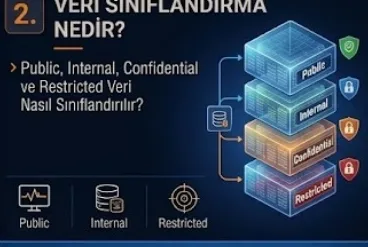
Data classification is a fundamental data security process that enables organizations to separate the data they have into categories according to sensitivity, business value, confidentiality level and possible damage impact. This approach is one of the most critical building blocks of a modern Data Security Architecture. Because without knowing which data is critical it is not possible to apply the correct security control to that data.
In an organization there can at the same time be marketing documents, employee payslips, customer information, contracts, source code, R&D documents, credit card data, identity information and board reports. Protecting all of this data at the same level can be operationally inefficient. On the other hand accepting all data as equally unimportant also creates a serious security risk.
For this reason the fundamental aim of data classification is this:
"How critical is which data and according to this criticality level which security controls should be applied?"
When this question is answered correctly data security controls such as DLP, encryption, access control, data masking, sharing policy, retention policy and monitoring become more meaningful and effective.
What Is Data Classification?
Data classification is the process of data being assigned to particular security categories taking into account its content and the value it carries in business terms. These categories can change from organization to organization but the most common approach is the model below:
Public
Internal
Confidential
Restricted
These four levels define to what extent the organization needs to protect the data.
Public data can be shared with the outside.
Internal data can be only for use inside the organization.
Confidential data can be limited to particular authorized users.
Restricted data, on the other hand, expresses critical information that requires the highest security level.
For this reason data classification is not only labeling. Its real value emerges with the classification level directly changing the security behaviour.
For example in a file classified as Restricted:
external sharing can be closed,
sending by e-mail can be blocked,
copying to a USB can be limited,
encryption can be applied automatically,
print permission can be closed,
the DLP policy can be applied more strictly.
In this case the classification directly produces enforcement.
Why Is Data Classification Necessary?
If an organization does not know the value of the data it has it cannot prioritize its security investments correctly.
For example an employee birthday list and an acquisition plan can be located inside the same file server. If the same access policy is applied to both documents either the critical data is protected less than necessary or the normal data is restricted more than necessary.
Data Classification solves this problem.
The organization first defines the importance of the data.
Afterwards security controls are applied according to this importance level.
For this reason data classification provides:
Security Prioritization
this.
At the same time it also makes governance processes easier.
The Data Owner knows which class the data belongs to.
The Security Team determines the controls to be applied.
Users, on the other hand, can more easily understand how they should share the data.
Are Data Classification and Data Labeling the Same Thing?
No.
Data classification is the process of determining which security class the data belongs to.
Data Labeling is this class information being applied on the file or record.
For example a document is classified as Confidential.
Afterwards a Confidential label is applied on it.
This label:
document metadata,
a header,
a footer,
a watermark
or a policy tag
can be present in these forms.
For this reason classification is the decision and labeling is this decision being applied technically or visually.
What Is Public Data?
Public Data is data that in the case of being open to the public will not create important damage for the organization.
For example:
website content,
public product brochures,
press releases,
public job advertisements,
marketing materials
can fall into this class.
For public data the confidentiality requirement can be low.
However, integrity is still important.
For example if a public pricing document on the company website is changed by an attacker a business impact can arise.
For this reason Public data does not mean completely "unprotected data".
It only carries low sensitivity in terms of confidentiality.
What Is Internal Data?
Internal Data is information that should be seen only by organization employees or authorized business partners.
For example:
internal procedures,
company announcements,
internal presentations,
department documents,
internal contact lists
can be in this class.
When internal data leaks outside it may not create a critical impact but it can give information about the organization's internal workings.
For this reason it must not be shared on the public internet.
Access can be limited to the general employee body.
What Is Confidential Data?
Confidential Data is sensitive data that in the case of unauthorized people accessing it can create serious damage for the organization or people.
For example:
customer information,
employee information,
contracts,
pricing strategies,
financial reports,
commercial plans,
internal investigations,
source code
can be classified as Confidential.
For this data access must be stricter.
The Need-to-Know principle must be applied.
Controls such as encryption, DLP and access monitoring can come into play at a higher level.
What Is Restricted Data?
Restricted Data expresses the organization's most sensitive and most critical data.
As examples of this category information such as:
authentication secrets,
encryption keys,
privileged credentials,
merger and acquisition plans,
highly sensitive personal data,
critical intellectual property,
top-level strategic documents,
payment card data
can be given.
Restricted data exposure can create a high legal, financial, reputational or operational impact.
For this reason the strictest security controls must be applied to this class.
For example:
strong encryption,
strict access control,
PAM integration,
DLP block policies,
restricted external sharing,
enhanced monitoring,
mandatory logging,
limited retention
can be applied.
How Are Data Classification Levels Determined?
While the classification levels are being determined one should not look only at the data type.
The following factors can be evaluated together:
Business Impact
Legal Impact
Financial Impact
Reputational Impact
Privacy Impact
Operational Impact
Security Impact
For example a customer list on its own can be Confidential.
However, if together with the customer list there are identity numbers and financial details the data can rise to the Restricted level.
For this reason classification must be context-aware.
What Is Data Sensitivity?
Data Sensitivity is the risk level the data can create in the case of unauthorized access or disclosure.
Sensitive Data and Critical Data may not be the same thing.
For example an employee phone list can be sensitive but may not be business critical.
By contrast a production database encryption key can be both sensitive and critical.
For this reason a security policy can evaluate the concepts of sensitivity and criticality together.
How Is a Data Classification Policy Prepared?
A Data Classification Policy defines which classes the organization will use and which rules will be applied for every class.
The policy must be as simple as possible.
Too many classification levels can create user confusion.
For example:
Public
Internal
Confidential
Highly Confidential
Secret
Top Secret
such a large number of classes can create unnecessary complexity for a commercial environment.
For this reason many organizations use a 3 or 4 level model.
The policy must answer these questions for every level:
Who can access it?
Can external sharing be carried out?
Is encryption necessary?
Can it be sent by e-mail?
Can it be copied to a USB?
Can it be printed?
What is the retention period?
How should the DLP policy be applied?
If these rules are not clear the classification remains only a visual label.
What Is the Role of the Data Owner?
The data classification decision being given only by the IT or Security Team is not always correct.
Because the relevant department knows the business context best.
For this reason a Data Owner must be determined for every critical dataset.
For example:
HR Data Owner = HR Director
Financial Data Owner = Finance Department
Sales Data Owner = Sales Management
can be these.
The Data Owner knows the business value of the data.
The Security Team, on the other hand, suggests technical controls according to this value.
For this reason classification is a shared responsibility.
What Is a Data Custodian?
A Data Custodian is the person who manages the data technically.
For example a database administrator or storage administrator can be a Data Custodian.
The Data Owner:
"This data is Confidential."
says this.
The Data Custodian:
access permissions,
backup,
storage,
encryption
manages technical operations such as these.
This role separation is important in terms of Data Governance.
What Is Manual Data Classification?
Manual Data Classification is the user choosing a classification label while creating or saving a document.
For example the user adds to the file the label:
Confidential
this label.
This method is useful because the user knows the business context.
However, it carries a human error risk.
The user can mark a Restricted document as Internal by mistake.
Or they may not choose any label.
For this reason manual classification may not be sufficient on its own.
What Is Automatic Data Classification?
Automatic Data Classification is data being assigned automatically to a classification level using content analysis.
For example if the system inside a document detects:
a national identity number pattern,
a Credit Card Number,
a Passport Number,
Health Information
it can apply a Confidential or Restricted label.
This automation increases classification coverage.
However, there are false positive and false negative risks.
For this reason the rules must be designed carefully.
What Is Content Inspection?
Content Inspection is the content of a file or message being analyzed for sensitive patterns.
During this inspection methods such as:
Keywords
Regular Expressions
Data Types
Machine Learning Models
Exact Data Match
can be used.
For example credit card numbers can be detected with the Luhn algorithm.
Personal identifiers can be found over particular patterns.
This technology is one of the fundamental parts of DLP and Data Classification.
What Is Exact Data Match?
Exact Data Match enables sensitive data detection to be carried out using the real values inside a particular authoritative dataset.
For example employee identity numbers are taken from the HR database.
DLP detects only these real values.
This method can reduce the false positive rate compared to generic pattern matching.
This is important especially for large enterprise environments.
What Is Fingerprinting?
Document Fingerprinting serves to detect similar content by defining particular document templates or structured data patterns.
For example the company's standard customer contract template can be defined as a fingerprint.
If a newly created document matches this pattern automatic classification can be applied.
This technology can be used for intellectual property protection.
Metadata-Based Classification
Data does not have to be classified only according to content.
Metadata can also be used.
For example metadata such as:
Department = Finance
Storage Location = Payroll Folder
Owner = HR
Document Type = Contract
can be included in the classification decision.
This is the hybrid classification model.
What Is Context-Aware Classification?
Context-aware classification evaluates together with the content the user, location, application and business process information.
For example the same Excel file:
inside a Marketing folder can be Internal.
Inside a Payroll repository can be Confidential.
For this reason classification may not stay bound only to the file content.
Context makes the security decision more correct.
What Does a Classification Label Do?
A Classification Label indicates the security sensitivity level of the data.
A label is not only a visual tag.
Modern systems can apply a security action depending on the label.
For example a Confidential label:
Encryption
External Sharing Restriction
DLP Policy
Watermark
can apply these.
This approach can be evaluated as Policy-Driven Data Classification.
What Is a Sensitivity Label?
A Sensitivity Label is the label that indicates the sensitivity level of a document or e-mail and that can be related to security policies.
For example an organization:
Public
Internal
Confidential
Highly Confidential
can use these labels.
When the user chooses the Confidential label while creating an e-mail the e-mail may not be sent to an external recipient or encryption can be applied.
This combines classification with protection.
The Microsoft 365 Data Classification Approach
Inside Microsoft 365 environments sensitivity labels and information protection capabilities can be used.
These labels:
documents,
e-mails,
collaboration content
can be applied on these.
For example a document with a Confidential label can be subjected to policy evaluation during external sharing.
However, whatever the technology is, first the organization's classification taxonomy must be designed correctly.
The product does not take the place of the policy.
First the classification model is created.
Afterwards it is applied on the platform.
Data Classification and DLP Integration
One of the most important use cases of classification is DLP integration.
For example the rule:
IF Classification = Restricted
and:
Destination = External
then:
Block
can be applied.
Another example:
IF Classification = Confidential
and:
USB Copy
then:
Require Justification + Alert
can be applied.
This is the policy-driven DLP model.
How Does Classification Strengthen DLP?
DLP can try to detect the content on its own.
However, when classification is present DLP decisions become faster and more contextual.
For example instead of searching for a credit card number inside every file DLP can use the existing label.
This can provide an advantage in terms of performance and policy consistency.
The best model is most of the time the combination:
Classification + Content Inspection + DLP
this combination.
Data Classification and Encryption
The classification level can determine the encryption requirement.
For example a policy such as:
Public → Encryption optional
Internal → Standard Encryption
Confidential → Mandatory Encryption
Restricted → Strong Encryption + Strict Key Control
can be created.
In this way the security control becomes proportional to the data sensitivity.
Classification and Access Control
Classification can also be used for the access decision.
For example a user has the:
Standard Employee
role.
They can provide access to Internal data.
However, for Restricted data an additional attribute is necessary.
For example an ABAC rule such as:
Department = Legal
and:
Clearance = Restricted
can be applied.
This is the Data-Centric Access Control approach.
RBAC and Data Classification
RBAC manages data access over role-based access.
For example:
Finance Role → Finance Confidential Data
HR Role → HR Confidential Data
However, as the number of roles increases complexity can increase.
For this reason classification on its own does not take the place of RBAC but it provides the data sensitivity context.
ABAC and Data Classification
ABAC can provide more granular decisions.
For example:
User Department = Finance
AND
Data Classification = Confidential
AND
Device = Managed
then access allowed.
But:
Device = Unmanaged
then block.
This is a strong example of adaptive data access.
The Need-to-Know Principle
Need-to-Know expresses the user accessing only the data necessary for their work.
The user having a security clearance does not mean they should see all the data.
For example a Finance employee can access the Confidential class.
However, it may not be necessary for them to see Legal Confidential documents.
For this reason classification and business context must be used together.
Data Classification and KVKK
In KVKK programmes where personal data is located and at which risk level it is must be known.
Data Classification can strengthen this visibility.
For example an internal mapping such as:
Personal Data → Confidential
Special Category Personal Data → Restricted
can be created.
However, the data categories in KVKK and the internal security classification are not the same thing.
The first expresses the legal data category, the second the security level.
This distinction is important.
Is Personal Data Always Restricted?
No.
The sensitivity level of personal data can change according to its type and context.
For example public business contact information and medical data may not be in the same security class.
For this reason the organization must determine internal classification rules.
A mapping can be made between the legal classification and the security classification.
What Is PII?
PII, that is, Personally Identifiable Information, is a general concept that expresses the information that can identify a person directly or indirectly.
For example:
a name,
an identity number,
an email address,
a phone number,
an address
can be evaluated within the scope of PII.
Modern Data Discovery and Classification tools can help automatic classification by detecting PII patterns.
Special Category Data and Data Classification
For personal data types that carry high sensitivity a stronger classification can be applied.
This data:
Restricted
or can be assigned to the organization's equivalent high security category.
Afterwards:
strong encryption,
strict access,
DLP blocking,
enhanced logging
can be applied.
These technical controls strengthen the privacy programme.
Data Classification and Retention Policy
Classification can be used not only for access but for retention too.
For example rules such as:
Public Marketing Files → Long-Term
Temporary Internal Data → 1 Year
Confidential HR Data → Legal Retention Period
can be created.
When the retention is completed the data can be archived or deleted.
This is an important part of Data Lifecycle Management.
Unnecessary Copies of Restricted Data
A large number of duplicate copies of Restricted data increases the attack surface.
For example the payroll database can be safe.
However, the same data as:
an Excel export,
an email attachment,
a desktop copy,
a backup copy
can spread.
For this reason together with Data Classification Data Discovery and DSPM must be used.
The aim is to detect not only the original data but all the copies.
Shadow Data and Classification
Shadow Data generally remains outside the classification programme.
For example an employee exports data from a Confidential database.
A label is not applied to the Excel file.
The file is carried to a personal folder.
In this case sensitive data visibility can be lost.
Modern automatic classification solutions can reclassify this kind of file by scanning it.
Data Classification and DSPM
DSPM can analyze where sensitive data is located and which risks it is under.
Classification, on the other hand, provides the data sensitivity context.
A DSPM finding can be in this way:
Restricted Customer Data
Public Cloud Storage
No Encryption
=
Critical Risk.
This provides data-centric risk prioritization.
The Difference Between Classification and CSPM
Classification determines the sensitivity of the data.
CSPM analyzes the infrastructure configuration.
For example CSPM:
Bucket Public
can find this.
Classification, on the other hand:
There is Public Marketing Data inside the bucket
or:
There is Restricted Customer Data inside the bucket
provides this information.
The risk level of these two findings is not the same.
For this reason modern cloud security requires context.
Classification and Database Security
The columns inside a database can have different sensitivity levels.
For example:
Customer Name → Confidential
Credit Card Number → Restricted
Marketing Preference → Internal/Confidential
can be these.
This column-level classification can make database security policies more granular.
DAM and masking solutions can use the classification context.
How Is Data Masking Used with Classification?
Dynamic masking can be applied over classification.
For example for a Restricted column a normal user sees only the masked value.
An authorized Finance user can see the full value.
This approach reduces sensitive information exposure.
Classification and Backup
If data is Restricted its backup is Restricted too.
The backup copy must not lose the classification.
For this reason backup systems:
encryption,
strict access,
retention,
audit
must be protected with these.
Data classification is not valid only for active production data.
Classification and E-Mail Security
E-mail is one of the common paths of data leakage.
A user can send a Confidential attachment to an external address.
Classification-aware mail security can give these decisions:
Allow
Warn
Encrypt
Block
For example a Restricted e-mail can be sent only to approved domains.
This is the data-aware e-mail security model.
Classification and USB Use
A user can try to copy Confidential data to a USB drive.
The policy:
Internal → Allow
Confidential → Encrypt USB
Restricted → Block
can be in this way.
In this way the DLP policy differs according to the classification.
Classification and Printing
Printing can also be a data leakage channel.
Especially high sensitivity documents can move outside control physically.
For a Restricted label:
printing disabled
or:
watermark + user identity
can be applied.
This is the combination of physical data security with digital classification.
What Is Watermarking?
A watermark is classification or user information being shown on a document.
For example information such as:
CONFIDENTIAL
or:
Printed by User X
can be added.
A watermark does not technically prevent data leakage completely but provides deterrence and accountability.
Data Classification and Cloud Sharing
Cloud collaboration platforms have made data sharing easier.
However, wrong share settings can lead to sensitive data exposure.
Thanks to classification-aware policies the model:
Public → External Sharing Allowed
Internal → Company Only
Confidential → Approved Guests
Restricted → External Sharing Blocked
can be applied.
This strengthens cloud data governance.
Classification and SaaS Applications
Sensitive data is not located only on the file server.
It can also be located inside CRM, HR, ERP and SaaS platforms.
For this reason the classification programme must also cover SaaS data.
Data Discovery tools can scan SaaS repositories.
CASB or DLP systems can apply sharing controls.
Data Classification and Generative AI
The use of Generative AI brings out a new enforcement need for classification.
For example a user can paste the content of a Restricted document into a public AI service.
Classification-aware DLP can detect this and block it.
For this reason modern classification programmes must also take AI channels into account.
What Is AI-Assisted Data Classification?
Artificial Intelligence and machine learning can be used in the content classification process.
The AI by analyzing the document context:
Contract
Financial Report
Customer Record
Technical Design
can determine a semantic category such as these.
This can provide richer context than rule-based pattern matching.
However, AI classification results require validation and governance.
AI may not always carry out the correct classification.
LLM-Based Data Classification
Large Language Models can be used to interpret the meaning of unstructured documents.
For example even if there is no obvious identity number inside the document the content can be:
an acquisition strategy
this.
The LLM can estimate over the semantic context that it is high sensitivity.
This can in the future be one of the important capabilities of automatic data classification.
However, sending confidential data to an external model for classification purposes can create a new data leakage risk.
For this reason the architecture must be designed carefully.
Why Is Classification Important in RAG Systems?
RAG systems produce answers over corporate documents.
If the classification context is not used during retrieval the AI can retrieve unauthorized content.
For example a normal user asks:
"What is the board's acquisition plan?"
this question.
The RAG engine must not retrieve the Restricted document.
For this reason the retrieval policy:
User Authorization
Document Classification
must work over these.
This is the Permission-Aware RAG approach.
AI Agents and Data Classification
An AI Agent can read or transfer data on business systems.
For this reason the agent must also be subject to classification rules.
For example a customer support agent:
Internal
and:
Confidential Customer Support Data
can see these.
However, it cannot access Restricted HR Data.
This is the foundation of AI Agent Data Governance.
How Is a Classification Policy Kept Simple?
The most successful classification systems must be understandable by the user.
If the user does not understand the difference between Public and Internal the policy cannot be applied.
For this reason for every classification a short explanation and examples must be given.
For example:
Public: Can be shared with the outside.
Internal: Must not be taken outside the organization.
Confidential: Only authorized people can access it.
Restricted: Requires the highest protection.
A model this clear can increase adoption.
Why Is Default Classification Important?
If the user does not choose a label which class will the file belong to?
This question must be defined in the policy.
For example the default:
Internal
can be this.
In this way unlabeled data automatically has the minimum protection level.
In high-risk environments mandatory classification can be applied.
What Is Mandatory Labeling?
Mandatory Labeling is making it compulsory for the user to choose a classification before sending a document or e-mail.
This can increase visibility.
However, if it creates a bad user experience employees can choose labels randomly.
For this reason usability is important.
What Is Overclassification?
Overclassification is data being assigned to a higher security level than necessary.
For example if every document is made Restricted the security model loses its meaning.
Users continuously meet restrictions.
In the end they can look for a workaround.
For this reason classification must be:
Risk-Proportionate
this.
What Is Underclassification?
Underclassification, on the other hand, is sensitive data being assigned to a lower class than it should be.
For example if a payroll file is classified as Internal external sharing can stay open.
This is a more direct security risk.
Automatic detection can help to find underclassification.
What Is Classification Drift?
Data can change over time.
A document can be Internal at the beginning.
Afterwards when customer data is added inside it it can become Confidential.
If the classification nevertheless does not change Classification Drift arises.
For this reason classification must be re-evaluated throughout the lifecycle.
Continuous Data Classification
The modern model is not only applying a label during file creation.
Data can be rescanned periodically.
When the content changes the classification can be updated.
This is the Continuous Data Classification approach.
It is important especially for cloud repositories and collaborative documents.
How Is a Data Classification Project Started?
The correct start is not buying technology.
First a business taxonomy must be created.
The first step is determining the critical data types.
For example categories such as:
Customer Data
HR Data
Financial Data
Source Code
Legal Documents
Credentials
can be defined.
Then the sensitivity levels are determined.
At the following stage a mapping is made:
Customer Data → Confidential
Privileged Credentials → Restricted
Marketing Brochure → Public
This mapping is the foundation of the classification policy.
Should Data Discovery Be Carried Out Before Classification?
In the ideal approach Discovery and Classification feed each other.
Discovery finds which data is where.
Classification determines the sensitivity level of the data found.
For this reason the process:
Discover → Identify → Classify → Protect
can proceed in this way.
However, for newly created data classification can also be applied directly during creation.
For this reason the programme must cover both existing data and new data.
Existing Data Classification
In legacy environments there can be millions of existing files.
The manual classification of all the files is not practical.
For this reason:
automatic scanning,
content inspection,
metadata analysis,
machine learning
can be used.
High-risk findings can be sent for manual validation.
This is the risk-based rollout approach.
Data Classification KPIs
The success of a classification programme must be measured.
Example KPIs:
Total Data Assets Discovered
Classified Data Percentage
Unclassified Sensitive Data Count
Restricted Data Count
Unknown Data Owner Count
Automatic Classification Coverage
Manual Classification Rate
Underclassification Findings
Overclassification Findings
DLP Events by Classification
External Sharing by Classification
Classification Policy Violation Count
metrics such as these can be these.
These metrics show the programme maturity.
The Most Frequently Made Mistakes in Data Classification
The most common mistake is creating a very complex classification taxonomy. If the user cannot understand the difference between 8–10 different labels they cannot give the correct decision.
The second mistake is seeing classification only as a compliance project. If the label is written on the document and no enforcement is carried out the real security value is limited.
The third mistake is leaving all the responsibility to the user. Manual classification can be necessary but it must be supported with automatic detection.
The fourth mistake is not defining a Data Owner. The Security Team cannot know the business sensitivity of every document on its own.
The fifth mistake is leaving cloud, SaaS and AI use outside the classification scope. Modern data has spread far beyond traditional file servers.
The sixth mistake is forgetting the classification lifecycle. As the data content changes the sensitivity can also change.
Data Classification Checklist
- Is a Data Classification Policy present?
- Are the classification levels clear?
- Is Public Data defined?
- Is Internal Data defined?
- Is Confidential Data defined?
- Is Restricted Data defined?
- Are examples present for every class?
- Have Data Owners been determined?
- Are Data Custodians defined?
- Has a default classification been determined?
- Is mandatory labeling being used in the necessary areas?
- Is Automatic Classification being applied?
- Is Content Inspection present?
- Is PII detection being carried out?
- Has KVKK data categories mapping been made?
- Is Exact Data Match being used?
- Is metadata classification supported?
- Do sensitive documents receive encryption?
- Is classification integrated with DLP?
- Does the e-mail policy change according to the classification?
- Does the USB policy change according to the classification?
- Is External Sharing managed according to the classification?
- Are cloud repositories being scanned?
- Is SaaS data within the classification scope?
- Does DSPM use the classification context?
- Are backup copies at the same protection level?
- Is classification drift being monitored?
- Is the sending of Restricted data to AI tools being controlled?
- Are RAG systems classification-aware?
- Are AI Agents subject to classification rules?
- Are classification KPIs being monitored?
Data Classification Maturity Model
Level 1 – No Classification: The organization does not have a common standard about data sensitivity. Users act with their own interpretations.
Level 2 – Manual Classification: A taxonomy such as Public, Internal, Confidential and Restricted has been created. Users apply manual labels.
Level 3 – Policy-Driven Classification: Classification labels are integrated with DLP, encryption, sharing and access policies.
Level 4 – Automated Data Classification: Content Inspection, DSPM, cloud discovery and machine learning provide automatic classification. Classification drift is monitored.
Level 5 – Adaptive Data Classification: Data content, identity risk, business context, AI usage and runtime behavior are evaluated continuously. Protection controls can change according to real-time sensitivity and context.
This transformation:
Unknown Data
↓
Labeled Data
↓
Protected Data
↓
Automatically Classified Data
↓
Adaptive Data Security
proceeds in this way.
Frequently Asked Questions
What is data classification?
Data classification is organization data being separated into different security categories according to its sensitivity, business value and possible damage level.
What is Data Classification?
Data Classification means veri sınıflandırma in Turkish and is the security process that determines at which level the data needs to be protected.
What is Public Data?
It is data that in the case of unauthorized or external access does not create an important confidentiality risk and can be open to the public.
What is Internal Data?
It is data that can generally be used only by organization employees or authorized business partners.
What is Confidential Data?
It is sensitive data that in the case of unauthorized disclosure can create serious damage for the organization or people.
What is Restricted Data?
It is critical and highly sensitive data that requires the highest security level.
What is Sensitive Data?
It is sensitive data that in the case of unauthorized access, sharing or modification can create a risk.
What is Data Labeling?
It is the process of indicating the classification level of data with metadata, a label, a watermark or similar marks.
What is a Sensitivity Label?
It is the label that indicates the sensitivity level of a document or e-mail and that can be related to security policies.
What is Automatic Data Classification?
It is the sensitivity level of data being determined automatically using content, metadata or AI analysis.
What is Manual Data Classification?
It is the user choosing the classification level of the data themselves.
What is the relationship between Data Classification and DLP?
Classification defines the sensitivity of the data, and DLP can apply a security policy on sharing and data movement according to this sensitivity information.
What is KVKK data classification?
It is the personal data categories within the scope of KVKK being related to the organization's internal security classification model. The legal data category and the security class are not the same concept.
In which class should personal data be?
This changes according to the organization's risk and classification policy. Many organizations can evaluate personal data as Confidential and more sensitive personal data at the Restricted level.
Who is the Data Owner?
It is the business unit or authorized person responsible for the business value, classification, access and retention decisions of a dataset.
Who is the Data Custodian?
It is the technical role that manages the storage, backup, access permissions and technical operations of the data.
What is Classification Drift?
It is the situation of the old classification label remaining valid even though the content or purpose of use of the data has changed.
Can data classification be carried out with AI?
Yes. Machine learning and LLM based systems can provide classification recommendations or automatic labeling by analyzing structured and unstructured content. However, human governance and validation preserve their importance.
Conclusion: Without Data Classification Data Security Works Blind
One of the most fundamental problems in modern data security is the organization not knowing which of its data is really critical.
The firewall does not know how important the data is.
Encryption does not on its own determine which file is more sensitive.
Without the correct policy DLP can have difficulty understanding which movement is really risky.
For this reason classification must be at the centre of Data Security.
First the data is discovered.
Then its meaning is determined.
The sensitivity level is assigned.
The owner is determined.
Afterwards security controls are applied.
This process:
Discover → Understand → Classify → Label → Protect → Monitor → Reclassify
should be thought of in this way.
Public data and Restricted data should not be managed in the same security model.
Public data must be easy to share.
Internal data must stay inside the organization.
Confidential data must be limited with the Need-to-Know principle.
Restricted data, on the other hand, must be kept under high security with encryption, strict access, DLP, logging and advanced monitoring.
However, the aim of a successful Data Classification programme is not to put a Confidential label on all the files.
The essential aim is to apply the correct protection level to the correct data.
In order to be able to do this the classification taxonomy must be simple, understandable and enforceable.
Modern cloud and AI environments are increasing this need even more.
An employee can send a Confidential document by e-mail.
They can share the same document over SharePoint.
They can upload it to an AI tool.
A RAG system can retrieve the document.
An AI Agent can read it over an API.
For this reason the classification information needs to be preserved not only on the file server but inside the whole digital ecosystem the data passes through.
In the data security approach of the future:
Data Classification
will not be only metadata.
It will become an important security signal of the access decision.
And the most important sentence of this chapter:
Data classification is not the organization only giving the data a name; it is the fundamental Data Security decision mechanism that determines which access, encryption, sharing, DLP and monitoring controls will be applied by defining the business value and sensitivity of the data.
Related Articles
Data Security, Classification & Protection

What Is Data Security? Data Protection and Modern Corporate Data Security Architecture
What is data security? Data discovery, data classification, DLP, DSPM, DAM, encryption and a modern corporate data security architecture.
What Is Data Discovery? Sensitive Data Discovery, PII Detection and Building a Data Inventory
Data Discovery is the data security process that discovers where the data inside an organization is located, what it contains and how sensitive it is. This guide covers PII detection, structured and unstructured scanning, the corporate data inventory, data mapping, Shadow and Dark Data, DSPM and DLP integration and the discovery of new AI data sources such as vector databases and the RAG corpus.
What Is DLP? Preventing Data Leakage With Data Loss Prevention
DLP (Data Loss Prevention) is the data security layer that detects and prevents sensitive data going outside the organization over e-mail, USB, web, cloud, SaaS and AI applications. This guide covers the endpoint, e-mail, web and cloud DLP channels, policy design, the phased transition through monitor mode, insider risk and SOC integration and new areas such as Shadow AI and prompt DLP.
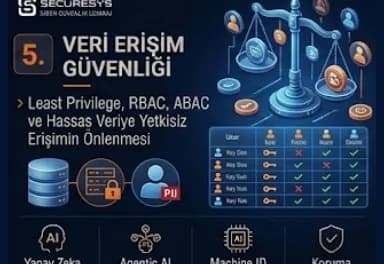
Data Access Security: Least Privilege, RBAC, ABAC and Preventing Unauthorised Access
Data access security ensures that only the right identity accesses sensitive data, with the right authorization and for the right period. This guide covers the Least Privilege and Need-to-Know principles, the RBAC and ABAC models, access review and IGA processes, JIT access, Zero Trust with continuous authorization and authorization control in AI Agent and RAG systems.
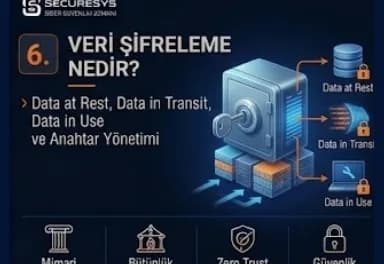
What Is Data Encryption? Data at Rest, Data in Transit, Data in Use and Key Management
Data encryption prevents sensitive data being read by unauthorized people with cryptographic algorithms. This guide covers the Data at Rest, Data in Transit and Data in Use states, symmetric and asymmetric encryption, TDE and disk encryption, TLS and mTLS, tokenization and masking, and key management subjects such as KMS, HSM, key rotation, BYOK/HYOK and crypto-agility.
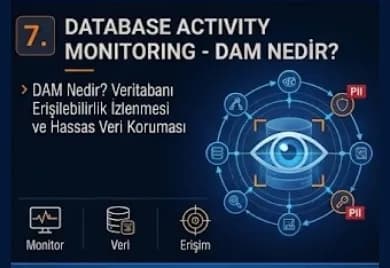
What Is Database Activity Monitoring (DAM)? Monitoring Database Access and Protecting Sensitive Data
Database Activity Monitoring (DAM) makes visible who runs which query on the database, which sensitive table they access and how much data they take out. This guide covers the DAM architectures, DBA and service account monitoring, bulk data export detection, PAM, SIEM, DLP and DSPM integrations and the monitoring of AI Agent and Text-to-SQL accesses.
Looking for professional support on this topic?
Our expert team will reach out for a free consultation as soon as possible.