What Are Passwordless Authentication and Passkeys? FIDO2, WebAuthn and Phishing-Resistant MFA
What are passwordless authentication and passkeys? FIDO2, WebAuthn, phishing-resistant MFA and protection against MFA fatigue and AiTM attacks.
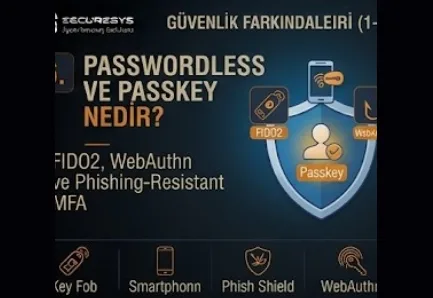
In corporate identity and access security the fundamental method used for the longest time has been the password. The person who enters their username and password can access the system if they know the correct information. Even though this model was seen as sufficient for years, today password-based security carries serious limitations. Users can reuse the same password on different systems, can create weak passwords, can share their credentials on phishing pages or can continue to use passwords leaked from data breaches that took place earlier.
For this reason the modern Identity Security approach, instead of only creating stronger password policies, is turning towards reducing the role of the password in the security architecture. At the centre of this transformation lie technologies such as Passwordless Authentication, Passkey, FIDO2, WebAuthn and phishing-resistant MFA.
However, the passwordless transformation does not mean only not making the user type a password. The real aim is to reduce the use of a reusable secret, to lower the credential phishing risk and to relate the authentication operation cryptographically to a particular user, device and service.
For this reason the modern authentication approach targets this transformation:
Password-Based Authentication
↓
Multi-Factor Authentication
↓
Phishing-Resistant MFA
↓
Passwordless Authentication
↓
Continuous and Risk-Based Authentication
Thanks to this transformation identity verification moves out of only the question "do you know the correct password?" and becomes a stronger trust model.
What Is Passwordless Authentication?
Passwordless Authentication is the authentication approach that enables the user's identity to be verified without entering a traditional password.
In these methods during authentication the user can use:
a Passkey,
a FIDO2 Security Key,
a Certificate,
a Smart Card,
a Device Credential
methods such as these.
The most important advantage of passwordless systems is that they reduce the shared secret model that is remembered by the user and used again and again.
In the traditional password model the server and the user carry out authentication over the same secret.
In passwordless and public-key cryptography based models, on the other hand, the private key is kept on the user side and the server has only the public key information.
This difference is extremely important in terms of security.
Because when there is no reusable password on the server the effect of classic credential database theft attacks can decrease.
What Is a Passkey?
A Passkey is the modern identity verification method that enables users to carry out authentication using public-key cryptography instead of a traditional password.
During login instead of typing a password the user can use on their device a method such as:
a Fingerprint,
Face Recognition,
a PIN,
Device Unlock
these.
However, the biometric data is not sent directly to the application.
The authenticator on the device carries out the cryptographic authentication operation using the private key.
For this reason even though a passkey looks simple in terms of user experience it uses a quite strong cryptographic mechanism in the background.
The fundamental advantage of passkey authentication is this:
The user cannot type their password onto a phishing site by mistake because there is no reusable password to be typed.
This too provides an important advantage in terms of phishing resistance.
What Is FIDO2?
FIDO2 is the body of modern authentication standards developed for passwordless and phishing-resistant authentication.
FIDO2 is generally related to two important components:
WebAuthn
and
CTAP – Client to Authenticator Protocol
WebAuthn enables web applications to use public-key based authentication.
CTAP, on the other hand, provides communication between the browser or client and an external authenticator.
For example a USB security key can be used.
During authentication the user's private key does not leave the device.
The application receives only cryptographic proof.
This model is significantly different from traditional password authentication.
What Is WebAuthn?
WebAuthn is the web standard that enables browsers and web applications to use public-key based authentication.
When the application creates a credential for the user the public key is stored on the application side.
The private key, on the other hand, is located on the authenticator.
When the user logs in the application sends a challenge.
The authenticator signs this challenge with the private key.
The application carries out verification with the public key.
The simplified flow:
Application → Challenge → Authenticator → Signed Response → Verification
is in this way.
During this process the password is not carried over the network.
For this reason the phishing and credential theft risks can be significantly reduced.
The Fundamental Difference Between a Passkey and a Password
A traditional password is a reusable secret.
The user can use the same password in more than one place.
A phishing page can ask the user for the password.
If the attacker obtains the password they can use it from another device.
A passkey, on the other hand, is an origin-bound cryptographic credential.
The authentication is related to a particular website or application domain.
For this reason a fake website cannot create a valid authentication response for the real application.
This is one of the fundamental reasons why passkey technology is phishing-resistant.
What Is Phishing-Resistant MFA?
Phishing-resistant MFA expresses the authentication methods that make it harder for the user to transfer their authentication information to the attacker over a fake website or adversary-controlled infrastructure.
Not all traditional MFA methods are phishing-resistant.
For example an SMS OTP or authenticator code can be entered by the user onto a fake login page.
The attacker can log in by forwarding this code to the real site.
A push notification can also be made to be approved with social engineering.
Cryptographic authentication methods such as FIDO2 and a passkey handle this problem differently.
Because the authentication is related cryptographically to a particular origin the attacker cannot create a valid authentication over a fake domain.
Why May MFA Not Be Sufficient on Its Own?
MFA provides an important security advantage compared to password-only authentication.
However, over time attackers have developed new attack techniques that target MFA.
For example:
MFA Fatigue,
Adversary-in-the-Middle Phishing,
SIM Swap,
OTP Phishing,
Push Approval Abuse
methods such as these can be used.
For this reason a modern authentication strategy should not be evaluated only as:
MFA Enabled = Secure
in this way.
Which MFA method is used is also important.
What Is MFA Fatigue?
MFA Fatigue or MFA Bombing is the attacker continuously sending push authentication requests with the username and password they have obtained.
The user sees on their phone again and again:
Approve?
this notification.
After a while the user can approve the request by mistake or willingly.
This social engineering technique can be used especially in push-based MFA systems.
To reduce the MFA Fatigue risk:
Number Matching,
Login Context,
Location Information,
Rate Limiting,
Risk-Based Authentication
controls such as these can be applied.
However, phishing-resistant authentication provides a stronger solution.
What Is Number Matching?
Number Matching requires the number seen on the login screen during push MFA to be entered into the mobile authenticator.
In this way the user does not only press the "Approve" button.
They need to establish a relationship between the login context and the mobile request.
This can make MFA fatigue attacks harder.
However, the user can still be deceived with social engineering.
For this reason even though number matching is a strong improvement it may not be as strong as phishing-resistant authentication such as FIDO2.
What Is Adversary-in-the-Middle Phishing?
Adversary-in-the-Middle, that is, an AiTM attack, is the phishing method in which the attacker puts proxy-like infrastructure between the user and the legitimate service.
The user comes to the fake site.
The fake site establishes communication with the real service.
The user enters their username and password.
The attacker transfers this information to the real service.
The MFA challenge comes to the user.
The user completes the MFA.
The attacker tries to obtain the authenticated session token.
In this case instead of continuously using the password and MFA code the attacker can hijack the authenticated session.
This attack shows why modern authentication security cannot rest only on MFA.
What Is Session Hijacking?
Session Hijacking is the authenticated session that arises after the user carries out successful authentication being obtained by the attacker.
Modern web applications can use a session cookie or token after authentication.
This token permits the user to use the application without entering the password and MFA again.
If the attacker obtains the token they can try to behave like the user without passing the authentication controls again.
For this reason while passwordless authentication reduces the phishing risk it does not remove the need for session security.
What Is Token Theft?
Token Theft is the attacker obtaining authentication artifacts such as an access token, refresh token or session token.
Because modern cloud applications use token-based authentication tokens have become quite valuable.
The attacker can try to obtain the token with methods such as:
malware,
browser compromise,
session hijacking,
AiTM phishing
these.
For this reason Identity Security is now not only credential protection.
Credential Security + Token Security + Session Security
must be evaluated together.
Does Using Passwordless Block Session Hijacking?
Not always.
Passwordless authentication makes the login stage safer.
However, if the session created after authentication is compromised the attacker can still provide access.
For this reason the modern security model:
Strong Authentication
should start with this but:
Continuous Session Evaluation
should continue with this.
If the device risk changes,
if a suspicion of user account compromise arises,
if the location changes,
if token theft is detected
the session must be re-evaluated.
What Is Continuous Authentication?
Continuous Authentication or Continuous Access Evaluation aims for the authentication risk to continue to be monitored after the user has logged in.
In the traditional model it is thought of as:
Login Successful
↓
Trusted Session
in this way.
In the modern model:
Login Successful
↓
Continuous Risk Evaluation
↓
Allow / Step-Up / Revoke
this approach can be used.
This is an important part of the Zero Trust security model.
What Is Adaptive Authentication?
Adaptive Authentication is the approach that changes the authentication requirements according to the user, device and risk context.
For example:
Known Device + Normal Location + Low Risk
in this situation standard authentication can be sufficient.
However:
New Device + Unusual Location + Sensitive Application
in this situation phishing-resistant MFA can be requested.
If a high-risk event is seen access can be blocked completely.
This approach establishes a better balance between security and user experience.
What Is Risk-Based Authentication?
Risk-Based Authentication analyzes the risk level of the login attempt.
Among the risk signals:
IP Reputation,
Device Trust,
Geolocation,
Login Velocity,
Behavior,
User Risk,
Application Sensitivity
can be found.
Over these signals the authentication policy becomes dynamic.
This is a more flexible model than the same authentication requirement always being applied to all users.
What Is a Device-Bound Credential?
A Device-Bound Credential is the authentication credential being related to a particular device.
The credential cannot easily be carried to another device.
This can reduce the token or credential theft risk.
Modern authentication systems are increasingly turning towards the combination:
User Identity + Device Identity
this combination.
Because only the user can be correct but the device can have been compromised.
The Difference Between a Syncable Passkey and a Device-Bound Passkey
Passkeys can have different usage models.
Some passkeys can be synchronized between devices over the user's ecosystem account.
This provides convenience in terms of user experience.
In other scenarios the credential can be kept on a particular device or hardware security key.
For enterprise environments which model will be used must be evaluated according to the risk requirements.
For high-privilege users device-bound or hardware-backed authentication can provide stricter security requirements.
What Is a Hardware Security Key?
A Hardware Security Key is a physical authentication device that supports FIDO2 or similar authentication protocols.
USB, NFC or other connection methods can be used.
The private key is kept on the hardware.
The user uses the device during authentication.
This can provide strong phishing-resistant authentication especially for privileged users.
For example:
Domain Admin,
Cloud Administrator,
Security Administrator
for identities such as these the use of a hardware security key can be evaluated.
Is Biometric Authentication Passwordless?
Biometric authentication on its own is not always the authentication credential sent to the identity system.
For example a fingerprint can be used to unlock the private key on the device.
In this model the biometric data does not leave the device.
Therefore the user:
a fingerprint
appears to be using this but the real authentication takes place over public-key cryptography.
This is an important distinction in terms of privacy and security.
How Does a Passkey Change the User Experience?
Traditional authentication:
Username
↓
Password
↓
MFA Code
can consist of a few steps such as these.
With a passkey:
Select Account
↓
Device Unlock / Biometric
↓
Authenticated
a shorter flow such as this can be created.
This is one of the rare areas in which security and usability can be improved at the same time.
Because while many security controls make the user experience harder, passkey authentication can in some scenarios be both safer and easier.
The Difference Between a Password Manager and a Passkey
A Password Manager stores user passwords safely and can fill them in automatically.
This can reduce the password reuse and weak password risks.
However, the password is still a reusable secret.
A passkey, on the other hand, uses a cryptographic credential instead of a password.
For this reason while a Password Manager provides an important security improvement for a traditional password environment a passkey is a more advanced authentication model.
In the transition period both technologies can be used together.
How Is Passwordless Authentication Applied in an Enterprise Environment?
The passwordless transformation should not be carried out in a single step.
First the identity landscape must be analyzed.
Which applications support modern authentication?
Which legacy systems require a password?
Which users are high-risk?
Which devices are managed?
How will the recovery process be?
These questions must be answered.
Generally a phased approach can be applied.
At the first stage privileged users and high-risk departments can be moved to phishing-resistant MFA.
Afterwards passkeys can be applied for the broader workforce.
For legacy systems temporary compatibility mechanisms can be used.
The Legacy Applications Problem in a Passwordless Project
Many organizations while using modern SaaS applications still have legacy applications.
These systems:
SAML,
OIDC,
FIDO2,
WebAuthn
may not support these.
For this reason during the passwordless transformation:
an Identity Proxy,
an Application Gateway,
a Federation Bridge
solutions such as these can be necessary.
In the long term a legacy authentication modernization roadmap must be created.
Why Is Account Recovery Critical in a Passwordless World?
Passwordless authentication can be strong but the user can lose their device.
The phone can break.
The security key can be lost.
A new device can be used.
In this case an account recovery process is necessary.
However, the recovery process can become the weakest point of authentication.
The attacker can call the help desk and by saying:
"I lost my phone."
request an MFA or passkey reset.
For this reason the recovery process:
Strong Identity Verification,
Multiple Signals,
Approval,
Audit Logging
must be protected with these.
Setting up passwordless authentication and leaving a weak recovery process can reduce the security advantage.
The Help Desk Social Engineering Risk
Modern attackers can target support processes instead of technical controls.
Especially:
Password Reset
MFA Reset
Device Registration
Account Recovery
operations such as these are valuable for social engineering.
For this reason an Identity Security programme must also cover help desk procedures.
For high-risk users a stronger recovery process than for a normal employee can be applied.
Phishing-Resistant MFA for Privileged Users
The security requirements of all users are not the same.
Privileged users are especially high-risk.
Domain Admin,
Global Administrator,
PAM Administrator,
SOC Administrator,
Backup Administrator
accounts such as these must be protected with phishing-resistant MFA.
Because when these accounts are compromised the attacker's impact can be much higher.
Strong authentication must be used together with PAM.
For example:
Corporate Identity
↓
FIDO2 Authentication
↓
PAM Access
↓
JIT Privilege
↓
Monitored Session
layered security can be applied in this way.
Can a Passkey and PAM Be Used Together?
Yes.
A passkey can enable the user to carry out authentication to the PAM platform.
PAM, on the other hand, separately controls privileged access.
In this model:
Passkey = Strong Authentication
PAM = Privilege Control
JIT = Temporary Access
Session Management = Activity Control
work together.
This forms a strong architecture for modern privileged identity security.
The Relationship Between Passkeys and Zero Trust
One of the fundamental principles of Zero Trust is explicit verification.
Passkeys can provide strong user verification.
However, Zero Trust is not only authentication.
The access decision:
Identity
Device
Risk
Application
Entitlement
Context
must be given through these.
For this reason a passkey is the strong authentication layer of a Zero Trust architecture but on its own it is not Zero Trust.
Passwordless and Conditional Access
Conditional Access can change the authentication method according to the risk and application sensitivity.
For example a normal collaboration application:
standard MFA
can accept this.
A critical finance system:
phishing-resistant MFA
can request this.
A privileged cloud console:
a FIDO2 security key
can make this mandatory.
This is the Authentication Strength Policy approach.
In this way instead of a single security level for all users risk-based authentication is applied.
Passwordless and Identity Governance
IGA is also related to the passwordless transformation.
For example if a user has a high-risk entitlement a stronger authentication requirement can be applied.
Finance Approver
or:
Privileged Administrator
users with this role can be obliged to use phishing-resistant MFA.
In this case governance and authentication are connected to each other.
Higher Privilege = Stronger Authentication
this principle is applied.
Passwordless and Non-Human Identity
Non-Human Identities are different from the traditional passwordless concept.
Applications and workloads do not use biometric authentication.
However, the same security principle can be applied:
Not Using a Static Password.
For machine identities:
Certificates,
Workload Identity,
Managed Identity,
Dynamic Secrets,
Short-Lived Tokens
can be used.
This can be thought of as the passwordless equivalent of machine authentication.
How Should AI Agent Authentication Be Carried Out?
As AI Agents start to carry out operations on applications and APIs an authentication requirement arises.
Giving the agent a static username and password is risky.
The safer model:
Unique Agent Identity
Short-Lived Credential
Scoped Authorization
Continuous Audit
can be in this way.
The authentication credential an AI Agent uses should not be like a human password.
Workload Identity and token-based access can be more appropriate.
This approach is the intersection point of Machine Identity Security and Agentic AI Governance.
Does a Passkey Completely End Phishing?
No.
A passkey can make credential phishing largely harder.
However, the attacker turns to different attack surfaces.
For example:
Session Theft
Malware
Device Compromise
Account Recovery Abuse
OAuth Consent Phishing
Social Engineering
attacks such as these can continue.
For this reason phishing-resistant authentication does not completely remove the phishing problem.
It changes the place of the attack surface.
Traditional phishing:
Steal Password
from this model:
Steal Session / Abuse Authorization
can shift to this model.
Security teams need to prepare for this transformation.
What Is OAuth Consent Phishing?
Instead of asking the user for their password the attacker can ask them to give permissions to a malicious application.
The user logs in over the legitimate Identity Provider.
They complete the MFA.
However, to the attacker-controlled application they give:
Mail Read,
Files Read,
Profile Access
permissions such as these.
In this case the password has not been stolen.
The authentication is safe.
However, the authorization has been abused.
This can be evaluated as Consent Phishing.
This example shows why modern Identity Security should not focus only on authentication.
What Will Attackers' New Target Be After Passkeys?
As password-based attacks decrease the attacker can turn to other identity components.
Especially:
Session Tokens
Refresh Tokens
OAuth Grants
Device Registration
Account Recovery
Help Desk
Browser Sessions
can become targets.
For this reason in the Identity Security Architecture of the future:
Password Security
instead of this:
Identity Lifecycle + Session Security + Token Security + Authorization Security
will gain more importance.
The Relationship Between Browser Security and Identity Security
Modern SaaS applications are used largely over the browser.
The user can carry out safe authentication with a passkey.
However, if the browser has been compromised the session token or sensitive data can be at risk.
For this reason:
a Managed Browser,
Endpoint Security,
EDR,
Device Compliance
controls such as these must be evaluated together with identity security.
The security perimeter of the future can be thought of as not only identity but:
Identity + Device + Browser + Session
this.
Passwordless Migration Roadmap
An example of a corporate passwordless transformation can be in this way:
1. Identity Inventory
Human and privileged identities are determined.
2. Authentication Inventory
Which users use which authentication methods is analyzed.
3. MFA Coverage
First password-only access is removed.
4. Privileged Identity Hardening
Administrators are moved to phishing-resistant MFA.
5. FIDO2 / Passkey Pilot
A pilot is applied on a particular user group.
6. Application Compatibility
Legacy applications are determined.
7. Conditional Access
Authentication strength policies are created.
8. Recovery Security
Account recovery processes are strengthened.
9. Broad Passwordless Rollout
Passkey adoption is broadened.
10. Continuous Session Security
Token and session monitoring are added.
This phased approach is more controlled in terms of user experience and business continuity.
KPIs That Can Be Measured in a Passwordless Project
A passwordless programme must be measurable.
Example KPIs:
MFA Coverage
Phishing-Resistant MFA Coverage
Passkey Adoption Rate
Passwordless User Ratio
Privileged FIDO2 Coverage
Legacy Authentication Usage
Password Reset Ticket Volume
MFA Reset Volume
Account Recovery Incidents
Phishing Credential Submission Rate
Session Hijacking Detection Count
These metrics help to measure the effect of the transformation.
The Most Frequently Made Mistakes in Passwordless Authentication
The following mistakes can be seen in organizations:
- Seeing passwordless only as a user experience project
- Evaluating every type of MFA at the same security level
- Accepting SMS MFA as sufficient for high-risk users
- Ignoring the MFA Fatigue risk
- Not using phishing-resistant MFA for privileged users
- Leaving the Account Recovery process weak
- Not evaluating the Help Desk social engineering risk
- Leaving Legacy Authentication open
- Not carrying out an application compatibility analysis before a passkey rollout
- Ignoring Session Security
- Not evaluating the Token Theft risk
- Thinking of Browser Security separately from the identity programme
- Not applying OAuth Consent governance
- Not using Device Trust
- Not creating Conditional Access policies
- Thinking the passwordless project is the whole of Zero Trust
Passwordless Authentication Security Checklist
Organizations can evaluate the following controls:
- Is password-only authentication being removed?
- Is the MFA coverage sufficient?
- Is MFA mandatory for privileged accounts?
- Is phishing-resistant MFA being used?
- Is FIDO2 support present?
- Is there a passkey adoption plan?
- Have Hardware Security Keys been evaluated for high-risk users?
- Are MFA Fatigue protections being applied?
- Is Number Matching active?
- Are Authentication Strength policies defined?
- Is Legacy Authentication being reduced?
- Is Conditional Access being used?
- Is Device Compliance included in the access decision?
- Is Risk-Based Authentication being applied?
- Is Account Recovery safe?
- Are MFA Reset operations being audited?
- Is the Help Desk verification procedure strong?
- Is OAuth Consent being controlled?
- Are Session Tokens being protected?
- Are Suspicious Sessions being monitored?
- Is Continuous Access Evaluation being applied?
- Are browser risks being evaluated?
- Are Endpoint Security and IAM integrated?
- Are privileged identities protected over PAM?
- Do Non-Human Identities use static passwords?
- Do AI Agents use short-lived credentials?
Passwordless Authentication Maturity Model
Level 1 – Password-Only Authentication: Users use only a username and password. The credential phishing risk is high.
Level 2 – MFA Adoption: MFA is applied for critical applications. However, SMS, OTP or push-based MFA can be predominant.
Level 3 – Phishing-Resistant MFA: High-risk users and privileged identities start to use FIDO2, security keys or passkeys.
Level 4 – Enterprise Passwordless: Passkeys and passwordless authentication become widespread across the workforce. Conditional Access and device trust are applied.
Level 5 – Continuous Identity Verification: Authentication is not carried out only at the moment of login. Identity, device, session and risk signals are evaluated continuously. Human and Machine Identities use short-lived and phishing-resistant authentication models.
This transformation:
Password
↓
MFA
↓
Strong MFA
↓
Passwordless
↓
Continuous Authentication
proceeds in this way.
Frequently Asked Questions
What is Passwordless Authentication?
Passwordless Authentication is the approach that enables users to carry out authentication with methods such as a passkey, a FIDO2 security key, a certificate or a device-based credential without entering a traditional password.
What is a Passkey?
A Passkey is the modern authentication credential that uses public-key cryptography and aims to remove the need for a reusable password.
What is FIDO2?
FIDO2 is the modern authentication standards ecosystem used for passwordless and phishing-resistant authentication.
What is WebAuthn?
WebAuthn is the standard that enables web applications to use public-key based authentication.
Are a Passkey and MFA the same thing?
Not always. A passkey according to how it is used can provide strong authentication and in particular scenarios can meet multi-factor or phishing-resistant authentication requirements. The security policy must be evaluated according to the authentication assurance level.
Does a Passkey block phishing?
A passkey provides strong protection against credential phishing because the credential is cryptographically related to a specific origin. However, other attacks such as session theft, malware or social engineering can continue.
What is phishing-resistant MFA?
It is the authentication method that makes it harder for the user to give their authentication credential to a fake website or for the attacker to proxy the authentication flow. FIDO2 and security keys are common examples.
What is MFA Fatigue?
It is the attacker trying to obtain an approval by mistake or through social engineering by continuously sending MFA push requests to the user.
What is Number Matching?
It is the security control that requires the number on the login screen to be verified inside the authenticator application during push MFA.
What is AiTM phishing?
Adversary-in-the-Middle phishing is the attacker trying to obtain credentials or session tokens by proxying the authentication traffic between the user and the legitimate application.
What is Session Hijacking?
It is the authenticated user session being obtained by the attacker and them trying to provide access like the user.
What is Token Theft?
It is authentication artifacts such as an access, refresh or session token being obtained by the attacker.
When passwordless is used is a password manager still needed?
Until the passwordless adoption is completed a Password Manager can be necessary for traditional applications. Because of legacy systems the two technologies can be used together for a long time.
Should privileged users use a passkey?
For high-risk privileged identities phishing-resistant MFA and hardware-backed authentication is a strong security approach. The organization can evaluate FIDO2 or passkey adoption according to its risk and infrastructure requirements.
Is passwordless Zero Trust?
No. Passwordless provides strong authentication but Zero Trust also requires device, risk, entitlement, application and context evaluation.
Can a passkey be used for AI Agents?
For AI Agents workload identity, certificates, tokens or short-lived machine credentials can be more appropriate than a human-oriented passkey. The fundamental target is to reduce the use of a static password.
Conclusion: Removing the Password Does Not End Security, It Starts the New Stage of Identity Security
Passwordless Authentication is one of the most important transformations of modern Identity Security.
Because one of the weakest points of traditional authentication is the reusable password.
A password can be stolen.
It can be typed onto a phishing page.
It can be reused on other systems.
It can be obtained during a database breach.
Passkeys and FIDO2 solve this problem differently with public-key cryptography.
The user now:
"I know the secret information."
instead of saying this:
"I can access the private cryptographic key for this identity."
carries out authentication in this way.
This significantly reduces the credential phishing risk.
However, modern identity attacks do not end here.
The attacker's target changes.
If they cannot steal the password:
they can try to steal the session token,
to compromise the browser,
to obtain OAuth consent,
to abuse account recovery,
to deceive the help desk
these.
For this reason after the passwordless transformation the security architecture must broaden in this way:
Passwordless Authentication
Device Trust
Conditional Access
Token Protection
Session Security
Identity Threat Detection
Continuous Access Evaluation
This model takes authentication out of being a one-off login operation.
Identity turns into a continuously verified trust signal.
Passkeys and FIDO2 for human identities,
workload identity and short-lived credentials for machine identities,
phishing-resistant MFA + PAM for privileged identities,
scoped machine credentials for AI Agents
being used shows the direction of modern Identity Security.
Therefore in the security architecture of the future the target is not only:
No Password
this.
The essential target:
No Reusable Credential + No Unverified Session + No Permanent Trust
should be this.
And the most important sentence of this chapter:
Passwordless Authentication can significantly reduce the phishing risk by removing the password; however, the real target of modern Identity Security is to protect continuously not only the password but also the token, session and access trust that arise after identity verification.
Related Articles
Identity & Access Management (PAM - IAM)
What Is Identity and Access Management? IAM, PAM, IGA and Modern Identity Security
What is identity and access management? IAM, PAM, IGA, ITDR, CIEM, non-human identity and a Zero Trust based modern identity security architecture.
What Is IAM? Identity and Access Management, SSO, MFA and the User Lifecycle
What is IAM? A guide to the Identity Provider, SSO, MFA, passkeys, SAML/OIDC, SCIM and the joiner-mover-leaver user lifecycle.
What Is PAM? Privileged Access Management and Privileged Account Security
What is PAM? A guide to privileged account security, credential vaults, session recording, JIT/JEA, PEDM and Zero Standing Privilege.
How Is a PAM Architecture Built? Vault, Session Management, JIT Access and Zero Standing Privilege
How is a PAM architecture built? Credential vault, session proxy, password rotation, JIT/JEA, Zero Standing Privilege, HA/DR and SIEM integration.
What Is IGA? Identity Governance and Administration, Access Review and Entitlement Management
What is IGA? A guide to entitlement management, access review, access certification, SoD, role mining and fighting permission creep.
What Is ITDR? Detecting Identity Attacks With Identity Threat Detection and Response
What is ITDR? Detecting identity attacks: account takeover, MFA fatigue, token theft, session hijacking and privilege escalation.
Looking for professional support on this topic?
Our expert team will reach out for a free consultation as soon as possible.