What Is Backup and Disaster Recovery Security? Backup Strategy Against Ransomware
What is backup and disaster recovery security? Immutable backup, isolation, restore testing and clean recovery against ransomware.
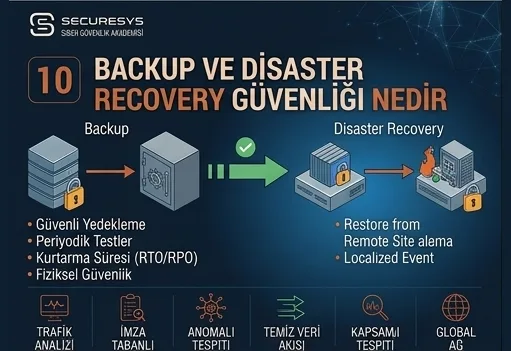
An organisation having a backup does not mean it can bring its data back.
That distinction has become far more important since ransomware attacks.
Because modern attackers do not only try to encrypt production servers.
At the same time they can target;
backup servers,
snapshots,
backup repositories,
backup administrator accounts,
hypervisor management systems,
cloud backup services.
All of these are in the attacker's sights.
From the attacker's perspective the logic is simple:
If I can remove the organisation's ability to come back, I can increase the ransom pressure.
Backup security is therefore no longer merely an IT operations matter.
Backup security, disaster recovery, ransomware recovery and cyber resilience are directly part of the cyber security programme.
For a modern organisation the real question is not:
“Are we taking backups?”
The better questions are these:
Is the backup genuinely isolated from the production environment?
When the attacker becomes Domain Admin, can they delete the backups?
Do we have an immutable copy?
Do we hold a backup offline or in a separate security area?
Does the backup genuinely work when restored?
Can we meet our RTO and RPO targets?
Because after ransomware, the real security level is often understood not from whether you prevented the attack completely but from how quickly and reliably you can recover.
What Is Backup Security?
Backup security is the protection of backed-up data against unauthorised access, deletion, alteration, encryption and data leakage risks.
Within that scope, areas such as;
- backup repository security,
- privileged backup account management,
- immutable backup,
- offline backup,
- encryption,
- network segmentation,
- backup monitoring,
- restore tests,
- ransomware recovery
are assessed.
The aim of backup security is not merely to create a copy of the data.
The real goal is:
To ensure the organisation can come back from a trustworthy point even if the production system is lost entirely.
What Is Disaster Recovery?
Disaster recovery (DR) is the process of bringing critical systems and data back into working order within a defined period after a major outage, cyber attack or infrastructure problem.
Disaster recovery can contain many components such as;
backup,
replication,
a secondary site,
cloud recovery,
network,
DNS,
identity,
application.
DR is therefore not merely “coming back from a backup”.
It is bringing the end-to-end business service back up.
Are Backup and Disaster Recovery the Same Thing?
No.
Backup
Provides for one or more copies of the data to be stored.
Disaster Recovery
Plans for the whole system to be brought back into working order.
You can hold a database backup, for instance.
But if;
the application server,
DNS,
certificates,
IAM,
network,
configuration
cannot be restored, the service may still not work.
Backup is therefore an important component of disaster recovery but not the whole of it.
The Difference Between Business Continuity and Disaster Recovery
Business continuity deals with how critical business processes will continue during an interruption.
Disaster recovery focuses largely on the technical return of IT systems.
For example:
The payment system is down.
The DR team restores the system.
Meanwhile, carrying out customer transactions through an alternative channel can fall within business continuity.
The two processes must work together.
Why Does Ransomware Target Backup Systems?
Because a good backup reduces the attacker's ransom power.
If the organisation can restore its data securely, the attacker's:
“We encrypted your data, you will not open it unless you pay.”
pressure weakens.
In advanced ransomware operations, therefore, attackers can try to discover the backup environment in the early stages of the attack.
For example;
the backup server,
the hypervisor,
storage,
snapshots,
the backup console
can be targeted.
How Can a Ransomware Attacker Find the Backup?
Within a corporate network the backup infrastructure is not completely invisible.
Backup agents.
Network connections.
Service accounts.
DNS records.
The management console.
Installed software.
All of these can give clues about the backup technology.
The backup system merely being “hidden” is therefore not a security control.
Genuine isolation is required.
Why Is the Backup Admin Account Critical?
The backup administrator can mostly;
create backups,
delete them,
change retention,
start a restore.
It is therefore a high-privilege account.
If the backup admin credential falls into the attacker's hands, they can try to destroy the recovery capacity without even compromising the production data.
Backup admin access must therefore be protected with PAM and MFA.
Should the Backup Admin and the Domain Admin Be the Same Person?
The technical staff member can be the same person.
But the same account and the same credential holding high privilege in both environments creates high risk.
If the attacker obtaining Domain Admin can automatically manage the backup system too, for instance, recovery independence is weak.
Therefore:
Identity Separation
matters.
The backup security area must be separated from the production identity plane as far as possible.
Is It Risky for the Backup System to Be Tied to Active Directory?
It can be easy operationally.
But in a serious domain compromise the backup management can be affected too.
In critical structures, therefore, additional controls for the backup such as;
separate authentication,
a separate privileged account,
a local emergency account,
MFA
can be assessed.
The aim is to be able to reach the backup securely even when AD is compromised entirely.
What Is Immutable Backup?
Immutable backup is the backup model aiming to make backup data unchangeable or undeletable for a defined retention period.
A backup can be kept as:
30 days immutable
for instance.
During that period, even if the administrator account is compromised, particular protection mechanisms can make it hard for the backup to be deleted.
It is one of the most important modern backup controls in terms of ransomware resilience.
Are Immutable and Read-Only the Same Thing?
Not exactly.
A read-only access policy can be changeable by the administrator.
Genuine immutability is applied with stronger mechanisms.
For example, technologies such as;
object lock,
WORM,
retention lock
can be used.
But how the implementation works must be verified according to the product and architecture.
What Is WORM?
Write Once Read Many (WORM) is the storage approach aiming for data to be unchangeable for a particular period once written.
In the backup world it can be used as a strong protection layer against ransomware.
But retention settings must be made carefully.
Because faulty configuration can make storage management harder.
What Is Object Lock?
It is one of the mechanisms preventing objects being deleted or altered for a particular period in object storage systems.
It can be used in a cloud backup strategy.
It can provide additional protection particularly if the backup bucket is compromised.
The Difference Between Compliance Mode and Governance Mode
Some object lock systems can hold different immutability levels.
Broadly;
Governance Mode
can allow authorised users to change retention under particular conditions.
Compliance Mode
can be stricter and limit deletion before the retention period completes far more.
Which model will be used must be determined according to business and regulatory requirements.
What Is Offline Backup?
Offline backup is a backup copy not continuously connected to the normal production network.
It can be physical media or a system with controlled connectivity.
The aim is that the attacker cannot reach the backup directly when they obtain administrator privilege on the production network.
What Is Air-Gapped Backup?
An air gap means there is no continuous direct connection between the backup and the production environment.
It can be a physical or logical air gap.
This approach provides strong isolation against ransomware.
But its operational management must be done correctly.
What Is a Logical Air Gap?
The backup environment can sit physically in the same data centre or cloud.
But it is separated from production through;
separate credentials,
network isolation,
immutable storage,
restricted management.
This can be thought of as a logical air gap.
It may not be as separate as physical tape but, designed correctly, it can provide strong protection.
What Is the 3-2-1 Backup Rule?
It is the widely used classic backup approach.
3
At least three copies of the data.
2
At least two different media or storage types.
1
At least one of the copies in a different location.
But because of modern ransomware risks, more advanced models are used too.
What Is the 3-2-1-1-0 Backup Strategy?
It is the improved model widely used for modern backup security.
3 → At least three data copies.
2 → Two different storage types.
1 → One copy off-site.
1 → One copy offline or immutable.
0 → A zero-error target in restore verification.
The most important additions here are;
immutability
and
restore verification
as subjects.
Does “0” Genuinely Mean Zero Errors?
The general approach expresses that the backup is verified and error free.
It can be supported with automatic integrity checks and periodic restore testing.
But a “backup job succeeded” message is not a restore guarantee.
The real system must open.
Why Might a Restore Not Work if the Backup Job Succeeded?
There can be many reasons.
The backup file can be corrupt.
An application-consistent snapshot may not have been taken.
The encryption key can be missing.
The credential may not be found.
Database recovery can be faulty.
Boot configuration can be missing.
Following backup job status alone is therefore insufficient.
What Is a Restore Test?
A restore test is the verification that a system or data is genuinely usable by restoring it from backup in a controlled way.
For example;
a VM is restored,
the operating system opens,
the application starts,
the database is checked,
a sample transaction is carried out.
This is one of the most critical verification steps of backup security.
How Often Must a Restore Test Be Carried Out?
There is no single universal period.
On critical systems it can be applied more frequently.
For example;
critical applications monthly/quarterly,
less critical systems more rarely
can be tested.
What matters is a risk-based plan and regular repetition.
What Is Automated Restore Validation?
The backup platform can restore the backup automatically in an isolated environment and carry out;
a VM boot,
service status checks,
a malware scan,
an application test.
This method makes it easier to verify a great many backups regularly.
But on critical applications a functional test can still be required.
Why Are SureBackup-Style Verification Approaches Valuable?
Different vendors can offer isolated restore verification mechanisms under different names.
The basic idea is the same:
Testing not the existence of the backup file but whether it works.
That is a critical difference for ransomware recovery.
What Is RPO?
Recovery Point Objective (RPO) expresses the maximum acceptable amount of data loss.
For example:
RPO = 15 minutes.
That can mean that in a major incident, at most around 15 minutes of data loss is acceptable.
RPO must be determined together with the business units.
What Is RTO?
Recovery Time Objective (RTO) expresses how long the system must take to come back into working order after an interruption.
For example:
RTO = 2 hours.
The technical DR architecture must then target the system returning within 2 hours.
The Difference Between RTO and RPO
Simply:
RPO = How much data can we lose?
RTO = How long can we be down?
These two values are the core design inputs of backup and DR architecture.
Must RTO and RPO Be Determined by the IT Team?
Not by themselves, no.
These are business risk decisions.
IT can say, for instance:
“We can restore this system in 24 hours.”
and be technically right.
But if the finance unit says:
“It cannot be down even for 30 minutes.”
the technical architecture is insufficient.
A business impact analysis is therefore required.
What Is Business Impact Analysis (BIA)?
BIA analyses the impact of critical business processes being interrupted.
For example;
the payment system,
ERP,
e-commerce,
mail,
CRM
can hold different priorities.
As a result of the BIA, RTO/RPO targets can be determined more realistically.
What Is a Mission Critical System?
They are systems whose interruption seriously affects the organisation's;
revenue,
customer service,
regulatory obligations,
operations.
These systems can require lower RTO/RPO and a stronger backup/DR architecture.
What Is Backup Retention?
Retention determines how long a backup will be kept.
For example, policies such as;
daily for 30 days,
monthly for 12 months,
yearly for 7 years
can exist.
Retention must not be determined by storage capacity alone.
Business, legal and regulatory requirements must be taken into account.
Is Longer Retention Always More Secure?
No.
Unnecessarily long storage can raise;
cost,
personal data,
compliance
risks.
Sensitive data forgotten for years can also sit inside old backups.
Retention must therefore fit the data lifecycle.
Why Does Backup Encryption Matter?
A backup can contain a complete copy of the production data.
If the backup storage is stolen or accidentally made public, a large data leak can happen.
A backup must be protected with;
Encryption at Rest
and
Encryption in Transit
together.
Backup Encryption Key Security
If the backup's encryption key is kept on the same backup repository, the attacker can obtain the two together.
Key management must therefore be separated.
Mechanisms such as a KMS or HSM can be assessed.
What Happens if the Backup Key Is Lost?
An encrypted backup can become unreachable.
The encryption key must therefore also hold a high availability and recovery plan.
A balance between security and recoverability is required.
What Is Backup Network Segmentation?
Backup servers must not sit in exactly the same segment as the production network.
For example, a separate;
backup VLAN,
management network,
firewall zone
can be used.
Only the necessary ports and sources are allowed to reach it.
That reduces lateral movement risk.
Should the Backup Server Reach the Internet?
Unnecessary unlimited internet access must not be given.
Necessary;
update,
cloud backup,
vendor service
access can be controlled through an allowlist or proxy.
Egress filtering can also make the attacker's C2 connection harder.
Should the Backup Management Console Be Opened to the Internet?
Generally no.
The backup console is a high-privilege management surface.
Access through VPN, a bastion or PAM can be preferred.
Direct public access creates a serious attack surface.
Should MFA Be Used on the Backup System?
It must be strongly considered on administrator access in particular.
But MFA is not enough on its own.
It can be used together with;
PAM,
network restriction,
JIT access,
session logging.
What Does PAM Do in a Backup Environment?
It can vault the backup admin credentials.
It can provide password rotation.
It can prevent the admin seeing the credential directly.
It can carry out session recording.
It can provide approved and time-limited access.
This is valuable particularly on critical backup management systems.
What Is Just-in-Time Backup Admin Access?
Rather than being permanently a backup administrator, the user obtains brief high privilege when needed.
For example;
one hour for a restore operation.
At the end of the period the privileged role is removed.
That reduces standing privilege risk.
Why Is the Backup Service Account Critical?
Backup software can reach a great many servers.
The service account can therefore be highly privileged.
If that account is compromised the attacker can move to different systems such as;
servers,
the hypervisor,
the backup repository.
These accounts must be configured with minimum privilege.
Should the Backup Service Account Be Domain Admin?
Unnecessarily broad privilege must generally be avoided.
The backup software may need to reach particular systems, but direct use of Domain Admin can be risky.
Vendor recommendations and the least privilege model must be taken as the basis.
Why Is Hypervisor Backup Security Critical?
Snapshot and backup operations can be carried out on VMware, Hyper-V or a cloud virtualization platform.
If the hypervisor management account is compromised, a great many VMs can be affected at once.
Virtualization management can therefore be handled as Tier 0/critical infrastructure.
Why Is VMware/Hypervisor Ransomware Dangerous?
When the attacker obtains hypervisor access they can affect a great many virtual machines without having to encrypt endpoints one by one.
Systems such as;
vCenter,
ESXi management,
Hyper-V admin
must therefore be protected tightly.
Does a Snapshot Count as a Backup?
On its own, generally no.
A snapshot is useful for short-term operations and rollback.
But if it is tied to the same storage, the snapshot can be lost when the storage is lost.
It can also be deleted through ransomware or admin compromise.
A snapshot is therefore not the whole of a real backup strategy.
Does Replication Count as a Backup?
No.
Replication provides availability.
But a bad change can be replicated too.
Ransomware encrypted the files, for instance.
The encrypted data can be copied to the replica too.
Replication and backup must therefore be used together.
The Difference Between High Availability and Disaster Recovery
High Availability (HA)
Focuses on continuing the service without interruption, or with a brief one, on component failure.
Disaster Recovery
Focuses on bringing the system back after major loss or compromise.
HA is not an alternative to backup.
What Is Active-Active DR?
Two or more sites/regions can be active at the same time.
Traffic is distributed.
When one environment is lost the other continues serving.
That can provide low RTO.
But cost and architectural complexity are high.
What Is Active-Passive DR?
The primary environment runs actively.
The secondary environment can be on standby.
In a crisis a failover is carried out.
This model can be more economical but RTO can be longer.
What Are Hot, Warm and Cold Sites?
Hot Site
Systems are ready and largely run in sync.
It provides fast recovery.
Warm Site
Some infrastructure is ready but activation is required.
Cold Site
Basic physical or infrastructural preparation exists; the systems must be installed.
The choice is made according to RTO and cost targets.
What Is Cloud Disaster Recovery?
It is keeping the DR environment on the cloud.
On-premise workloads can be replicated to the cloud, for instance.
In a crisis they can be run in the cloud.
This model can reduce the cost of a physical second data centre.
But network, identity and cloud cost must be taken into account.
What Is Cross-Region Backup?
It is the backup being stored in a different cloud region.
It can reduce single region outage risk.
But if it sits in the same cloud account, account compromise can still create risk.
Region separation and identity/account separation must therefore be thought of together.
What Is Cross-Account Backup?
It is the backup being kept in a different cloud account or subscription from production.
That can reduce the blast radius.
Even if the production admin account is compromised, access to the backup account can be limited.
It is a strong model in cloud ransomware resilience.
Is Cross-Cloud Backup Necessary?
Not for every organisation.
Multi-cloud backup can reduce vendor/region dependency.
But;
cost,
operations,
network transfer,
recovery complexity
can rise.
It must be assessed on a risk basis.
How Is Backup Immutability Achieved in the Cloud?
Cloud object storage can provide mechanisms such as;
retention lock,
object lock,
WORM.
But the most important matter is that this feature genuinely cannot be disabled easily by an attacking administrator.
The architecture must be tested.
What Is a Ransomware Recovery Vault?
In some architectures a dedicated, high-security backup area is created for post-ransomware recovery.
That environment can hold features such as;
separate credentials,
immutable backup,
minimum network connectivity,
clean-room recovery.
The aim is to provide a final trustworthy return point.
What Is Cyber Recovery?
Cyber recovery, unlike classic disaster recovery, focuses on the system being returned securely and cleanly after a cyber attack.
After ransomware, for instance, merely getting the system running is not enough.
This question also matters:
Was the backup we restored already compromised?
A clean recovery approach is therefore required.
What Is Clean Room Recovery?
A clean room / clean recovery environment is systems being verified and restored in a new area isolated from the compromised production environment.
In that area;
a backup malware scan,
credential reset,
forensic validation,
application testing
can be carried out.
The aim is not to carry the attacker's persistence back into production.
How Is the Restore Point Chosen?
The latest backup may not always be safe.
The attacker may have entered the system days before running the ransomware.
Therefore:
Last Known Good Backup
must be determined.
Threat hunting and the incident timeline matter here.
What Is Last Known Good?
It is the latest data or system state for which there is reasonable confidence that no compromise existed.
If it is determined that the attacker entered the system on 10 June, for instance, the 12 June backup may not be trustworthy even though it technically works.
9 June or earlier can be assessed.
Why Does Ransomware Dwell Time Affect Recovery?
After entering the system the attacker can stay inside for days or weeks without encrypting.
In that period they can create;
persistence,
a backdoor,
new accounts.
The attacker's changes can therefore sit inside the latest backup too.
Recovery and DFIR must therefore be carried out together.
What Is a Backup Malware Scan?
It is checking the backup content for malware or IOCs before restoring.
It is valuable particularly in executable, script and system backups.
But a clean malware scan result does not mean the system is definitely not compromised.
Behavioural and forensic analysis can also be required.
What Is a DR Test?
A disaster recovery test verifies that systems can be returned from an alternative environment or from backup under a defined crisis scenario.
For example, the scenarios of;
primary data centre unavailable,
cloud region failure,
ransomware
can be tested.
The aim is to see the document work in practice, not in theory.
Are a DR Test and a Restore Test the Same Thing?
No.
Restore test:
Verifies that a particular backup can be restored.
DR test:
Measures the whole service chain working again.
For example;
application,
database,
DNS,
network,
authentication,
external integrations
are verified together.
What Is a DR Drill?
It is a planned disaster recovery exercise.
It tests the teams';
roles,
communication,
technical operations,
failover
processes.
Combined with cyber security scenarios it can become a cyber resilience exercise.
What Is a Tabletop DR Exercise?
It is testing the teams' decision processes through a scenario without shutting down real systems.
For example:
“Because of ransomware, the primary data centre and the backup management system are unreachable.”
that scenario is given.
The teams explain;
which backup will be used,
who will step in,
in which order the restore will be carried out.
That is the output.
What Is a DR Runbook?
It defines the detailed steps technical teams will apply during a crisis.
For example;
which DNS will change,
which VM will open first,
how the database will be restored,
which credential will be used,
how validation will be carried out.
The runbook must be kept current.
Why Does Recovery Order Matter?
All systems cannot be restored at once.
There are dependencies.
For example:
Identity/DNS
↓
Database
↓
Application
↓
Web
an ordering of this kind can be required.
A wrong recovery order can waste time.
What Is Application Dependency Mapping?
It shows which;
database,
API,
DNS,
identity,
third-party
services a business service depends on.
During DR, restoring only the main application may not be enough.
The dependency map therefore matters.
Why Is Configuration Backup Forgotten?
While organisations focus on data backup they can forget components such as;
firewall config,
switch config,
Kubernetes manifests,
cloud IaC,
certificates,
DNS configuration.
Yet these are needed in a large recovery too.
How Is Infrastructure as Code Used for DR?
Infrastructure can be recreated with automation such as Terraform and Ansible.
This is powerful particularly for cloud DR.
But;
the IaC repository,
state file,
secrets,
pipeline
must also be backed up and protected.
Why Is Terraform State Critical?
Terraform state can contain cloud resource information and in some cases sensitive metadata.
If the state is lost, infrastructure recovery can become harder.
Faulty access creates a security risk.
The state must therefore be;
encrypted,
access-controlled,
versioned.
Why Is Certificate Backup Necessary?
In the return of some systems;
a TLS certificate,
a private key,
PKI configuration
can be required.
If the certificate is lost, the user may not be able to establish a secure connection even though the application works.
A cryptographic asset recovery plan must therefore exist.
How Does Active Directory Recovery Differ From a Backup?
Identity systems such as AD can require a dedicated recovery procedure.
Restoring a single DC backup is not enough in every scenario.
In a forest compromise, additional steps such as;
clean recovery,
credential reset,
trust validation
are required.
Identity recovery must therefore hold its own DR plan.
Should Backup Logs Be Sent to the SOC?
Yes, critical events in particular.
For example;
backup deletion,
retention change,
admin login,
repository change,
job disable,
immutability policy change
can be sent to the SIEM.
The backup platform must be regarded as a security telemetry source.
Why Is a Backup Delete Event a Critical Alert?
A large volume of backups being deleted suddenly can be extremely abnormal behaviour.
If it happens through a privileged account in particular it can be a ransomware preparation or insider threat indicator.
It can therefore be monitored at high severity.
Is a Backup Job Disabled Alert Important?
Yes.
The attacker can stop backups being taken and wait for a while.
Then they can run ransomware.
The age of the clean restore points then rises.
A backup job disable or schedule change is therefore an important security event.
Why Must a Retention Change Be Monitored?
The retention period being reduced from 90 days to 2 days can help the attacker destroy clean historic backups.
Retention policy changes must therefore be rare and controlled.
Why Must an Immutability Disable Attempt Produce an Alert?
This can be one of the most critical backup security events.
An administrator changing the immutability feature frequently during normal operations is not expected.
That operation must be verified through change management.
Why Do Backup Authentication Logs Matter?
An admin login from a new IP.
Privileged access at night.
A rise in failed logins.
An MFA reset.
These can be indicators of backup platform compromise.
Identity monitoring must cover the backup system too.
Backup SOC Use Case Examples
Example use cases:
Mass Backup Deletion
Backup Job Disabled
Retention Reduced
Immutability Disabled
New Backup Administrator
Backup Repository Added
Unusual Restore Activity
Admin Login from New Source
These alert sets can provide early detection when the attacker targets the recovery infrastructure.
Why Can Unusual Restore Activity Be Suspicious?
The attacker can carry out a restore from the backup in order to steal data.
A database backup being restored not to production but to a different location, for instance, must be investigated.
Restore operations must therefore also be audited.
Is Backup Data Exfiltration Possible?
Yes.
Because the backup contains a complete data copy, the attacker can steal the backup file without touching the production database.
A backup must therefore be protected not only for availability but for confidentiality.
Are Backup DLP or Data Classification Necessary?
Sensitive backup content can be assessed within data classification.
But large encrypted backup files can be difficult for classic DLP.
The most important controls will be;
access control,
encryption,
monitoring,
restricted export.
Is Tape Backup Still Used?
Yes.
Tape is still used in some organisations particularly for offline/air-gapped backup.
Its advantage is physical separation.
But;
operations,
storage,
restore time
can be harder.
The technology choice depends on RTO/RPO and the risk profile.
Is Tape Backup Safe Against Ransomware?
If it is offline it can provide strong protection.
But if the tape library is continuously connected to the network and managed by software, an attack surface can still exist.
Physical media management and inventory also matter.
Can Cloud Backup and Tape Be Used Together?
Yes.
A hybrid backup strategy can be created.
For example:
Local fast backup.
Cloud immutable copy.
Offline tape archive.
This model provides layered resilience against different risks.
What Is Backup Vendor Lock-In Risk?
If backups are kept only in a single vendor's proprietary format, a vendor or platform problem can make recovery harder.
Critical organisations can assess recovery alternatives.
But a multi-vendor structure also raises operational complexity.
Is SaaS Data Backed Up Automatically?
Not always in the way the organisation expects.
On Microsoft 365, CRM or other SaaS services the provider can offer high availability and retention features.
But the independent point-in-time backup or long-term recovery the organisation needs can be different.
The SaaS backup requirement must be analysed separately.
Why Must Microsoft 365 Backup Be Assessed Separately?
For Exchange Online, SharePoint and OneDrive there can be;
retention,
versioning,
recycle bin
mechanisms.
But these do not take the place of a classic independent backup in every scenario.
For example;
malicious deletion,
long-term retention,
cross-tenant recovery
requirements can be assessed.
Is a Cloud Native Snapshot a Trustworthy Backup?
On its own it may not be.
If the snapshot sits within;
the same account,
the same region,
the same credential plane
it can be deleted by the attacker.
Cross-account, immutability and backup vault approaches therefore matter.
Should the Ransomware Recovery Plan Contain a Ransom Payment Scenario?
From a crisis management perspective the organisation's legal and managerial decision process can be defined in advance.
But the technical recovery strategy must not depend on paying a ransom.
The aim is for the organisation to hold the capacity to come back from its own trustworthy backups.
Is Double Extortion Solved With Backup?
Not exactly.
In the double extortion model the attacker both encrypts and steals the data.
Backup can solve the availability problem.
But it does not remove the risk of the stolen data being published.
Backup security must therefore be carried out together with data loss prevention and incident response.
What Is Triple Extortion?
In some attacks;
encryption,
data theft,
DDoS or customer/partner pressure
can be used together.
That situation shows ransomware is not merely a backup matter.
Cyber resilience must be multi-layered.
Is Everything Over After Coming Back From Backup?
No.
After recovery;
credential reset,
patching,
security validation,
EDR checks,
attack path remediation
must be carried out.
Otherwise the attacker can enter again through the same flaw.
What Is Post-Recovery Validation?
It is the verification of the restored environment for security and function.
For example;
Is EDR active?
Is logging working?
Have the critical patches been applied?
Is there a suspicious account?
Is an application transaction successful?
This check must be made before returning to production.
Why Does Credential Reset After Recovery Matter?
Old compromised credentials can sit inside the backup.
When the system is restored the attacker can reach it again with the same password or key.
The reset/rotation process for high-risk credentials must therefore be included in the recovery plan.
What Is a Backup Security Assessment?
A backup security assessment is the evaluation of the organisation's backup infrastructure against ransomware and unauthorised access risks.
This work can cover the areas of;
backup architecture,
identity,
network,
immutability,
encryption,
monitoring,
restore.
How Is a Backup Security Assessment Carried Out?
The general approach:
1. Backup Inventory
Which systems are backed up is determined.
2. Architecture Review
The repository and data flow are examined.
3. Identity Review
Backup admin and service accounts are assessed.
4. Network Segmentation
Production-backup access is checked.
5. Immutability
Offline/immutable copies are verified.
6. Encryption
Backup and key security are examined.
7. Monitoring
SIEM and alert coverage is checked.
8. Restore Testing
It is verified that the backup genuinely works.
9. RTO/RPO Review
They are compared with the business targets.
10. Ransomware Scenario
How far the attacker could affect the backups is analysed.
What Is a Ransomware Resilience Assessment?
It focuses not only on backup but on the whole of ransomware resilience.
For example;
AD,
EDR,
network segmentation,
backup,
incident response,
DR
are assessed together.
But the backup infrastructure is one of the most critical parts of that work.
Is a Backup Penetration Test Carried Out?
In authorised security assessments the backup management surface and access controls can be tested.
But high-risk actions such as deleting or corrupting production backups must not be applied.
The aim is to verify;
privilege,
network exposure,
credential risk
in a controlled way.
Can a Recovery Exercise Be Combined With Red Team?
Yes.
The Red Team simulates a controlled ransomware scenario, for instance.
The Blue Team detects the attack.
The backup/DR team starts the clean recovery process.
Management takes tabletop decisions.
This approach forms a genuine cyber resilience exercise.
What Are the Backup Security KPIs?
Example metrics:
Backup Coverage
Immutable Backup Coverage
Offline Copy Coverage
Restore Test Success Rate
RTO Achievement Rate
RPO Achievement Rate
Privileged Backup Account Count
MFA/PAM Coverage
Unencrypted Backup Count
Backup Monitoring Coverage
Last Successful Restore Test
These KPIs are more meaningful than the backup job count alone.
What Is Backup Coverage?
It shows how much of the critical systems is backed up within policy.
The organisation holds 100 critical systems, for instance.
If 95 are within backup scope:
95% coverage.
But which systems the remaining 5% are matters.
If the single critical payment database is outside the backup, the ratio can be misleading.
What Is Immutable Backup Coverage?
It shows how much of the critical backups holds immutable or offline protection.
It is an important KPI in modern ransomware readiness.
Why Is Restore Success Rate More Valuable Than Backup Success Rate?
Backup success:
The backup was taken.
Restore success:
The backup was genuinely usable.
After ransomware the second metric is what matters.
Restore performance must therefore be brought forward in management reporting.
What Is RTO Achievement Rate?
It shows in how many DR tests the targeted RTO periods were met successfully.
10 systems were tested, for instance.
8 came back within the target RTO.
80% RTO achievement.
That is a directly meaningful metric for business continuity.
Can a Backup Security Score Be Created?
Yes.
For example, the areas of;
immutability,
identity,
segmentation,
encryption,
monitoring,
restore readiness
can be scored.
But a single score must not take the place of the critical risks.
For example:
The general score is 90%.
But the Domain Admin can delete all the immutable backups.
That single finding matters far more.
What Should a Backup and DR Report Contain?
A professional report can contain these areas:
Executive Resilience Summary
The general position for management.
Critical System Inventory
The critical assets backed up.
Backup Architecture
Local, off-site, cloud and offline structure.
Ransomware Exposure
The routes by which the attacker could reach the backup.
Privileged Access
Backup admin and service account risks.
Immutability
Offline/WORM/Object Lock state.
Encryption
Backup and key management.
Monitoring
SIEM and security alert coverage.
Restore Validation
Test results.
RTO/RPO
Target and actual values.
Recovery Dependencies
AD, DNS, network and application dependencies.
Remediation Roadmap
Priority actions.
How Must the Backup Report Be Explained to Management?
For management:
“98% of a total of 1,800 backup jobs succeeded.”
can look good.
But the more valuable information is this:
“100% of critical systems are backed up; but because the critical ERP and Active Directory backups are managed through the same identity domain, we hold a recovery risk in a Domain Admin compromise. Immutable backup coverage on critical systems is 72%, the last restore test success rate was 94%, and the finance application's real RTO was measured at 4 hours 20 minutes instead of the targeted 2 hours.”
That supports the management decision directly.
What Is the Biggest Mistake in Backup Security?
The most common mistake:
“We take backups, we are ready for ransomware.”
is that thought.
In reality the attacker;
can reach the backup console,
can delete the backups,
can change retention,
can disable immutability,
can obtain the backup credentials.
Or the backup files are completely sound but have never been restored.
The existence of a backup and recoverability are therefore not the same thing.
What Should a Strong Backup Strategy Against Ransomware Be?
The corporate approach can assess these layers:
3-2-1-1-0 Backup
More than one trustworthy copy.
Immutable / Offline Copy
Ransomware isolation.
Separate Identity
Backup management separated from the production admin.
MFA & PAM
Privileged backup access.
Network Segmentation
Backup network isolation.
Encryption
Data confidentiality.
Security Monitoring
Detection of attacks aimed at the backup.
Regular Restore Tests
Recoverability verification.
Clean Room Recovery
A secure return.
RTO/RPO Validation
Verification of the business targets.
None of these layers is enough on its own.
How Is Cyber Resilience Related to Backup?
The basic aim of cyber resilience is never to be attacked at all.
The realistic goal is:
Preventing the attack, detecting it, limiting its impact and recovering quickly.
Backup and disaster recovery play a critical role particularly in the last two stages.
An organisation can use a strong firewall and EDR.
But no defence is 100%.
A secure return capacity is therefore the last line of defence.
Conclusion: Backup Security Is Far More Than Saying “We Have a Backup”
In the ransomware world a backup is no longer a passive operational resource.
It is a direct attack target.
A secure backup strategy therefore cannot be explained merely with the sentence:
“We take backups every night.”
The real questions are these:
Which credential manages the backup?
Does the backup stay safe in a domain compromise?
Are the backups unchangeable?
Is there an offline or cross-account copy?
Is the backup encrypted?
When the attacker carries out a deletion, does the SOC see it?
When was the last genuine restore test carried out?
Which is the latest clean recovery point?
Are the RTO and RPO targets genuinely being met?
A strong ransomware recovery architecture forms when;
Backup + Immutability + Identity Isolation + Network Segmentation + Monitoring + Restore Testing + Clean Recovery
are applied together.
Because a backup's real value emerges not on the day it is taken:
it emerges on the day it is needed.
And on that day there is one question:
Can we genuinely bring this system back?
In terms of system and cloud security we have now examined the important components separately.
Servers.
Active Directory.
Microsoft 365.
Cloud.
IAM.
Cloud misconfiguration.
Kubernetes.
Database.
Backup and disaster recovery.
But in large cloud environments, managing each of these risks with a different dashboard and a different product can quickly become difficult.
Related Articles
System & Cloud Security
What Is System and Cloud Security? How Is Enterprise Infrastructure Protected?
System and cloud security is not a product but a continuously managed discipline. This chapter covers the shared responsibility model, hardening and baselines, identity security, and the CSPM, CWPP and CNAPP concepts.
What Is Server Security? How Is Windows and Linux Server Hardening Done?
A secure server is more than a secure build. This chapter covers Windows and Linux hardening, CIS benchmarks and baselines, RDP/SSH security, privileged access and the logging layers.
What Is Active Directory Security? Preventing Domain, Privilege and Identity Risks
Active Directory security is about protecting the identity graph. This chapter covers Kerberos and NTLM risks, ACLs and delegation, LAPS/gMSA and tiering, attack path analysis and AD recovery planning.
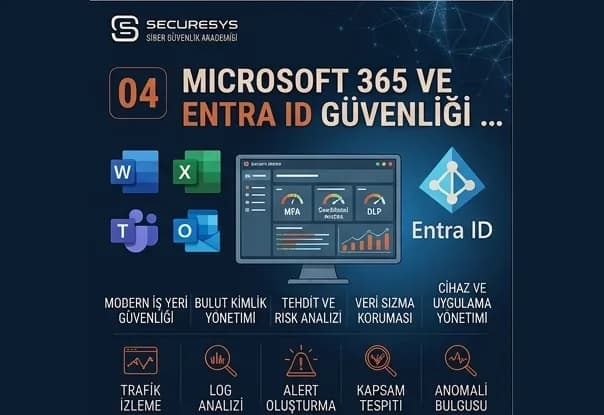
How Is Microsoft 365 and Entra ID Security Achieved?
How is Microsoft 365 and Entra ID security achieved? MFA, conditional access, PIM, OAuth governance, session security and identity incident response together.
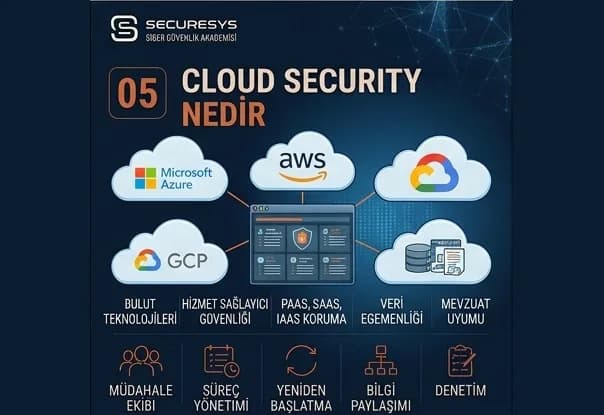
What Is Cloud Security? Securing AWS, Azure and Google Cloud
What is cloud security? How are the IAM, network, storage, logging and CSPM layers secured on AWS, Azure and Google Cloud?
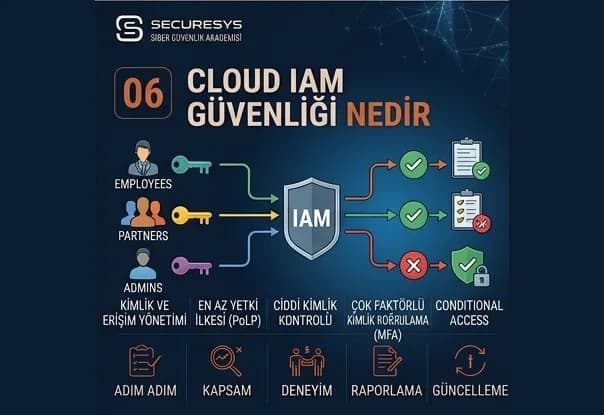
What Is Cloud IAM Security? Managing Permission, Role and Privileged Access Risk
What is cloud IAM security? Overprivilege, privilege escalation, service account risks and the CIEM approach on AWS, Azure and GCP.
Looking for professional support on this topic?
Our expert team will reach out for a free consultation as soon as possible.