How Is Microsoft 365 and Entra ID Security Achieved?
How is Microsoft 365 and Entra ID security achieved? MFA, conditional access, PIM, OAuth governance, session security and identity incident response together.
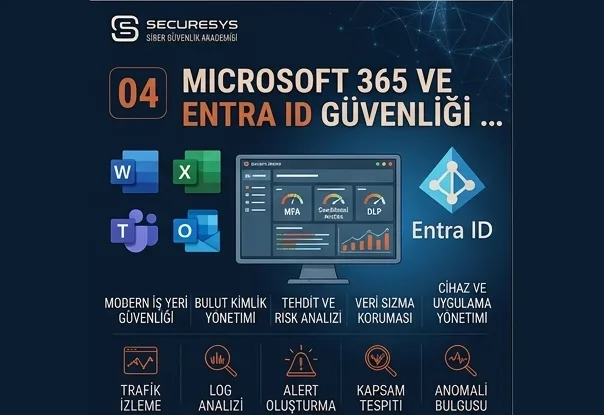
A corporate email account is no longer just an email account.
The same user account can provide access to many services such as;
Outlook,
Teams,
SharePoint,
OneDrive,
Microsoft 365 applications,
Azure resources,
corporate SaaS platforms.
All through one identity.
The compromise of a Microsoft 365 account therefore does not mean mailbox access alone.
The attacker can;
read email correspondence,
reach SharePoint documents,
download OneDrive data,
examine Teams messages,
send phishing messages to other users,
create mail forwarding rules,
authorise an OAuth application,
abuse active sessions,
and try to reach higher privileges.
In modern corporate security, therefore, Microsoft 365 security and Microsoft Entra ID security are among the most critical areas of system and cloud security.
The fundamental approach here is not simply to ask:
“Is MFA switched on?”
The better questions are these:
Which user can reach which application?
Which accounts are privileged?
Are the conditional access policies correct?
Is suspicious sign-in behaviour being monitored?
Are OAuth applications being controlled?
How is session token security achieved?
How are Global Administrator accounts protected?
Microsoft 365 security is no longer just password security; it is fully a cloud identity security problem.
What Is Microsoft 365 Security?
Microsoft 365 security means securely protecting the users, emails, files, identities, applications and access processes in the Microsoft 365 ecosystem.
Its scope includes many components such as;
- Exchange Online,
- Teams,
- SharePoint Online,
- OneDrive,
- Microsoft Entra ID,
- Microsoft Defender,
- conditional access,
- MFA,
- OAuth applications,
- identity protection.
All under one roof.
Microsoft 365 security is not merely mail security.
Because when the identity is compromised, the attacker can reach a great many cloud resources with the same account.
What Is Microsoft Entra ID?
Microsoft Entra ID is Microsoft's cloud-based identity and access management service.
Its former name was Azure Active Directory (Azure AD).
Entra ID can manage;
users,
groups,
application access,
roles,
authentication processes,
conditional access policies.
Entra ID is therefore the core identity layer of Microsoft 365 security.
Are Entra ID and Active Directory the Same Thing?
No.
The two can be connected but they are not the same technology.
Active Directory Domain Services
Is the on-premise Windows domain structure.
Microsoft Entra ID
Is the cloud identity and access management platform.
In hybrid structures, users can be synchronised from Active Directory to Entra ID.
There is therefore a relationship between the two environments from the attacker's perspective.
What Is Hybrid Identity?
Hybrid identity is the identity architecture in which on-premise Active Directory and Microsoft Entra ID are used together.
A user can;
sign in to their computer with a domain account,
use Microsoft 365 with the same identity,
access cloud applications.
This provides great operational convenience.
But from a security perspective it requires both environments to be assessed together.
Compromise on one side creates impact on the other.
Why Are Microsoft 365 Accounts an Attacker Target?
Because a single account can carry very high value.
An employee's mailbox can contain;
invoices,
contracts,
customer information,
financial correspondence,
password reset messages,
meeting details.
On top of that, the same account may have OneDrive and SharePoint access.
A Microsoft 365 account can therefore sometimes be more valuable to an attacker than a server account.
What Is Business Email Compromise?
Business email compromise (BEC) is the attack type in which the attacker attempts financial fraud by compromising or impersonating a corporate email account.
The attacker can pose as;
the CFO,
the CEO,
a supplier,
a finance employee.
They can send a fraudulent payment request.
They can change the bank account on an invoice.
They can send different account details to a supplier.
Microsoft 365 security is therefore directly related to financial fraud risk.
What Is Account Takeover?
Account takeover (ATO) is the attacker gaining control of a user account.
On the Microsoft 365 side this can happen through methods such as;
password compromise,
phishing,
session theft,
OAuth abuse,
MFA manipulation.
After an ATO incident, changing the password alone may not be enough.
Sessions and application consent must also be assessed.
What Is MFA?
Multi-factor authentication (MFA) requires one or more verification factors in addition to the password at sign-in.
For example;
a mobile app approval,
a hardware security key,
a certificate,
biometric verification
can be used.
MFA significantly reduces the impact of credential theft attacks.
But it does not eliminate it entirely.
Can an Account Be Compromised if MFA Is in Place?
Yes.
The attacker can use different techniques.
Methods such as;
MFA fatigue,
session cookie theft,
adversary-in-the-middle phishing,
OAuth consent abuse,
legacy authentication
try to work around MFA.
Modern Microsoft 365 security must therefore be thought of as:
MFA + conditional access + session security + identity monitoring
What Is MFA Fatigue?
MFA fatigue is the attack approach in which the attacker sends repeated MFA approval notifications to a user hoping they will approve one by mistake or out of exhaustion.
The user keeps receiving the notification:
“Do you want to sign in?”
Eventually they approve without meaning to.
Stronger authentication methods should therefore be considered instead of push notification-based MFA alone.
What Is Number Matching?
In MFA push methods, number matching requires the number shown on the login screen to be entered in the authenticator app.
This reduces MFA fatigue risk compared with the simple “approve / deny” model.
But it is not as strong as phishing-resistant authentication.
What Is Phishing-Resistant MFA?
Phishing-resistant MFA describes authentication methods that make it hard for the user's verification information to be carried to a fake login page.
For example;
FIDO2 security keys,
passkeys,
certificate-based authentication
come close to this category.
It must be strongly considered for privileged accounts in particular.
What Is a Passkey?
A passkey is a modern authentication approach reducing password use.
It works on a cryptographic key basis and is more resistant to phishing attacks than classic password + OTP methods.
Passwordless authentication is gaining ever more importance in corporate identity security strategies.
What Is Conditional Access?
Conditional access is the policy mechanism assessing a user's access request against different risks and conditions.
Conditions such as;
user identity,
device state,
location,
application,
sign-in risk,
authentication strength
can be assessed.
As a result;
access can be granted,
MFA can be required,
access can be blocked,
a compliant device can be required.
Conditional access is therefore one of the core controls of Microsoft 365 and Entra ID security.
How Does Conditional Access Work?
A simple example:
The user signs in from Türkiye, from a corporate device, with normal behaviour.
→ Access can be granted.
The same user shortly afterwards makes a risky login from an unexpected location.
→ MFA or an additional check can be required.
A privileged user tries to connect from an unmanaged device.
→ Access can be blocked.
This approach provides a far more dynamic model than static password security.
What Are Named Locations?
Particular networks or locations can be defined as named locations within conditional access.
Corporate office IPs can be marked as trusted, for instance.
But the concept of a “trusted IP” must not mean unlimited trust.
An office device can be compromised.
Location must therefore not be the only security signal.
What Is Impossible Travel?
Impossible travel is the same user signing in from distant locations within a period too short to be physically possible.
For example;
09:00 Istanbul
09:20 New York
and similar.
This behaviour can indicate account compromise.
But VPNs, proxies or cloud egress points create false positives.
Context therefore matters.
What Is Sign-In Risk?
Systems such as Entra ID Identity Protection can produce a risk level from sign-in behaviour.
Signals such as;
an anonymising IP,
atypical travel,
a malicious IP,
a link to password spraying
can be used.
This risk can be combined with conditional access so that automatic action follows.
The Difference Between User Risk and Sign-In Risk
Sign-In Risk
The risk level of a particular login.
User Risk
The likelihood that the user's account has been compromised in general.
This distinction matters for automated identity response policies.
What Is Risk-Based Conditional Access?
It is conditional access policy working together with identity risk signals.
For example:
High sign-in risk → block access.
Medium risk → phishing-resistant MFA.
High user risk → password reset or account remediation.
This approach provides adaptive identity security.
What Is Legacy Authentication?
Legacy authentication describes older authentication protocols that do not fully support modern MFA and conditional access mechanisms.
Older mail client or protocol behaviours fall into this category.
Legacy authentication matters to attackers because it provides an opportunity to bypass some modern controls.
Its use must be discovered and reduced as far as possible.
Why Is Basic Authentication Risky?
Older authentication methods such as basic authentication are more open to password spraying and credential attacks because of their username and password-based structure.
Moving to methods supporting modern authentication and MFA must be preferred.
But a dependency analysis must be carried out before migration because of legacy applications.
What Is a Session in Microsoft 365?
After a user signs in successfully they do not enter their password for every operation.
Particular session or token mechanisms are used instead.
That is necessary for user experience.
But if session data is captured by an attacker, access risk forms without the password and in some cases without MFA being asked again.
Session protection has therefore become critical in modern identity security.
What Is Session Hijacking?
Session hijacking is the capture of active user session information and its use for unauthorised access.
If the attacker obtains a valid session cookie or token they can try to behave as the user.
Saying only:
“We changed the password.”
may therefore not be enough.
Active sessions may also need revoking.
What Is Token Theft?
In modern cloud authentication, tokens are used to provide access following successful authentication.
Token theft is the capture of those tokens by an attacker.
Methods such as;
infostealer malware,
a compromised browser,
a phishing proxy
create risk.
Endpoint security and identity security must therefore not be thought of separately.
What Is Adversary-in-the-Middle Phishing?
Adversary-in-the-middle (AiTM) phishing is the approach in which the attacker acts as a proxy between the user and the real login service, intermediating the authentication process.
The user completes their credential and MFA on a page resembling the genuine Microsoft login screen.
The attacker tries to capture the session information.
Phishing-resistant authentication methods are therefore becoming steadily more important.
What Is OAuth?
OAuth is the authorization framework allowing applications to gain authorised access to particular resources without taking the user's password directly.
Many applications use OAuth in a Microsoft 365 environment.
An application can request permission for;
reading mail,
the calendar,
files.
This structure is legitimate and necessary.
But managed incorrectly it creates security risk.
What Is OAuth Consent Phishing?
The attacker can persuade a user to grant permissions to a malicious application.
The user can give the application permission for;
reading mail,
access to files,
access to their profile.
In that case the attacker does not have to capture the password.
They gain access through the authorised application.
This approach is called OAuth consent phishing.
How Should OAuth Applications Be Controlled?
The organisation must be able to answer these questions:
Which applications are connected to the tenant?
Which permissions did they receive?
Who gave consent?
Is there admin consent?
Is the application still in use?
Is the publisher trustworthy?
App governance and OAuth permission review therefore matter.
What Is Admin Consent?
Some OAuth permissions can only be approved tenant-wide by an administrator.
That process is called admin consent.
Application permissions granting high privilege in particular must be examined carefully.
Because a malicious application can reach a great many users' data.
Enterprise Application Security
Third-party or internal applications appear in Entra ID as enterprise applications.
These applications work through methods such as;
single sign-on,
OAuth,
SAML.
Unused or old applications must be cleaned up.
Otherwise a forgotten application registration creates an attack surface.
What Is Application Registration?
Developers or administrators can create application registrations in Entra ID.
These applications use;
a client ID,
a secret,
a certificate,
permissions.
A misconfigured application registration creates serious risk, especially where it holds high API permissions.
Why Is a Client Secret Risky?
The client secret is the application's credential.
If the secret sits openly in;
a Git repository,
a CI/CD log,
a script,
a configuration file,
it can be captured by an attacker.
Secret management, rotation and, where possible, alternatives such as certificates or managed identities must therefore be considered.
What Is a Managed Identity?
In Microsoft Azure, a managed identity helps applications access Azure resources without storing a static username or secret.
It simplifies credential management.
But the IAM permissions granted to the managed identity must still follow the least privilege principle.
The absence of a secret does not mean excessive privilege is safe.
What Is a Global Administrator?
Global Administrator is the role holding very broad management rights over an Entra ID tenant.
It is therefore an extremely valuable target for attackers.
The number of Global Administrators must be kept to a minimum.
Daily user accounts must not be permanent Global Admins.
How Should Global Administrator Accounts Be Protected?
For example;
a separate privileged account,
phishing-resistant MFA,
PAM/PIM,
conditional access,
a dedicated admin workstation,
log monitoring
can be used.
These accounts must also not be used for daily email or internet use.
What Is Privileged Identity Management (PIM)?
Microsoft Entra Privileged Identity Management (PIM) helps activate highly privileged roles when needed rather than keeping them permanently active.
The user;
requests role activation,
completes MFA,
obtains approval if required,
holds the role for a defined period.
This approach provides just-in-time privileged access.
The Difference Between an Eligible Role and an Active Role
Within PIM a user can be:
Eligible
for a particular role.
That means they can activate the role when needed.
Active
means the role is currently live on the user.
This distinction matters for reducing standing privilege.
What Is a Break Glass Account?
A break glass account is the emergency account used for urgent administrative access when a serious problem occurs in the normal authentication or conditional access systems.
These accounts must be;
very few in number,
under strong security,
continuously monitored.
They must not be used for normal operations.
Should a Break Glass Account Be Without MFA?
Emergency account design depends on the organisation's risk model.
The aim is that urgent access remains possible when an authentication problem locks out the entire tenant.
The account design must therefore be based on Microsoft's current best practice and the organisation's threat model.
What matters is that the account's existence and use are monitored extremely closely.
Why Is Mailbox Forwarding Critical?
After compromising a mailbox an attacker can create a forwarding rule sending incoming email to an external address.
Even if the user's password is later changed, the attacker keeps receiving certain emails.
During an account compromise investigation, therefore;
mail forwarding,
inbox rules,
delegation
must be checked.
What Is an Inbox Rule Attack?
The attacker can create rules within the mailbox to;
delete,
hide,
move to another folder,
forward
particular messages.
Bank or security notifications can be deleted automatically, for instance.
Unexpected mailbox rule creation can therefore be monitored by the SOC.
Should External Forwarding Be Switched Off?
External forwarding can be restricted according to business need.
Corporate email being forwarded automatically to an external mailbox creates data leakage risk.
External forwarding policy must therefore be assessed per organisation.
What Is Mailbox Delegation?
Another user can hold mailbox rights such as;
read and manage,
send as,
send on behalf.
These are used for legitimate business needs.
But faulty delegation helps an attacker send mail on behalf of another user unnoticed.
A delegation inventory and access review therefore matter.
Shared Mailbox Security
Teams such as finance, HR and sales use shared mailboxes.
The users accessing those mailboxes must be reviewed regularly.
An employee may have left the department while their access continues.
The joiner-mover-leaver process must cover shared mailbox rights too.
How Is Microsoft 365 Phishing Protection Achieved?
A single control is not enough.
For example;
email authentication,
anti-phishing,
Safe Links,
Safe Attachments,
user awareness,
MFA,
conditional access
can be used together.
But phishing security is not solved at the mail gateway alone.
The attacker can send a phishing link through social media or other channels.
The identity side must therefore be resilient.
What Is SPF?
Sender Policy Framework (SPF) helps state which mail servers are authorised to send email on behalf of a particular domain.
It is one of the controls reducing email spoofing risk.
But SPF is not enough on its own.
It must be assessed together with DKIM and DMARC.
What Is DKIM?
DomainKeys Identified Mail (DKIM) helps verify sent email through a cryptographic signature.
It helps confirm that the message was sent by a system authorised for the domain and was not modified in transit.
What Is DMARC?
Domain-based Message Authentication, Reporting and Conformance (DMARC) combines SPF and DKIM results with domain policy.
The organisation can apply a policy such as;
none,
quarantine,
reject.
DMARC also provides reporting.
The organisation can thereby reduce spoofing of its own domain.
Is DMARC “p=none” Enough?
p=none is generally used for the monitoring stage.
But it does not actively block spoofing.
Once the organisation has verified the correct SPF/DKIM structure it can move to stronger policies according to its risk and operational needs.
The transition must be controlled.
What Is an Anti-Phishing Policy?
On the Microsoft 365 side, various protection policies can be applied against impersonation and phishing risks.
Scenarios such as;
executive impersonation,
domain impersonation,
user impersonation
matter in particular.
Users such as the CEO, CFO and finance managers can be placed in a higher protection profile.
Why Does VIP User Monitoring Matter?
Attackers target critical executives.
Users such as;
the CEO,
the CFO,
the board,
the finance team
are high-value targets for BEC.
Stricter sign-in and mail security policies can therefore be applied to these accounts.
Is Phishing Possible Through Microsoft Teams?
Yes.
Phishing does not happen only through email.
An attacker can send Teams messages through compromised or external accounts.
External communication and guest access policies must therefore also be assessed from a security perspective.
What Is a Guest User?
External users can be added to the tenant as guests in Microsoft 365 and Entra ID.
That is useful for collaboration.
But guest accounts added years ago and no longer used create risk.
Guest access must therefore be reviewed regularly.
B2B Collaboration Security
External business partners can access SharePoint, Teams or applications.
For that reason;
guest lifecycle,
access review,
MFA,
conditional access,
data sharing policy
must be assessed together.
Third-party identity risk is an important part of modern cloud security.
Why Do SharePoint and OneDrive Security Matter?
Microsoft 365 accounts generally provide access to corporate documents.
Because of a faulty sharing policy;
customer information,
contracts,
proposals,
financial files
can be shared with external users.
Identity security and data security must therefore be handled together.
What Is Anonymous Sharing?
Some files can be shared through mechanisms such as “anyone with the link”.
Anyone who knows the link can then reach the file without authenticating.
This feature can be restricted according to business need.
More controlled sharing policies must be applied on SharePoint sites containing sensitive data in particular.
What Is a Sensitivity Label?
Sensitivity labels help classify data by sensitivity level and apply protection policies.
Classes such as;
public,
internal,
confidential,
highly confidential
can be used.
These labels can be linked to controls such as encryption or sharing restrictions.
How Is DLP Used in Microsoft 365 Security?
Data loss prevention (DLP) helps detect and prevent the unauthorised sharing of sensitive data.
Data types such as;
personal data,
financial information,
credit cards,
identity numbers
can be monitored.
DLP is an additional layer reducing the data exfiltration risk that can follow identity compromise.
Why Do Microsoft 365 Audit Logs Matter?
Through audit logs, activity such as;
logins,
mailbox changes,
file access,
admin actions,
sharing,
role changes
can be examined.
They are a critical data source for understanding what the attacker did during incident response.
The necessary audit and retention settings must therefore be planned in advance.
What Is the Unified Audit Log?
It is the audit infrastructure allowing activity across Microsoft 365 services to be examined centrally.
Incident analysis can be done across Exchange, SharePoint or Entra activity, for example.
It provides important visibility for SOC and DFIR processes.
Why Do Entra Sign-In Logs Matter?
Sign-in logs provide information such as;
the user,
the IP,
the location,
the application,
the authentication result,
the conditional access result.
They are one of the core sources for an account takeover investigation.
The Difference Between Audit Logs and Sign-In Logs
Sign-In Logs
Show authentication operations.
Audit Logs
Show administrative and configuration operations within the tenant.
If a user assigned a new Global Admin role after signing in, both log sources must be examined together.
What Should the SOC Monitor for Microsoft 365?
Example use cases:
large numbers of failed logins,
password spraying,
risky logins,
unexpected locations,
a new MFA method being added,
privileged role activation,
mail forwarding creation,
OAuth consent,
new app registration,
external file sharing.
These use cases must be tailored to the organisation's risk profile.
Why Is Adding a New MFA Method Critical?
After compromising an account the attacker will try to add their own authentication method.
Even if the user then changes their password, the attacker can try to gain access through the other verification method.
Unexpected MFA registration or authentication method changes must therefore be monitored.
What Should Be Checked After a Password Reset?
A password reset alone may not be enough after an account compromise.
The following must also be checked;
session revocation,
MFA methods,
OAuth consent,
mailbox rules,
forwarding,
delegated access,
application passwords,
recent role changes.
That is a far more comprehensive identity incident response approach.
Why Is Session Revocation Necessary?
Even when the user changes their password, some previously created sessions continue for a period under certain conditions.
Active sessions and refresh tokens may therefore need revoking during a compromise.
The aim is to prevent the attacker maintaining access with their existing session.
What Is Continuous Access Evaluation?
Continuous access evaluation (CAE) is one of the mechanisms helping re-evaluate session access faster on particular critical security events.
If a user is disabled or their risk level changes, access can be cut faster.
This approach matters for modern cloud session security.
What Is Device Compliance?
Conditional access can look not only at the user but at the device.
Access can require the device to be;
managed,
compliant,
encrypted,
up to date.
Access from an untrusted device can thereby be restricted even when the credential is correct.
How Do Intune and Entra ID Security Come Together?
Microsoft Intune can manage the security and compliance state of devices.
Conditional access can use that compliance information.
For example:
Compliant corporate device → access.
Unmanaged device → limited access or block.
This approach combines identity and device security.
How Is BYOD Managed in Microsoft 365 Security?
Bring your own device (BYOD) means employees accessing corporate services from personal devices.
Controls such as;
browser-only access,
download restrictions,
app protection policy,
MFA,
conditional access
can then be considered.
The aim is to protect corporate data without managing the personal device entirely like a corporate one.
What Is Token Protection?
Modern identity platforms are developing additional security mechanisms ensuring a token can only be used within a particular device or session context.
The aim is to make it harder for a stolen token to be reused on a different device.
This approach matters particularly against session hijacking risk.
What Is Identity Secure Score?
Various security posture metrics are used in the Microsoft ecosystem.
But no score is a security level on its own.
The score may be high while the security of a critical Global Admin account is weak.
A posture score must therefore be interpreted alongside;
risk,
business context,
attack paths.
What Is an Entra ID Attack Path?
Cloud identity environments also contain attack routes formed from user, role, application and permission relationships.
For example:
normal user
↓
application owner
↓
credential creation
↓
high-privilege API permission
↓
critical resource
Chains like this can form.
Attack path analysis is therefore gaining importance in cloud identity too.
Why Must Role Assignment Be Monitored Continuously?
A user being assigned roles such as;
Global Administrator,
Privileged Role Administrator,
Application Administrator
is a high-impact event.
These changes must be monitored by the SOC and verified against a change record.
How Is Least Privilege Applied in Entra ID?
Rather than giving a user Global Admin “to make things easier”, a task-specific role must be used.
For example;
an Exchange role for Exchange operations,
a suitable identity role for user management
can be used.
This approach limits the impact of compromise.
What Is an Access Review?
An access review is the regular re-examination of whether users, guest accounts and privileged roles are genuinely still needed.
An external consultant's SharePoint access must be removed once the project ends, for instance.
This process reduces privilege creep and stale access risk.
What Is Identity Governance?
Identity governance is the broader security area managing the lifecycle of user access, approval processes and access reviews.
It can cover processes such as;
joiner-mover-leaver,
access packages,
entitlements,
role review.
Identity security consists not only of attack detection but of correct access governance.
How Is Microsoft 365 Incident Response Carried Out?
When an account is compromised, the process generally assesses these areas:
Account Containment
The account is secured.
Session Revocation
Active sessions are assessed.
Authentication Review
MFA and authentication methods are examined.
Mailbox Review
Forwarding and inbox rules are checked.
OAuth Review
Application consents are examined.
Audit Review
The attacker's activity is analysed.
Data Exposure
Files accessed or downloaded are assessed.
This approach is far broader than a password reset alone.
What Is a Microsoft 365 Compromise Assessment?
A Microsoft 365 compromise assessment is the investigation of past or active compromise indicators within the tenant.
For example;
risky sign-ins,
mailbox rules,
suspicious OAuth,
privileged role changes,
external sharing,
abnormal downloads
can be examined.
The aim goes beyond “is there an alert right now?”.
It seeks an answer to:
“Could an attacker already have been inside?”
Is Threat Hunting Done in Microsoft 365?
Yes.
Threat hunting is not carried out only on endpoints.
It can be applied to cloud telemetry too.
A hypothesis, for instance:
“An attacker may have created mail forwarding using a compromised account.”
A retrospective search can then be run in audit and Exchange records.
Cloud threat hunting can be carried out this way.
Why Does Microsoft 365 SIEM Integration Matter?
Identity and mail telemetry sitting only in the Microsoft portal fragments SOC visibility.
Through SIEM integration;
Entra sign-in,
audit,
Defender,
mail security
events can be correlated with other systems.
For example:
a risky sign-in
an EDR infostealer alert
mail forwarding creation
can combine under the same incident.
That is a far stronger attack signal.
How Is XDR Used in Microsoft 365 Security?
XDR can analyse;
identity,
endpoint,
email,
cloud application
telemetry together.
An attack starting with a user who received a phishing email can be tracked across the;
mail,
endpoint,
identity
layers.
Microsoft 365 security must therefore not be managed through the Entra portal alone.
End-to-end visibility matters.
How Is Zero Trust Applied in Microsoft 365?
In the Zero Trust approach no login is automatically trusted merely because the password was correct.
These are assessed together:
Who?
Who is the user?
Device?
Which device?
Where?
Where are they connecting from?
Risk?
Is the sign-in risky?
Resource?
Which data are they reaching?
Authentication Strength?
Which MFA method was used?
This model forms the modern foundation of Microsoft 365 identity security.
How Is a Microsoft 365 Security Assessment Carried Out?
A professional Microsoft 365 security assessment can cover these areas:
Tenant Architecture
The tenant and domain structure.
Identity & Authentication
MFA, conditional access and sign-in policies.
Privileged Roles
Global Admin and other management roles.
OAuth & Applications
Enterprise apps and permissions.
Exchange Security
Mailbox, forwarding and mail security.
SharePoint / OneDrive
Sharing and data access.
Audit & Monitoring
Logging and SOC integration.
Device Security
Managed and unmanaged access.
Incident Response
Cloud account compromise processes.
This approach must be broader than a Secure Score check alone.
Are a Microsoft 365 Security Assessment and a Pentest the Same Thing?
No.
A Microsoft 365 security assessment is largely an evaluation of;
configuration,
identity,
permissions,
policy,
monitoring.
A pentest tests exploitability through controlled attack scenarios.
Both provide different information and complement one another.
What Should a Microsoft 365 Security Report Contain?
A professional report can include these sections:
Executive Summary
The risk summary for management.
Identity Security
MFA and conditional access.
Privileged Access
Global Admin and PIM.
Application Security
OAuth and application permissions.
Email Security
Phishing, BEC and forwarding risks.
Data Sharing
SharePoint and OneDrive controls.
Session Security
Token and session risks.
Logging & SOC
Detection coverage.
Incident Readiness
Compromise response capacity.
Remediation Roadmap
A prioritised action plan.
What Are the KPIs in Microsoft 365 Security?
Metrics such as;
MFA Coverage
Phishing-Resistant MFA Coverage
Global Admin Count
PIM Adoption
Legacy Authentication Usage
Guest Account Count
Stale Guest Percentage
External Forwarding Count
Risky Sign-In Count
OAuth High-Risk App Count
Logging Coverage
can be used.
But KPIs must not become the goal in themselves.
They must show genuine risk reduction.
What Is the Biggest Mistake in Microsoft 365 Security?
One of the most common errors is the approach:
“We turned MFA on, Microsoft 365 is secure.”
MFA is a very important control.
But the attacker can try different routes through;
sessions,
OAuth,
mailbox rules,
application permissions,
privileged roles,
legacy protocols.
A secure tenant must therefore be thought of through this equation:
Strong authentication + conditional access + least privilege + session security + app governance + email security + data protection + monitoring
Core Security Controls for Microsoft 365
These layers can be assessed as a corporate approach:
MFA / Passwordless
Authentication security.
Conditional Access
Risk-based access control.
PIM
Privileged role management.
Least Privilege
Minimum privilege.
OAuth Governance
Control of application permissions.
Mail Security
BEC and phishing protection.
DLP / Data Classification
Data security.
Device Compliance
Device security.
Audit / SIEM
Visibility.
Identity Incident Response
Compromise response.
These controls must work together.
Conclusion: The Centre of Microsoft 365 Security Is Identity, Not the Password
Microsoft 365 is one of the most valuable working platforms in modern organisations.
Email.
Files.
Meetings.
Chat.
Applications.
Identity.
All can sit within the same ecosystem.
The compromise of a single cloud identity therefore creates a very broad access area for an attacker.
Strong Microsoft 365 and Entra ID security does not consist merely of:
a strong password + MFA
as an approach.
Real security is formed by the layers of;
Phishing-Resistant Authentication
Conditional Access
PIM
Least Privilege
OAuth Governance
Session Security
Mail Security
Data Protection
SOC Monitoring
working together.
And this question in particular must be asked constantly:
If a user's password fell into an attacker's hands today, which security layers would stop that account reaching critical data?
If the answer is strong, the identity architecture is resilient.
If it is weak, the system depends on password security alone.
But Microsoft 365 is only one part of the cloud ecosystem.
Modern organisations also run servers, applications, databases and container infrastructure on;
AWS,
Microsoft Azure,
Google Cloud.
At this point a new security question emerges:
Even if the cloud provider is secure, is your cloud environment genuinely secure?
Related Articles
System & Cloud Security
What Is System and Cloud Security? How Is Enterprise Infrastructure Protected?
System and cloud security is not a product but a continuously managed discipline. This chapter covers the shared responsibility model, hardening and baselines, identity security, and the CSPM, CWPP and CNAPP concepts.
What Is Server Security? How Is Windows and Linux Server Hardening Done?
A secure server is more than a secure build. This chapter covers Windows and Linux hardening, CIS benchmarks and baselines, RDP/SSH security, privileged access and the logging layers.
What Is Active Directory Security? Preventing Domain, Privilege and Identity Risks
Active Directory security is about protecting the identity graph. This chapter covers Kerberos and NTLM risks, ACLs and delegation, LAPS/gMSA and tiering, attack path analysis and AD recovery planning.
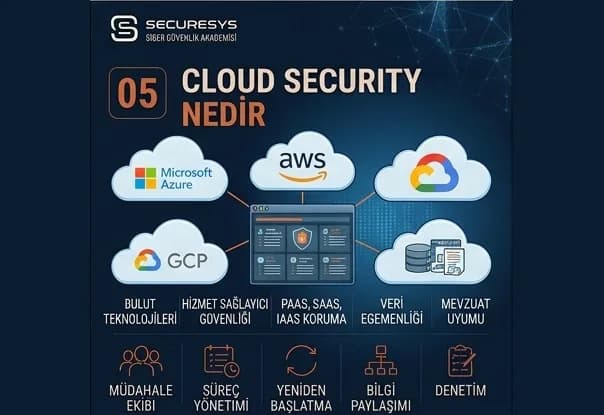
What Is Cloud Security? Securing AWS, Azure and Google Cloud
What is cloud security? How are the IAM, network, storage, logging and CSPM layers secured on AWS, Azure and Google Cloud?
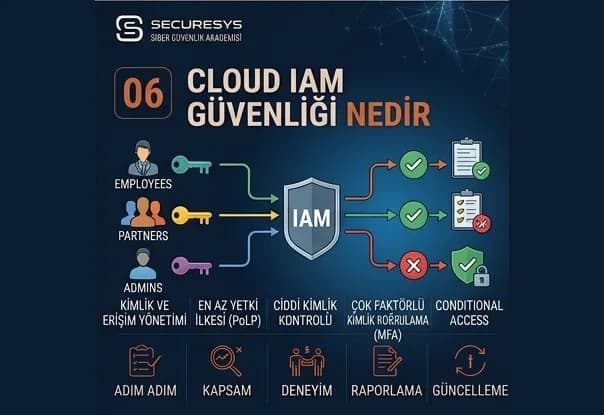
What Is Cloud IAM Security? Managing Permission, Role and Privileged Access Risk
What is cloud IAM security? Overprivilege, privilege escalation, service account risks and the CIEM approach on AWS, Azure and GCP.
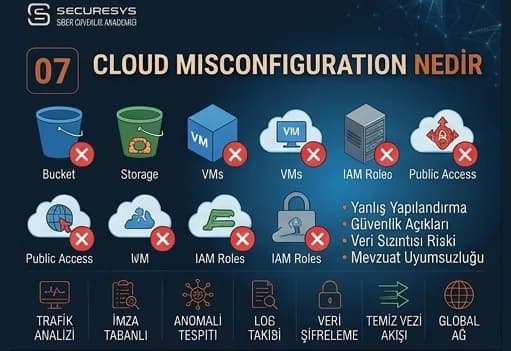
What Is Cloud Misconfiguration? How Are Faulty Cloud Configurations Detected?
What is cloud misconfiguration? How are public storage, open ports and disabled logging detected with CSPM?
Looking for professional support on this topic?
Our expert team will reach out for a free consultation as soon as possible.