How Is Source Code Analysis Performed? Methodology, Tools and Reporting
From scoping to retest: the step-by-step methodology of professional source code analysis, tool selection and reporting standards.
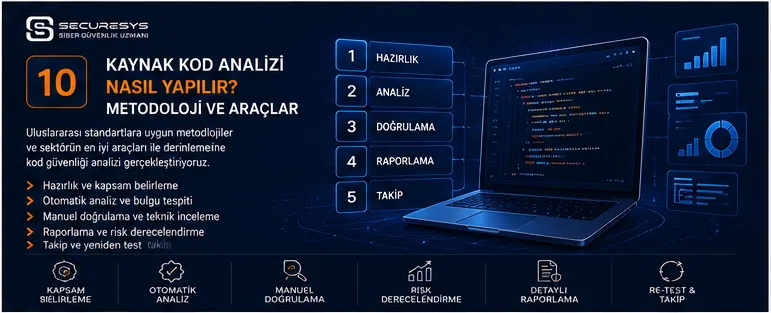
Source code analysis can often look like a simple operation from the outside.
The code is obtained.
A SAST tool is run.
A list of findings is produced.
A report is prepared.
But a professional source code security analysis is far more comprehensive than that.
Because the real aim is not merely to produce tool output.
The real aim is:
to surface the genuine, exploitable and business-relevant security risks inside the application's source code.
To do that, the analysis process must be planned correctly.
Which repositories will be examined,
which branch will be used,
which technologies are present,
how the application's architecture works,
which modules are critical,
which user roles exist,
which external services it integrates with
all directly affect the result of the analysis.
In the same way, using only an automated tool may not be sufficient.
An automated SAST analysis can scan a broad code base quickly.
But manual source code analysis may be needed in areas such as authentication, authorisation, business logic, cryptography and critical transaction flows.
Professional source code analysis therefore usually consists of a combination of several different security layers:
Scoping → Architecture Analysis → Automated SAST → Manual Code Review → Finding Validation → Risk Rating → Reporting → Remediation → Retest
In this chapter we will look step by step at how source code analysis should be conducted from beginning to end.
1. Where Does a Source Code Analysis Project Begin?
The first stage is not scanning the code but understanding the scope.
Before a security analysis begins, these questions must be answered:
- Which application will be analysed?
- Which repositories are in scope?
- Which branch or tag will be examined?
- Is the code analysed the same as production?
- Which programming languages are used?
- Which frameworks are in use?
- Which are the application's critical modules?
- Which user roles exist?
- What types of data does the application process?
- Which external systems does it integrate with?
- Is the application internet-facing?
This information is not only for project management.
It also determines the depth and priorities of the security test.
A payment system and a simple corporate portal do not have the same security profile, for example.
The same methodology should therefore not be applied identically.
2. What Is Scope?
Scope defines which systems and components the security analysis will cover.
From a source code analysis perspective, scope can include these components:
- Backend repository
- Frontend repository
- Mobile application
- API services
- Microservice repositories
- Shared libraries
- Authentication service
- Infrastructure as Code
- CI/CD configuration
- Config files
The more clearly scope is defined, the more soundly the analysis is conducted.
An unclear scope can create wrong expectations for both the security team and the development team.
3. Which Branch Should Be Analysed?
This is an important but often overlooked matter.
A repository can contain different branches.
For example:
- main
- develop
- release
- feature
- hotfix
It matters that the code analysed matches the code running in the production environment.
Otherwise the vulnerabilities found or not found may not reflect the real production situation.
Where possible, therefore, a:
Release Tag
or the commit hash matching production should be used.
This information should also be stated clearly in the report.
4. Why Should the Commit Hash Be Recorded?
Source code changes constantly.
The code analysed today may be different tomorrow.
Which code version was examined during the analysis must therefore be recorded.
For example, information can be held as:
Repository: Payment API
Branch: release/3.2
Commit: a13f72c...
Which changes were made can then be tracked more accurately during the retest.
5. How Should Source Code Be Shared Securely?
Source code is one of an organisation's most valuable intellectual property assets.
Code sharing must therefore be handled carefully from a security perspective.
Where possible:
- controlled Git access,
- VPN,
- an internal repository,
- secure temporary access
should be used.
Sharing source code as an open email attachment is not ideal.
How the code will be stored after the analysis and when it will be deleted should also be determined in advance.
6. Why Does Source Code Confidentiality Matter?
Source code does not only show how the application works.
It can also reveal:
- the business logic,
- infrastructure names,
- API endpoints,
- security controls,
- integration structures.
A confidentiality agreement and access control are therefore important in a source code analysis engagement.
In defence, finance, public sector and critical infrastructure projects in particular, whether the source code is uploaded to an external system should also be questioned.
7. Cloud SAST or On-Premise SAST?
When choosing a SAST solution, the deployment model matters.
In a cloud SAST solution, source code or data derived from it can be sent to the service provider's infrastructure.
In an on-premise solution, the analysis can be carried out in the organisation's own environment.
In critical projects these questions should be asked:
- Does the code leave the organisation?
- Where is the analysis data held?
- Does the provider store the code?
- What is the retention period?
- Which country or region is used?
- Is there a data residency requirement?
The data security model should be assessed as much as the technical features.
8. Producing a Technology Inventory
One of the first technical stages of the analysis is determining the technology stack.
For example:
Backend: Java / Spring Boot
Frontend: React / TypeScript
Database: PostgreSQL
Authentication: OAuth 2.0 / JWT
Build: Maven
CI/CD: GitLab CI
a technology map like this can be created.
This information determines which SAST rules will be used and which security risks will be prioritised in the manual analysis.
9. Why Does Framework Knowledge Matter?
The same programming language can have different security behaviours in different frameworks.
A Java application may be using Spring Security, for example.
Authorisation can be applied with annotations.
Another Java application may have a bespoke authentication framework.
The security code review method for these two applications is not the same.
The SAST tool understanding the framework correctly also seriously affects the false positive rate.
10. Architecture Analysis
Before source code analysis begins, the application's architecture must be understood.
Is it a monolith?
Is it microservices?
Is there an API gateway?
Is authentication centralised?
How do the services communicate with one another?
From which layer is database access made?
This information helps in understanding the security-critical data flows.
11. Can a Data Flow Diagram Be Used?
Yes.
A data flow diagram is quite useful particularly in complex systems.
For example, the data flow can be drawn as:
User
↓
Web Application
↓
API Gateway
↓
Payment Service
↓
Database
Trust boundary points can then be identified.
This approach lets manual code analysis be performed on a more risk-based footing.
12. Does Threat Modeling Strengthen Source Code Analysis?
Yes.
Doing basic threat modeling before source code analysis begins can make the critical areas visible.
In the system:
- payments,
- password reset,
- file upload,
- admin operations
may be high-risk, for example.
These functions can be prioritised during manual code review.
More effective security analysis is thus performed among millions of lines of code.
13. Asset Identification
The critical assets that must be protected in the application should be identified.
For example:
- customer data,
- credit card information,
- authentication tokens,
- financial transaction records,
- personal data,
- encryption keys.
How these assets are handled inside the code is analysed.
The basic question should be:
Which data will the attacker try to reach?
14. Entry Point Analysis
The points at which an attacker can send data to the application are identified.
Entry points such as:
- HTTP GET
- HTTP POST
- API body
- Header
- Cookie
- File Upload
- Message Queue
- WebSocket
can be found.
These points are strong starting areas for manual code review.
15. Source Analysis
From a SAST perspective, entry points are mostly assessed as sources.
User-controlled data is traced through the code.
The aim is to answer the question:
Which critical functions can this data reach?
This analysis is critically important in detecting injection and data-handling problems.
16. Sink Analysis
Sinks are the security-critical functions.
For example, functions such as:
- SQL execute
- OS command execution
- file read/write
- HTTP request
- HTML output
- XML parser
can be sinks.
In source code analysis, the relationship of these functions with user-controlled data is assessed.
17. Source-to-Sink Analysis
An example data flow might be:
HTTP Parameter
↓
Controller
↓
Service
↓
Repository
↓
SQL Query
The aim here is to understand whether user input is processed safely before it reaches the SQL query.
SAST tools can perform this analysis automatically.
The manual specialist verifies the result, particularly in complex or bespoke framework structures.
18. The First SAST Scan
Once the technology stack has been determined, the first scan can be carried out with a suitable SAST profile.
This first scan generally establishes a baseline.
Hundreds or thousands of findings can appear in the results.
But not all of that output should be accepted as a genuine vulnerability.
The first stage is raw security data.
19. What Is a Baseline Scan?
A baseline scan is the first comprehensive scan that sets out the application's current security position.
For example, findings of:
- 7 Critical
- 35 High
- 182 Medium
- 640 Low
can be seen.
This number should not be presented to the customer directly.
Triage is needed first.
Because a significant part of it can be false positives or duplicates.
20. Why Is Tool Output Not the Final Report?
Presenting the export file produced by a SAST tool to the customer as a report is not professional source code analysis.
Tool results can contain:
- false positives,
- duplicates,
- not-reachable items,
- test code,
- dead code.
Every finding must therefore be assessed in context.
This stage is called security triage.
21. Security Triage
During triage the findings are examined.
For every finding these questions can be asked:
- Is the data really user-controlled?
- Does the risky code really run?
- Is it used in production?
- Is the security control present in another layer?
- Does the framework make this operation safe automatically?
- Can an attacker reach this point?
This process significantly lowers the false positive rate.
22. Duplicate Findings
The same security problem can be reported repeatedly across different data flows.
A single insecure helper function may be called by 20 different endpoints, for example.
SAST can report that as 20 separate findings.
But the root cause may be a single function.
A professional report should show that relationship.
23. Root Cause Analysis
One of the most valuable stages of source code analysis is root cause analysis.
If there are 15 SQL Injection findings, for example, they may all stem from the same unsafe database helper.
In that case the shared helper can be made secure instead of fixing 15 lines of code one by one.
This approach significantly reduces the cost of remediation.
24. When Does Manual Source Code Analysis Begin?
Manual analysis can be carried out after SAST triage or in parallel with it.
Manual analysis focuses particularly on high-risk areas.
For example:
- Authentication
- Authorization
- Payment
- Admin functions
- Cryptography
- File upload
- Password reset
- Token management
- External integrations
can be priorities.
25. Authentication Code Analysis
When authentication code is examined, these areas can be assessed:
- Login logic
- Password hashing
- Account lockout
- MFA
- Session creation
- Token generation
- Password reset
- Logout
- Token revocation
These areas are critical security functions.
A small error can escalate as far as account takeover.
26. Authorization Analysis
Authorization code review is one of the most important areas of manual analysis.
The question:
Can this user really access this resource?
should be assessed for every critical operation.
A login check alone is not sufficient.
Object-level and function-level authorisation must be examined together.
27. Using a Role Matrix
A role matrix can be prepared for complex applications.
For example:
| Function | User | Manager | Admin |
|---|---|---|---|
| View own profile | Yes | Yes | Yes |
| View another user | No | Limited | Yes |
| Delete a user | No | No | Yes |
During manual code review the actual code is compared against this business rule.
Broken Access Control problems are thus detected more easily.
28. Business Logic Analysis
Business logic is one of the areas automated tools struggle with most.
Business rules such as:
- discount limits,
- payment ordering,
- transfer limits,
- approval mechanisms,
- reservation rules
can be examined inside the code.
Here the security specialist must understand how the application works.
29. Financial Logic Review
In applications performing financial transactions, areas such as:
- amount manipulation,
- currency conversion,
- transaction replay,
- approval bypass,
- negative values,
- rounding errors
can be assessed in particular.
These problems cannot always be found by classic SAST rules.
30. Input Validation Review
How user inputs are validated is examined.
Checks on:
- format,
- length,
- range,
- allowed characters,
- business constraints
can be assessed.
But input validation is not the main solution to every security problem.
A parameterized query is still required for SQL Injection, for example.
31. Output Encoding Review
In web applications in particular, how user-controlled data is written to output is examined.
HTML,
JavaScript,
URL,
CSS
have different security contexts.
Context-aware encoding must be applied.
32. Database Security Review
At the database access layer these points can be examined:
- prepared statements,
- raw queries,
- unsafe ORM functions,
- dynamic queries,
- excessive DB privileges,
- credential management.
Whether database errors are reflected back to the user can also be checked.
33. File Handling Review
File operations are among the high-risk areas.
These functions can be examined:
- upload,
- download,
- delete,
- archive extraction,
- filename generation,
- path construction.
Problems such as path traversal and unsafe upload can emerge here.
34. SSRF Review
The functions where the server sends requests to external systems are examined.
Features such as:
- URL preview,
- webhooks,
- image import,
- PDF generation,
- callbacks
can carry SSRF risk.
Allowlist and network restriction controls are assessed.
35. Cryptography Review
Cryptography analysis is not only checking which algorithm is used.
All of these areas matter:
- algorithm,
- key size,
- key storage,
- IV,
- random generation,
- password hashing,
- signing.
The use of hard-coded keys in particular can be a critical risk.
36. Random Number Review
A cryptographically secure random number generator must be used for security-critical tokens.
For example:
- password reset tokens,
- session IDs,
- verification codes,
- API tokens
must not be produced with an ordinary pseudo-random function.
37. Logging Review
Logging can be both a security control and a source of data leakage.
These can be examined:
- are passwords being logged?
- are tokens being logged?
- is PII being logged in the clear?
- are failed logins being logged?
- are admin actions being audited?
Good logging records the right events but does not expose secrets or sensitive data.
38. Error Handling Review
If a detailed stack trace is shown to the user in production, information disclosure can occur.
The exception handling structure is checked in the manual analysis.
Whether:
- generic error responses,
- secure internal logging,
- exception sanitisation
are applied can be assessed.
39. Secret Review
Secret scanning can be performed on the source code and repository history.
Searches are made in particular for:
- API keys
- DB passwords
- cloud credentials
- private keys
- tokens
Active secrets found can be treated as critical.
40. Dependency Review
Third-party components are analysed with SCA.
For example:
- package,
- version,
- CVE,
- dependency path,
- fixed version
are determined.
SCA results must be triaged like SAST results.
41. Reachability Review
Whether the vulnerable function of the risky dependency is really used is assessed.
This is important particularly in large dependency lists for determining risk priority.
42. Configuration Review
Security configuration files can also be present in the source code repository.
For example:
- CORS config
- auth config
- Spring Security
- nginx template
- application config
can be examined.
Incorrect configuration can create a security problem as critical as the code.
43. Infrastructure as Code Review
If in scope, Terraform, Kubernetes YAML and other IaC files can be analysed.
Problems such as:
- public resources,
- overly permissive IAM,
- privileged containers,
- disabled encryption
can be detected.
44. CI/CD Configuration Review
The source code may be secure while the pipeline is insecure.
In critical projects, therefore, matters such as:
- pipeline credentials,
- branch protection,
- deployment permissions,
- third-party actions,
- artifact integrity
can be assessed.
45. Build Script Review
Build scripts matter from a supply chain risk perspective.
A script may be downloaded from the internet during the build without verification, for example.
Package integrity may not be checked.
A secret may be used inside a command line argument.
These can be taken into the analysis scope too.
46. How Are Manual Review and SAST Results Combined?
SAST and manual analysis can produce different findings.
SAST might find:
SQL Injection
Manual analysis might detect:
Authorization Bypass
The report needs to combine these two sources under a single risk model.
From the customer's perspective, the real risk matters more than which method found the finding.
47. Finding Validation
Every finding should be validated as far as possible.
An SQL Injection may have been detected as a potential issue, for example.
The source-to-sink flow is verified through code analysis.
Where possible, runtime verification can also be done safely in a test environment.
This approach raises the reliability of the finding.
48. Is a Proof of Concept Necessary?
It is not necessary to develop an exploit for every source code finding.
But for critical findings a controlled proof of concept can make the real risk easier to understand.
The impact can be shown particularly for findings such as:
- RCE
- Authentication Bypass
- Authorization Bypass
- SQL Injection
Of course the test environment and authorisation limits must be respected.
49. Using CVSS in Source Code Analysis
CVSS can be used to determine technical severity.
But the CVSS score alone does not fully show the real business risk.
A function with a high CVSS score may not be used in production, for example.
CVSS should therefore be supported with this information:
- Reachability
- Exposure
- Data sensitivity
- Business criticality
- Exploitability
50. CWE Mapping
Mapping every security finding to a suitable CWE category as far as possible is useful.
It helps organisations measure long-term security trends.
An organisation might see, for example:
CWE-79 type problems fell by 40% in six months.
That shows the effect of the Secure Coding programme.
51. OWASP Mapping
In web and API applications, findings can also be mapped to OWASP risk categories.
This can make it easier for non-technical managers to understand the results in particular.
But the OWASP Top 10 should not be seen as a complete technical taxonomy covering every vulnerability.
It is stronger used together with CWE.
52. How Should Risk Severity Be Determined?
Example levels:
Critical
System takeover or very high business impact.
High
Serious data or privilege risk.
Medium
Meaningful security impact under certain conditions.
Low
Limited impact or a defence-in-depth issue.
Informational
May not be a vulnerability directly but is an improvement recommendation.
This classification can vary according to the organisation's risk model.
53. Distinguishing Technical Severity from Business Risk
This distinction should be considered in an ideal report.
A finding that is technically medium can be a high business risk if it is in a critical payment function.
A technically high finding can carry lower real risk if it is in an unused demo function.
An AppSec report should therefore not present only the scanner's severity.
54. Exploitability
How easily the finding can be exploited is assessed.
Questions such as:
- is authentication required?
- is a special condition required?
- is it reachable from the internet?
- is user interaction required?
are important.
55. Impact
What could happen if the attack succeeds?
Impacts such as:
- data leakage,
- privilege escalation,
- manipulation of financial transactions,
- account takeover,
- remote code execution
are possible.
The report must explain the real consequence of the risk clearly.
56. What Is Remediation?
Remediation is the process of fixing the vulnerability.
A good source code analysis does not only show the problem.
It also explains how to fix it.
For example:
Problem: SQL built with string concatenation.
Remediation: Parameterized query.
But the solution must suit the technology stack.
57. Is Giving a Secure Code Example Useful?
Yes.
It is quite valuable particularly in developer-focused reports.
An unsafe versus secure example comparison can reduce remediation time.
But the example must suit the application's real framework and language.
Generic pseudocode is sometimes not enough.
58. How Detailed Should Remediation Guidance Be?
It can vary according to the finding's risk.
A short recommendation may be sufficient for a low-level missing security header, for example.
For a complex authorisation problem:
- root cause,
- affected flow,
- secure architecture recommendation,
- test case
should be given in more detail.
59. A Developer-Friendly Report
A good report must be usable by the developer.
Every finding should where possible contain:
- Title
- Severity
- Affected File
- Line Number
- Description
- Root Cause
- Attack Scenario
- CWE
- OWASP
- Remediation
- Secure Code Example
This format turns a security report into action.
60. Should the Executive Summary Be Separate?
Yes.
A technical report can run to hundreds of pages.
Senior management is not expected to examine lines of code.
The executive summary can focus on:
- total risk,
- number of critical findings,
- the most important risk areas,
- recurring weaknesses,
- recommended priorities.
The same report then serves both the technical and the management side.
61. Risk Distribution
The risk distribution can be shown in the report.
For example:
Critical: 2
High: 7
Medium: 18
Low: 31
But numbers alone are not sufficient.
The three most critical risks should also be explained.
62. CWE Distribution
Recurring weakness categories can be reported.
For example:
Authorization: 28%
Input Validation: 22%
Secret Management: 15%
These results provide valuable data for developer training.
63. Root Cause Summary
50 findings may stem from seven basic root causes, for example.
Showing that is more valuable than the individual finding count.
Because the organisation gets an answer to the question:
Why do we produce vulnerabilities?
This increases AppSec maturity.
64. Remediation Prioritisation
Not all findings can be fixed at once.
Prioritisation must therefore be done.
Example:
Priority 1
Internet-facing critical / high.
Priority 2
Authentication and authorisation.
Priority 3
Sensitive data and secret risks.
Priority 4
Medium security debt.
This approach directs team resources correctly.
65. Remediation Workshop
In complex projects, delivering the report alone may not be sufficient.
The security and development teams can hold a remediation workshop together.
In that meeting:
- critical findings,
- root causes,
- safe implementation,
- ownership
are assessed.
This is quite useful particularly in first source code analysis projects.
66. Assigning Finding Owners
Every finding must have an owner.
Otherwise findings can stay in the report.
Owners such as:
Authentication Team
Payment Team
Platform Team
can be assigned.
Integration with the ticketing system can be made.
67. Setting SLAs
A remediation SLA can be set according to risk level.
For example:
Critical: Urgent
High: Priority
Medium: Planned sprint
Low: Backlog
The organisation's own risk management approach and regulations must be taken into account.
68. What Is a Retest?
After developers fix the findings, the security team verifies the fix.
This stage is called a retest.
The aim is not merely to see whether the code has changed.
It is to check whether the vulnerability has genuinely been closed.
69. Can a New Vulnerability Arise During Retest?
Yes.
Sometimes remediation can create a new security problem.
While fixing the SQL Injection, the developer may have added a new authorisation check and broken another flow, for example.
Regression testing is therefore important particularly for critical changes.
70. Security Regression Testing
An automated test can be created so that a previously found vulnerability does not reappear.
For example:
A particular authorisation bypass was found in a pentest.
After it is fixed, a unit or integration security test can be added.
The same problem is then caught automatically in future.
This is quite a mature DevSecOps approach.
71. Can a Pentest Finding Be Turned into a SAST Rule?
In some cases yes.
Insecure use of a helper in the organisation's internal framework may have been discovered during a pentest, for example.
The AppSec team writes a custom SAST rule.
From then on, all repositories are scanned automatically for the same pattern.
This scales security knowledge.
72. How Often Should Source Code Analysis Be Done?
This depends on the application's development frequency.
In continuously developed projects, automated SAST can run on every pull request or build.
Manual source code analysis can be done after:
- a major release,
- an architectural change,
- an authentication change,
- a critical new feature.
73. When Should a Full Scan Be Run?
A full SAST scan can take time in large projects.
The model:
Pull Request → Incremental Scan
Nightly / Weekly → Full Scan
can therefore be used.
This provides a balance between speed and coverage.
74. Pre-Release Security Check
Before a critical release, the results of:
- SAST
- SCA
- Secret Scanning
- DAST
- Pentest
can be assessed in a single risk view.
If there are vulnerabilities above a certain level, the release can be taken into a risk acceptance process.
75. The Relationship Between Source Code Analysis and the Secure SDLC
Source code analysis is only one stage of the Secure SDLC.
Before it:
threat modeling
and secure coding.
After it:
DAST,
pentesting,
monitoring.
A model integrated into the whole life cycle is therefore stronger than a one-off analysis.
76. Tools Used in Source Code Analysis
SAST products can differ.
Some tools work at enterprise scale.
Some can be open source.
Some can be stronger in particular programming languages.
In tool selection, criteria such as:
- language support,
- framework support,
- data flow capability,
- CI/CD integration,
- false positives,
- custom rules
matter.
The tool's name is not more important than the methodology.
77. Is a Single SAST Tool Enough?
Not always.
Different tools can be strong on different rules.
But using more than one tool can also increase finding noise.
More important than the number of tools is:
correct tuning + manual verification
78. What Is a Custom Rule?
A security rule specific to the organisation's own development framework can be written.
For example, use of the internal function named:
unsafeExecute()
can be prohibited.
SAST can create a finding automatically when it sees that function.
This turns the organisation's security knowledge into automation.
79. SAST Tuning
The system should be optimised after the first scan.
For example:
- custom sanitizer definitions,
- false positive suppression,
- framework models,
- source/sink rules
can be added.
Good tuning significantly raises finding quality over time.
80. How Is Tool Accuracy Measured?
The total number of findings alone should not be the measure.
A more meaningful metric can be:
True Positive Rate
If 90 of 100 findings are false positives, for example, the tool can create operational problems.
The aim is not maximum findings but maximum meaningful signal.
81. The Human Factor in Source Code Analysis
However strong automation becomes, the specialist's experience matters.
Human analysis continues to be critical particularly in:
- business logic,
- complex authorisation,
- architectural flaws,
- attack chaining.
The modern model should therefore be thought of as:
Automation at Scale + Human Depth
82. The Analysis Team's Competence
It is not sufficient for the team performing source code analysis to know only cyber security.
Software development knowledge is needed too.
Knowledge of:
- the programming language,
- the framework,
- design patterns,
- databases,
- API architecture
directly affects the quality of the analysis.
Because code security cannot be analysed without understanding the code.
83. The White Box Advantage
Source code analysis provides white box visibility.
Things the attacker cannot see from outside, such as:
- internal validation,
- security controls,
- unreachable code,
- sensitive functions
can be seen.
This is quite powerful when used together with a pentest.
84. How Are Source Code Analysis and Pentesting Used Together?
One of the ideal scenarios is:
SAST
↓
Manual Code Review
↓
Pentest
SAST provides broad code coverage.
Manual code review goes deeper on the critical points.
The pentest verifies the impact in the real running environment.
These three layers together create strong security visibility.
85. Source-Assisted Pentesting
The pentester having source code access can increase testing efficiency.
A hidden endpoint can be found from the code, for example.
The authorisation implementation can be understood.
Potential sinks can be seen.
Controlled testing can then be done at runtime.
This approach is valuable particularly for critical applications.
86. What Should the Purpose of the Report Be?
The purpose of a good source code analysis report is not to show how many findings the security team produced.
The purpose is to show the development team:
what to act on, why, and in what order.
The report must support decisions.
87. Should the Process End When the Report Is Delivered?
No.
The most valuable stage usually begins after the report.
Remediation,
the developer workshop,
the retest,
metrics
should continue.
Otherwise the report can lose its relevance a few months later.
88. Continuous Code Security
In mature organisations, source code analysis stops being a one-off service.
Automated controls run on every pull request.
Critical modules receive periodic manual review.
New CVEs are monitored continuously.
Pentests are done at major releases.
This structure can be approached from a Continuous Application Security perspective.
The SecureSys Source Code Analysis Methodology
At SecureSys we do not treat source code analysis as merely running a SAST tool and reporting its output.
To understand an application's real security level, we believe the analysis process must include the perspectives of:
scope, technology, architecture, business logic and attack surface
together.
Depending on project scope, the process can be handled as follows:
1. Scoping
Determining the repositories, branch, technologies and critical modules.
2. Architecture Analysis
Understanding the application's authentication, authorisation, data flow and integration structure.
3. Automated SAST Analysis
Broad scanning of the code base for security weaknesses.
4. SCA and Secret Scanning
Assessing third-party dependency and credential risks.
5. Manual Source Code Analysis
Expert examination of critical business logic, authentication, authorisation and sensitive transaction flows.
6. Security Triage
Filtering out false positive results and verifying the real risks.
7. CWE / OWASP / Risk Mapping
Standardising the findings.
8. Remediation Guidance
Providing development teams with applicable secure code recommendations.
9. Retest
Verifying the fixes from a security perspective.
The aim is not to produce as many findings as possible.
The aim is:
to find the real risks, explain them in a way the developer will understand, and create a structure that reduces the recurrence of the same security problems.
Because a good source code analysis does not only surface today's vulnerabilities.
It also contributes to the organisation producing more secure code tomorrow.
Frequently Asked Questions
How is source code analysis done?
Source code analysis generally consists of scoping, architecture review, automated SAST, manual code analysis, finding validation, risk rating, reporting and retesting.
Is the entire code base required for source code analysis?
It depends on scope. But access to the whole application, or to sufficient repository coverage, is useful in order to assess all data flows and framework behaviours correctly.
Can SAST output be used directly as a report?
It is not recommended in a professional assessment. Findings must be verified by a specialist in terms of false positives, reachability, business impact and real exploitation conditions.
Is manual review needed in source code analysis?
For critical applications in particular, yes. Areas such as business logic, authentication and authorisation benefit significantly from manual analysis.
How long does source code analysis take?
It varies according to the application's code size, technology diversity, architectural complexity and the scope of manual analysis.
Which programming languages can be analysed?
Depending on the SAST in use and the scope of expertise, Java, C#, JavaScript, TypeScript, Python, PHP, Go, C/C++, Kotlin, Swift and other languages can be analysed.
Should source code analysis and pentesting be done together?
It is quite a strong approach for critical applications. Source code analysis provides internal visibility, while a pentest assesses the running application from an attacker's perspective.
What should a source code analysis report contain?
It should contain the finding name, risk level, affected code, technical explanation, root cause, attack scenario, CWE/OWASP relationship, remediation and, where needed, a secure code example.
Is a retest necessary?
It is recommended particularly for critical and high findings. Whether the fix genuinely closed the vulnerability must be verified.
Conclusion: Good Source Code Analysis Is Not Running a Tool — It Is Understanding the Code
Source code analysis can look like a technical scanning activity from the outside.
But real security value comes from methodology far more than from the name of the tool used.
SAST can scan a large code base.
SCA can show dependency risks.
Secret Scanning can find credential leaks.
But all of that is raw security data.
Real security analysis emerges when this data is combined with context.
What does the application do?
Who can reach this function?
How critical is this data?
Is the code really used in production?
Can an attacker exploit this flow?
What would the business impact be?
Without these questions being answered, it is not possible for tool output to turn into real risk.
A strong source code analysis therefore consists of three basic components:
Automation
provides breadth.
Human expertise
provides depth.
Methodology
turns the two into real risk.
Ultimately the aim is not to produce 10,000 lines of scanner output.
The aim is to be able to say clearly to the developer and to management:
There is a risk here.
This is why it occurs.
It could lead to this attack.
And it should be fixed securely like this.
Real source code security begins exactly there.
Related Articles
Source Code Analysis (Code Security)
What Is Source Code Analysis? A Guide to SAST and Code Security
What is source code analysis, how does SAST work and why does code security come before infrastructure? Concepts, methods and enterprise approach.
Vulnerabilities Start While Code Is Written: Secure Coding and Secure SDLC
Vulnerabilities are not born in production; they are created in design and code. A guide to Secure Coding, Shift Left, DevSecOps and Secure SDLC.
What Is SAST? How Static Application Security Testing Works
What is SAST and how does it work? Source-sink, taint analysis, false positives, CI/CD integration and tool selection in one guide.
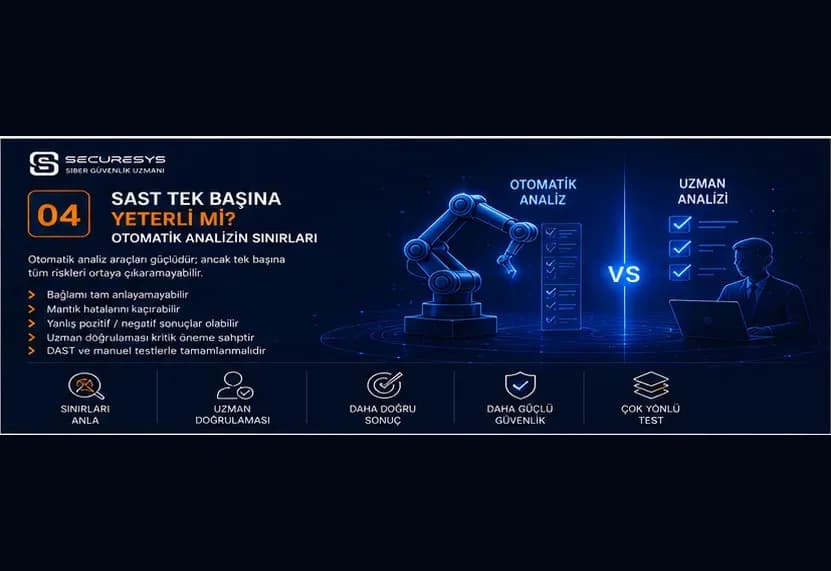
Is SAST Enough on Its Own? Automated Scanning and Manual Source Code Review
What automated SAST can and cannot see: business logic flaws, false positives and negatives, and the role of manual code review.
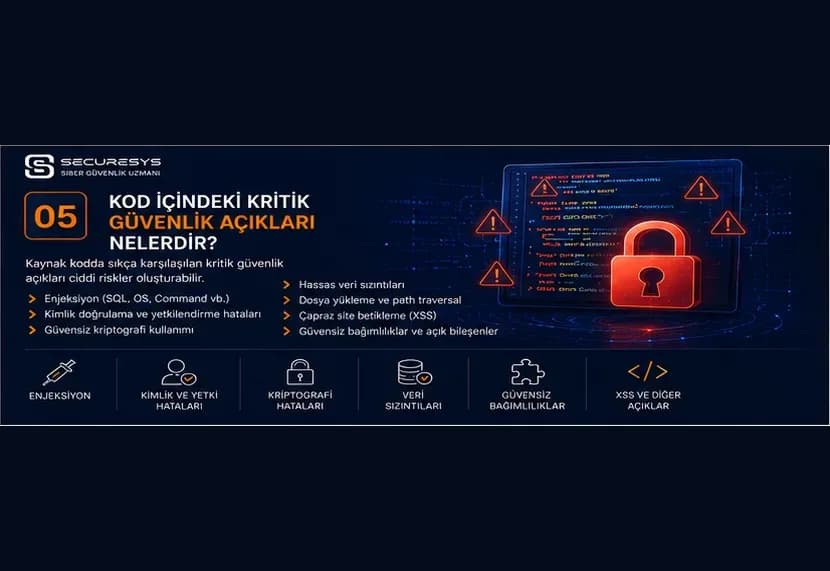
Critical Vulnerabilities in Code: A CWE and OWASP Perspective
The most critical vulnerabilities in source code — injection, XSS, broken access control, SSRF and more — through the CWE and OWASP lens.
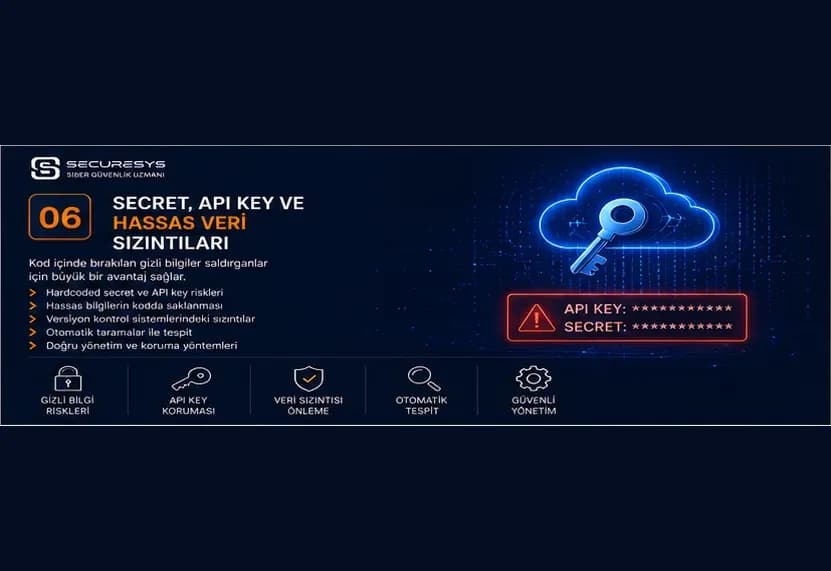
Secrets, API Keys and Sensitive Data Leaks: The Hidden Danger in Code Repositories
The invisible danger in code repositories: secret, API key and credential leaks — detection, rotation and secrets management.
Looking for professional support on this topic?
Our expert team will reach out for a free consultation as soon as possible.