The 3-2-1 Backup Rule and Modern Backup Strategies
What is the 3-2-1 backup rule? The 3-2-1-1-0 model, immutable and air-gap backup, identity isolation and restore testing in modern backup strategy.
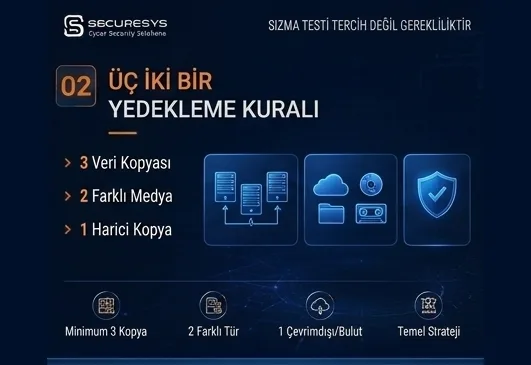
An organisation having backups does not mean its data is safe.
What genuinely matters is where the backups are kept, how independent they are from production systems, whether an attacker can alter them and whether they can genuinely be restored when needed.
Today many organisations take regular backups yet still face serious problems bringing their systems back after a ransomware attack.
One of the basic reasons for that is quite simple:
Attackers now target not only production systems but the backup infrastructure too.
When an attacker reaches a highly privileged account in an organisation's Active Directory infrastructure, rather than launching the attack immediately they can move around the network for days or even longer.
In that period they can try to identify;
backup servers,
backup software,
storage systems,
the hypervisor infrastructure,
backup repositories,
snapshot structures,
cloud storage accounts.
All of these are on their list.
The aim is not merely to encrypt the data.
The aim is to remove the organisation's route back.
The basic principle of modern backup strategy is therefore this:
Compromise of the production environment must not mean compromise of the backup environment.
One of the best-known applications of that principle is the 3-2-1 backup rule.
But today the classic 3-2-1 model has developed too.
Now;
3-2-1,
3-2-1-1-0,
immutable backup,
air-gap backup,
offsite backup
and zero trust backup
approaches are assessed together.
What Is the 3-2-1 Backup Rule?
The 3-2-1 backup rule is one of the best-known backup principles used to reduce the risk of data loss.
The rule is quite simple:
3 Copies of the Data
There must be at least three copies of critical data in total.
One of them is the production data.
The other two are backup copies.
For example:
Copy 1: the data on the production server
Copy 2: a local backup repository
Copy 3: a remote data centre or cloud backup
The basic logic here is that losing a single copy must not mean the organisation loses its data entirely.
Why Three Copies?
A single backup copy looks sufficient in some situations.
But the backup itself can be corrupted.
Backup storage can fail.
A backup file can become corrupt.
The restore point needed may have been deleted because of a faulty retention policy.
The backup system can be encrypted by ransomware.
An administrator can delete the backup repository by mistake.
Having at least two additional copies alongside the production data therefore raises data resilience considerably.
The critical point here is this:
The backup can need a backup too.
2 Different Storage Media
The second number in the 3-2-1 rule expresses two different storage media.
The aim is that all the data does not depend on the same technology or the same physical infrastructure.
If the organisation's production data sits on a SAN, for instance, the backup can be kept on a different disk system.
The second backup can be held on a different medium such as;
object storage,
tape,
cloud storage,
a separate backup appliance.
It can sit on any of these.
The reason is to reduce common points of failure.
If production and backup sit on the same storage, losing the storage system can affect both the production data and the backup.
Does a Snapshot on the Same Storage Count as a Backup?
An important misunderstanding must be addressed at this point.
Snapshot technologies are used in many infrastructures.
Snapshots are extremely valuable for fast rollback.
But if the production data and the snapshot sit on the same storage, both can be lost when the physical storage is lost.
Therefore:
Snapshot ≠ an independent backup
A snapshot can be one layer of a backup strategy.
But it must not take the place of the 3-2-1 strategy on its own.
1 Copy in a Different Location
The last number in the 3-2-1 rule expresses at least one of the backup copies sitting in a different physical location.
This is generally called:
Offsite Backup
as a term.
Why?
Because some disasters affect not merely a server but the whole location.
For example;
fire,
flood,
earthquake,
a power infrastructure problem,
physical sabotage,
a data centre failure,
a cooling system problem
can render the whole infrastructure unusable.
If production and backup are in the same data centre, the organisation can lose all its copies at once.
At least one of the critical backups must therefore be kept in a different location.
Where Can an Offsite Backup Be Kept?
There are different options for offsite backup.
For example;
a second data centre,
a disaster recovery site,
cloud storage,
a remote backup repository,
a co-location data centre,
a physical tape archive
can be used.
What matters here is not distance in kilometres alone.
The two locations must not share the same risks.
Two data centres depending on the same power infrastructure or the same physical building, for instance, may not provide genuine geographic resilience.
Why Did the 3-2-1 Backup Rule Emerge?
The basic aim of classic backup strategies was protecting data against hardware failure, accidental deletion or physical disasters.
The 3-2-1 model was therefore an extremely effective approach for many years.
But the threat model changed.
The greatest enemy of backup systems used to be mostly:
hardware failure.
Today there is another actor in the equation:
The attacker.
The attacker knows the backup system exists.
In some attacks, removing the backup infrastructure has even become one of the basic stages of the attack.
New security layers therefore began to be added to the classic 3-2-1 model.
How Did Ransomware Change the 3-2-1 Backup Strategy?
Thinking that in a ransomware attack the attacker encrypts files directly is now an incomplete view.
The modern attack chain can be far longer.
For example:
Day 1 – Initial access
Entry into the system is made through phishing, a vulnerability or a compromised account.
Day 2 – Credential access
User accounts and highly privileged accounts are targeted.
Day 3 – Lateral movement
Other systems within the network are reached.
Day 4 – Active Directory
An attempt is made to obtain high privilege at domain level.
Day 5 – Backup discovery
Backup servers and repositories are discovered.
Day 6 – Backup sabotage
Snapshots, restore points or backup policies can be targeted.
Day 7 – Data exfiltration
Critical data can be taken outside the organisation.
Day 8 – Encryption
Production systems are encrypted.
If the organisation's backup infrastructure is also unusable at that stage, the attacker's ransom demand becomes far stronger.
The basic question of modern backup strategy has therefore changed.
It used to be:
“How many backup copies do we have?”
that was asked.
Today:
“How many of those copies are beyond the attacker's reach?”
is the question that must be asked.
What Is the 3-2-1-1-0 Backup Strategy?
One of the advanced approaches used in the modern backup world is the 3-2-1-1-0 backup rule.
The model can be explained as follows:
3
There are at least three copies of the data.
2
Those copies are held on at least two different storage media.
1
At least one of the copies sits in a different location.
1
At least one of the copies is protected as offline, air-gapped or immutable.
0
Zero errors are targeted in backup verification.
The last two items are extremely important for the modern threat environment.
Why Is the Second “1” Critical?
The offsite backup in the classic 3-2-1 strategy provides strong protection against geographic disasters.
But if the attacker can reach the remote backup system over the network, sitting physically in another city is not enough on its own.
If a production system in Ankara and a backup system in Istanbul are managed with the same Active Directory credentials, for instance, the attacker can reach the Istanbul backup after compromising the Ankara environment.
In modern backup architecture, therefore, logical isolation also matters.
The backup can be in a different location.
But it must at the same time sit within a different security boundary.
What Is Immutable Backup?
An immutable backup is a backup copy that cannot be changed or deleted for a particular retention period.
The word “immutable” means:
unchangeable
as a term.
If a backup copy was created with 30 days of immutable retention, for instance, changing or deleting that backup within the period is seriously restricted.
This approach is extremely valuable in ransomware defence.
Because even if the attacker reaches the backup management system, removing the unchangeable copies becomes hard.
Why Is Immutable Backup Effective Against Ransomware?
The attacker's aim is to destroy the recovery options.
If the organisation holds clean immutable backup copies retained for;
7 days,
14 days,
30 days
or longer according to business need, the organisation can return to a clean point in the past even if the attacker encrypts the production environment.
But there is a critical detail here.
Immutable backup is not merely a product feature.
It is an architecture and a security approach.
Badly configured immutable storage may not provide the expected security.
How Must Immutable Backup Be Protected?
In an immutable backup architecture the following controls in particular must be assessed:
- separating the backup administrator accounts,
- using multi-factor authentication,
- the least privilege principle,
- management independent of the production domain,
- separate network segments,
- retention lock,
- secure object storage,
- additional verification on critical operations,
- monitoring the backup logs,
- changes producing alerts.
It matters particularly that the retention period cannot be changed easily by the attacker.
What Is Air-Gap Backup?
Air-gap backup is the approach of isolating the backup environment from production systems.
Literally it means there is an “air gap” between the two systems.
The classic physical air-gap example is tape backup.
Suppose a backup is taken onto tape.
Once the operation is complete the tape is removed from the drive and stored in a secure physical area.
That tape is no longer reachable over the network.
Even if the attacker compromises the whole network they therefore cannot reach a physically disconnected tape directly.
Physical Air Gap and Logical Air Gap
An air gap can be applied in two basic forms.
Physical Air Gap
It is the physical separation of the backup media from the production environment.
Tape is the classic example of this.
Its advantage is that it provides rather strong isolation.
Its disadvantage is that operational processes can be more complex.
Logical Air Gap
In modern data centres, cutting the physical connection entirely may not always be practical.
Logical isolation can therefore be used.
For example;
the backup repository not being continuously reachable,
separate credentials being used,
it being held in a separate network segment,
access being opened only at particular times,
immutable object storage being used,
the backup system not being joined to the production domain
can all be parts of the logical air-gap approach.
What Is Offline Backup?
An offline backup is a backup copy not reachable over the network during normal operation.
Offline backup can provide a strong defence layer against ransomware attacks.
Because it is far harder for the attacker to reach a backup with no network connection remotely.
But in offline backup operations too;
physical security,
media tracking,
encryption,
inventory management,
storage conditions,
restore procedures
must be taken into account.
Can Cloud Backup Be Used in the 3-2-1 Strategy?
Yes.
Cloud storage can be rather suitable for the offsite copy in the 3-2-1 strategy.
For example:
Production Storage
↓
Local Backup Repository
↓
Cloud Object Storage
an architecture in this form can be created.
But the security of the cloud backup must be configured correctly.
Controls such as;
MFA,
IAM policies,
object lock,
immutable storage,
encryption,
a separate account or subscription,
audit logging
matter in particular.
Is Keeping the Backup in the Same Cloud Account Enough?
Not always.
If the production workload and the backup storage sit in the same cloud account and are managed with the same administrator credentials, for instance, compromise of the highly privileged account can put both environments at risk.
Account separation can therefore be assessed on critical systems.
For example:
Production Cloud Account
and
Backup Cloud Account
can be held within separate security boundaries.
Compromise of the production account then does not mean automatic compromise of the backup account.
Should Backup Systems Be Separated From Active Directory?
In critical structures this must always be assessed.
The backup server depending entirely on the production Active Directory domain can raise the attack surface.
If the attacker can reach the backup infrastructure once they obtain Domain Admin privilege, they can delete or alter the backups.
In the modern backup security approach, therefore;
separate administrator accounts,
separate authentication mechanisms,
MFA,
PAM,
network segmentation
and, where needed, domain-independent backup management
can be used.
The Zero Trust Backup Approach
The basic logic of the Zero Trust principle is the:
Never Trust, Always Verify
approach.
This principle can be applied to the backup infrastructure too.
No user or system must be regarded as trusted merely because it is inside the network.
Minimum privilege must be granted for backup operations.
Administrator operations must be verified.
Critical changes must be logged.
Backup administrator accounts must be separated from daily user accounts.
MFA must be used.
Repository access must be limited.
This approach turns the backup system into a security zone independent of the rest of the organisation's infrastructure.
What Does the “0” Mean?
The last number in the 3-2-1-1-0 strategy is often overlooked.
0 = zero errors in backup verification
is what it means.
Because a backup having been taken is not enough on its own.
The backup can be corrupt.
The file may not be readable.
The database may not restore.
The encryption key may have been lost.
The application may not open from the backup.
Backups must therefore be verified regularly.
Why Is Restore Testing Mandatory?
Everything on an organisation's backup dashboard may look green.
100 backup jobs may have run.
All 100 may be in:
SUCCESS
state.
But the real question is this:
How many of them were actually restored?
That question is extremely valuable for measuring backup maturity.
In restore tests, opening a single file may not be enough.
For critical systems, scenarios such as;
virtual machine restore,
database restore,
application restore,
Active Directory recovery,
file-level recovery,
bare-metal recovery
must be tested.
Can Backup Verification Be Automated?
In modern backup solutions particular verification processes can be automated.
A virtual machine can be started from the backup in an isolated environment, for instance.
Whether the operating system boots can be checked.
Application services can be tested.
A malware scan can be run.
Backup integrity can be checked.
But automatic verification must not take the place of human-led DR exercises entirely.
Why Does the Concept of a Clean Backup Matter?
Another critical matter is that the backup is not merely sound but clean.
Consider this:
The attacker entered the system on 1 June.
The organisation noticed the attack on 20 June.
Backups were taken every day throughout that period.
The organisation holds;
19 June,
18 June,
17 June,
16 June
backups.
But if the attacker has been inside the system since 1 June, those backups can contain the attacker's persistence mechanisms.
During incident response, therefore, alongside:
“Which is the newest backup?”
the question:
“Which is the last clean backup?”
matters.
How Should the Backup Retention Period Be Determined?
No backup can be kept forever.
Because of storage costs and the data lifecycle, a retention policy must be created.
A structure can, for instance, keep;
daily backups for 30 days,
weekly backups for 12 weeks,
monthly backups for 12 months,
yearly backups for longer
as its policy.
But these are not universal figures.
The retention period must be determined taking into account;
business requirements,
RPO,
RTO,
regulation,
data classification,
retention obligations,
storage capacity,
the ransomware risk model.
All of these must be weighed together.
Why Does Backup Encryption Matter?
A backup repository mostly contains all the organisation's critical data in one place.
It is therefore an extremely valuable target from the attacker's perspective.
Inside a backup there can be;
customer records,
personal data,
financial information,
ERP data,
personnel information,
email data,
intellectual property,
trade secrets.
All of these can be present.
Encrypting backup data therefore matters.
Two basic areas must be assessed:
Encryption at Rest
and
Encryption in Transit
But the security of the encryption keys must also be managed separately.
If the key is lost, the organisation may not be able to open its own backup.
If the key is obtained by the attacker, the protective value of encryption falls.
Should the Backup Network Be Separated?
In critical structures, yes.
Backup traffic moving uncontrolled across the production network can create both a security and a performance problem.
A separate;
VLAN,
network segment,
firewall zone
or a physical backup network
can be used.
Backup servers' internet access must also be limited according to need.
The aim is to shrink the attack surface of the backup infrastructure as far as possible.
What Can a Modern Corporate Backup Architecture Look Like?
Consider an example structure:
Layer 1 – Production
The organisation's active systems.
Layer 2 – Local Backup
A local repository for fast restore.
Layer 3 – Offsite Backup
A different data centre or geographic location.
Layer 4 – Immutable Backup
A copy unchangeable for a defined period.
Layer 5 – Air-Gapped / Offline Backup
A recovery copy isolated from the production network.
It is not mandatory for all these layers to exist in every organisation.
But as system criticality rises, the protection layers must rise too.
Backup Strategy Must Be Designed Together With RPO and RTO
A 3-2-1 or 3-2-1-1-0 strategy is not enough on its own.
The backup architecture must meet the organisation's RPO and RTO targets.
For example:
RPO = 15 minutes
for such a system, taking a backup only at 02:00 at night is not enough.
In the same way:
RTO = 30 minutes
for such a system, restoring for hours from tape backup may not meet the target.
Backup technology must therefore be designed together with business requirements.
Should the Same Backup Policy Be Used for Every System?
No.
Not all the systems in an organisation carry the same criticality.
For example;
Tier 1 – critical systems
Tier 2 – important systems
Tier 3 – standard systems
a classification in this form can be made.
For Tier 1 systems;
a lower RPO,
a lower RTO,
more frequent backup,
an immutable copy,
offsite backup,
DR replication
can be used.
On systems at a lower criticality level, more economical policies can be applied.
This approach helps optimise backup costs.
What Are the Biggest Backup Mistakes?
Some of the mistakes encountered often in corporate environments are these:
- keeping only a single backup copy,
- keeping backup and production on the same storage,
- treating a snapshot as a backup,
- mistaking replication for backup,
- managing the backup administrator account with a production domain account,
- not using MFA,
- leaving the backup repository more reachable over the network than it needs to be,
- not using immutable backup,
- not creating an offsite copy,
- not carrying out restore tests,
- not monitoring the backup logs,
- not setting retention periods according to business need,
- not including the ransomware scenario in the backup design.
Some of these mistakes may not look critical on their own.
But several of them existing at once during a real attack can remove the organisation's entire recovery capability.
How Should Backup Success Be Measured?
Measuring backup success only by:
Backup Success Rate
is not enough.
In a more mature approach, metrics such as;
backup success rate,
restore success rate,
restore time,
RPO compliance,
RTO compliance,
immutable backup coverage,
offsite backup coverage,
restore test frequency,
critical system coverage rate,
backup security events
can be tracked.
Because the real job of a backup system is not to copy data:
it is to bring the data back.
Which Backup Model Should Organisations Use?
There is no single correct backup architecture.
The right model must be determined according to the organisation's;
data volume,
critical systems,
business continuity targets,
regulations,
infrastructure,
budget,
RPO/RTO requirements,
ransomware risk.
All of these shape it.
But in today's threat environment, using a single backup repository sitting on the same network must not be regarded as a sufficient strategy for critical systems.
The basic aim of the modern approach is:
not creating a backup but guaranteeing recoverability.
Conclusion: Backup Strategy Is More Than “How Many Copies Do We Have?”
The 3-2-1 backup rule is one of the strongest basic principles of data protection.
But modern cyber attacks have changed the rules of the backup world.
Today the attacker does not target only the production system.
The backup server,
snapshots,
storage systems,
administrator accounts,
cloud backup accounts,
restore points
can all be targeted too.
The classic:
3-2-1
approach is therefore being strengthened in many critical infrastructures with more resilient models such as;
3-2-1-1-0
Models of that kind carry it further.
The basic components of a modern backup strategy are;
multiple copies,
different storage media,
offsite backup,
immutable backup,
air gap,
identity isolation,
encryption,
MFA,
network segmentation
and most importantly:
regular restore testing.
Because at the moment of disaster the most valuable backup for an organisation is not the newest backup.
It is the backup that is secure, clean and genuinely restorable.
Related Articles
Backup & Business Continuity
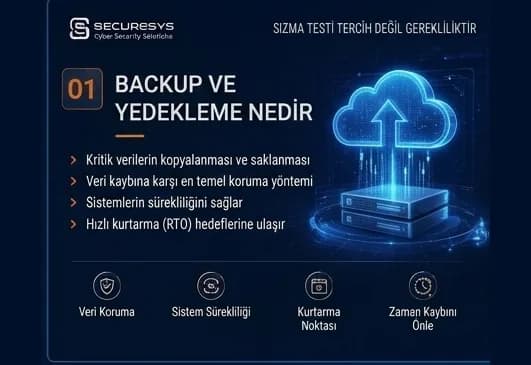
What Is Backup? Why Is It Critical for Organisations?
What is backup and why is it critical for organisations? How it differs from RAID and snapshots, why ransomware targets backups, RPO/RTO and restore testing.
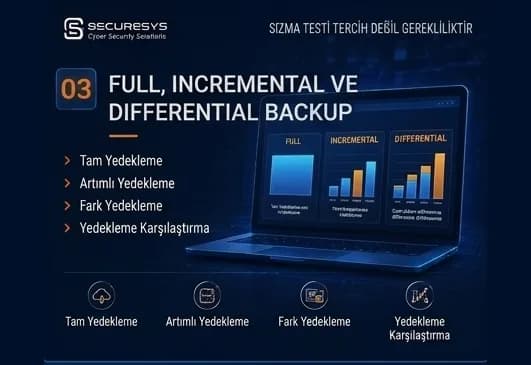
Full, Incremental and Differential Backup: Which One, When?
What is the difference between full, incremental and differential backup? How synthetic full, incremental forever, CBT and chain management affect RPO/RTO.
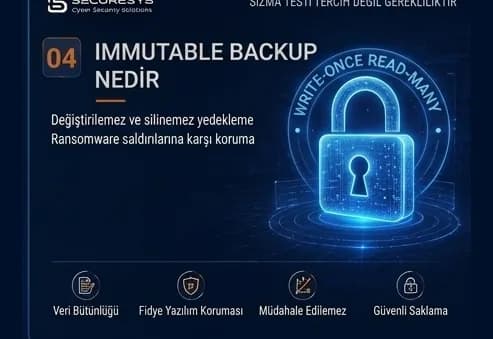
What Is Immutable Backup? Unchangeable Backups Against Ransomware
What is immutable backup, how do WORM and Object Lock work, and how is an unchangeable backup architecture built against ransomware? A full guide.
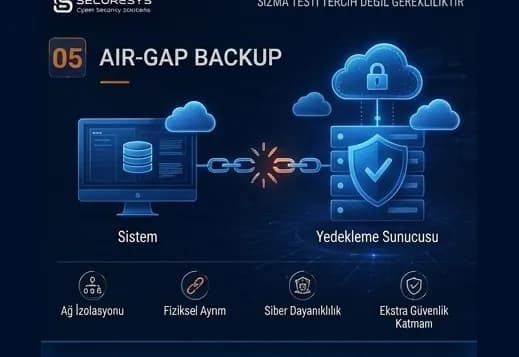
Air-Gap Backup: A Backup Architecture Isolated From Cyber Attacks
What is air-gap backup, how are physical and logical isolation built, and how does a Cyber Recovery Vault protect backups against ransomware?
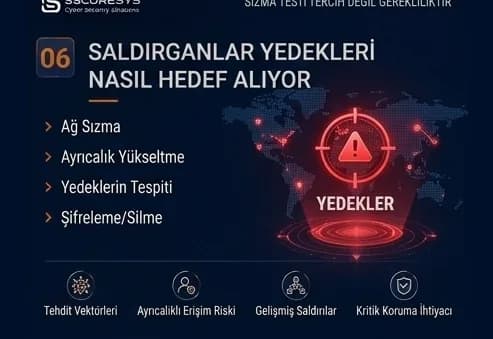
Backup in Ransomware Attacks: How Do Attackers Target Backups?
How are backups targeted in ransomware attacks? The attack chain, backup discovery, retention sabotage and choosing a clean restore point.
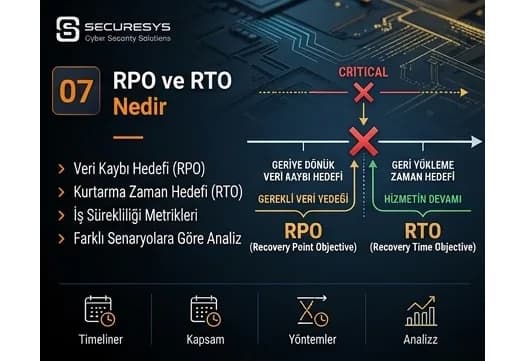
What Are RPO and RTO? The Two Critical Metrics of Business Continuity
What are RPO and RTO and how are they set? BIA, tier classification, MTD, dependency mapping and real recovery targets in a ransomware scenario.
Looking for professional support on this topic?
Our expert team will reach out for a free consultation as soon as possible.