What Are RPO and RTO? The Two Critical Metrics of Business Continuity
What are RPO and RTO and how are they set? BIA, tier classification, MTD, dependency mapping and real recovery targets in a ransomware scenario.
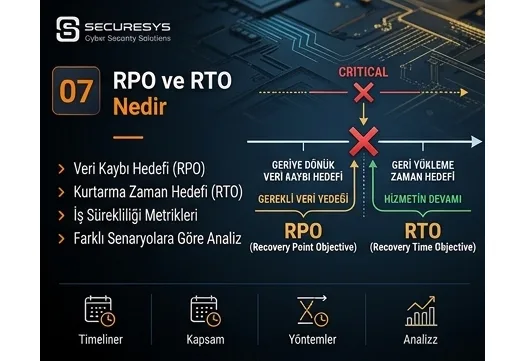
Having a backup in an organization is not sufficient on its own.
What really matters is answering two questions clearly:
How much data loss can we accept?
and
Within what time must we bring the system back into operation?
The answers to these two questions are expressed in the world of information technology and business continuity through two fundamental concepts:
RPO – Recovery Point Objective
and
RTO – Recovery Time Objective
These two metrics;
backup strategy,
disaster recovery,
business continuity,
cloud architecture,
database design,
high availability,
ransomware recovery
form the basis of many critical decisions such as these.
Because not all of an organization's systems carry the same importance.
While one system being down for 24 hours may be acceptable, another system not running for 30 minutes can create serious financial or operational damage.
Similarly, while 12 hours of data loss may be tolerable in one system, even a few minutes of data loss may be unacceptable in a critical finance application.
For this reason the right backup architecture does not begin with this question:
“Which product should we buy?”
The right question is this:
“How much data loss and how much downtime can the business units accept?”
What Is RPO?
RPO, that is Recovery Point Objective, expresses the maximum acceptable data loss period on a system.
Put another way:
When a disaster occurs, how far back are we prepared to go?
For example, for a system whose RPO value is:
24 hours
the organization may be accepting the loss of the data of the last 24 hours in the worst case.
If the RPO is:
1 hour
the data loss tolerance drops to about one hour.
If the RPO is:
15 minutes
the backup or replication architecture must be designed to allow at most 15 minutes of data loss.
How Is RPO Explained with a Simple Example?
Let us imagine that an ERP system takes a backup every night at 00:00.
The next day, at 16:00, the system was lost entirely.
The last usable backup:
00:00 that night.
In that case approximately:
16 hours of data
can be lost.
Consequently this architecture does not meet a 15-minute RPO target.
If the system takes a backup only once a day, the theoretical data loss window is quite large.
Is RPO the Same Thing as Backup Frequency?
Not exactly.
Backup frequency is one of the most important factors affecting RPO.
However, RPO is a business target.
Backup frequency, meanwhile, is one of the technical methods that delivers that target.
For example, the business unit may have set:
RPO = 30 minutes
as its requirement.
The IT team can deliver this;
an incremental backup every 30 minutes,
transaction log backup,
continuous data protection,
storage replication
with methods such as these.
Consequently:
RPO = the requirement
Backup Frequency = the technical implementation
is how they must be thought of.
Can RPO Be Zero?
In theory:
RPO = 0
means that no data loss at all is accepted.
However, in real life guaranteeing zero data loss can be technically difficult and costly.
To approach this level;
synchronous replication,
a high availability cluster,
continuous replication
architectures such as these may be needed.
These systems';
network,
storage,
latency,
data center
requirements can be quite high.
For this reason targeting zero RPO for every system is not economical.
What Is RTO?
RTO, that is Recovery Time Objective, expresses within what period a system must be brought back into operation after an interruption.
Put another way:
At most how long can the system stay down?
For example, if for a system:
RTO = 4 hours
has been set, the goal is for the system to serve again within about four hours after the disaster.
If the RTO is:
30 minutes
the recovery infrastructure has to be extremely fast.
How Is RTO Explained with a Simple Example?
A company's e-commerce system went down at 10:00.
Suppose the RTO:
2 hours
has been set at this value.
In that case the goal:
to bring the system back up by 12:00
is what it must be.
If a restore from backup takes 8 hours, it means the current backup architecture does not meet the business target.
The Fundamental Difference Between RPO and RTO
RPO:
How much data can we lose?
answers this question.
RTO:
How long can we stay out of operation?
answers this question.
Simply put:
RPO = data
RTO = time
is how they can be thought of.
RPO and RTO Examples
Let us imagine an accounting system.
The RPO:
4 hours
The RTO:
8 hours
may be these values.
In that case the organization;
at most 4 hours of data loss
and
at most 8 hours of downtime
is what it accepts.
But for an internet banking system:
the RPO:
a few minutes
the RTO:
very short
may be the case.
For this reason applying the same backup policy to both systems is not correct.
Should All Systems Have the Same RPO and RTO Values?
No.
This is one of the biggest mistakes made in organizations.
The business impact of each application is different.
For example;
ERP,
CRM,
e-mail,
the file server,
the website,
Active Directory,
the CCTV archive,
the test server
are not at the same criticality level.
For this reason systems must be classified.
The Tier-Based RPO and RTO Approach
Organizations can divide their systems into different classes according to their criticality level.
For example:
Tier 0 – Critical Infrastructure
Active Directory, DNS, core network and identity services.
The RPO and RTO can be very low.
Tier 1 – Business Critical Systems
ERP, payment, production or customer transactions.
For example:
RPO: 15 minutes
RTO: 1 hour
Tier 2 – Important Systems
They affect business processes but a short interruption can be tolerated.
For example:
RPO: 4 hours
RTO: 8 hours
Tier 3 – Standard Systems
Lower-priority systems.
For example:
RPO: 24 hours
RTO: 48 hours
These values are only examples.
Each organization must determine them according to its own business needs.
Who Should Determine RPO and RTO?
RPO and RTO are not values that the IT department alone should determine.
Because it is the business units that know the real impact of data loss or a system interruption.
For this reason, in the process;
business units,
IT,
cyber security,
risk management,
business continuity,
senior management
must work together.
What Is Business Impact Analysis – BIA?
One of the most important tools for determining RPO and RTO values is the:
Business Impact Analysis – BIA
that is:
business impact analysis
study.
BIA analyses how critical business processes will be affected by an interruption.
For example;
financial loss,
customer loss,
reputational loss,
regulatory breach,
operational standstill,
production loss
impacts such as these are assessed.
Which Questions Are Asked in a BIA?
These questions can be put to a business unit:
What happens if the system stays down for 1 hour?
What if it stays down for 4 hours?
What if it stays down for 24 hours?
Which business processes stop?
How many employees are affected?
Does customer service stop?
Can financial transactions not be carried out?
Does a regulatory breach occur?
How much data loss is acceptable?
These answers help determine the RTO and RPO targets.
What Is the Relationship Between BIA and Backup?
The backup architecture must be designed according to the BIA result.
For example, for a system whose BIA result is:
RPO = 15 minutes
RTO = 30 minutes
in this situation:
a single full backup at night
is not sufficient.
For this system;
continuous replication,
frequent incrementals,
transaction log backup,
instant recovery,
a standby system
solutions such as these may be needed.
How Does the RPO Value Change the Backup Technology?
If for a system the RPO is:
24 hours
a daily backup may be sufficient.
If the RPO is:
4 hours
several backups a day may be needed.
If the RPO is:
15 minutes
then;
incremental,
log backup,
snapshot,
replication
methods such as these can be used.
If the RPO is:
seconds
approaching that level, continuous replication may be needed.
How Does the RTO Value Change the Technology?
A system whose RTO is:
24 hours
can be restored from tape backup.
But for a system whose RTO is:
15 minutes
tape recovery may not be suitable.
In that case;
hot standby,
a failover cluster,
a replica,
instant recovery
methods such as these can be evaluated.
The Difference Between Backup and High Availability
A mistake often made when discussing RPO and RTO is assuming backup and high availability are the same thing.
Backup:
returns the data to a point in the past.
High Availability:
ensures the service continues without interruption or with minimum interruption.
For example, if two database servers run as a cluster, when one server fails the other can take over.
This lowers the RTO considerably.
However, if a database table is deleted by mistake, that deletion can occur on the cluster as well.
In that case a backup is needed.
Does Replication Lower RPO?
Yes.
Replication can bring the RPO down to very low levels.
However, replication is not a backup.
For example, if ransomware encrypts the files, the encrypted data can be sent to the replica system as well.
For this reason:
Replication + Backup
must be used together.
What Is Synchronous Replication?
In synchronous replication the data is written onto two storage systems or systems at the same time.
A transaction is not considered complete until it has been written to the other location as well.
Its advantage:
is that it provides a very low RPO.
However, the latency between the locations can affect performance.
For this reason it is generally used in data centres close to each other.
What Is Asynchronous Replication?
In asynchronous replication the data is first written to the production system.
It is then transferred to the second location.
For this reason there is a small delay.
The RPO may not be zero.
However, it can be used between more distant data centres.
Are RPO and Backup Retention the Same Thing?
No.
RPO:
how much data loss you accept
is what it shows.
Retention:
how long the backup will be kept
is what it shows.
For example:
RPO = 1 hour
Retention = 90 days
may be the case.
That is, a backup is taken every hour and certain copies can be kept for 90 days.
What Is the Recovery Window?
The Recovery Window is the overall time window used to recover the system.
Within this period;
the backup is located,
storage is prepared,
the system is restored,
the network is connected,
the application is checked
and it is opened to users.
All of these operations must be taken into account when setting the RTO.
Is the Restore Duration the Whole of the RTO?
No.
This is an important point.
For example, restoring a 5 TB server from backup may take 2 hours.
But afterwards;
database checks,
application testing,
a DNS change,
security validation,
user testing
may be required.
Consequently the real recovery time may be 4 hours.
What Is Work Recovery Time – WRT?
In some business continuity models the:
Work Recovery Time – WRT
concept is used.
WRT is the extra time required for business processes to reach normal operating level after the technical system has come back.
For example:
Technical restore: 2 hours
User checks and opening the operation: 1 hour
Total business recovery time:
3 hours
may be the result.
What Is Maximum Tolerable Downtime – MTD?
MTD is expressed as:
Maximum Tolerable Downtime
that is:
the maximum tolerable interruption period
in plain terms.
It shows at most how long a business process can be halted before serious damage occurs.
For example, if:
MTD = 12 hours
then the business process being halted for longer than 12 hours can create damage at an unacceptable level.
The RTO must be set within this period.
What Is MTPD?
In some methodologies the:
Maximum Tolerable Period of Disruption – MTPD
term can be used.
Its logic is similar to MTD.
It expresses the maximum interruption period a business activity can withstand before reaching an unacceptable level.
Can RTO Be Greater Than MTD?
Logically it must not be.
For example, if the business process:
suffers unacceptable damage after 8 hours
but the technical team's RTO target is:
24 hours
then the targets contradict each other.
For this reason:
RTO < MTD
is what is expected.
Are SLA and RTO the Same Thing?
No.
An SLA, that is a Service Level Agreement, defines a service level.
For example:
99.9% uptime
or
4-hour incident resolution
it can contain targets such as these.
RTO, on the other hand, expresses within what period the system will be brought back after a disaster or a serious interruption.
They can be related to each other but they are not the same concept.
What Does 99.9% Uptime Mean?
High availability levels can be assessed through the annual permitted downtime.
Approximately:
99% uptime → downtime at the level of days per year
99.9% uptime → downtime at the level of hours per year
99.99% uptime → downtime at the level of tens of minutes per year
is what these targets correspond to.
As the uptime target rises, the infrastructure cost rises with it.
Why Do RPO and RTO Determine the Cost?
The lower the RPO and RTO, the more costly the solution generally becomes.
For example:
RPO = 24 hours
RTO = 48 hours
for these, a simple backup may be sufficient.
But:
RPO = 0
RTO = a few minutes
for these;
dual data centres,
synchronous replication,
high availability,
automatic failover
may be needed.
For this reason business units must set realistic targets.
What Happens If 0 RPO and 0 RTO Are Demanded for Everything?
Although it looks ideal from the technical team's perspective, it may not be economically sensible.
For example, for the test environment to have:
RPO = 0
RTO = 0
building a high-cost infrastructure may be unnecessary.
For this reason classifying critical systems is important.
How Are RPO and RTO Values Documented?
An organization can create a business continuity table.
For example:
| System | Criticality | RPO | RTO |
|---|---|---|---|
| Active Directory | Critical | 1 hour | 1 hour |
| ERP | Critical | 15 min | 2 hours |
| High | 1 hour | 4 hours | |
| File Server | Medium | 4 hours | 8 hours |
| Test System | Low | 24 hours | 48 hours |
These values are examples and each organization must determine them according to its own business analysis.
Why Must RPO and RTO Be Considered Specifically for Active Directory?
Active Directory is the infrastructure many other systems depend on.
If AD is not running;
user login operations,
DNS,
Group Policy,
service account authentication,
application access
can be affected.
For this reason AD is generally near the top of the recovery priority list.
How Is RPO Lowered on Database Systems?
For a low RPO on databases;
transaction log backup,
continuous log shipping,
database replication,
Always On,
a standby database
technologies such as these can be used.
For example, a SQL Server transaction log backup can be taken every 5 minutes.
This way the theoretical data loss window can be reduced considerably.
Why Is Point-in-Time Recovery Important for RPO?
A user may have deleted critical data at 14:32.
Going back to the full backup taken at night can cause hours of data loss.
With Point-in-Time Recovery, a specific moment such as:
14:31:59
can be returned to.
This is valuable particularly on database systems.
How Should RPO and RTO Be Considered for Microsoft 365?
SaaS systems can be highly available.
However, this;
data deletion,
ransomware,
account compromise
does not entirely eliminate risks such as these.
When creating a Microsoft 365 backup policy;
Exchange,
SharePoint,
OneDrive,
Teams
RPO and RTO targets must be set for this data according to business needs.
How Are RPO and RTO Designed in Cloud Systems?
Different options can be used in a cloud environment.
For example;
snapshots,
cross-region replication,
multi-region architecture,
cloud backup,
DRaaS
different RPO/RTO levels can be delivered with these.
However, every extra resilience layer can increase the cost.
The Relationship Between RPO/RTO and Ransomware
Ransomware recovery is different from classic disaster recovery.
Because the most recent backup may not always be usable.
The attacker may have been inside the system for days.
For this reason the:
Cyber Recovery RPO
concept gains importance.
The date of the last clean backup determines the real data loss.
A Sample Ransomware Scenario
Suppose the organization's backup system takes a backup every 15 minutes.
In theory:
RPO = 15 minutes.
But it was determined that the attacker had been inside the system for 10 days.
The last trusted restore point:
11 days ago.
In that case, although the technical backup RPO is 15 minutes, roughly an 11-day data gap can arise during cyber recovery.
This is why backup frequency alone is not sufficient.
Why Does Ransomware Lengthen RTO?
In a normal hardware failure:
restore → open → carry on
may be possible.
In a ransomware incident, however;
forensic analysis,
credential reset,
network isolation,
malware scanning,
clean room recovery,
security validation
may be required.
For this reason the real cyber recovery time can be longer than the normal disaster recovery time.
What Is Recovery Time Actual – RTA?
The planned RTO and the real recovery time may not be the same.
For this reason the real time must be measured in exercises.
For example, if:
RTO target = 2 hours
Recovery achieved in the exercise = 6 hours
then the organization's plan does not meet the target.
This gap requires improvement.
How Is RPO Actually Tested?
Looking at the backup frequency is not sufficient.
A restore test must be performed.
For example:
the last successful backup is located,
it is restored,
the timestamp of the data is checked.
This way the real data loss can be measured.
How Is RTO Actually Tested?
The stopwatch must be started in a real disaster scenario.
For example:
09:00 the system was lost.
09:15 the incident was declared.
09:30 the restore started.
11:00 the restore completed.
11:30 the application was opened.
12:00 user sign-off was given.
The real recovery:
3 hours
can be measured at this figure.
Can RTO Be Known Without a DR Exercise?
In the real sense, no.
The backup software may say:
“The restore takes 60 minutes.”
as its estimate.
However, network, DNS, authentication and application checks can lengthen the total time.
For this reason RTO can only be verified through real or near-real exercises.
How Often Should RPO and RTO Values Be Reviewed?
As business processes change, RPO and RTO values can change too.
For example, an application may be small at the start.
A year later it may have become the company's most critical system.
For this reason;
annually,
on significant system changes,
when a new regulation arrives,
after a major incident
the BIA and recovery targets must be reviewed.
Should RPO/RTO Be Set When a New System Goes Live?
Yes.
RPO and RTO must not be thought about afterwards.
When a new application is being designed, these questions must be asked:
What is its criticality?
How much data loss is acceptable?
How long can it stay down?
Which other systems does it depend on?
This way the right architecture can be built from the start.
The Relationship Between RPO/RTO and Capacity Planning
If the RTO is low, the restore infrastructure must have sufficient capacity.
For example, if 100 TB of data is to be restored:
within 2 hours
then serious storage and network throughput are required.
For this reason RTO is not only an operational target but also a capacity planning parameter.
Why Is Restore Throughput Important?
The backup system may use a 10 Gbps network.
However, the real restore throughput can be lower.
Storage IOPS,
CPU,
compression,
encryption,
network latency
can affect the restore speed.
For this reason calculating the RTO from theoretical bandwidth can be wrong.
Why Is Instant Recovery Used on Tier 1 Systems?
Instant Recovery technology can run a VM directly from backup storage without waiting for it to be fully restored.
This method can bring the RTO down from hours to minutes.
However, the backup repository performance has to be sufficient.
How Does DRaaS Affect RTO?
Disaster Recovery as a Service can keep critical systems on standby in the cloud or on another platform.
During the disaster a failover is performed.
This way the RTO can drop significantly.
However;
network,
DNS,
authentication,
application dependency
plans must be prepared in advance.
How Should Business Units Set Realistic RPO and RTO?
Asking business units:
“How many hours would you like?”
most often brings back:
“0 hours.”
as the answer.
Instead, the financial and operational impact must be asked about.
For example:
How much does 1 hour of downtime cost you?
4 hours?
8 hours?
24 hours?
This method produces more realistic targets.
What Is Cost of Downtime?
Cost of Downtime expresses the cost of a system interruption to the organization.
For example;
lost sales,
lost production,
staff inefficiency,
an SLA penalty,
customer loss,
reputational damage
can be included.
This cost supports RTO investment decisions.
If 1 Hour of Downtime Costs 1 Million TL
If a system creates very high damage when it stays down for 1 hour, investing in a high availability infrastructure can be economical.
But for a system with an annual impact of a few thousand TL, the same investment may not be sensible.
RPO and RTO are, for this reason, the bridge between technology and business cost.
The Most Common Mistakes Around RPO and RTO
The mistakes frequently seen in organizations are as follows:
- giving all systems the same RPO,
- giving all systems the same RTO,
- letting only IT determine the values,
- mistaking RPO for backup frequency,
- seeing RTO as the restore duration alone,
- not accounting for application dependencies,
- not assessing the ransomware scenario,
- setting targets without testing,
- leaving old BIA studies un-updated for years.
How Do Application Dependencies Break RTO?
An ERP system may have been restored in 30 minutes.
But if the ERP has a;
Active Directory,
DNS,
database,
storage,
network,
license server
dependency, the ERP cannot be used until these systems are running.
For this reason RTO must be assessed not per application but per service chain.
What Is Dependency Mapping?
Dependency Mapping is the identification of the technical and business dependencies systems have on each other.
For example:
ERP
↓
Database
↓
Active Directory
↓
DNS
↓
Network
a dependency such as this may exist.
The recovery order is determined accordingly.
How Is Recovery Priority Established?
As a result of the BIA, a recovery priority can be assigned to systems.
For example:
Priority 1
AD, DNS, network, core database
Priority 2
ERP, payment, critical applications
Priority 3
e-mail, file systems
Priority 4
lower-priority systems
This order reduces the confusion at the moment of the disaster.
RPO and RTO from an ISO 22301 Perspective
From the perspective of a business continuity management system, ISO 22301 aims for critical processes to be continued within an acceptable period after an interruption.
For this reason;
BIA,
maximum interruption tolerance,
recovery targets,
dependencies
are fundamental parts of business continuity work.
RPO and RTO play an important role in determining the technical recovery targets.
RPO and RTO from an ISO 27001 Perspective
From an information security perspective, ISO/IEC 27001 supports planning availability and business continuity controls on a risk basis.
Backup processes being;
suited to business need,
tested,
protected,
monitored
is important.
RPO and RTO make these processes measurable.
RPO and RTO from the DORA Perspective
In financial institutions, digital operational resilience requires not merely the existence of a backup but the ability to bring critical services back after major ICT disruptions.
For this reason;
recovery targets,
DR,
backup,
resilience testing
must be assessed together.
5 Questions Management Should Ask About RPO and RTO
Being able to ask these five questions, without needing to know the technical details, provides great value to a manager:
- What is the RPO of our critical systems?
- What is the RTO of our critical systems?
- Have we genuinely tested these values?
- Did we hit the target in the last DR exercise?
- Do the same targets hold in a ransomware scenario as well?
These questions reveal the organization's real business continuity maturity.
Conclusion: RPO and RTO Are the Starting Point of the Backup Strategy
In the world of backup there are a great many technology options.
Full Backup,
Incremental Backup,
Immutable Backup,
Air-Gap,
Replication,
DRaaS,
Instant Recovery,
Cloud Backup
many methods such as these can be used.
However, the fundamental element determining which technology is chosen is the business requirement.
The two fundamental measures of this requirement are:
RPO
and
RTO
as the pair.
RPO asks this question:
“How much data loss do we accept?”
RTO, meanwhile:
“How long can we stay out of operation?”
If these two targets are not clear, the backup design becomes technology-centred.
If the RPO and RTO have been determined together with the business units, the backup architecture serves business continuity directly.
And the most critical point is this:
The RPO and RTO written on paper may be a target; the real RPO and RTO emerge only in restore and disaster recovery exercises.
For this reason the purpose of the modern business continuity approach is not merely to write down a target.
The purpose is:
to measure the target, to test it, and to prove that it can genuinely be met.
Related Articles
Backup & Business Continuity
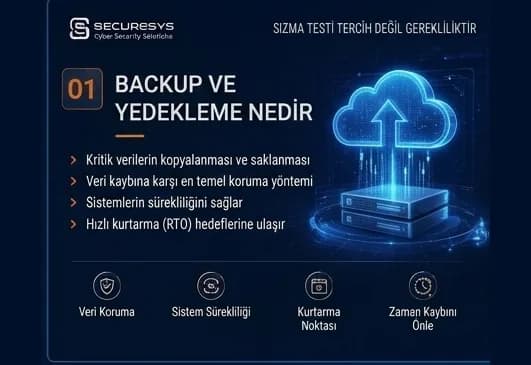
What Is Backup? Why Is It Critical for Organisations?
What is backup and why is it critical for organisations? How it differs from RAID and snapshots, why ransomware targets backups, RPO/RTO and restore testing.
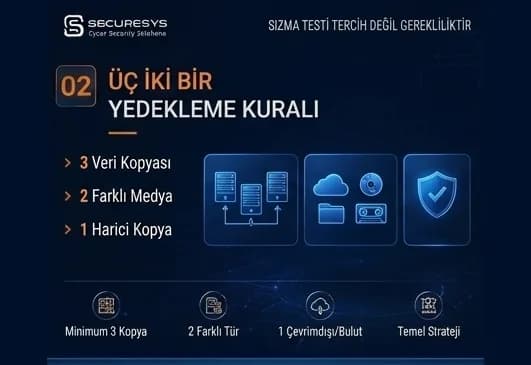
The 3-2-1 Backup Rule and Modern Backup Strategies
What is the 3-2-1 backup rule? The 3-2-1-1-0 model, immutable and air-gap backup, identity isolation and restore testing in modern backup strategy.
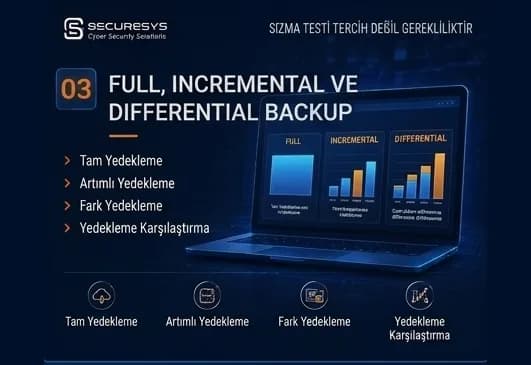
Full, Incremental and Differential Backup: Which One, When?
What is the difference between full, incremental and differential backup? How synthetic full, incremental forever, CBT and chain management affect RPO/RTO.
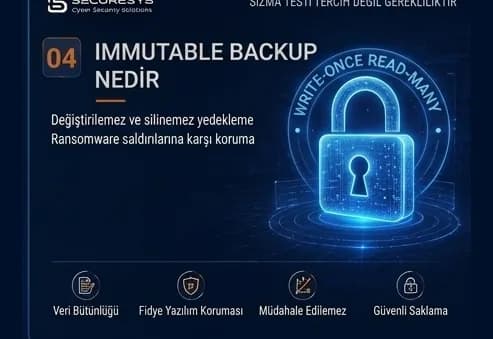
What Is Immutable Backup? Unchangeable Backups Against Ransomware
What is immutable backup, how do WORM and Object Lock work, and how is an unchangeable backup architecture built against ransomware? A full guide.
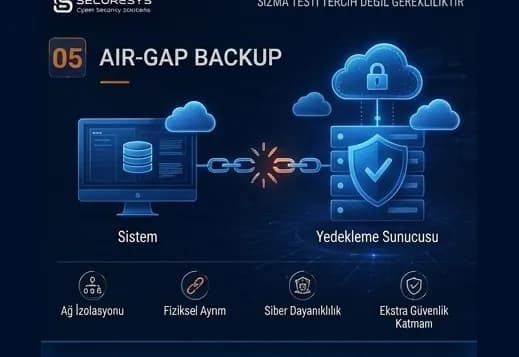
Air-Gap Backup: A Backup Architecture Isolated From Cyber Attacks
What is air-gap backup, how are physical and logical isolation built, and how does a Cyber Recovery Vault protect backups against ransomware?
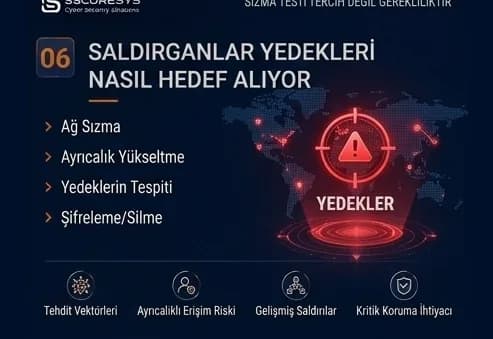
Backup in Ransomware Attacks: How Do Attackers Target Backups?
How are backups targeted in ransomware attacks? The attack chain, backup discovery, retention sabotage and choosing a clean restore point.
Looking for professional support on this topic?
Our expert team will reach out for a free consultation as soon as possible.