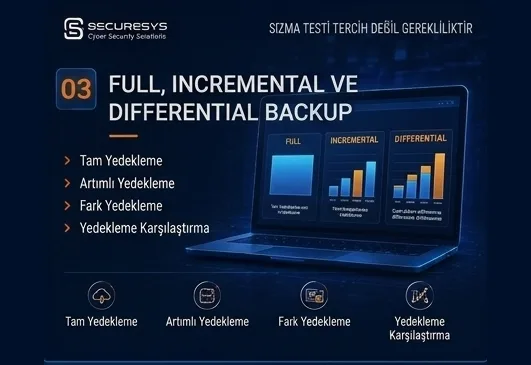
Full, Incremental and Differential Backup: Which One, When?
What is the difference between full, incremental and differential backup? How synthetic full, incremental forever, CBT and chain management affect RPO/RTO.
When a backup system is set up in an organisation, one of the first questions is usually this:
“How often will we take backups?”
But the second critical question that must be asked straight afterwards is this:
“Which backup method will we use?”
Because not every backup method is the same.
Some methods use more storage space but speed the restore up.
Some reduce storage use but need more steps during recovery.
Some provide an advantage at large data volumes.
Others make more sense on small and critical systems.
The three most basic approaches in corporate backup architecture are these:
Full Backup
Incremental Backup
Differential Backup
In addition to these, modern backup solutions also use advanced techniques such as;
Synthetic Full Backup,
Forever Incremental,
Incremental Forever,
Reverse Incremental,
Changed Block Tracking – CBT
and others of that kind.
Understanding these methods correctly matters particularly for;
backup duration,
storage capacity,
network use,
RPO,
RTO,
restore time,
operational cost
and post-ransomware recovery.
All of these depend on it.
Because a wrongly chosen backup method may not be noticed during daily operations.
But it can lead to serious problems at the moment of a real disaster.
What Is Full Backup?
Full backup is the copying of the whole data set to be backed up in one go.
Suppose there are 2 TB of data on a server.
When a full backup runs, the system transfers all of that 2 TB to the backup repository.
A simple example:
Monday:
2 TB Full Backup
Tuesday:
2 TB Full Backup
Wednesday:
2 TB Full Backup
and so it continues.
Each backup is independent.
It therefore has an extremely simple structure in restore terms.
What Is Full Backup's Greatest Advantage?
Full backup's most important advantage is that recovery is easy and fast.
Because only the relevant full backup file is needed for the restore point wanted.
If you want to return to Wednesday's system, for instance, Wednesday's full backup can be used directly.
No other backup chains are needed.
This provides an important advantage particularly in environments with a low RTO target — where the system must be brought up very fast.
What Are Full Backup's Disadvantages?
Full backup's greatest disadvantage is resource consumption.
All the data has to be copied again each time.
Therefore it:
- uses more storage space,
- takes longer to complete,
- can create more traffic on the network,
- can create more I/O load on the source system,
- can lengthen the backup window.
Taking a full backup every day may not be practical particularly in environments holding tens or hundreds of terabytes of data.
What Is a Backup Window?
The backup window expresses the time interval allocated for the backup operation to complete.
Suppose the organisation's systems are used less between 00:00 and 06:00 at night.
Backup operations can be planned within that interval.
But as the data volume grows, a full backup may not complete within six hours.
The backup can then spill into production hours.
As a result;
disk performance,
network performance,
application performance
can be affected.
Incremental and differential backup methods therefore gain importance in large environments.
What Is Incremental Backup?
Incremental backup is the method of backing up the data that has changed since the last backup operation.
The critical phrase here is:
“the data changed since the last backup”
that phrase.
Suppose we took a full backup on Monday.
Monday:
Full Backup – 2 TB
Suppose only 50 GB of data changed on Tuesday.
Tuesday:
Incremental Backup – 50 GB
Suppose 30 GB of data changed on Wednesday after Tuesday.
Wednesday:
Incremental Backup – 30 GB
Suppose 40 GB of data changed on Thursday.
Thursday:
Incremental Backup – 40 GB
Thanks to this structure, only the changed data is backed up rather than copying 2 TB every day.
What Are Incremental Backup's Advantages?
Incremental backup provides important advantages particularly at large data volumes.
The main advantages:
- less storage use,
- a shorter backup duration,
- lower network traffic,
- less load on the source system,
- a shorter backup window.
Incremental backup is extremely efficient particularly in environments with a low daily data change rate.
On a file server holding 20 TB of data where only 500 GB changes each day, for instance, backing up only the changed blocks rather than taking a 20 TB full backup every night provides a serious advantage.
What Is Incremental Backup's Disadvantage?
Incremental backup's basic disadvantage is the restore process.
To return a system to its state on a particular date, the full backup and the subsequent incremental backup chains are generally needed.
For example:
Monday → Full
Tuesday → Incremental 1
Wednesday → Incremental 2
Thursday → Incremental 3
Friday → Incremental 4
If a restore to Friday is wanted, the backup solution can theoretically have to use the;
Monday full,
Tuesday incremental,
Wednesday incremental,
Thursday incremental,
Friday incremental
data together.
The restore time can therefore be longer than with a full backup.
What Is a Backup Chain?
A backup chain is the chain formed by backup files linked to one another.
In incremental backup systems the backup chain is an important concept.
For example:
Full → Inc1 → Inc2 → Inc3 → Inc4
forms a backup chain.
If any part of that chain is corrupted, the subsequent restore points can be affected.
If the Inc2 file becomes corrupt, for instance, the Inc3 and Inc4 restores can have problems too.
Backup integrity checks therefore carry great importance.
What Is Differential Backup?
Differential backup backs up all the data changed since the last full backup.
The critical difference here:
Incremental backup:
backs up the data changed since the last backup
as its rule.
Differential backup:
backs up all the data changed since the last full backup
as its rule.
For example:
Monday:
Full Backup – 2 TB
Tuesday:
50 GB changed.
Differential Backup – 50 GB
Wednesday:
A further 30 GB changed after Tuesday.
The differential backup does not take only 30 GB.
It takes the total data changed since Monday's full backup.
Wednesday's differential backup is therefore approximately:
80 GB
in size.
If a further 40 GB changes on Thursday, the differential backup can be:
120 GB
in size.
Differential backup size therefore grows the further you move from the full backup date.
The Basic Difference Between Incremental and Differential Backup
At its simplest:
Incremental Backup
Backs up the changes since the last backup.
Differential Backup
Backs up all the changes since the last full backup.
This difference directly affects backup and restore performance.
Which Is Faster for Restore?
A differential backup restore is generally simpler than an incremental backup restore.
Because for the restore only:
Full Backup + the Last Differential Backup
is required.
For example:
Monday → Full
Tuesday → Diff
Wednesday → Diff
Thursday → Diff
Friday → Diff
To return to Friday:
Monday Full + Friday Differential
is enough.
In the incremental method the whole intermediate incremental chain can be required.
Differential backup can therefore be more advantageous in restore terms.
Which Is More Advantageous for Storage Use?
Incremental backup generally consumes less storage.
Because it stores only the blocks changed since the last backup.
Differential backup, backing up all the data changed since the full backup each time, grows as the week goes on.
In simplified form, for instance:
Monday full:
2 TB
Tuesday incremental:
50 GB
Wednesday incremental:
30 GB
Thursday incremental:
40 GB
Total:
2,120 GB
In the differential scenario:
Monday full:
2 TB
Tuesday differential:
50 GB
Wednesday differential:
80 GB
Thursday differential:
120 GB
Total:
2,250 GB
In a real environment the figures change with the data change rate, but the logic is the same.
Full, Incremental and Differential Backup Compared
A general comparison can be made as follows:
| Property | Full Backup | Incremental Backup | Differential Backup |
|---|---|---|---|
| Backup duration | Long | Shortest | Medium |
| Storage use | High | Low | Medium |
| Restore time | Fastest | Can be longer | Medium/fast |
| Backup chain | None | Can be long | Shorter |
| Management complexity | Low | Higher | Medium |
| Efficiency for large environments | Can be low | High | Medium |
But this table is not enough on its own to decide.
The right method must be chosen according to RPO, RTO and data volume.
The Weekly Full + Daily Incremental Model
One of the classic models used in corporate environments is the:
Weekly Full Backup + Daily Incremental Backup
approach.
For example:
Sunday → Full
Monday → Incremental
Tuesday → Incremental
Wednesday → Incremental
Thursday → Incremental
Friday → Incremental
Saturday → Incremental
The next Sunday a full backup is taken again.
This approach optimises storage space and reduces the daily backup window.
But the backup chain can lengthen towards the end of the week.
The Weekly Full + Daily Differential Model
Another model is:
Sunday → Full
Monday → Differential
Tuesday → Differential
Wednesday → Differential
Thursday → Differential
Friday → Differential
Saturday → Differential
in this form.
Restores are simpler in this method.
But the differential backup size grows as the week goes on.
What Is Synthetic Full Backup?
In modern backup technologies, every full backup does not have to be read again from the production system.
Synthetic full backup can be used instead.
Synthetic full backup is the creation of a new full backup by combining previously taken full and incremental backup data on the backup repository.
For example:
Sunday → Full
Monday → Incremental
Tuesday → Incremental
Wednesday → Incremental
Using this data on the repository, the backup system can create a new:
Synthetic Full
from it.
During this operation all the data does not have to be read again from the production server.
What Is Synthetic Full Backup's Advantage?
Synthetic full is very valuable particularly at large data volumes.
Because it;
can reduce production network traffic,
can shorten the backup window,
can reduce the source server's load,
can create a new full restore point.
But the operation can create serious I/O on the backup repository.
Storage performance therefore matters.
What Is Active Full Backup?
Synthetic full and active full must not be confused.
Active full backup is the creation of a new full backup by reading all the data on the source system again.
That is, the production system is connected to again and all the data is taken again.
Synthetic full is created from the previous backup files.
Active full therefore generally requires;
more network,
more source I/O,
a longer backup duration.
These are its costs.
But because it creates a completely new independent backup set, it can be preferred in some situations.
What Is Forever Incremental Backup?
The forever incremental or incremental forever approach is one of the methods used often in modern backup systems.
A full backup is taken first.
Incremental backups are then taken continuously.
For example:
First day:
Full Backup
Subsequent days:
Incremental
Incremental
Incremental
Incremental
This structure can theoretically be sustained for a long time without taking a new active full.
The backup system creates the restore points needed by managing the data on the repository.
Why Is Incremental Forever Used?
Taking continuous full backups in large infrastructures can consume serious resources.
Reading 100 TB of data again every week, for instance, can create a large load on;
the network,
storage,
CPU,
the backup proxy,
the production disk.
All of these feel it.
Thanks to incremental forever, only the changed blocks are moved.
That allows the backup window to be reduced considerably.
What Is Reverse Incremental Backup?
Reverse incremental is a different backup approach.
In this model the most current restore point is continuously held as a full backup.
When new changes arrive, the existing full backup is updated.
The previous state is stored in reverse incremental files.
Its most important advantage is this:
The latest restore point is directly a full backup.
A restore to the latest state can therefore be rather fast.
But heavier I/O can occur on the repository.
What Is Changed Block Tracking (CBT)?
One of the important technologies used in modern virtualization environments is changed block tracking, or CBT.
The CBT system tracks which disk blocks have changed since the last backup.
The backup software therefore does not have to scan the whole disk.
Suppose there is a 2 TB virtual disk.
If only 20 GB of blocks changed since the last backup, the backup system can read only those changed blocks.
This can reduce;
the backup duration,
network traffic,
storage I/O use
considerably.
The Difference Between Block-Level Backup and File-Level Backup
Backup systems can work at different levels.
File-Level Backup
Backup is carried out on a file and folder basis.
For example:
D:\Accounting
the folder can be backed up.
Block-Level Backup
The changed blocks on the disk are tracked and backed up.
This approach can be far more efficient particularly on virtual machines.
Because rather than copying a whole file again for a small change inside a large file, only the changed blocks can be backed up.
What Is Image-Level Backup?
Image-level backup means backing up the disk image of a virtual or physical server.
In this method, not only the files but also;
the operating system,
applications,
configuration,
the disk structure
can be brought within backup scope.
It is therefore rather valuable in disaster recovery scenarios.
If a virtual machine is lost entirely, for instance, the whole VM can be recreated from the image-level backup.
What Is Application-Aware Backup?
Backing up a virtual machine's disk does not always mean the application has been backed up consistently.
An active SQL Server may be running on the server, for instance.
If data is being written continuously to the database during the backup, the disk-level snapshot can be inconsistent from the application's point of view.
Application-aware backup therefore matters.
Application-aware backup communicates with the operating system or the application to ensure the data is backed up consistently.
Application consistency can be critical particularly on systems such as;
Microsoft SQL Server,
Microsoft Exchange,
Active Directory,
Oracle,
PostgreSQL.
These are the usual cases.
Crash-Consistent and Application-Consistent Backup
There are two important concepts.
Crash-Consistent Backup
The system is restored from an instant disk image as though the power had been cut.
The operating system runs its own recovery mechanisms.
Application-Consistent Backup
Applications are brought into a consistent state in a controlled way during the backup.
Data in memory can be written to disk and database transactions can be brought into line, for instance.
Application-consistent backup is generally preferred on critical database systems.
Database Backup Strategies
Database systems can require dedicated backup strategies.
On the Microsoft SQL Server side, for instance;
full database backup,
differential database backup,
transaction log backup
can be used together.
Thanks to transaction log backup, very low RPO values can be achieved.
For example:
00:00 at night → full database backup
Every 4 hours → differential
Every 15 minutes → transaction log backup
a policy in this form can be created.
The data loss tolerance can thereby be reduced considerably.
What Is Point-in-Time Recovery?
Point-in-time recovery allows a database to be returned to a particular moment in time.
Suppose a user deleted a critical table by mistake at 14:32.
If the system takes backups only at night, up to 14 hours of data loss can be suffered.
But if transaction log backup exists, the system can be returned to:
14:31:59
the point just before the deletion.
This is extremely valuable particularly in financial systems.
How Does the Backup Type Affect RPO?
The backup method has a direct effect on RPO.
If a backup is taken once a day, for instance, up to 24 hours of data loss can theoretically be suffered.
If an incremental backup is taken every hour, that period can fall to about an hour.
If a database transaction log backup is taken every 5 minutes, the RPO can be far lower.
Therefore:
Backup frequency + backup method = RPO capacity
can be the way to think of it.
How Does the Backup Type Affect RTO?
The backup method directly affects restore time too.
A full backup can generally be restored faster.
A long incremental chain can lengthen the restore.
Because the differential backup chain is shorter, it can be faster in some situations.
But in modern backup solutions, technologies such as;
instant recovery,
instant VM recovery,
storage snapshot integration,
replica failover
can reduce classic restore times considerably.
Not only the backup type but the recovery technology used therefore matters.
What Is Instant Recovery?
Instant recovery is the approach of running the virtual machine inside the backup directly from the backup repository without waiting for it to be restored entirely to production storage.
Restoring a critical 5 TB VM can take hours, for instance.
With instant recovery the VM can be run from backup storage within a few minutes.
The data can then be migrated to production storage in the background.
This approach can lower RTO considerably.
What Is Backup Deduplication?
Deduplication is repeating data blocks in the backup environment being stored only once.
Suppose the organisation holds 100 Windows servers.
A large part of those servers' operating system files can be similar to one another.
Rather than storing each server's identical blocks separately, the deduplication system can keep a single copy.
Storage use can thereby be reduced considerably.
What Does Compression Provide in Backup?
Compression allows backup data to use less storage space by being compressed.
But compression can affect;
CPU use,
backup duration,
restore performance.
These are the trade-offs.
Compression levels must therefore be chosen according to the infrastructure's performance.
Is Full Backup Always More Secure?
No.
Full backup provides a more independent restore point, but whether it is secure depends on other factors.
A full backup may be taken every day, for instance.
But if all the full backups are held on the same network, in a repository the attacker can reach, ransomware can delete them all.
Backup type and backup security must therefore be assessed separately from one another.
Being full, incremental or differential does not mean it is;
immutable,
air-gapped,
encrypted,
offsite.
Those are separate properties.
Which Backup Type Is Better After Ransomware?
No backup type on its own is more secure against ransomware.
What genuinely matters is:
the backup being isolated from the attacker,
a clean restore point existing,
the backup chain being sound,
immutable copies being protected,
restore tests being carried out.
A long incremental chain can be technically efficient, for instance.
But if a critical backup file within the chain is damaged, a restore problem can arise.
Backup integrity verification therefore matters.
How Long Should a Backup Chain Be?
There is no single universal answer.
A long chain can provide an advantage in storage and backup window terms.
But it can raise restore complexity.
Modern backup products can therefore manage chains with methods such as;
synthetic full,
merge,
transform,
health check.
These help.
When a backup architecture is created, repository performance and restore targets must always be tested.
Which Backup Method Should Be Chosen?
When deciding, these questions must be asked:
How large is the data?
Continuous full backup can be inefficient on large data sets.
What is the daily change rate?
If the change rate is low, the incremental method can be rather advantageous.
What is the RPO target?
More frequent backup can be needed for a low RPO.
What is the RTO target?
If a very fast restore is needed, full or instant recovery solutions can matter.
Is the network capacity sufficient?
If backup is sent to a remote location, bandwidth can be critical.
How much storage capacity is there?
Full backup can require serious storage.
What is the backup repository's performance like?
Repository I/O can matter in synthetic full or reverse incremental operations.
An Example Corporate Backup Policy
In a mid-sized organisation, for instance, this structure can be used:
Tier 1 – Critical Systems
- An initial full backup
- Hourly incremental
- Daily synthetic full
- An immutable repository
- An offsite copy
- Regular restore testing
Tier 2 – Important Systems
- Weekly full
- Daily incremental
- An offsite copy
Tier 3 – Standard Systems
- Weekly full
- Daily or every-few-days incremental
But this is only an example model.
The real policy must be determined according to BIA, RPO and RTO work.
The Most Common Mistake: Choosing the Backup Type on Storage Saving Alone
Incremental backup can be preferred because it uses very little storage.
But if the restore time does not meet the business targets, that choice has failed.
Full backup may provide a fast restore.
But if it does not fit into the backup window, there is still a problem.
The right backup method must therefore be chosen by assessing;
storage + backup window + RPO + RTO + security + cost
together.
Performance and Security Must Be Considered Together in Backup Architecture
Modern backup design must achieve two separate goals at once.
The first goal:
Operational efficiency
That is, backup operations must be fast, efficient and resource friendly.
The second goal:
Cyber resilience
That is, backups must be protected even if the attacker compromises the production environment.
A successful backup architecture must therefore treat technologies such as;
full,
incremental,
differential,
synthetic full,
immutable,
offsite,
air gap
not as alternatives to one another but as layers solving different problems.
Conclusion: There Is No Single “Best” Backup Type
Full backup is one of the simplest and fastest restore methods but can create high storage and network cost.
Incremental backup reduces backup duration and storage use considerably but can lengthen the restore chain.
Differential backup offers a balanced option between those two methods.
In modern infrastructures the classic models are mostly used together with technologies such as;
synthetic full,
incremental forever,
changed block tracking,
application-aware processing,
Deduplication
and instant recovery
as a combined toolkit.
The right question is therefore not:
“Full or incremental?”
That is not it.
The right question is this:
“Which backup chain is the right one for our organisation's RPO, RTO, data volume and business continuity targets?”
Because the purpose of a backup system is not to copy the least possible data.
The purpose is:
to bring a critical system back within acceptable data loss and an acceptable period when a disaster happens.
And the success of a modern backup strategy is measured exactly there.
Related Articles
Backup & Business Continuity
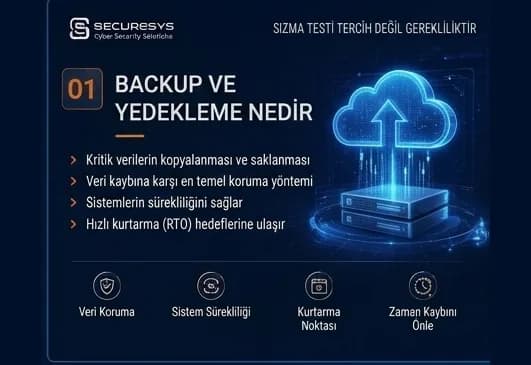
What Is Backup? Why Is It Critical for Organisations?
What is backup and why is it critical for organisations? How it differs from RAID and snapshots, why ransomware targets backups, RPO/RTO and restore testing.
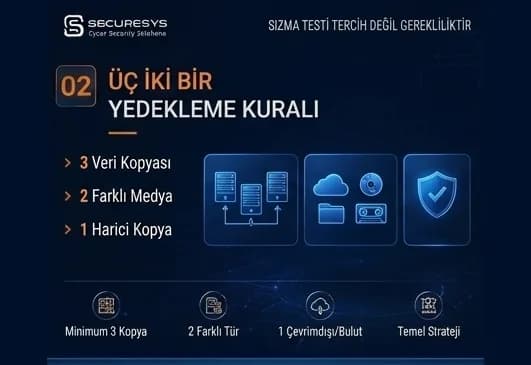
The 3-2-1 Backup Rule and Modern Backup Strategies
What is the 3-2-1 backup rule? The 3-2-1-1-0 model, immutable and air-gap backup, identity isolation and restore testing in modern backup strategy.
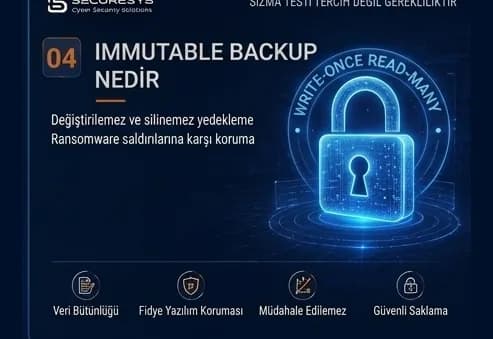
What Is Immutable Backup? Unchangeable Backups Against Ransomware
What is immutable backup, how do WORM and Object Lock work, and how is an unchangeable backup architecture built against ransomware? A full guide.
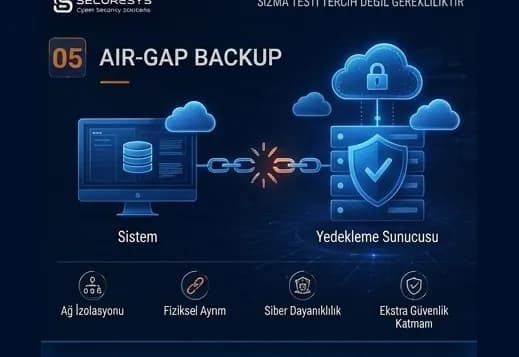
Air-Gap Backup: A Backup Architecture Isolated From Cyber Attacks
What is air-gap backup, how are physical and logical isolation built, and how does a Cyber Recovery Vault protect backups against ransomware?
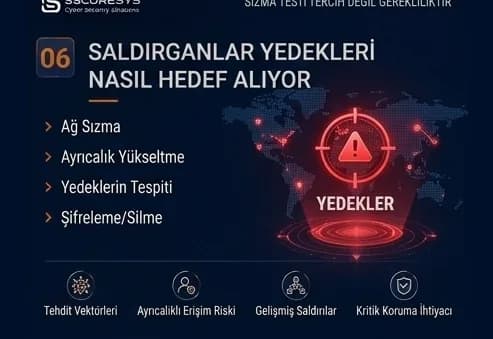
Backup in Ransomware Attacks: How Do Attackers Target Backups?
How are backups targeted in ransomware attacks? The attack chain, backup discovery, retention sabotage and choosing a clean restore point.
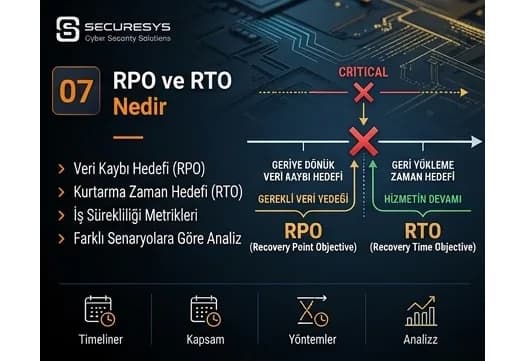
What Are RPO and RTO? The Two Critical Metrics of Business Continuity
What are RPO and RTO and how are they set? BIA, tier classification, MTD, dependency mapping and real recovery targets in a ransomware scenario.
Looking for professional support on this topic?
Our expert team will reach out for a free consultation as soon as possible.