Cloud Backup: BaaS and DRaaS Architectures
What are cloud backup, BaaS and DRaaS? Object Lock, cross-region and cross-account backup, egress cost and the shared responsibility model.
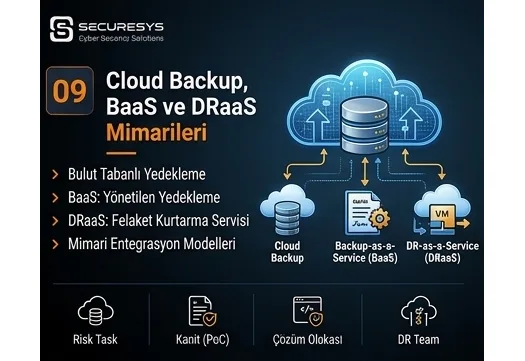
With the spread of cloud infrastructures, organizations' backup and disaster recovery approaches have also changed considerably.
In the past, when backup was mentioned, what was mostly considered was protecting the physical servers, storage systems and tape devices in the data centre.
Today a significant part of critical workloads runs on;
public cloud,
private cloud,
hybrid cloud,
SaaS,
containers,
virtual machines,
object storage
and various other cloud services.
This transformation has also created a new misconception:
“If the data is in the cloud, it is already backed up.”
This idea is not always correct.
Cloud providers can offer strong mechanisms around infrastructure durability, disk continuity and service availability.
However, this does not mean that;
data deleted by mistake,
a file encrypted by ransomware,
a compromised administrator account,
a wrongly configured retention policy,
deleted SaaS data
can automatically be brought back.
For this reason, in a modern cloud architecture too, backup must be treated as a separate security and business continuity layer.
The core purpose of the Cloud Backup approach is to create secure, independent and restorable copies of systems running in the cloud or inside the organization.
What Is Cloud Backup?
Cloud Backup is the storing of backup copies of data on cloud-based storage or backup platforms.
This data;
from on-premise systems,
from another cloud environment,
from SaaS applications,
from virtual machines,
from database systems
can come from any of these.
Thanks to cloud backup, an organization can create a data copy at a remote location without having to build physical backup storage.
However, the critical point here is this:
Storing data in the cloud and performing secure cloud backup are not the same thing.
How Does Cloud Backup Work?
A general cloud backup architecture may look like this:
Production systems
↓
Backup agent or backup proxy
↓
Internet or a dedicated connection
↓
Cloud backup storage
↓
Retention / immutable storage
The data is transferred to the cloud environment at defined times.
The backup software;
full,
incremental,
synthetic full,
snapshot,
application-aware backup
can use different methods such as these.
Does Cloud Storage Count as Backup?
Not always.
For example, a company may be storing its files directly on cloud object storage.
If this data resides;
as a single copy,
in a single account,
in a single region
then treating it automatically as a backup is not correct.
A backup must create a restore point independent of the production data.
Isn't a System Running in the Cloud Already Backed Up?
This is one of the most frequently encountered questions.
The cloud provider can run the infrastructure redundantly.
For example, disks can be kept across more than one physical device.
But if the user deletes a file, storage redundancy applies that deletion as well.
Similarly, if ransomware encrypts a file, replicated storage can keep copies of the encrypted file.
For this reason:
Redundancy ≠ Backup
What Is Cloud Redundancy?
Redundancy is keeping the data or the service across more than one infrastructure component.
The purpose is to keep the service running in the event of a hardware failure.
For example, if one disk fails, the service continues over another disk.
Backup, meanwhile, provides the ability to go back to a data point in the past.
These two technologies solve different problems.
Is a Cloud Snapshot a Backup?
A snapshot is a very valuable recovery mechanism.
However, on its own it must not be treated as an independent backup.
Because a snapshot can be kept inside the same cloud account or storage system.
If the administrator account is compromised, the snapshots can be deleted.
For this reason critical snapshots being additionally copied to;
another account,
another region,
immutable storage
can be evaluated.
What Is BaaS?
BaaS means:
Backup as a Service
in full.
In Turkish it can be expressed as:
Hizmet Olarak Yedekleme
as the equivalent term.
In this model the organization uses a significant part of the backup infrastructure through a service provider.
The provider;
storage,
the backup platform,
the management console,
the retention mechanism,
monitoring
can offer components such as these as a service.
How Does BaaS Work?
For example, suppose the company has 50 virtual machines in its data centre.
A backup agent or proxy can be installed on these VMs.
The data is sent over a secure connection to the BaaS provider's storage environment.
The organization;
backup jobs,
retention,
restore,
reporting
can manage these operations through the portal.
What Are the Advantages of BaaS?
The main advantages of BaaS are as follows:
- It can reduce the initial investment.
- It can lower the need for separate backup storage investment.
- It can provide offsite backup.
- It can scale as capacity grows.
- It can offer central management.
- It can reduce the operational burden.
It can be practical particularly for small and medium-sized organizations.
What Are the Risks of Using BaaS?
When BaaS is used, responsibility does not pass entirely to the service provider.
The organization must still assess these subjects:
Where is the data kept?
Who can access it?
Is the backup encrypted?
Who holds the encryption key?
Is there immutable backup?
How is retention applied?
How long does a restore take?
What happens if the provider is attacked?
How will the backup be reached if the provider becomes unable to serve?
These questions must be answered at the contract and architecture stage.
What Is the Difference Between Cloud Backup and BaaS?
Cloud Backup is a more general concept.
An organization can take backups to cloud object storage using its own backup software.
In the BaaS model, meanwhile, the backup platform itself is also provided as a service.
In short:
Cloud Backup = storing the backup in the cloud
BaaS = offering the backup platform as a service
What Is DRaaS?
DRaaS means:
Disaster Recovery as a Service
in full.
While BaaS provides only backup and restore, DRaaS aims to run critical systems in another environment.
For example, when the organization's main data centre becomes completely unusable, the systems at the DRaaS provider can be brought into service.
The Difference Between BaaS and DRaaS
These two concepts are frequently confused.
BaaS
It provides a backup of the data.
A restore is required.
DRaaS
It enables the system to be run in an alternative environment.
Failover can be used.
Put simply:
BaaS = protects the data.
DRaaS = brings the service up.
How Does DRaaS Work?
Production systems are replicated continuously or periodically into the DRaaS environment.
When a disaster occurs:
The Primary Site goes out of service.
The DR process is started.
The replica systems are activated.
Network connections are redirected.
DNS is changed.
Users reach the DR environment.
This way there may be no need to wait for the whole system to be restored again from backup.
Does DRaaS Lower RTO?
Generally yes.
Especially if ready replicas of critical virtual machines are kept, the systems can be brought up in a short time.
However, the real RTO;
network,
DNS,
database,
authentication,
application dependencies
depends on factors such as these.
How Does DRaaS Affect RPO?
The replication frequency determines the RPO.
For example, if the data is replicated every:
5 minutes
then the theoretical RPO may be roughly a few minutes.
However, this value varies according to the platform and the application.
Does DRaaS Replace Backup?
No.
Ransomware or a data corruption error can be replicated into the DRaaS environment.
For this reason, alongside DRaaS, there must also be;
immutable backup,
point-in-time backup,
air-gapped backup
protection layers such as these.
What Is Object Storage?
Object Storage is a storage model that keeps data as objects, unlike a file or block structure.
It is extremely widespread in the cloud backup world.
Object storage;
high scalability,
low cost,
API-based access,
immutable features
is preferred for backup because of these.
What Is S3-Compatible Storage?
S3 is an object storage access model.
Many cloud and on-prem storage platforms offer an S3-compatible API.
Backup software can write backups directly to these storage systems.
This way the organization can use different object storage providers without being tied to a single vendor.
Why Is Object Lock Important for Cloud Backup?
Object Lock can prevent backup objects from being deleted or modified for a defined period.
This feature is extremely valuable for ransomware resilience.
For example:
a 30-day Object Lock
a backup copy with this applied can be protected throughout the retention period even if the administrator account is compromised.
Should Cloud Backup Be Immutable?
On critical systems it must be strongly evaluated.
Because cloud backup is reachable over the internet, there is a risk of the attacker compromising cloud credentials.
Immutable storage is an important defence layer against this risk.
Cloud Backup and 3-2-1-1-0
Cloud Backup can play an important role in the modern 3-2-1-1-0 strategy.
Example:
Production
↓
Local backup
↓
Cloud offsite backup
↓
Immutable object storage
This structure;
offsite,
different storage,
an immutable copy
can provide these.
What Is Cross-Region Backup?
Cross-Region Backup is copying the backup data from one cloud region to another region.
For example:
Region A
↓
Region B
This way additional resilience can be provided against single-region failure risk.
Why Is Cross-Region Backup Needed?
Cloud regions can have high durability.
However, there is no zero risk.
A major;
network failure,
provider outage,
disaster,
configuration error
can affect a region.
For this reason cross-region backup can be evaluated for critical systems.
Is Cross-Region Replication a Backup?
Not always.
If production objects are replicated in real time, the effect of a wrong deletion or ransomware can be carried to the second region too.
For this reason:
Cross-Region Replication
and
Cross-Region Backup
are not the same thing.
A backup must provide a restore point from the past.
What Is Cross-Account Backup?
Cross-Account Backup is keeping production backups inside another cloud account.
For example:
Production account
↓
Backup account
This method reduces account compromise risk in particular.
Why Should a Separate Backup Account Be Used?
If the attacker compromises the production administrator account, they can reach the;
VM,
storage,
snapshot,
backup
systems inside the same account.
If the backup is kept in a separate account, the attacker has to cross a second security boundary as well.
This method provides:
Blast Radius Reduction
as its benefit.
What Is Cloud Account Compromise?
Cloud Account Compromise is the attacker seizing the cloud management account.
In that case the attacker;
can delete VMs,
can delete snapshots,
can change the backup policy,
can reach the storage,
can change IAM privileges.
For this reason identity security carries critical importance in a cloud backup architecture.
Is MFA Enough for Cloud Backup?
No.
MFA is an important security layer.
But in addition;
least privilege,
conditional access,
a separate backup account,
PAM,
audit logging,
immutable storage
controls such as these must be applied.
How Should Cloud Backup IAM Be Designed?
The backup service account must reach only the resources it needs.
For example, only;
creating backups,
reading backups,
restoring
these privileges can be granted.
Unnecessary administrator privileges must not be given.
Why Is Least Privilege Important for Cloud Backup?
If the backup service account is compromised, the attacker can use all the privileges the account holds.
For this reason limiting the privileges reduces the impact of the attack.
Cloud Backup API Key Security
On cloud platforms, backup integrations can use API keys.
An API key;
source code,
a script,
a shared folder
must not be kept inside any of these.
Secret management or vault systems must be used.
Cloud Backup Encryption
Cloud backup data;
in transit
and
at rest
must be encrypted.
In-transit encryption protects the data on the network.
At-rest encryption protects the data on the storage.
What Is a Customer-Managed Encryption Key?
On some cloud platforms the organization can manage its own encryption key.
This is called:
Customer-Managed Key
in cloud terminology.
This method provides more control.
However, it also increases the key management responsibility.
What Happens If the Encryption Key Is Lost?
Even if the backup files are intact, a restore may not be possible if the encryption key is lost.
For this reason key backup and key recovery processes must be planned separately.
What Is Cloud Backup Egress Cost?
The network cost arising when data is taken out of the cloud is most often called:
Egress Cost
in cloud billing.
Uploading a backup can be cheap.
But pulling 50 TB of data back during a major disaster can create serious cost.
For this reason the cloud backup cost calculation must not be made on the storage fee alone.
Should the Restore Cost Be Calculated in Advance?
Absolutely.
For example, the organization may be storing 100 TB of backups.
If all the data has to be restored during a disaster;
API request,
retrieval,
egress,
compute,
storage
costs can arise.
That is why the disaster recovery budget must be planned in advance.
What Is Archive Storage?
Cloud providers can offer low-cost archive storage classes.
This storage is generally suitable for long-term backup.
However, the restore time can be longer.
How Does Archive Storage Affect RTO?
Before data is restored from the archive tier, a:
rehydration
operation may be required.
This operation can take hours.
Consequently, if the RTO is very low, keeping the whole backup on archive may not be suitable.
Hot, Cool and Archive Storage Tiers
Cloud storage is generally divided into different access tiers.
Hot Storage
Frequently accessed data.
Fast restore.
Higher storage cost.
Cool Storage
Less frequently accessed data.
Medium cost.
Archive Storage
Very rarely accessed data.
Low storage cost.
Longer restore time.
These tiers can be used together in the backup retention strategy.
What Is a Lifecycle Policy?
A Lifecycle Policy enables backup objects to be moved automatically to different storage tiers over time.
For example:
0–30 days → Hot
31–90 days → Cool
after 90 days → Archive
This way the cost can be optimized.
What Happens If the Lifecycle Policy Is Configured Wrongly?
The backup can be moved to the archive tier too early.
This in turn can create a delay during an urgent restore.
For this reason the policy must be consistent with the RTO targets.
What Is Multi-Cloud Backup?
Multi-Cloud Backup is keeping backup data across more than one cloud provider or cloud platform.
For example, while production runs on one cloud, the backup can be kept on another cloud.
Multi-Cloud Backup Advantages
- It can reduce provider dependency.
- It provides protection against major provider outage risk.
- It can reduce vendor lock-in.
- It provides geographical diversity.
Multi-Cloud Backup Disadvantages
- Management complexity
- Different IAM structures
- Network cost
- Egress cost
- Encryption key management
- Operational burden
can increase.
For this reason it is not necessary for every organization.
What Is Cloud-to-Cloud Backup?
Cloud-to-Cloud Backup is copying data in one cloud service to another cloud environment or to an independent backup platform.
For example:
Microsoft 365
↓
Cloud backup platform
This approach is very widespread for SaaS backup.
Why Must SaaS Data Be Backed Up Separately?
The SaaS provider keeps the platform running.
But the user;
can delete a file by mistake,
can delete mail,
can have their account compromised,
can have OneDrive files encrypted by ransomware.
For this reason SaaS backup must be assessed separately.
A Microsoft 365 Cloud Backup Example
An organization's entire e-mail and files may be on Microsoft 365.
The backup solution;
Exchange Online,
OneDrive,
SharePoint,
Teams
can copy this data to a separate storage environment.
This way deleted or corrupted data can be brought back from an independent backup.
Cloud-Native Database Backup
Cloud database services can offer their own backup features.
For example, automatic snapshots or point-in-time recovery may be available.
However, on critical systems;
retention,
region,
account,
an immutable copy
subjects such as these must be assessed separately.
Why Is Point-in-Time Recovery Important for a Cloud Database?
A wrong SQL command may have deleted a critical table at 14:30.
Going back to the daily backup can cause hours of data loss.
With Point-in-Time Recovery, going back to a time such as:
14:29
may be possible.
Container and Kubernetes Backup
In modern cloud environments, VM backup alone is not sufficient.
In Kubernetes environments;
etcd,
persistent volumes,
namespaces,
secrets,
configuration,
application manifests
components such as these must be included in the backup plan.
Why Is Kubernetes Disaster Recovery Different?
Containers can be stateless.
However, the application state;
a database,
a persistent volume,
object storage
may reside on one of these.
For this reason Kubernetes backup is not merely storing container images.
Is Infrastructure as Code Backup Needed?
If the cloud infrastructure is managed with code;
Terraform,
Ansible,
CloudFormation
configuration files such as these are a critical recovery asset.
These files must be protected securely inside version control.
Is Git Repository Backup Needed?
Yes.
Code repositories can reside on SaaS.
However, critical source code can also be backed up separately.
Because there is a risk of account compromise or wrong deletion.
Cloud Backup Monitoring
Whether backup jobs have succeeded must be monitored centrally.
For example;
backup failed,
repository unavailable,
retention changed,
immutability disabled,
admin login,
restore point deleted
events such as these can generate an alarm.
Should Cloud Backup Logs Be Sent to SIEM?
In critical environments, yes.
Cloud audit logs;
administrator operations,
API usage,
IAM changes,
Object Lock changes
can show events such as these.
These logs can be analysed through SIEM.
The Zero Trust Approach for Cloud Backup
Zero Trust principles can be applied in modern cloud backup environments.
For example;
verify every access,
grant minimum privilege,
use a separate identity,
apply MFA,
restrict network access,
monitor the logs.
Backup storage must be considered more critical than ordinary cloud resources.
What Is a Private Endpoint?
Cloud storage access can be carried out over a private network instead of the public internet.
This structure can be provided with:
Private Endpoint
or similar technologies.
This way the public exposure risk of backup storage can be reduced.
Cloud Backup Must Not Be Public
An object storage bucket or backup repository must not be made public by mistake.
This situation can cause a serious data breach.
All the organization's critical data may be inside the backup.
For this reason the storage access policy must be checked regularly.
Cloud Backup Misconfiguration Risk
A significant part of cloud security incidents can stem from wrong configuration.
For example;
a public bucket,
excessive IAM privileges,
a lack of MFA,
an exposed API key,
encryption being turned off
mistakes such as these can affect backup security.
Should There Be a Break-Glass User on the Backup Account?
In critical environments an independent emergency account can be evaluated.
Even if the production identity system is not running, the backup environment must be reachable.
This account;
must be protected offline,
must use very strong authentication,
must be used only in an emergency.
What Happens If the Cloud Provider Becomes Completely Unreachable?
This is a rare but critical scenario.
If the organization keeps its backup and production systems at the same provider, both sides can be affected in a provider-wide outage.
For this reason, in critical organizations;
offsite,
multi-region,
multi-cloud,
an offline copy
options such as these can be evaluated.
What Is a Cloud Exit Plan?
A Cloud Exit Plan is the plan the organization will follow should it need to leave its current cloud provider or move its data to another environment.
This;
a provider change,
a cost increase,
regulation,
a technical problem,
provider failure
may become necessary because of these.
Is Backup Part of the Cloud Exit Plan?
Yes.
The organization must know whether its backup data can be exported in a standard format.
Vendor-specific formats can create long-term dependency.
What Is Vendor Lock-In?
Vendor Lock-In is when it becomes very difficult, technically or economically, for the organization to leave a particular provider.
In a backup strategy;
a standard format,
S3-compatible storage,
export capability
features such as these can reduce vendor lock-in risk.
How Should a Cloud Backup SLA Be Assessed?
Platform uptime alone must not be looked at.
In addition;
restore time,
support response,
data durability,
service availability,
incident notification
subjects such as these must be assessed.
Why Is the Restore SLA Important?
Having the backup is not sufficient.
The organization must know how quickly it can obtain the data at the moment of a disaster.
Especially if managed BaaS is being used, the restore process can depend on the service provider.
Questions to Ask a BaaS Provider
When choosing BaaS these questions can be asked:
In which country is the backup data?
What are the data centre certifications?
Is the backup immutable?
How is encryption applied?
Who holds the encryption key?
Is there MFA?
How are the RPO/RTO delivered?
How are restore tests performed?
Is data export possible?
How is the backup handed over if the service ends?
These questions are important both technically and contractually.
Questions to Ask a DRaaS Provider
For DRaaS, additionally;
How is the failover initiated?
Is a test failover possible?
Is the RTO guaranteed?
How is the RPO measured?
How much network capacity is there?
How are the public IP and DNS managed?
How is the failback performed?
How is the DR environment protected from ransomware?
these questions must be assessed.
What Is the Shared Responsibility Model?
One of the fundamental concepts of cloud security is the:
Shared Responsibility Model
that is:
the model of shared responsibility.
The cloud provider is responsible for certain infrastructure layers.
The customer, meanwhile;
account security,
IAM,
data classification,
retention,
backup,
configuration
can be responsible for areas such as these.
The responsibility can vary according to the service model used.
Is the Cloud Provider Entirely Responsible for Backup?
Generally no.
For this reason the service contract and the shared responsibility model must be examined.
The assumption “the service we use is in the cloud, therefore the provider backs everything up” must not be made.
How Is Cloud Backup Assessed from a KVKK Perspective?
If there is personal data inside the backup, the backup contains personal data too.
Consequently;
access control,
retention,
encryption,
data transfer,
deletion processes
must be assessed.
Should the cloud location be abroad, data transfer requirements must be examined separately.
Can Backup Retention and KVKK Deletion Processes Conflict?
If designed wrongly, yes.
For example, if an immutable retention much longer than the date on which personal data must be deleted is applied, an operational and legal assessment may be required.
For this reason the backup retention policy must not be determined by the technical team alone.
ISO 27001 and Cloud Backup
From an ISO/IEC 27001 perspective, information assets';
confidentiality,
integrity,
availability
requirements must be assessed.
Cloud backup;
availability,
recovery,
data integrity
can support these objectives.
However, access control and restore tests are also required.
ISO 22301 and Cloud DR
From a business continuity perspective, ISO 22301 aims for critical processes to be continued within an acceptable period.
Cloud DR or DRaaS can support these objectives technically.
However, the real recovery capacity must be verified through an exercise.
A Sample Architecture for Cloud Backup
An enterprise structure may look like this:
Production Cloud Account
↓
Daily / Hourly Backup
↓
Separate Backup Account
↓
Immutable Object Storage
↓
Cross-Region Copy
↓
Long-Term Archive
This architecture creates different failure domains.
The Hybrid Cloud Backup Architecture
In a hybrid structure;
On-prem production
↓
Local backup
↓
Cloud backup
↓
Immutable object storage
can be used.
This way fast local restore and offsite security are provided together.
The Multi-Layer Backup Approach
A modern backup must not be kept on a single storage system.
Example:
Layer 1:
Local backup – fast restore
Layer 2:
Cloud immutable copy – ransomware protection
Layer 3:
Archive/offline copy – long-term protection
This approach creates different protection layers against different risks.
How Is the Cloud Backup RPO Determined?
The RPO must be determined according to business need.
For example:
Tier 1 system → 15 minutes
Tier 2 system → 4 hours
Tier 3 system → 24 hours
The cloud backup job frequency is set according to this requirement.
How Is the Cloud Backup RTO Determined?
The RTO is directly related to the restore time.
For example, if a 50 TB backup resides on archive storage, providing a short RTO can be difficult.
For this reason the latest restore points of critical systems can be kept on hot storage.
How Should a Cloud Backup Restore Test Be Performed?
A real restore must be performed at defined intervals.
For example;
VM restore,
file restore,
database restore,
application restore
can be tested.
Recovery scenarios from a different region or account must also be worked through.
Why Is a Cloud Backup Exercise Important?
Cloud platforms can have many automation features.
However, a wrong IAM policy,
a missing network route,
an expired secret,
a DNS problem
can halt the recovery during a disaster.
For this reason a real test must be performed.
The Most Common Mistakes in Cloud Backup
The mistakes frequently encountered in organizations are as follows:
- mistaking cloud redundancy for backup,
- treating a snapshot as an independent backup,
- keeping production and backup in the same account,
- not using MFA,
- not using Object Lock,
- configuring public storage,
- not planning encryption keys,
- not calculating the egress cost,
- missing the RTO because of archive storage,
- not performing restore tests,
- leaving SaaS data outside the backup,
- assuming the cloud provider backs everything up.
A Checklist for the Cloud Backup Strategy
The organization must be able to answer these questions:
Which cloud data are we backing up?
In which account is the backup?
In which region is the backup?
Is it immutable?
Is there a cross-region copy?
Is MFA in use?
Is IAM least-privileged?
Is encryption active?
Where are the keys?
What is the restore time?
What is the egress cost?
Has the restore been tested?
These questions reveal modern cloud backup maturity.
Conclusion: Cloud Infrastructure Does Not Remove the Need for Backup
Cloud technologies;
high scalability,
high availability,
geographical diversity,
automation
provide great advantages such as these.
However, using the cloud does not mean the data is automatically safe against every threat.
Wrong deletion,
ransomware,
administrator account compromise,
an IAM error,
region failure,
SaaS data loss
risks such as these continue.
For this reason backup must be designed separately in a modern cloud strategy.
In a strong cloud backup architecture;
BaaS,
DRaaS,
Immutable Object Storage,
Object Lock,
Cross-Region Backup,
Cross-Account Backup,
Encryption,
MFA,
Least Privilege
and Restore Testing
can be assessed together.
The most critical principle, meanwhile, is this:
Compromise of the production cloud account must not mean compromise of the backup data as well.
For this reason, for the backup, separate;
identity,
account,
region
and retention boundaries
must be established as far as possible.
The real value of cloud backup is not merely that the data resides in the cloud.
The real value is:
that when the production environment is lost entirely, the organization still holds a secure, clean and independent restore point.
Related Articles
Backup & Business Continuity
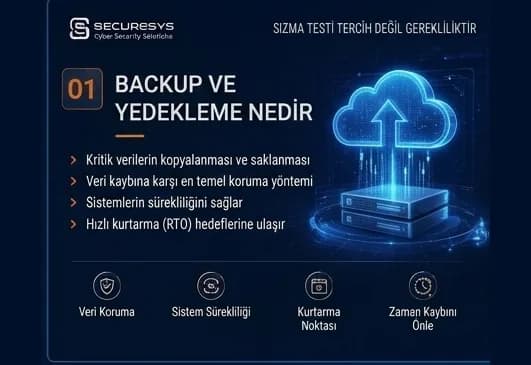
What Is Backup? Why Is It Critical for Organisations?
What is backup and why is it critical for organisations? How it differs from RAID and snapshots, why ransomware targets backups, RPO/RTO and restore testing.
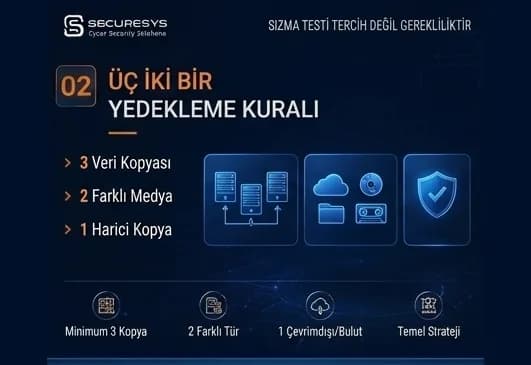
The 3-2-1 Backup Rule and Modern Backup Strategies
What is the 3-2-1 backup rule? The 3-2-1-1-0 model, immutable and air-gap backup, identity isolation and restore testing in modern backup strategy.
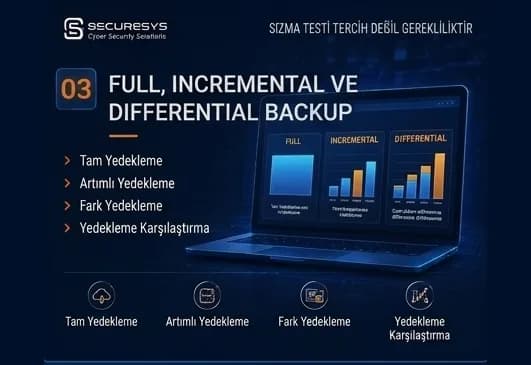
Full, Incremental and Differential Backup: Which One, When?
What is the difference between full, incremental and differential backup? How synthetic full, incremental forever, CBT and chain management affect RPO/RTO.
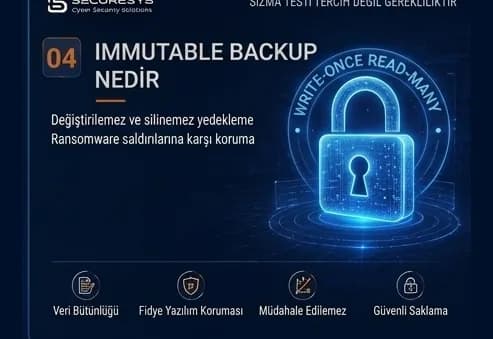
What Is Immutable Backup? Unchangeable Backups Against Ransomware
What is immutable backup, how do WORM and Object Lock work, and how is an unchangeable backup architecture built against ransomware? A full guide.
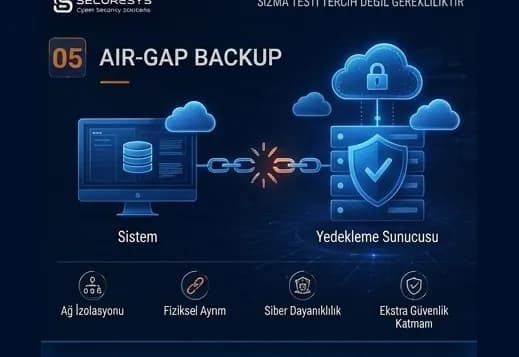
Air-Gap Backup: A Backup Architecture Isolated From Cyber Attacks
What is air-gap backup, how are physical and logical isolation built, and how does a Cyber Recovery Vault protect backups against ransomware?
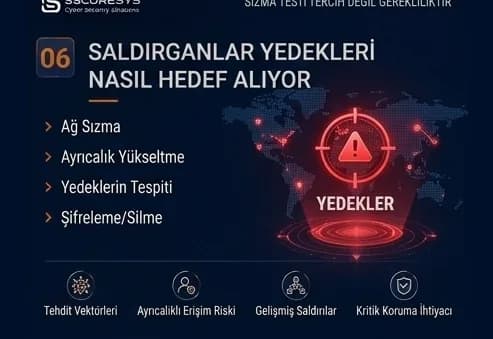
Backup in Ransomware Attacks: How Do Attackers Target Backups?
How are backups targeted in ransomware attacks? The attack chain, backup discovery, retention sabotage and choosing a clean restore point.
Looking for professional support on this topic?
Our expert team will reach out for a free consultation as soon as possible.