What Is Cyber Hygiene? Essential Cyber Security Controls and Implementation Guide for Organisations
What is cyber hygiene and why does it matter? A guide to MFA, patch management, asset inventory, backup and access control for organisations.
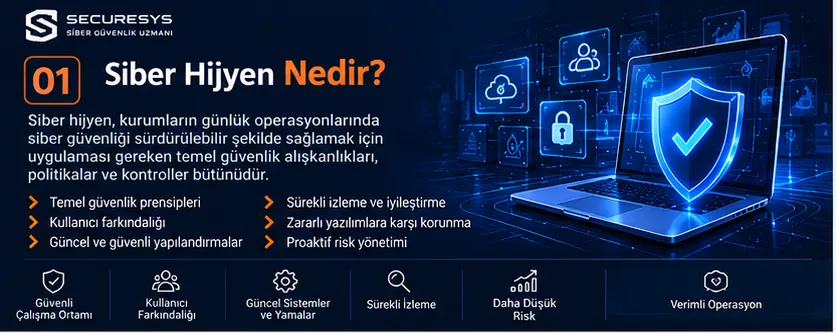
What Is Cyber Hygiene?
Cyber hygiene is the set of fundamental security controls and operational habits that organisations apply on a regular basis to protect their information systems, user accounts, network infrastructure, applications and data against cyber threats.
Cyber hygiene is not merely about using antivirus software or creating strong passwords.
It covers complementary activities such as knowing the organisation's assets, keeping systems up to date, controlling access rights, applying secure configurations, backing up data and monitoring security events.
In the traditional approach to information security, organisations often concentrate on security products.
A firewall is purchased.
EDR solutions are deployed.
SIEM systems are installed.
Penetration tests are carried out.
However, when the fundamental security controls are not applied adequately, the effectiveness of these investments can be limited.
For example, in an environment where critical servers are not kept up to date, old user accounts are not disabled or backups are never tested through restoration, serious operational risks may persist.
The core purpose of cyber hygiene is to reduce such preventable security weaknesses in a systematic way.
Short answer: Cyber hygiene is the basic cyber security discipline that an organisation must practise every day. It is not a one-off project but a continuously performed security management activity.
1. Why Is Cyber Hygiene Important?
A significant share of the cyber attacks that organisations face can be carried out by exploiting known security weaknesses.
Unpatched software, weak authentication, excessive user privileges and misconfigured systems can create opportunities for attackers.
For this reason, organisations need to focus not only on advanced threats but also on basic security gaps.
Key benefits of cyber hygiene
- Reducing the risks arising from known vulnerabilities.
- Lowering the likelihood of unauthorised access.
- Increasing resilience against malware and ransomware attacks.
- Supporting corporate data security.
- Strengthening operational continuity.
- Making preparation for security audits easier.
- Increasing the effectiveness of security investments.
For example, all users in an organisation may be using MFA.
However, if critical service accounts are left uncontrolled, identity security risk may persist.
Similarly, having EDR on all servers does not eliminate the risks created by outdated applications.
Cyber hygiene aims to ensure that these controls are applied in a way that complements one another.
2. What Is the Difference Between Cyber Hygiene and Cyber Security?
Cyber security is a broad discipline aimed at protecting the confidentiality, integrity and availability of information systems.
Cyber hygiene, on the other hand, focuses on the fundamental, continuously applied controls within that discipline.
| Criterion | Cyber Hygiene | Cyber Security |
|---|---|---|
| Core objective | Maintaining day-to-day security discipline | Managing cyber risks holistically |
| Focus | Basic controls and regular practices | Prevention, detection, response and resilience |
| Example | Patch management, MFA, backups | SOC, Red Team, threat hunting |
| Application | Continuous and repeated | Strategic, operational and technical |
| Scope | Fundamental security requirements | The whole of corporate security |
These two concepts are not alternatives to one another.
Cyber hygiene is one of the core components of an effective cyber security programme.
3. Which Areas Does Corporate Cyber Hygiene Cover?
Corporate cyber hygiene does not cover only users' computers.
All of the organisation's digital assets must be assessed.
Main areas
Endpoint security.
Server security.
Network security.
Identity and access management.
Email security.
Application security.
Database security.
Cloud security.
Backup.
Security monitoring.
Supplier access.
User awareness.
Each of these areas should be prioritised according to the organisation's risk profile.
For example, OT security may be important in an organisation with production systems.
In an organisation that operates in the cloud, cloud configurations and identity management may require higher priority.
4. Asset Inventory: Knowing the Systems to Be Protected
The first step of cyber hygiene is identifying the organisation's assets.
This is because it is hard for an organisation to protect effectively a system that it does not know about.
What should an asset inventory contain?
Servers.
Client computers.
Mobile devices.
Network devices.
Virtual machines.
Cloud resources.
Databases.
Applications.
User accounts.
Service accounts.
Software licences.
Example inventory fields
| Field | Description |
|---|---|
| Asset name | Name of the system or device |
| Asset type | Server, client, network device |
| Responsible person | Technical or business owner |
| Criticality level | Low, medium, high, critical |
| Operating system | System and version information |
| Network location | IP, VLAN or cloud environment |
| Security status | EDR, patching, backup |
| Last check | Date of the latest assessment |
Keeping the inventory only in an Excel file may not be sufficient.
What matters is that the records are current, verifiable and linked to operational processes.
5. Software Inventory and Unauthorised Applications
Organisations need to manage not only hardware but also a software inventory.
Users installing applications without control can create security risks.
Possible risks
Software with vulnerabilities.
Applications that are out of support.
Unlicensed software.
Packages containing malware.
Unnecessary browser extensions.
Uncontrolled remote access tools.
Security approach
An approved software list should be created.
Unauthorised applications should be identified.
Unnecessary software should be removed.
Software versions should be tracked.
Application control or allow-listing should be applied in suitable environments.
This approach helps reduce the attack surface.
6. What Is Patch Management?
Patch management is the planned assessment, testing and deployment of security updates for operating systems and applications.
Patch management is not just turning on automatic updates.
On critical systems, the impact of updates on business continuity must also be assessed.
Core process
Monitoring security advisories.
Identifying the affected assets.
Risk assessment.
Testing the update.
Change approval.
Deploying the patch.
Verifying the results.
Example of prioritisation
A vulnerability that is exposed to the internet and actively exploited may require a higher priority than a low-impact application update inside the organisation.
For this reason, patch management should be run not only on the basis of the CVSS score but also on the basis of the real threat and the asset context.
7. The Difference Between Vulnerability Management and Patch Management
Patch management focuses on applying security updates.
Vulnerability management, on the other hand, covers the processes of detecting, assessing, prioritising and remediating security weaknesses.
Not every vulnerability can be remediated by applying a patch alone.
In some cases a configuration change may be required.
In some cases the relevant service can be shut down.
For some risks, temporary mitigating controls can be applied.
Vulnerability management process
Asset discovery.
Vulnerability scanning.
Validation.
Risk rating.
Remediation plan.
Fixing.
Re-verification.
Running these processes regularly increases cyber hygiene maturity.
8. MFA: Multi-Factor Authentication
MFA is the abbreviation of Multi-Factor Authentication.
It refers to the use of more than one distinct factor to verify a user's identity.
Examples of factors
Something you know: A password.
Something you have: A security key or a registered device.
Something you are: A biometric attribute such as a fingerprint.
MFA can reduce the risk of an account being misused if only the password has been compromised.
However, not all MFA methods provide the same level of security.
For example, SMS-based verification may be weaker against certain attacks.
For high-risk systems, phishing-resistant MFA methods should be considered.
Priority areas of use
Administrator accounts.
VPN.
Email.
Cloud management consoles.
Remote access.
Financial systems.
Critical applications.
9. What Should a Password Policy Look Like?
Secure password management should not rely solely on mandatory character complexity.
Length, uniqueness and secure storage are important.
Recommended approach
Long and unique passwords should be used.
Password managers can be considered.
Known or compromised passwords should be blocked.
Password sharing should be prevented.
MFA should be applied.
Password change frequency
Enforcing periodic password changes in every case may not be the best approach.
A change should be made mandatory when a password has been compromised, when suspicious access is detected or when the relevant policy requires it.
This approach is more consistent with current identity security principles.
10. Privileged Account Management
Privileged Access Management aims to manage highly privileged accounts securely.
Administrator accounts are important targets for attackers.
This is because these accounts can change system configurations or access critical data.
Core controls
Separate administrator accounts.
Least privilege.
MFA.
Session recording.
Privilege review.
Temporary privilege assignment.
Account usage monitoring.
Example
A system administrator using a Domain Admin account for daily email and internet use creates unnecessary risk.
Using separate accounts for administrative tasks can be a safer approach.
11. The Principle of Least Privilege
Least Privilege means that users and services hold only the permissions required for their duties.
This principle is not limited to user accounts.
It should also be applied to service accounts, applications, automation systems and AI agents.
Example
If a reporting application only needs to read from a database, it should not have permission to delete data.
Similarly, a backup service should not hold unnecessary administrative privileges.
Reviewing permissions regularly can reduce the accumulation of access that builds up over time.
12. User Lifecycle Management
The processes by which employees join, change roles and leave an organisation are important for information security.
Joiner
Accounts and permissions appropriate to the role are defined for the new employee.
Mover
When a role changes, the previous permissions are reviewed.
Leaver
The access of an employee who leaves is revoked in a timely manner.
Risk
Leaving the accounts of departed users active can increase the risk of unauthorised access.
For this reason, human resources and information technology processes must work in coordination.
13. Endpoint Security
Endpoints are an important part of an organisation's attack surface.
Computers, laptops and mobile devices must be managed in line with security policies.
Core controls
EDR or suitable endpoint protection.
Disk encryption.
Operating system updates.
Screen lock.
Application control.
Restricting local administrator privileges.
Device inventory.
Key point
Having EDR installed does not mean that a device is secure.
The agent must be running, up to date, centrally monitored and configured with appropriate policies.
14. Server Security
Servers are the critical systems on which corporate applications and data run.
They therefore require secure configuration and regular maintenance.
Controls
Disabling unnecessary services.
An up-to-date operating system.
Privilege restriction.
Secure remote access.
Logging.
Time synchronisation.
EDR or suitable server protection.
Backup.
Hardening
Hardening is the process of disabling a system's unnecessary features and strengthening its security configuration.
Guides such as the CIS Benchmarks can be used as a reference in secure configuration work.
However, the controls must be assessed in line with the technical requirements of the application.
15. Network Security and Segmentation
Network security aims to control communication between systems.
Allowing all systems inside an organisation to reach one another without restriction can create security risks.
Core controls
Firewall rules.
VLAN segmentation.
Network access control.
Closing unnecessary ports.
Separating management networks.
Secure VPN.
Network traffic monitoring.
Example
User computers may not need direct access to critical database servers.
Appropriate segmentation and access rules can make it harder for attacks to spread between systems.
16. Secure Firewall Management
A firewall is not a device that is finished once it has been installed.
Its rules need to be reviewed regularly.
Risky configurations
Source and destination definitions that are broader than necessary.
Unused rules.
Old VPN access.
Unnecessary management ports.
Exceptions without a documented justification.
Security approach
Each rule should have a defined business owner.
Unused access should be removed.
Critical changes should be approved.
Configurations should be backed up.
Management access should be restricted.
These controls support the effectiveness of the firewall investment.
17. Email Security
Email is one of the most widely used communication channels in organisations.
It can also be used for phishing, malicious files and attempts to steal credentials.
Core controls
Spam and phishing filters.
Malicious attachment analysis.
URL protection.
MFA.
DMARC.
SPF.
DKIM.
User awareness.
Why is DMARC important?
DMARC helps reduce certain attempts to impersonate an organisation by email through its domain name.
However, DMARC does not prevent all phishing attacks.
Attacks carried out through look-alike domains or compromised legitimate accounts can still continue.
18. Phishing Awareness
Phishing is an attack approach that aims to manipulate users into giving up information or performing a harmful action.
What users should watch out for
Unexpected login requests.
Suspicious links.
Urgent payment requests.
Fake file-sharing notifications.
Messages asking for credentials.
Unexpected MFA approval requests.
Training approach
Awareness activities should not be limited to a single presentation per year.
They should be supported by short training sessions, suitable simulations and lessons learned from incidents.
The aim is not to punish employees but to develop secure behaviours.
19. Why Is Backup a Critical Part of Cyber Hygiene?
Backup is a fundamental control aimed at reducing the risks of data loss and service interruption.
However, simply taking backups is not enough.
Backups must be protected and must be restorable.
Core requirements
Regular backups.
Backup integrity.
Access control.
Encryption.
Separate security domains.
Restoration tests.
Retention policy.
The 3-2-1 approach
Three copies of the data.
Two different storage types.
One copy kept in a separate location.
This approach is a useful starting point.
However, for modern ransomware risks, additional controls such as immutable or offline backups should also be considered.
20. The Difference Between Backup and Disaster Recovery
Backup provides for the creation of copies of data.
Disaster recovery, on the other hand, aims to bring critical systems back into operation after an outage.
RPO
Recovery Point Objective is the time-based target for acceptable data loss.
RTO
Recovery Time Objective is the time target set for making a service usable again.
Example
An organisation may have set an RTO of four hours for a critical application.
However, if the restoration takes ten hours, the objective cannot be met.
For this reason, backup and disaster recovery plans must be tested.
21. Cloud Security and Cyber Hygiene
Cloud environments do not remove security responsibilities.
Depending on the service model used, responsibilities are shared between the provider and the customer.
Core controls
Cloud identity management.
MFA.
Access policies.
Storage access.
Network security.
Logging.
Secret Management.
Backup.
Example
Accidentally configuring a cloud storage bucket as publicly accessible can lead to a leak of sensitive data.
For this reason, cloud configurations must be checked regularly.
22. SaaS Security
Organisations may use SaaS solutions for email, CRM, file sharing and project management.
Risks
Uncontrolled user accounts.
Sharing permissions that are broader than necessary.
External user access.
Legacy integrations.
Unauthorised OAuth applications.
Security approach
SSO and MFA should be used.
User access should be reviewed.
External sharing policies should be defined.
Integration permissions should be restricted.
Audit logs should be monitored.
These controls are especially important in cloud-based collaboration environments.
23. Mobile Device Security
Mobile devices can access corporate email and applications.
For this reason, mobile device security also falls within the scope of cyber hygiene.
Controls
Screen lock.
An up-to-date operating system.
Device encryption.
Application permissions.
Remote wipe.
Mobile device management.
Separation of corporate data.
BYOD
Under the Bring Your Own Device approach, employees' personal devices can be used for work purposes.
In this case, personal privacy and corporate security requirements must be managed in a balanced way.
24. Database Security
Databases often hold an organisation's most valuable information.
Basic security controls must therefore be applied.
Controls
Strong authentication.
Role-based access.
Least privilege.
Update management.
Network access control.
Encryption.
Audit logs.
Backup.
Example
An application connecting to the database with an administrator account creates unnecessary risk.
The application should be granted permissions only for the operations it needs.
25. Web and API Security
Corporate applications may be accessible over the internet.
These systems require regular security assessment.
Key risks
Broken Access Control.
Injection.
Authentication problems.
Insecure configuration.
Sensitive data exposure.
Insecure API access.
Controls
Secure Coding.
Code review.
SAST.
DAST.
SCA.
Penetration test.
API authorisation.
Key point
Using a WAF does not eliminate all of an application's security vulnerabilities.
Application security must be part of the development lifecycle.
26. Security Logs and Monitoring
Appropriate records must be kept so that security events can be detected.
Important log sources
Firewall.
VPN.
Active Directory.
Servers.
EDR.
Email systems.
Cloud services.
Critical applications.
Databases.
Logging requirements
Time synchronisation.
Integrity.
Access control.
Retention policy.
Central collection.
Event correlation.
It is not enough merely to store logs.
Important events must be assessed and appropriate response processes must be established.
27. The Relationship Between SOC and Cyber Hygiene
SOC is the abbreviation of Security Operations Center.
It is the operational structure used to monitor and analyse security events and to support response processes.
Cyber hygiene and the SOC complement each other.
Cyber hygiene
Focuses on reducing known security weaknesses.
SOC
Focuses on detecting and assessing suspicious events.
Example
Cyber hygiene work can ensure that unnecessary user accounts are disabled.
The SOC can monitor suspicious account access attempts.
When these two approaches are applied together, preventive and detective controls are strengthened.
28. Cyber Hygiene and ISO/IEC 27001
ISO/IEC 27001 defines the requirements for an information security management system.
Cyber hygiene controls can support the risk assessments and control implementation carried out under ISO/IEC 27001.
Related areas
Asset management.
Access control.
Secure configuration.
Vulnerability management.
Backup.
Logging.
Security awareness.
Incident management.
Important distinction
Completing a cyber hygiene checklist does not mean that conformity with ISO/IEC 27001 is automatically achieved.
The management system requirements must be assessed separately.
29. Cyber Hygiene and NIST CSF 2.0
The NIST Cybersecurity Framework 2.0 is a framework that supports the management of cyber security risks.
It contains six core functions.
GOVERN
Cyber security governance.
IDENTIFY
Identifying assets and risks.
PROTECT
Implementing protective controls.
DETECT
Detecting security events.
RESPOND
Responding to incidents.
RECOVER
Restoring services.
Cyber hygiene controls can be mapped to different parts of these functions.
For example, an asset inventory can be assessed under IDENTIFY, and MFA under PROTECT.
30. Cyber Hygiene and CIS Controls
CIS Controls offers guidance that can be used to prioritise corporate cyber security controls.
Example control areas
Enterprise asset inventory.
Software inventory.
Data protection.
Secure configuration.
Account management.
Access control.
Vulnerability management.
Audit log management.
Email and browser security.
Malware defences.
Implementation Groups
The CIS Controls approach includes different implementation groups.
These groups can help organisations prioritise controls according to their resources and risk profiles.
However, the choice of implementation group should be made together with the organisation's actual risk assessment.
31. How Is Cyber Hygiene Maturity Measured?
Cyber hygiene maturity should not be measured only by the number of security products.
The coverage, continuity and effectiveness of the controls should be assessed.
Example maturity model
Level 1 – Initial: Controls are applied irregularly.
Level 2 – Basic: Basic controls are in place on critical systems.
Level 3 – Managed: Policies and regular processes have been established.
Level 4 – Measured: Control effectiveness is tracked with metrics.
Level 5 – Optimised: Processes are continuously improved.
This classification is an example model for organisational assessment.
It should not be regarded as an official ISO/IEC 27001 maturity level.
32. Cyber Hygiene KPI Examples
Performance indicators can be used to measure the success of a cyber hygiene programme.
Example KPIs
Coverage of the current asset inventory.
MFA adoption rate.
Critical patch compliance rate.
EDR coverage.
Backup success rate.
Restoration test success rate.
Rate of vulnerabilities closed.
Privilege review completion rate.
Example calculation
MFA coverage can be calculated as follows:
Number of eligible accounts protected by MFA / Total number of eligible accounts × 100.
However, measuring only the ratio is not enough.
For example, even if MFA coverage is high, a single critical administrator account that does not use MFA can pose a significant risk.
For this reason, KPI results should be assessed together with the context of critical assets.
33. How Is a Cyber Hygiene Audit Carried Out?
A cyber hygiene audit is the assessment of the current state and effectiveness of fundamental security controls.
Stage 1: Scope
The systems to be audited are determined.
Stage 2: Inventory
Asset and user records are examined.
Stage 3: Technical controls
Patching, MFA, EDR, network security and backup controls are assessed.
Stage 4: Evidence collection
Configurations, logs and related records are examined.
Stage 5: Risk assessment
Gaps are prioritised according to business impact.
Stage 6: Reporting
Findings and improvement recommendations are presented.
Stage 7: Verification
The effectiveness of the corrections is reassessed.
This approach makes the organisation's baseline security level visible.
34. Example Cyber Hygiene Audit Findings
Let us suppose that the following findings are identified in an organisation's cyber hygiene assessment.
| Finding | Potential impact | Recommended action |
|---|---|---|
| No MFA on a critical administrator account | Unauthorised access | Strong MFA |
| Old user accounts are active | Account misuse | Account lifecycle control |
| Updates missing on critical servers | Exploitation of known vulnerabilities | Risk-based patch plan |
| No backup restoration test | Recovery uncertainty | Regular testing |
| Unnecessary firewall rules | Broad attack surface | Rule clean-up |
| Central logging is missing | Delay in incident detection | Log collection and monitoring |
These findings are examples.
The actual risk level should be determined according to the criticality of the asset and the existing controls.
35. A First 30-Day Cyber Hygiene Plan
An example 30-day plan can be drawn up to get corporate cyber hygiene work started.
Days 1–7: Visibility
Critical assets are identified.
Administrator accounts are added to the inventory.
Internet-facing services are assessed.
Days 8–14: Identity and Access
MFA gaps are identified.
Old accounts are reviewed.
Critical privileges are assessed.
Days 15–21: System Security
Critical vulnerabilities are examined.
Patch status is assessed.
EDR coverage is checked.
Days 22–30: Resilience and Monitoring
Backup controls are assessed.
A restoration test is planned.
Log sources are examined.
An improvement plan is prepared.
These timeframes may vary depending on the size of the organisation.
36. A First 90-Day Cyber Hygiene Roadmap
Phase 1: Current State Analysis
Asset inventory.
Software inventory.
User accounts.
Basic security controls.
Phase 2: Reducing Critical Risks
MFA.
Patch management.
Secure configuration.
Backup.
Privilege control.
Phase 3: Operational Continuity
Vulnerability management.
Logging.
SOC integration.
Periodic audit.
Performance indicators.
Phase 4: Continuous Improvement
Control results are assessed.
Risks are re-prioritised.
New objectives are set.
This approach helps ensure that cyber hygiene stops being a one-off project.
37. Cyber Hygiene for SMEs
Small and medium-sized enterprises may have limited security resources.
Prioritising controls is therefore important.
Priority areas
MFA.
Up-to-date systems.
Reliable backup.
Endpoint protection.
Email security.
User awareness.
Protecting administrator accounts.
Key point
SMEs may not need to buy every enterprise security product.
What matters is applying, effectively, the basic controls that suit their risk level.
For example, reliable backup and strong authentication may, for some organisations, be needs that should be addressed before advanced security products.
38. Cyber Hygiene for Large Organisations
In large organisations, the number of assets and the operational complexity may be higher.
Manual controls may therefore not be sufficient.
Priority approaches
Central asset management.
Automated vulnerability scanning.
Patch automation.
Identity governance.
PAM.
Central logging.
SOC.
Configuration compliance management.
Operational requirement
Controls must not only be implemented but also operated consistently across different departments.
Process ownership and reporting are therefore important.
39. Cyber Hygiene and Zero Trust
Zero Trust is a security approach based on not trusting a user or device solely because of its network location when making access decisions.
Core principles
Authentication.
Authorisation.
Least privilege.
Device security.
Contextual access.
Continuous assessment.
Relationship with cyber hygiene
Current asset inventory.
MFA.
Secure device configuration.
Access control.
Logging.
Cyber hygiene controls such as these can support the implementation of a Zero Trust architecture.
However, Zero Trust is not a single product or merely an MFA deployment.
40. Cyber Hygiene and Supplier Security
Organisations may work with a variety of service providers.
Outsourced IT support.
Cloud providers.
Software vendors.
Maintenance services.
Cyber security service providers.
The access these suppliers have to corporate systems can create risk.
Controls
Supplier inventory.
Access authorisation.
MFA.
Contractual security requirements.
Access logs.
Revoking access at the end of service.
Supplier security should not be left outside the cyber hygiene programme.
41. Cyber Hygiene and Business Continuity
Cyber hygiene does not aim solely at preventing attacks.
It also supports the reliable operation of systems.
For example, up-to-date systems can help reduce certain failures and security problems.
Backup reduces the risk of data loss.
Access control limits unauthorised actions.
Monitoring systems support the early detection of incidents.
Areas related to business continuity
Critical system inventory.
Backup.
Disaster recovery.
Incident response.
Change management.
Redundant infrastructure.
When these processes are assessed together, organisational resilience can be strengthened.
42. Common Mistakes in Cyber Hygiene Programmes
Only buying products
Security products may not deliver the expected benefit if they are not configured correctly.
Not keeping the inventory up to date
Unknown systems may remain outside the security scope.
Postponing patch management
Known vulnerabilities can create unnecessary risk.
Not controlling administrator accounts
Excessive privileges can increase the impact of an attack.
Not testing backups
The success of restoration may not have been verified.
Only storing logs
Incidents may not be detected in time.
Not acting after an audit
If findings are not remediated, the risks persist.
To prevent these mistakes, process owners and measurable objectives must be defined.
43. SECURESYS Approach to Cyber Hygiene Compliance and Advisory
At SECURESYS, we do not regard cyber hygiene work as merely filling in checklists.
This is because, to raise an organisation's security level, technical controls must be verified on real systems.
A risk-based and practicable approach is therefore important in cyber hygiene assessments.
Cyber Hygiene Current State Analysis
Assessing the corporate infrastructure in terms of fundamental security controls.
Asset and Security Inventory
Identifying critical systems and security components.
Vulnerability Management
Detecting security vulnerabilities and prioritising them on a risk basis.
System and Network Security Audit
Assessing server, network device and security configurations.
Identity and Access Security
Reviewing MFA, privileged accounts and access policies.
Backup and Resilience
Assessing backup policies and recovery readiness.
ISO/IEC 27001 Compliance Advisory
Assessing the processes related to the requirements of the information security management system.
SOC and Continuous Security Monitoring
Monitoring security events and supporting response processes.
Penetration Test and Technical Validation
Assessing security controls through controlled tests.
The scope of these activities should be determined according to the organisation's infrastructure, risk level and needs.
The purpose of cyber hygiene is not only to identify gaps but to improve the organisation's security level in a sustainable way.
44. Corporate Cyber Hygiene Checklist
Asset management
- Is the hardware inventory up to date?
- Has a software inventory been created?
- Have critical systems been classified?
- Have asset owners been identified?
Identity security
- Is MFA in place on critical accounts?
- Have administrator accounts been separated?
- Have old user accounts been disabled?
- Are privileges reviewed regularly?
System security
- Are critical security patches being applied?
- Are secure configurations being used?
- Is EDR coverage adequate?
- Have unnecessary services been disabled?
Network security
- Are firewall rules being reviewed?
- Have critical networks been divided into segments?
- Is VPN access being checked?
- Are management interfaces protected?
Data security
- Has sensitive data been classified?
- Is there a backup policy?
- Are restoration tests being performed?
- Has data access been restricted?
Operational security
- Are security logs collected centrally?
- Are security events being monitored?
- Is there an incident response plan?
- Is periodic security auditing carried out?
This checklist can be used for basic assessment purposes.
It should be expanded according to the organisation's sector, infrastructure and regulatory obligations.
Frequently Asked Questions About Cyber Hygiene
What is cyber hygiene?
Cyber hygiene is the set of fundamental security controls and operational habits that organisations apply regularly to protect their information systems.
Why is cyber hygiene important?
It helps reduce the risks created by known vulnerabilities, weak access controls and misconfigurations.
Are cyber hygiene and cyber security the same thing?
No. Cyber hygiene is the fundamental, continuously applied part of the broader cyber security discipline.
What are cyber hygiene controls?
They are controls such as asset inventory, MFA, patch management, secure configuration, access control, backup, logging and awareness.
What is a cyber hygiene audit?
It is the assessment of the current state and effectiveness of an organisation's fundamental security controls.
How often should a cyber hygiene assessment be carried out?
The frequency should be determined according to the organisation's risk level. Critical controls should be monitored continuously, while comprehensive assessments should be carried out at planned intervals.
Is ISO/IEC 27001 a cyber hygiene standard?
ISO/IEC 27001 is an information security management system standard. Cyber hygiene controls can support the implementation of this management system.
Can NIST CSF 2.0 be used for cyber hygiene?
Yes. NIST CSF 2.0 can be used to manage cyber security risks and to structure controls.
What are CIS Controls?
CIS Controls is a body of guidance that helps organisations prioritise their cyber security controls.
Is MFA necessary for cyber hygiene?
MFA is one of the important basic security controls, particularly for critical accounts and remote access.
Is using EDR enough for cyber hygiene?
No. EDR does not replace patch management, identity security, backup and other controls.
Why is backup important?
It helps reduce the impact of data loss and system outages. However, the restorability of backups must be tested.
Is cyber hygiene necessary for SMEs?
Yes. SMEs should also apply basic controls such as identity security, backup, updates and endpoint protection.
How is cyber hygiene maturity measured?
It can be assessed through the coverage, continuity and effectiveness of controls and through measurable performance indicators.
What is the relationship between cyber hygiene and the SOC?
While cyber hygiene strengthens preventive controls, the SOC supports the detection and assessment of security events.
What does cyber hygiene advisory provide?
It supports the assessment of the organisation's current security posture, the identification of gaps and the creation of a risk-based improvement plan.
Conclusion: Strong Cyber Security Begins with the Continuous Application of Basic Controls
Cyber security threats continue to evolve.
New attack techniques are emerging.
The technologies that organisations use are diversifying.
Cloud systems are becoming widespread.
Remote working models are expanding.
Artificial intelligence applications are being integrated into business processes.
Yet despite all of these changes, the importance of fundamental security controls endures.
A current asset inventory.
Strong authentication.
Least privilege.
Regular patch management.
Secure configuration.
Backup.
Security monitoring.
User awareness.
When these controls are not applied effectively, it may become difficult for advanced security investments to deliver the expected benefit.
For this reason, organisations need to treat cyber hygiene not as a one-off audit activity but as a continuous security management process.
The owners of the controls must be identified.
Risks must be prioritised.
Security gaps must be remediated.
Performance indicators must be monitored.
And processes must be improved regularly.
Sustainable success in cyber security is possible not merely by owning advanced technologies, but by applying the fundamental security controls correctly every day.
Related Articles
Cyber Security Compliance & Advisory Centre
Enterprise Cyber Hygiene Checklist: 25 Critical Security Controls and Implementation Guide
Enterprise cyber hygiene checklist: a guide to implementing 25 critical controls, from MFA, patch management and EDR to backup and access security.
What Is ISO/IEC 27001? ISMS, 93 Controls and Certification Guide
What is ISO/IEC 27001? Learn the 2022 standard, its 93 controls, ISMS setup, risk analysis, SoA, TÜRKAK accreditation and the certification process.
How to Perform an ISO/IEC 27001 Risk Analysis: Risk Assessment, Risk Treatment and SoA Preparation Guide
How is an ISO 27001 risk analysis done? 5×5 risk matrix, risk register, risk treatment plan, residual risk, SoA examples and an ISMS audit guide.
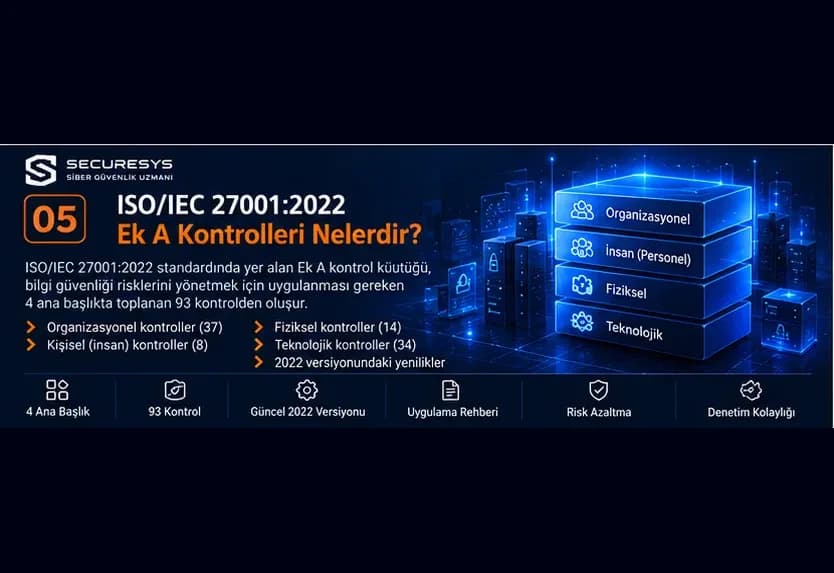
ISO/IEC 27001:2022 Annex A Controls: 93 Information Security Controls and Implementation Guide
Explore the 93 security controls in ISO 27001:2022 Annex A. Learn the organisational, people, physical and technological controls with implementation examples.
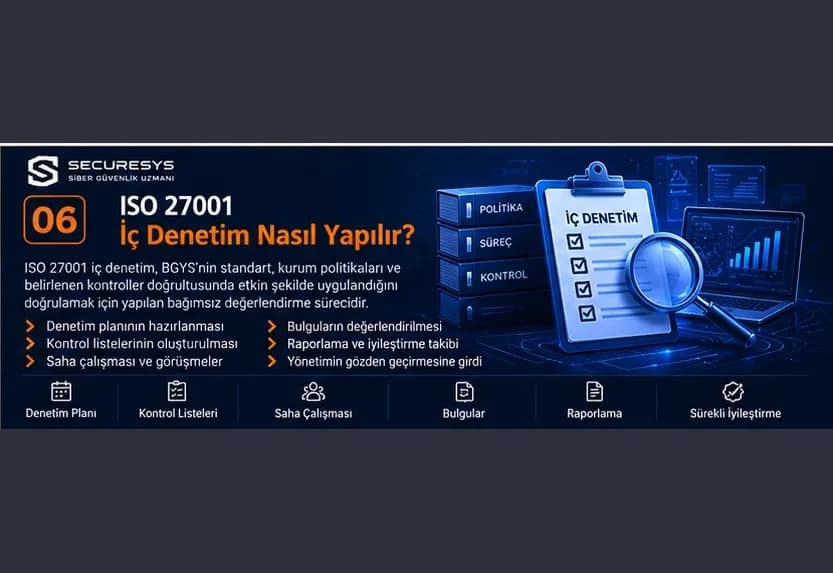
How to Conduct an ISO 27001 Internal Audit: Audit Plan, Nonconformity Management and Certification Readiness
How is an ISO 27001 internal audit done? Learn the audit plan, checklist, major and minor nonconformities, corrective actions and certification readiness.
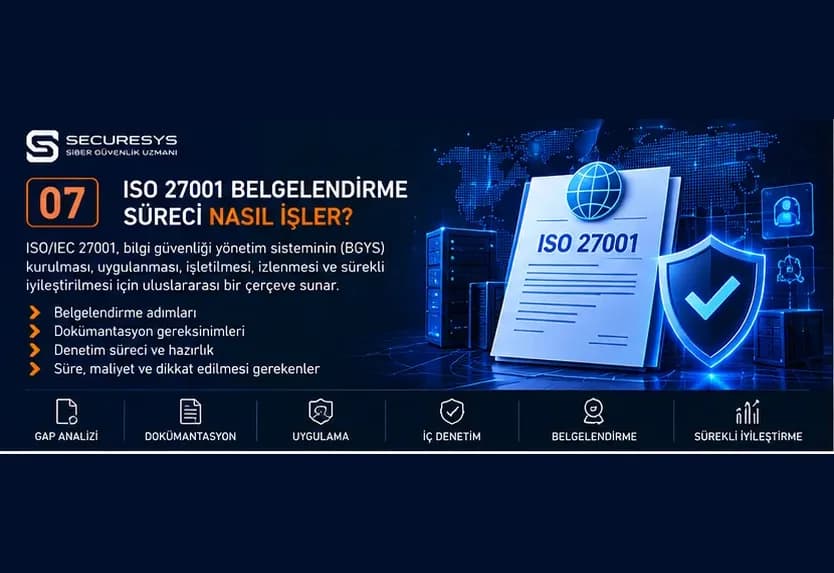
How Does the ISO 27001 Certification Process Work? A Guide to TÜRKAK, Stage 1, Stage 2 and Surveillance Audits
How do you get ISO 27001 certified? TÜRKAK accreditation, Stage 1 and Stage 2 audits, major and minor nonconformities, surveillance and certification costs.
Looking for professional support on this topic?
Our expert team will reach out for a free consultation as soon as possible.