Data Access Security: Least Privilege, RBAC, ABAC and Preventing Unauthorised Access
Data access security ensures that only the right identity accesses sensitive data, with the right authorization and for the right period. This guide covers the Least Privilege and Need-to-Know principles, the RBAC and ABAC models, access review and IGA processes, JIT access, Zero Trust with continuous authorization and authorization control in AI Agent and RAG systems.
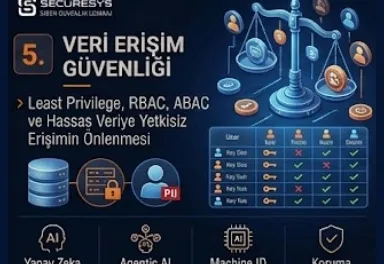
Data access security is the security approach that ensures that only the right users, at the right authorization level, at the right time and within the scope of the business need can access the sensitive and critical data inside an organization. This approach, used in English as Data Access Security or in a wider scope as Data Access Governance, is one of the most critical layers of modern Data Security Architecture.
An organization may have discovered and classified its data and brought it going outside the organization under control with DLP policies. However, if more people than necessary can access the sensitive data inside the organization it means an important security risk continues.
For this reason the fundamental question in data security is not only:
"Is the data going out?"
this.
At the same time:
"Who can access this data and do they really need to access it?"
this question must also be answered.
Modern data access security requires principles such as Least Privilege, Need-to-Know, RBAC, ABAC, Identity Governance, Access Review, Permission Management, Zero Trust and Continuous Authorization to be applied together.
What Is Data Access Security?
Data access security is the whole of the security mechanisms that determine under which conditions users, applications, service accounts and AI Agents can access corporate data.
The aim is not only to control the login operation.
Authentication:
"Who are you?"
answers this question.
Authorization, on the other hand:
"What can you access?"
answers this question.
Data Access Security focuses on this second question.
A user may have successfully logged into the system but this situation does not mean that they can access all the data.
The Difference Between Authentication and Authorization
Authentication verifies the identity of the user.
For example:
Password
MFA
Passkey
Certificate
can be used.
Authorization, on the other hand, determines which resource and data the verified user can access.
For example an employee:
can log into the CRM.
However, they can see only the customer records assigned to them.
This is authorization.
For modern Data Security authentication and authorization must be used together.
What Is Least Privilege?
Least Privilege, that is the least privilege principle, expresses only the minimum authorization necessary to carry out their duties being given to users or systems.
This principle is not valid only for administrator accounts.
It must be applied for data access too.
For example an HR employee:
employee records
can see these.
However, there may be no need for them to access the source code repository.
A developer:
source code
can see this.
However, it may not be necessary for them to access the payroll database.
This is the duty-based authorization approach.
Why Is Least Privilege the Foundation of Data Security?
If an attacker takes over an employee account they can move only as much as the permissions that account has.
If the account has more data access than necessary the attacker obtains the same access.
For this reason excessive permissions enlarge the breach impact.
Least Privilege reduces the attack surface.
For example if a user needs only 500 customer records their accessing 5 million customer records creates an unnecessary risk.
What Is Need-to-Know?
Need-to-Know is the principle of the user being able to see only the information that is really necessary for doing their job.
This is similar to Least Privilege but is a more data-centric approach.
For example the Finance Department may not have to access all financial documents.
The payroll team can see the salary data.
The accounting team can see the invoice data.
This separation reduces sensitive data exposure.
The Difference Between Least Privilege and Need-to-Know
Least Privilege is used more widely for systems and permissions.
Need-to-Know, on the other hand, focuses especially on information access.
For example a user can receive read permission on a database.
This can be Least Privilege.
However, it is not necessary for them to be able to see all the tables inside the database.
Need-to-Know provides a more granular restriction here.
The two principles must be used together.
What Is Data Access Governance?
Data Access Governance is the process that manages which data users access, why they access it, by whom this access has been approved and whether it is still necessary.
This approach is located at the intersection of IAM and Data Security.
The aim is to manage the access lifecycle.
For example an employee joins the Finance Department.
The relevant permissions are given.
A year later they move to the Sales Department.
The old Finance permissions must be removed.
Otherwise Permission Creep is created.
What Is Permission Creep?
Permission Creep is the situation of the user accumulating authorizations from different roles over time.
For example an employee:
first works in HR.
Then moves to Finance.
Later moves to Operations.
If the old permissions are not removed they can access the data of all three departments.
This is a security risk.
Permission Creep is common especially for employees who work for a long time.
What Are Excessive Permissions?
Excessive Permissions is the user having permissions above the business need.
For example a normal employee:
Entire Customer Database
may be able to see this.
However, they only need to access the assigned accounts.
This creates unnecessary exposure.
Attackers can use these permissions over a compromised account.
What Is an Overprivileged User?
An Overprivileged User is a user who has more authorization than they need.
This does not have to be an administrator.
A standard business user can be overprivileged too.
For example:
Company-wide file share
read access on it
can be unnecessary.
For this reason Data Access Governance must not be kept limited only to privileged accounts.
What Is RBAC?
RBAC, that is Role-Based Access Control, is the access control model that enables access authorizations to be assigned to a role instead of a user.
For example the roles:
Finance Analyst
HR Specialist
Sales Manager
Database Administrator
can be these.
Permissions are assigned to roles.
Users are added to the appropriate role.
This simplifies access management.
How Does RBAC Work?
For example:
Finance Analyst Role
can have these permissions:
Read Financial Reports
View Invoices
Access Finance SharePoint
When an employee is assigned to this role they gain the permissions automatically.
When they are removed from the role the permissions are lost.
This can be more manageable than giving individual permission directly.
What Are the Advantages of RBAC?
RBAC standardizes access management.
Onboarding becomes easier.
The employee is assigned to a role.
The necessary permissions are ready.
During offboarding or a role change the permissions can be removed centrally.
This provides scalability.
The Difficulties of RBAC
RBAC environments can produce too many roles over time.
This can be called Role Explosion.
For example:
Finance Analyst Turkey
Finance Analyst Europe
Finance Analyst Senior
Finance Analyst Remote
hundreds of roles such as these can be created.
This creates governance complexity.
For this reason in more dynamic environments ABAC can be used.
What Is ABAC?
ABAC, that is Attribute-Based Access Control, gives the access decision over user, resource, device and context attributes.
For example:
User Department = Finance
Data Classification = Confidential
Device = Managed
Location = Turkey
if it is so access can be allowed.
This is a more dynamic and granular authorization model.
The Difference Between RBAC and ABAC
RBAC:
Gives the decision over the role.
ABAC:
Gives the decision over the attributes.
For example RBAC:
Finance Role → Finance Data.
ABAC, on the other hand:
Department = Finance
AND
Employment Status = Active
AND
Device = Managed
AND
Data Classification = Confidential
if it is so, Allow.
This provides more context-aware security.
Which Model Is Better: RBAC or ABAC?
There is no single correct model.
RBAC is strong for simple and predictable environments.
ABAC, on the other hand, can be more granular for dynamic, cloud and Zero Trust environments.
Many organizations can use a hybrid model.
For example:
RBAC determines the basic access.
ABAC gives the final decision according to the runtime context.
This is an effective approach for a modern access control architecture.
What Is Policy-Based Access Control?
Policy-Based Access Control expresses access decisions being managed over centrally defined policies.
For example the policy:
"Restricted Data can be accessed only over managed corporate devices."
This policy can be applied to all applications.
This approach is compatible with Zero Trust.
How Does Data Classification Affect the Access Decision?
Data Classification provides important context for access control.
For example:
Public Data → Broad Access
Internal Data → Employees
Confidential Data → Approved Roles
Restricted Data → Explicit Authorization
this model can be created.
This is data-centric authorization.
Classification-Aware Access Control
A classification label can provide a security signal to the access engine.
For example if a document:
Restricted
if it has been marked as this, for access:
MFA
Managed Device
Corporate Network
Explicit Group Membership
can be required.
This provides dynamic data protection.
What Is an Access Control List – ACL?
An ACL, that is an Access Control List, defines which users or groups have which permissions on a certain resource.
For example on a file folder:
User A → Read
User B → Modify
Group C → Full Control
can be defined.
The ACL is the foundation of traditional file permission models.
However, in large environments ACL management can become complex.
File Permission Security
File shares can accumulate permissions over years.
For example a folder:
Everyone
Authenticated Users
Domain Users
can be open to broad groups such as these.
This is a sensitive data exposure risk.
For this reason file permission reviews must be carried out.
Why Is an Everyone Permission Risky?
If there is a permission such as Everyone Read on a sensitive folder many users inside the organization can access the data.
This increases the internal attack surface.
Even if DLP blocks the exit to the outside internal confidentiality may have been violated.
For this reason Data Access Security has critical importance independently of DLP.
Shared Folder Security
Shared folders are most of the time the areas where the Shadow Data and excessive permissions problems intersect.
For example HR Excel exports can be kept inside a shared folder.
The folder can be open to a wide user group.
For this reason discovery + classification + access analysis must be applied together.
What Is an Access Review?
An Access Review is the permissions a user has being gone over at certain intervals.
The aim is to answer this question:
"Does this user still need this access?"
The manager, the Data Owner or the Application Owner can approve or revoke the access.
This reduces Permission Creep.
What Is Access Certification?
Access Certification generally expresses the periodic review process.
For example every 3 or 6 months the manager:
goes over the access rights of the team members.
Unused or unnecessary permissions are removed.
This is a fundamental capability for Identity Governance.
Why Is the Data Owner Important in the Access Review?
The manager knows the role of the user.
However, the Data Owner can evaluate the sensitivity of the data better.
For this reason for Restricted datasets Data Owner approval can be required.
For example the Finance Director can certify financial data access.
The Joiner, Mover, Leaver Process
Access Governance is closely related to the user lifecycle.
Joiner: A new employee arrives.
Appropriate access is given.
Mover: The role or the department changes.
The permissions are updated.
Leaver: The employee leaves.
The access is removed completely.
If these three processes are not managed correctly excessive access is created.
Why Is Leaver Access Critical?
If the account of the user leaving the job stays active a serious risk is created.
However, only disabling the account is not enough.
API tokens
Shared Accounts
Cloud Permissions
Local Credentials
secondary accesses such as these must also be removed.
This is a part of identity offboarding.
What Is an Orphaned Account?
An Orphaned Account is an account that no longer has an active owner but is still present in the system.
For example the account of a former employee may not have been disabled.
An attacker can use these accounts.
Data Access Governance must detect orphaned identities.
What Is a Dormant Account?
A Dormant Account is an account that has not been used for a long time.
This account can be legitimate but carries risk.
It must be reviewed especially if it has broad data access.
Unused access increases the attack surface.
Why Is a Shared Account Risky?
If more than one person uses the same account accountability is lost.
For example:
financeadmin
if this account is being used by 5 people it may not be possible to determine which user carried out the data access.
For this reason individual identities must be preferred.
PAM can provide control for shared privileged accounts.
The Relationship Between Data Access Governance and IAM
IAM manages identities and the access lifecycle.
Data Access Governance, on the other hand, enriches this with data context.
IAM:
"Which group is the user in?"
answers this question.
Data Access Governance:
"Which sensitive data does this group access and is this access really necessary?"
answers this question.
For this reason modern Identity Security must be data-aware.
What Is IGA and How Is It Used in Data Access?
IGA, that is Identity Governance and Administration, manages the access request, approval, certification and lifecycle management processes.
For Data Access Security IGA:
Access Request
Approval
Provisioning
Review
Revocation
can provide a workflow.
It is important especially for large organizations.
How Must the Access Request Process Be?
When a user requests access to sensitive data the process must be controlled.
An example workflow:
User Requests Access
↓
Manager Approval
↓
Data Owner Approval
↓
Risk Check
↓
Provision Access
↓
Set Expiry Date
↓
Periodic Review
This increases access governance maturity.
Is Permanent Access Always Necessary?
No.
Some access is necessary only for a certain period.
For example an auditor can request access to financial data for 2 weeks.
Instead of permanent access time-bound access can be given.
This is similar to the Just-in-Time Access approach.
Time-Bound Data Access
Adding an expiration date to an access permission reduces unnecessary standing access.
For example:
Project User
Restricted Data Access
Expiry: 30 Days.
When the project is completed the access is removed automatically.
This is the reflection of the Zero Standing Privilege approach on the data side.
What Is Just-in-Time Data Access?
Just-in-Time Access is providing access at the moment of need and for a certain period instead of giving the user continuous access.
For example an administrator can access the production database only during an approved change window.
This reduces privileged data exposure.
Zero Standing Privilege and Data Security
Zero Standing Privilege targets permanent privileged access being removed as much as possible.
In terms of Data Security this approach can be applied in access to Restricted datasets.
The access:
on-demand,
approved,
time-limited,
monitored
can be these.
What Is Separation of Duties?
Separation of Duties ensures that critical operations are not under the control of a single person.
For example a user:
can create a payment request
but:
cannot carry out the payment approval.
It can be applied in terms of data access too.
For example the DBA manages the database.
However, for a sensitive data export separate approval can be required.
What Is a Toxic Combination?
A Toxic Combination is permissions that look normal separately creating a serious risk together.
For example if a user:
Customer Database Read
External Storage Upload
if they have these permissions the data exfiltration risk can increase.
DSPM and IGA can analyze these combinations.
What Is an Access Path?
An Access Path shows over which chain of groups and permissions the user can access the data.
For example:
User
↓
Group A
↓
Nested Group B
↓
Share Permission
↓
Confidential Folder
This complex path may not be seen manually.
Data Access Governance tools can provide this visibility.
Nested Group Risk
Nested groups can make access management complex.
A user may not have a direct sensitive folder permission.
However, they can gain access over a few nested groups.
This makes excessive access detection difficult.
For this reason effective permission analysis must be carried out.
What Are Effective Permissions?
Effective Permissions shows what the user can really access when all their direct and indirect permissions are taken into account.
Security teams must look not only at the configured permissions but at the effective access.
Because group inheritance can create unexpected access.
Data Access with a Public Link
Cloud collaboration tools can create anonymous or public links.
In this case normal IAM controls can be bypassed.
Sensitive data can become accessible over a public link.
For this reason Data Access Governance must cover external links too.
External User Access
Guest users and partners can access sensitive data.
This can be necessary for the business.
However, external access:
Owner
Purpose
Expiry
Classification
must be managed with these.
Guest access must not be left open forever.
B2B Access Governance
For partners, consultants and suppliers B2B access can be required.
Because these identities are not employees stricter governance can be required.
For example the access:
Project-Based
Time-Limited
MFA Protected
Restricted to Specific Data
can be these.
Third-Party Data Access
Third-party vendors can provide remote access to corporate systems.
This access can create sensitive data exposure.
The vendor account must be limited only to the required systems and datasets.
Vendor contracts can contain security expectations.
Data Access Governance and the Cloud
Cloud platforms have made access permissions fast and dynamic.
IAM policies can give access to thousands of resources with a few lines of configuration.
For this reason cloud data access security has become critical.
A misconfigured IAM policy can open sensitive cloud data to wide access.
Cloud IAM Permissions
Cloud IAM provides granular permissions but the complexity is high.
For example a user:
ReadObject
ListBucket
DecryptKey
can access sensitive data with the combination of these permissions.
When looked at one by one the permissions can look normal.
When evaluated together high-risk access can appear.
What Is CIEM?
CIEM, that is Cloud Infrastructure Entitlement Management, focuses on analyzing the permissions and entitlements inside cloud environments.
The aim is to detect excessive cloud permissions.
In terms of Data Security CIEM helps with this question:
"Which identity can really access which cloud data resource?"
This is important for Least Privilege.
Data Access Governance with DSPM
DSPM finds the sensitive data and analyzes the exposure risk.
Data Access Governance, on the other hand, manages who can access this data.
For example DSPM:
Restricted Data in Storage
finds this.
The access analysis:
3,000 Users Have Read Access
shows this.
This can be a critical risk.
Data Sensitivity + Access Count
Data risk must not be determined only with the classification.
For example if Restricted data can be accessed by only 2 authorized users the risk is more controlled.
If the same Restricted data is open to 5,000 users the risk is much higher.
For this reason modern risk scoring:
Data Sensitivity
Access Exposure
must evaluate these together.
What Is Data Access Monitoring?
Authorization must not be controlled only at the access granting stage.
The usage after the access must be monitored too.
For example a user can be authorized.
However, if while they normally read 50 records they suddenly download 500,000 records it can be unusual activity.
For this reason authorization + monitoring are necessary together.
Is an Authorized User Always Safe?
No.
The user account may have been compromised.
The employee can be malicious.
The credential can be stolen.
For this reason access carried out by a legitimate identity must not be automatically accepted as safe.
The Zero Trust approach is important here.
What Is Zero Trust Data Access?
Zero Trust Data Access expresses the data access decision not trusting only the network location or the initial login.
Every request must be evaluated over context.
For example:
Who is the user?
Which device?
What data?
What classification?
What action?
What risk level?
What location?
This information is included in the final access decision.
What Does "Never Trust, Always Verify" Mean for Data?
Zero Trust:
"Do not trust anyone."
does not mean this.
The correct approach is:
"Do not assume trust; verify access explicitly."
On the data side this means this:
Being on the internal network is not sufficient for Restricted data access.
The user identity and context must be verified.
What Is Continuous Authorization?
The traditional model carries out authorization during login.
The user can use the session for 8 hours.
Continuous Authorization, on the other hand, continues to evaluate risk signals throughout the session.
For example:
Device becomes compromised.
Identity risk rises.
User requests Restricted Data.
The access can be reevaluated.
This is the adaptive access model.
Step-Up Authentication
During high-risk data access additional authentication can be requested.
For example a user can access Internal data with a normal session.
However, while opening a Restricted document MFA can be requested again.
This is Step-Up Authentication.
Risk-Based Access Control
Risk-Based Access Control adds a risk score to the access decision.
For example:
User Risk = High
Device Risk = Medium
Data Classification = Restricted
as a result of these the access can be blocked.
This is the Adaptive Data Security approach.
Why Is Device Trust Important?
If an authorized user accesses sensitive data over a personal unmanaged laptop the risk can increase.
For this reason the data access policy:
Managed Device Required
can be in this way.
This is the intersection of endpoint security with data security.
Location-Based Access
Geographic or network location can provide context in some access decisions.
For example Restricted data can be accessible only over the corporate network or approved countries.
However, location must not be used as a trust signal on its own.
Session Risk
A user may have logged in in a legitimate way.
However, the session token can be stolen.
For this reason session behavior and device posture must be monitored.
Identity Threat Detection and Response can help to detect these risks.
Data Access Security with ITDR
ITDR detects identity attacks.
For example:
Impossible Travel
Token Theft
Credential Abuse
Privilege Escalation
when these are detected the Data Access Policy can become stricter.
This is the integration of Identity Security with Data Security.
Data Access Security with PAM
Privileged users can provide high access to sensitive data.
PAM this access:
vault,
approval,
session monitoring,
JIT
can manage it with these.
It is important especially for databases, servers and critical applications.
Access Security with DAM
DAM monitors database activities.
Authorization may have given the user database access.
DAM, on the other hand, monitors which queries the user really runs.
This provides accountability.
For example:
Authorized DBA
Bulk Customer Export
can create an alert.
Access Governance with DLP
Access Control determines who will access the data.
DLP controls where the data can be carried after access.
For example a user can be authorized to see Confidential data.
However, they cannot send it to a personal e-mail.
For this reason:
Access Governance + DLP
must be used together.
Access Has Been Given, Why Is DLP Still Necessary?
Because authorization:
"This user can see the data."
says this.
However:
"They can send the data wherever they want."
does not say this.
These two permissions are different.
Data Security must preserve this distinction.
Access Control with Masking
Some users must access the data but must not see the full values.
For example a customer support user:
Credit Card Last 4 Digits
can see this.
They cannot see the full number.
This can be applied with Data Masking.
This is field-level Least Privilege.
Row-Level Security
Row-Level Security enables the user to access only certain records.
For example a sales employee can see only their own region's customers.
Instead of the database giving access to the whole table it applies row-based filtering.
This is granular data access security.
Column-Level Security
Column-Level Security controls access to certain fields.
For example a user:
Name
can see these.
However:
Salary
Identity Number
cannot see these.
This is important for sensitive fields.
Field-Level Encryption and Access Control
Sensitive fields can be kept encrypted.
Only authorized applications or users can have decryption rights.
This is the combination of authorization with encryption.
Data Tokenization and Access Security
Tokenized data can be used by normal users but the actual sensitive value can be resolved only by an authorized service.
This reduces exposure.
It is valuable especially for payment and sensitive identifiers.
Why Is Temporary Access Safer?
The longer a permission is active the bigger the abuse window is.
For this reason sensitive data access must be temporary as much as possible.
Access expiry automation increases security hygiene.
What Is Emergency Access?
During a critical incident the normal access flow may not be sufficient.
Emergency access or a Break Glass mechanism can be used.
However, this access:
Strong Authentication
Logging
Approval
Post-Review
must be controlled with these.
Emergency access must not be a permanent bypass.
Break Glass Account Risk
A Break Glass account can carry broad permissions.
This account is a high-value target for an attacker.
For this reason the credentials must be kept in a secure vault and the usage must be alerted.
Service Account Data Access
Service accounts provide data access between applications.
These accounts most of the time carry more permissions than human users.
In addition the passwords may not be rotated for a long time.
For this reason Non-Human Identity Security is important.
Machine Identity and Data Access
Modern systems do not access data only over humans.
Applications
APIs
Services
Bots
AI Agents
use machine identities.
These identities must also be subject to Least Privilege.
API Data Authorization
An API endpoint must return only the required data to the authorized user or application.
API security issues such as Broken Object Level Authorization can cause unauthorized data access.
For this reason application-level authorization is an important part of Data Access Security.
Object-Level Authorization
A user can access the /customer/123 record.
However, they must not be able to access another customer record by making the URL /customer/124.
This is object-level access control.
It has critical importance for APIs and web applications.
AI Agent Data Access Security
As AI Agents connect to enterprise systems new authorization problems are appearing.
The Agent:
can read the database,
can send an e-mail,
can edit documents,
can make an API call.
For this reason broad permissions must not be given to the agent.
AI Agent Least Privilege
An AI Agent must have only the permissions necessary to carry out its duty.
For example a reporting agent:
Read Financial Metrics
can need this permission.
However:
Delete Records
or:
Modify Payments
may not need this permission.
This is Agentic Least Privilege.
Is a Separate Identity Necessary for an AI Agent?
Yes, where possible an AI Agent must use a unique machine identity.
Using a shared user account reduces accountability.
Thanks to a unique identity:
Which Agent
Accessed Which Data
At What Time
this information can be tracked.
Data Authorization in RAG Systems
RAG systems retrieve documents.
However, the retrieval must take the user permissions into account.
If a user cannot access HR documents the RAG system must not use these documents during answer generation either.
This is Permission-Aware Retrieval.
Permission-Aware RAG
In the Permission-Aware RAG model the retrieval query contains this context:
User Identity
Group Membership
Document ACL
Classification
Business Role
In this way the model retrieves only authorized content.
This has critical importance for AI Data Security.
AI Agent Delegation Risk
A user to the agent:
"Download all the customer records for me."
can say this.
The agent can inherit the user's permissions.
However, the task may not be legitimate.
For this reason for delegated access action-level controls are required.
Human Approval for High-Risk AI Actions
If an AI Agent is going to carry out a high-risk operation on Restricted data human approval can be requested.
For example:
Export Customer Database
Send External Email
Delete Records
these operations can require approval.
This is Human-in-the-Loop authorization.
Data Access Logging
Every critical access must be logged.
Inside the log:
Identity
Timestamp
Resource
Action
Source
Result
can be present.
This is important in terms of audit and incident response.
Must Access Logs Be Transferred to the SIEM?
For high-value systems yes.
The SIEM can correlate the access logs with identity and endpoint signals.
For example:
High-Risk Login
Restricted Data Access
Large Download
can show a critical incident.
UEBA and Data Access
UEBA can model normal data access behavior.
For example an employee generally opens 10 documents.
If they access 2,000 Confidential documents in one night it can be an anomaly.
This can be an insider threat or account compromise signal.
Data Access Analytics
Modern access governance must look not only at the configured permissions but at the actual usage too.
For example a user has been able to access a folder for 2 years but has never used it.
This access can be a revoke candidate.
This is the Usage-Based Access Optimization approach.
Unused Permissions
Unused permissions are an unnecessary attack surface.
For example a user has cloud storage access but has not used it for 12 months.
It can be removed during the access review.
This makes Least Privilege continuous.
Entitlement Right-Sizing
Entitlement Right-Sizing expresses shrinking user permissions according to the actual usage and the business need.
This is important especially in cloud environments.
Overprivileged roles can be optimized over time.
How Is a Data Access Governance Project Started?
The first step is to understand the current access landscape.
The questions:
Which critical datasets are there?
Who accesses them?
How was the access given?
Who is the owner?
For how long has it been present?
Is it really being used?
Are there external users?
Carrying out an access cleanup without obtaining this visibility can be risky.
Starting from the Crown Jewel Data
Instead of reviewing all the data access at the same time high-value datasets can be prioritized.
For example:
Customer Database
HR Data
Financial Data
Source Code
Privileged Credentials
can be the first scope.
This provides a risk-based rollout.
Access Baseline
For every critical dataset the expected access model must be determined.
For example:
HR Payroll Data
Expected Access:
5 HR Users
1 Payroll Application
1 Backup Service
Accesses outside this baseline can require an investigation.
Access Cleanup
After the discovery unnecessary access is revoked.
However, mass permission removal can create business disruption.
For this reason:
Owner Validation
Usage Analysis
Staged Revocation
must be applied.
Access Review Automation
Large organizations can have difficulty in a manual access review.
Automation:
can create a review campaign,
can send tasks to managers,
can highlight unused permissions,
can provision the approved actions.
This is an important use case of IGA.
Access Governance KPIs
The success of the programme must be measured.
Example KPIs:
Excessive Access Count
Unused Permission Count
Orphaned Accounts
Dormant Accounts
Shared Accounts
Access Review Completion Rate
Revoked Access Count
Temporary Access Percentage
Permanent Privileged Access Count
External User Access Count
Unknown Data Owner Count
Time to Revoke Leaver Access
High-Risk Data Access Events
metrics such as these can be these.
Access Review Completion Rate
If Access Review campaigns are not completed on time governance may not be working effectively.
For this reason review completion and overdue items must be followed.
Mean Time to Revoke Access
After an employee role change or separation in how long are the permissions removed?
This is an important security KPI.
If a leaver account stays active for a few days a serious gap can be created.
Automation can reduce this time.
The Most Frequently Made Mistakes in Data Access Security
The most common mistake is automatically accepting the logged-in user as trusted. Authentication is only the first step of access.
The second mistake is not reviewing groups and roles for years. This creates Permission Creep.
The third mistake is focusing only on administrators. Standard users can access a large amount of sensitive data too.
The fourth mistake is not including the data classification information in the authorization.
The fifth mistake is ignoring external guests and third-party identities.
The sixth mistake is leaving service accounts and machine identities outside the governance scope.
The seventh mistake is not monitoring the actual data usage after the access has been given.
The eighth mistake is giving AI Agents human user credentials or broad permissions.
The ninth mistake is not enforcing document-level permissions at the retrieval stage in RAG systems.
Data Access Security Checklist
- Have critical data assets been determined?
- Are Data Owners defined?
- Is Data Classification tied to the access policies?
- Is Least Privilege being applied?
- Is the Need-to-Know principle being used?
- Is the RBAC model defined?
- Is ABAC being used in the necessary areas?
- Are the ACLs being reviewed regularly?
- Are effective permissions being analyzed?
- Are excessive permissions being detected?
- Is Permission Creep being controlled?
- Are Access Reviews being carried out?
- Are Access Certifications being applied?
- Are the Joiner processes defined?
- Are the Mover processes defined?
- Is leaver access being removed quickly?
- Are dormant accounts being monitored?
- Are orphaned accounts being detected?
- Are shared accounts being reduced?
- Is external guest access being reviewed?
- Does B2B access contain an expiry date?
- Has third-party access been limited?
- Is temporary access being used?
- Is JIT access being applied?
- Does sensitive access require approval?
- Is Separation of Duties defined?
- Are toxic permission combinations being analyzed?
- Are cloud entitlements being reviewed?
- Is CIEM being used or evaluated?
- Is DSPM analyzing access exposure?
- Is DAM monitoring database access?
- Is DLP controlling data movement after access?
- Is high-risk access being transferred to the SIEM?
- Is UEBA detecting abnormal access?
- Is device trust included in the access decision?
- Is Step-Up Authentication being used?
- Is Continuous Authorization being evaluated?
- Are service accounts in the inventory?
- Are machine identities using Least Privilege?
- Is API authorization being tested?
- Are AI Agents using a unique identity?
- Are AI Agent permissions task-specific?
- Are RAG systems permission-aware?
- Do high-risk AI actions require human approval?
- Are Access Governance KPIs being monitored?
Data Access Security Maturity Model
Level 1 – Uncontrolled Access: Permissions are given manually. Broad groups and shared accounts are common. Periodic review is limited.
Level 2 – Role-Based Access: RBAC is applied. Joiner-Mover-Leaver processes are created. Access Reviews are started.
Level 3 – Data-Aware Governance: Data Classification, IGA, PAM and Data Owners are included in the access decisions. Excessive access is detected regularly.
Level 4 – Risk-Based Access: Identity risk, device trust, data sensitivity, usage analytics and cloud entitlements are evaluated together. JIT and temporary access become widespread.
Level 5 – Adaptive Zero Trust Data Access: Authorization for human, machine and AI identities is evaluated continuously. Access decisions change according to real-time risk, data classification and behavior context.
This transformation:
Static Permissions
↓
Role-Based Access
↓
Governed Access
↓
Risk-Based Authorization
↓
Adaptive Zero Trust Data Access
proceeds in this way.
Frequently Asked Questions
What is data access security?
Data access security is the security approach that ensures that only authorized users, applications or systems access sensitive data under appropriate conditions.
What is Least Privilege?
Least Privilege is the principle of only the minimum authorization necessary to do their duty being given to a user or a system.
What is Need-to-Know?
Need-to-Know is the principle of the user being able to see only the information they really need for their job.
What is RBAC?
RBAC means Role-Based Access Control and enables permissions to be managed over roles instead of users.
What is ABAC?
ABAC means Attribute-Based Access Control and gives access decisions over user, data, device and context attributes.
What is the difference between RBAC and ABAC?
RBAC provides role-based, ABAC attribute and context-based authorization. They can be used hybrid.
What is Data Access Governance?
Data Access Governance is the process that manages who accesses which data and why and whether this access is still necessary.
What is Permission Creep?
Permission Creep is the user accumulating more access than necessary over time as a result of the old permissions not being removed during role changes.
What are Excessive Permissions?
They are unnecessary access rights held above the business need.
What is an Access Review?
An Access Review is the process of user permissions being checked at certain periods and the access that is not necessary being removed.
Who is the Data Owner?
The Data Owner is the business role responsible for the business sensitivity, access approval and governance decisions of the data.
What is Zero Trust Data Access?
It is the authorization approach where data access is verified continuously over identity, device, data sensitivity and risk context instead of trusting the network location.
What is Continuous Authorization?
It is the access being reevaluated according to risk and context changes throughout the session even after the user has logged in.
What is CIEM?
CIEM is the Cloud Infrastructure Entitlement Management approach that aims to reduce excessive entitlements by analyzing the identities and permissions inside cloud environments.
What is the difference between DLP and Access Control?
Access Control determines who can access the data. DLP, on the other hand, controls where the accessed data can be carried.
Why is PAM important in data access security?
PAM controls privileged users' access to critical systems and sensitive data with a vault, approval, JIT and session monitoring.
Is Least Privilege necessary for an AI Agent?
Yes. An AI Agent must be able to access only the systems, APIs and data necessary for its duty. Broad or shared permissions increase the data leakage and unauthorized action risk.
What is Permission-Aware RAG?
Permission-Aware RAG is the approach that includes only authorized content in the model context by taking the user's document permissions into account during the AI retrieval process.
Conclusion: The Authorization to Access Sensitive Data Must Be Questioned Continuously
In modern Data Security the data being encrypted is not sufficient on its own.
DLP being installed is not sufficient on its own either.
If more users than necessary can access the same sensitive data the security exposure continues.
For this reason one of the fundamental principles of data security:
"The right identity, the right data, the right authorization, the right time."
must be this.
Corporate Data Access Security must answer these questions continuously:
Who is accessing?
What are they accessing?
Why are they accessing?
Since when have they been accessing?
Do they still need it?
Over which device are they accessing?
How sensitive is the data?
What do they do after the access?
The answers to these questions must be managed together with IAM, IGA, PAM, DSPM, DAM, DLP, SIEM and Zero Trust controls.
The traditional authorization model was generally built on static permissions.
The modern model, on the other hand:
Identity + Role + Attributes + Device + Data Sensitivity + Risk + Behavior
is proceeding towards this combination.
This change is becoming more important especially with cloud, SaaS and AI environments.
Now besides a user:
a Service Account
an Application
an API Client
an Automation Bot
an AI Agent
can also access sensitive data.
For this reason Data Access Governance is ceasing to be only human identity management.
And the most important sentence of this chapter:
Modern data access security is not a user being able to log into the system; it is ensuring that every identity, whether human, application or AI Agent, can access only the data it needs, with only the authorization it needs, for only the time it needs and inside a continuously verified risk context.
Related Articles
Data Security, Classification & Protection
What Is Data Security? Data Protection and Modern Corporate Data Security Architecture
What is data security? Data discovery, data classification, DLP, DSPM, DAM, encryption and a modern corporate data security architecture.
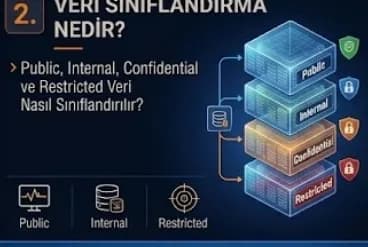
What Is Data Classification? How Are Public, Internal, Confidential and Restricted Data Classified?
Data classification separates organization data into levels such as Public, Internal, Confidential and Restricted according to its sensitivity and business value. This guide covers how to build the taxonomy, automatic classification, labeling, DLP integration, KVKK mapping, DSPM context and the role of classification in AI and RAG environments.
What Is Data Discovery? Sensitive Data Discovery, PII Detection and Building a Data Inventory
Data Discovery is the data security process that discovers where the data inside an organization is located, what it contains and how sensitive it is. This guide covers PII detection, structured and unstructured scanning, the corporate data inventory, data mapping, Shadow and Dark Data, DSPM and DLP integration and the discovery of new AI data sources such as vector databases and the RAG corpus.
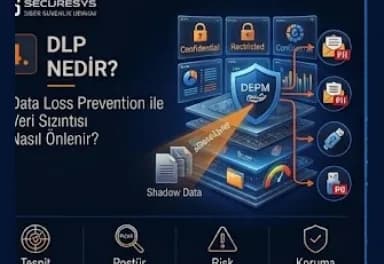
What Is DLP? Preventing Data Leakage With Data Loss Prevention
DLP (Data Loss Prevention) is the data security layer that detects and prevents sensitive data going outside the organization over e-mail, USB, web, cloud, SaaS and AI applications. This guide covers the endpoint, e-mail, web and cloud DLP channels, policy design, the phased transition through monitor mode, insider risk and SOC integration and new areas such as Shadow AI and prompt DLP.
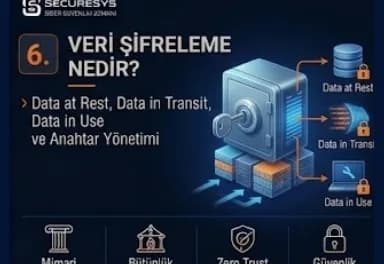
What Is Data Encryption? Data at Rest, Data in Transit, Data in Use and Key Management
Data encryption prevents sensitive data being read by unauthorized people with cryptographic algorithms. This guide covers the Data at Rest, Data in Transit and Data in Use states, symmetric and asymmetric encryption, TDE and disk encryption, TLS and mTLS, tokenization and masking, and key management subjects such as KMS, HSM, key rotation, BYOK/HYOK and crypto-agility.
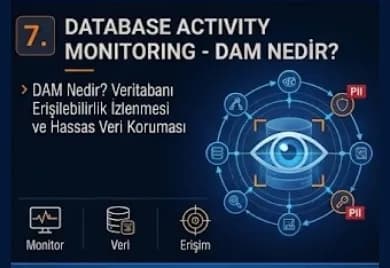
What Is Database Activity Monitoring (DAM)? Monitoring Database Access and Protecting Sensitive Data
Database Activity Monitoring (DAM) makes visible who runs which query on the database, which sensitive table they access and how much data they take out. This guide covers the DAM architectures, DBA and service account monitoring, bulk data export detection, PAM, SIEM, DLP and DSPM integrations and the monitoring of AI Agent and Text-to-SQL accesses.
Looking for professional support on this topic?
Our expert team will reach out for a free consultation as soon as possible.