What Is DLP? Preventing Data Leakage With Data Loss Prevention
DLP (Data Loss Prevention) is the data security layer that detects and prevents sensitive data going outside the organization over e-mail, USB, web, cloud, SaaS and AI applications. This guide covers the endpoint, e-mail, web and cloud DLP channels, policy design, the phased transition through monitor mode, insider risk and SOC integration and new areas such as Shadow AI and prompt DLP.
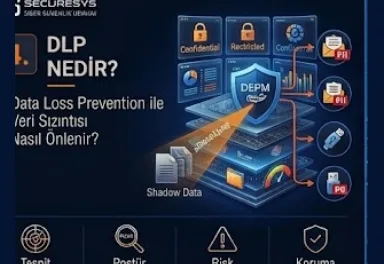
DLP, that is Data Loss Prevention, is the data security approach aimed at detecting, limiting and where possible preventing the sensitive and critical data inside an organization being taken outside the organization in an unauthorized, uncontrolled or mistaken way. DLP, used in Turkish as veri kaybı önleme or veri sızıntısı önleme, is one of the most important security layers controlling the movement of data inside modern Data Security Architecture.
An organization can discover and classify the data it has. It can know which file is Public, Internal, Confidential or Restricted. However, this information alone is not sufficient. If sensitive data can be sent outside by e-mail, copied to a USB drive, uploaded to a personal cloud storage account or transferred to a Generative AI application it means the data classification has not turned into real protection.
DLP comes into play exactly at this point.
The fundamental question of the modern DLP approach is this:
"Which sensitive data, by whom, over which channel, where is it wanted to be carried and is this movement in accordance with the organization's policies?"
For this reason DLP is not only a file blocking technology. DLP applies a security policy on data movement by evaluating Data Discovery, Data Classification, Identity, User Behavior, Device, Destination and Business Context information together.
What Is DLP?
Data Loss Prevention is the security approach that monitors the use of sensitive data inside the organization and the movements taking place towards outside the organization, and that can apply a warning, a record, a user notification or blocking according to the determined security policies.
For example an employee can want to send the customer list as an Excel file to their personal e-mail address. DLP can block this operation by detecting that there is personal data or customer information inside the file.
In another scenario an employee can try to copy a file classified as Restricted to a USB drive. Endpoint DLP can apply a block by detecting this movement.
In another example a user can want to paste confidential document content into a Generative AI application. Modern DLP policies can bring this data movement under control too.
For this reason the fundamental aim of DLP is not to protect the data only where it is stored but to protect it at the moment it moves as well.
Why Is Data Loss Prevention Necessary?
Data leakages do not originate only from external attackers. Employee mistakes, wrong e-mail sendings, uncontrolled file sharing, USB use, personal cloud services and the malicious behavior of authorized users are also important data leakage sources.
For example an employee can by mistake send an Excel file containing the information of hundreds of customers to the wrong e-mail address.
This event is not malicious.
However, the result is again a data breach.
In another scenario an employee can copy the customer list to a USB drive before leaving the company.
This, on the other hand, can be deliberate.
DLP can provide control in both accidental data leakage and intentional data exfiltration scenarios.
The Relationship Between DLP and Data Leakage
Data leakage is sensitive or critical data reaching an unauthorized person, system or environment.
DLP, on the other hand, tries to detect this movement and to intervene according to the policy.
For this reason DLP is the enforcement layer of data security.
Data Discovery:
Where is the sensitive data?
Data Classification:
How critical is this data?
DLP:
Can this data be sent here?
answer these questions.
This chain:
Discover → Classify → Control → Monitor → Respond
can be thought of in this way.
Which Data Channels Does DLP Control?
Modern corporate data does not move only over e-mail. For this reason an effective DLP programme must provide visibility over different data channels.
The main channels:
USB
Web Upload
Cloud Storage
SaaS
Clipboard
Network Transfer
Endpoint Applications
Messaging Platforms
AI Applications
can be these.
Every channel creates a different data leakage risk.
For this reason the DLP architecture must be designed according to the organization's real data flow.
What Is Endpoint DLP?
Endpoint DLP controls the data movements taking place on user computers and corporate endpoint devices.
Because sensitive data most of the time comes from centralized systems to the employee endpoint.
For example the user downloads a customer report from the CRM.
The file is now on the laptop.
After this point the user:
can copy it to a USB drive,
can make it an e-mail attachment,
can upload it over the browser,
can print it,
can copy-paste it into another application.
Endpoint DLP can provide visibility over these activities.
Which Operations Can Endpoint DLP Monitor?
Although Endpoint DLP capabilities change according to the platform used, in general these data movements can be evaluated:
USB Copy
External Disk
Clipboard
Screenshot
Local File Copy
Network Share
Browser Upload
Application-to-Application Transfer
Bluetooth or removable media
operations such as these.
However, blocking every operation is not correct.
The policy must be applied according to the risk level.
How Is USB Data Leakage Prevented?
USB devices are still one of the important channels for corporate data leakage.
An employee can copy data at the gigabytes level to removable media within a few minutes.
For this reason USB policies can be applied at different levels.
For example:
Public Data → Allow
Internal Data → Allow + Log
Confidential Data → Encrypt USB + Alert
Restricted Data → Block
a classification-aware policy can be applied in this way.
USB can be disabled completely but this may not be applicable for every business environment.
For this reason risk-based USB control can be a more correct approach.
Are Device Control and DLP the Same Thing?
No.
Device Control focuses on controlling the use of USB, external disks and similar devices.
DLP, on the other hand, looks at the sensitivity of the data.
For example Device Control:
"USB cannot be used."
says this.
DLP, on the other hand:
"USB can be used but Restricted data cannot be copied."
can say this.
This is the data-aware security model.
What Is E-Mail DLP?
E-Mail DLP controls inappropriate sharing risks by analyzing the sensitive data inside outbound e-mail communications.
For example an employee to an external recipient:
the customer database,
personal data,
a salary report,
a contract,
source code
can try to send these.
DLP can apply content inspection on the e-mail body and attachments.
When there is a policy match different actions can be carried out.
What Are the DLP Action Types?
DLP does not always have to apply a Block.
According to different risk levels:
Allow
Log
Alert
Warn User
Require Justification
Encrypt
Quarantine
Block
actions can be used.
For example while an Internal document is being sent to an external recipient a warning can be shown to the user.
For a Restricted document, on the other hand, a block can be applied directly.
This policy sophistication provides a balance between user productivity and security.
Why Is a User Warning Important?
Not every data leakage attempt is malicious.
The user may have chosen the wrong recipient by mistake.
For this reason DLP can provide a user coaching capability.
For example:
"This e-mail contains Confidential Data. Are you sure you want to send it to an external recipient?"
this warning can be shown.
The user can cancel the operation.
This is the combination of security awareness with technical control.
What Is Require Justification?
Some business processes can require sensitive data sharing.
For example the Legal Department can share a contract with external counsel.
DLP instead of blocking this completely can ask for a justification.
The user:
"Approved legal case"
enters an explanation such as this.
The event is logged.
In this way while business continuity is preserved accountability is increased.
What Is Network DLP?
Network DLP aims to detect sensitive data movement over network traffic.
For example a sensitive file:
FTP,
HTTP,
SMTP
can be transferred over these.
Network DLP can try to detect data patterns with traffic inspection.
However, encrypted traffic becoming widespread has made Network DLP visibility difficult.
For this reason the modern DLP architecture must be supported with endpoint and cloud controls.
Does SSL/TLS Encryption Affect DLP?
Yes.
A large part of modern internet traffic is encrypted with TLS.
If the network device cannot see the encrypted content, content inspection can be limited.
For this reason an endpoint agent or SaaS/API-based controls have become more important.
The DLP architecture must not rely only on perimeter inspection.
What Is Web DLP?
Web DLP controls sensitive data movement during the uploads and web interactions carried out over the browser.
For example a user a confidential document:
personal Google Drive,
Dropbox,
WeTransfer,
webmail,
an AI chatbot
can try to upload it over these.
Web DLP can detect this.
This has become critical for the modern remote work environment.
Why Is Browser Upload a Critical Data Leakage Channel?
A large part of employees' modern work flows takes place over the browser.
For this reason the browser is at the same time one of the most important data exfiltration channels.
The user does not send an e-mail.
Does not use a USB drive.
Only opens the browser and uploads the file to a third-party service.
Traditional e-mail security does not see this event.
Endpoint or Web DLP is required.
What Is Cloud DLP?
Cloud DLP focuses on protecting the sensitive data inside SaaS and cloud collaboration platforms.
For example:
Microsoft 365,
Google Workspace,
Salesforce,
Box,
cloud storage
the data sharing on these can be analyzed.
Cloud DLP is important especially in terms of external sharing, public links and third-party users.
How Is Cloud Data Leakage Created?
Cloud environments make data sharing easier.
This is useful but can create risk.
For example an employee a SharePoint document link:
"Anyone with the link"
can create it as this.
This document can be Confidential.
DLP or cloud data security policies can restrict this sharing attempt by detecting it.
Microsoft 365 DLP Logic
Inside collaboration environments such as Microsoft 365 e-mail, Teams, SharePoint and OneDrive data movements can be evaluated inside the same information protection strategy.
For example the policy:
"If document contains personal data and is shared externally, require protection."
can be created in this way.
The important point here is the classification and the business policy being designed correctly before the product.
What Is SaaS DLP?
SaaS DLP controls the data uploaded into cloud applications or shared between applications.
For example a user can upload customer information to an unapproved SaaS tool.
CASB or API-based DLP solutions can provide visibility over this data movement.
This is important especially for Shadow IT environments.
The Relationship Between CASB and DLP
CASB, that is Cloud Access Security Broker, can provide security controls over the access and usage between users and cloud applications.
DLP, on the other hand, focuses on the sensitive data itself.
When used together:
CASB:
"Which SaaS application is the user accessing?"
DLP:
"Which data is being sent to this application?"
answer these questions.
This strengthens cloud data security.
What Is Data in Motion?
One of the most important focuses of DLP is Data in Motion.
Data in Motion is the situation where the data is in movement between systems or users.
For example:
E-Mail Attachment
File Upload
USB Copy
API Transfer
are within this scope.
DLP applies a security policy during this movement.
Is There Data at Rest DLP?
Yes.
Some DLP or information protection solutions can scan stored data too.
For example sensitive data can be located on a file server.
With DLP scanning:
discover,
classify,
move,
protect
actions can be applied.
This can be evaluated as Data at Rest Discovery.
Data in Use Protection
When Data in Use is actively used by the user a leakage risk arises.
For example the user can copy sensitive text and paste it into an unauthorized application.
Clipboard controls can limit this.
In a similar way there are print or screenshot risks.
For this reason Data in Use protection is important especially in terms of endpoint DLP.
What Is Clipboard DLP?
Clipboard DLP controls sensitive content being copy-pasted between applications.
For example an employee can copy the customer information in the CRM and paste it into a personal messaging application.
DLP can block this.
This has become important in terms of AI applications too.
What Is Print DLP?
Print DLP controls confidential documents turning into a physical output.
During printing digital security controls can be lost.
For this reason a printing block can be applied for a Restricted document.
As an alternative a watermark can be added.
For example:
"CONFIDENTIAL – Printed by User X"
user-specific marking such as this can be applied.
This provides accountability.
Is Screenshot DLP Possible?
Some endpoint security solutions can provide screenshot restrictions.
However, a screenshot may not be controlled completely.
The user can take a photo of the screen with another device.
For this reason DLP is not absolute protection.
DLP provides risk reduction.
Data Security must always be thought of as layered defense.
What Is a DLP Policy?
A DLP Policy is the security rule set that defines which data can be used how over which channels.
An example policy:
IF:
Data Classification = Restricted
AND:
Destination = External
THEN:
Block + Alert SOC
This is a simple DLP policy.
More advanced policies can use user, device, location and destination context.
What Is Context-Aware DLP?
Context-Aware DLP does not look only at the data content.
It can also evaluate these:
User Identity
Department
Device Trust
Destination
Application
Location
Data Classification
User Risk
For example different decisions can be given for the same file.
The Finance Director can send it to an approved partner.
A standard user cannot send it to a personal e-mail.
This is the adaptive DLP approach.
Classification-Aware DLP
When Data Classification and DLP work together stronger protection is provided.
For example:
Public → No Restriction
Internal → External Warning
Confidential → Justification + Encryption
Restricted → Block
this model can be applied.
This enables the classification to turn into a real security action.
Content-Based DLP
Content-Based DLP analyzes the content of the file even if it does not have a classification label.
For example if 500 identity numbers are found inside a document it can evaluate it as sensitive.
This is important in order to catch unlabeled data leakage.
The ideal model is:
Classification + Content Inspection + Context
the combination of these.
How Is Exact Data Match Used in DLP?
Generic regex can produce too many false positives.
Exact Data Match provides more accurate detection by fingerprinting the real corporate data.
For example the HR employee dataset can be taken as a reference.
When employee identity numbers are detected on an external channel a DLP event can be created.
This is a powerful method for sensitive structured data.
DLP with Document Fingerprinting
Document Fingerprinting enables certain confidential document types to be detected.
For example:
Source Code Template
Financial Statement
Contract Template
Pricing List
a fingerprint can be created for these.
DLP can detect similar content while it goes to an external destination.
Optical Character Recognition and DLP
Sensitive information may not be only inside text files.
It can also be located inside a screenshot or a scanned PDF.
OCR capabilities can include the text inside the image in the DLP analysis by detecting it.
However, the accuracy can be affected by factors such as document quality and language.
How Do DLP and Data Encryption Work Together?
When DLP detects sensitive data movement it can apply an encryption action.
For example an employee is sending a Confidential document to an approved external partner.
The policy:
instead of a Block:
Encrypt + Allow
can apply this.
This meets the business need but reduces the data exposure risk.
Rights Management and DLP
Rights Management can provide usage restrictions even if the document is in an external environment.
For example the recipient:
View = Allowed
Print = Denied
Forward = Denied
can use the document with restrictions in this way.
While DLP controls the data movement rights management can provide post-delivery protection.
What Is an Insider Threat?
An Insider Threat is an authorized user inside the organization creating a security risk in an intentional or accidental way.
This can be an employee, a contractor or a privileged administrator.
In terms of data leakage insider risk has critical importance.
Because the user can already have authorized access.
For this reason firewall or authentication controls alone are not sufficient.
Malicious Insider Scenario
For example a sales employee can be about to move to another company.
Before leaving the job:
the customer list,
pricing data,
commercial contracts
they download these.
They copy them to a USB drive or upload them to a personal cloud.
DLP can detect the unusual data movement.
However, behavioral analytics is important here too.
Accidental Insider Scenario
An employee sends a sensitive attachment to the wrong recipient.
There is no bad intent.
However, a breach can be created.
DLP can prevent this mistake with a user warning or a block.
For this reason DLP is not only for malicious insiders.
The Difference Between Insider Risk Management and DLP
DLP focuses on data movement.
Insider Risk Management, on the other hand, evaluates the user behavior context more widely.
For example:
User resignation status
Large Download
Sensitive File Access
USB Copy
External Upload
can be evaluated together.
This can create a risk score.
How Does UEBA Strengthen DLP?
User and Entity Behavior Analytics can detect anomalies by learning normal user behavior.
For example an employee normally downloads 10 files a day.
One day they download 5,000 files.
This can be unusual behavior.
When DLP sensitive data movement and UEBA behavioral context are combined stronger detection is provided.
What Is Data Exfiltration?
Data Exfiltration is the data being taken out to an unauthorized destination.
An attacker or an insider can use these paths:
Cloud Storage
Web Upload
USB
API
Encrypted Archive
Remote Access
Messaging Platform
Data Exfiltration Prevention is one of the most critical duties of DLP.
Is a Large File Download Always an Attack?
No.
During business operations there can be legitimate bulk downloads.
For this reason looking only at the volume can create false positives.
In the risk evaluation:
Data Sensitivity
User Role
Usual Behavior
Destination
Time
Device
must be used together.
This contextual detection is important.
Source Code DLP
Source code is high-value intellectual property for many organizations.
A developer the source code:
a personal repository,
a public Git service,
an AI coding assistant
can share it over these.
DLP can try to detect this movement over source code patterns, repository fingerprints or classifications.
This is the intersection of DevSecOps and Data Security.
Secret DLP
API Keys, Passwords and Private Keys are sensitive data too.
DLP can detect secrets being shared over external channels.
For example a user can paste an API key into a chat application.
Secret detection patterns can catch this.
However, source code repository secret scanning must be applied separately.
DLP and KVKK
Within the scope of KVKK it is important that personal data is protected with appropriate technical and organizational measures.
DLP can help to reduce the inappropriate sharing and unauthorized transfer risks of personal data.
For example:
identity number,
health data,
customer information
when it is tried to be taken out over external e-mail or USB a DLP policy can be applied.
However, using DLP alone does not mean KVKK compliance.
Other processes such as legal basis, purpose limitation, retention and governance must be managed separately.
DLP and GDPR
In a similar way in GDPR environments DLP can be used as a technical control that reduces personal data exposure risks.
Especially in:
Data Exfiltration
Unauthorized Sharing
Sensitive Data Discovery
use cases such as these it is valuable.
DLP is one of the technical layers of the Privacy programme.
DLP and PCI DSS
The uncontrolled transfer of payment card data creates a serious risk.
DLP can detect Cardholder Data with credit card number patterns or Exact Data Match.
For example if an employee is sending unencrypted card data by e-mail the policy can apply a block.
This supports the payment data protection programme.
DLP Integration with the SOC
High-risk DLP events must be transferred to the SOC.
However, if all the events are sent to the SOC alert overload can be created.
For this reason severity-based integration is required.
For example:
Internal File → Warning
may not be a SOC event.
However:
Restricted Data + External Upload + High-Risk User
can create a critical SOC alert.
This is the risk-based alerting approach.
DLP Integration with the SIEM
The SIEM can correlate DLP events with the other security telemetry.
For example:
User receives phishing e-mail
↓
EDR detects malware
↓
Identity Risk rises
↓
User downloads Restricted files
↓
DLP detects an external upload
This chain can show a more serious incident.
DLP can obtain the attack context it cannot see on its own over the SIEM.
DLP Integration with IAM and IGA
A DLP event becomes more meaningful with the user identity context.
For example:
Who is the user?
Which department?
What role?
Is access legitimate?
IGA information is useful in terms of data access governance.
Repeated DLP violations can trigger an access review.
DLP Integration with PAM
Privileged users can access a large amount of sensitive data.
A DBA or a System Administrator can carry out a data export.
When the PAM session context and the DLP data movement context are combined accountability increases.
For example:
Privileged User
Database Export
External Upload
can be evaluated as a high-risk incident.
DLP Integration with DAM
DAM detects data extraction from the database.
DLP, on the other hand, can see the movement of the extracted data over the endpoint or the network.
For example:
The DBA exports 500,000 customer records.
DAM detects this.
The file comes to the laptop.
DLP blocks the personal cloud upload.
This is layered Data Security Architecture.
DLP Integration with DSPM
DSPM determines sensitive data locations and exposure risks.
DLP, on the other hand, controls the data movement.
DSPM:
"This bucket contains Restricted Data."
says this.
DLP:
"This data is being sent to an external destination."
says this.
When these two contexts are combined risk prioritization strengthens.
DLP and Zero Trust
Zero Trust is not limited only to identity access.
Data movements must also be verified over context.
For example an employee can be authorized.
However:
Unmanaged Device
Restricted Data
Personal Cloud Destination
this combination can be risky.
DLP in this case can apply a block.
This is the Zero Trust Data Security approach.
What Is Adaptive DLP?
Adaptive DLP expresses the policy changing according to the user and the risk context.
For a low-risk user a warning can be applied.
For a high-risk user the same operation can be blocked.
For example:
Normal Employee + Confidential Data → Warn
High-Risk Employee + Confidential Data → Block
This dynamic security approach will become more widespread in the future.
What Is AI DLP?
Generative AI adoption has created a new use case for DLP.
Users sensitive data into AI tools:
type,
paste,
upload
can do these.
For this reason AI DLP or GenAI Data Protection controls are gaining importance.
The aim is not to forbid AI use completely but to manage sensitive data exposure.
What Is Shadow AI?
Shadow AI is employees using AI tools that have not been approved by the organization.
For example an employee:
a customer contract,
source code,
a financial report
can upload these to a public AI service.
This can take place outside data governance.
DLP can be used to control the sending of sensitive data to unapproved AI destinations.
What Is Prompt DLP?
Prompt DLP expresses the prompt content entered into AI applications being analyzed in terms of sensitive data.
For example if a user inside the prompt:
a customer identity number,
a password,
an API key,
confidential contract text
if they add these DLP can apply a warning or a block.
This is one of the new enforcement areas of modern Data Security.
AI Upload DLP
A user can upload an entire file to a Generative AI platform.
The document can be Confidential or Restricted.
DLP can detect this upload over the classification label or content inspection.
For example:
Restricted → Public AI = Block
Confidential → Approved Enterprise AI = Allow
a policy such as this can be created.
This is risk-based AI governance.
The Distinction Between Approved AI and Public AI
All AI platforms do not have the same security model.
The organization can determine approved enterprise AI services.
The DLP policy can be different according to the destination.
For example:
Approved Corporate AI → Confidential allowed
Public AI Service → Confidential blocked
This provides a balance between business enablement and security.
Is DLP Necessary in RAG Systems?
Yes.
In an internal RAG system a user can retrieve unauthorized sensitive data or take it outside over the output.
For this reason:
Input DLP
Retrieval Authorization
Output DLP
must be thought of together.
RAG is not only a model security but a data security problem.
What Is Output DLP?
DLP can control not only the data the user sends but the output the application produces too.
For example the AI model produces an answer containing confidential data.
Output DLP by detecting this can mask or block the response.
This is an important approach for GenAI security.
AI Agents and DLP
AI Agents can read files, send e-mails, query databases and transfer data to cloud applications.
For this reason an AI Agent must also be subject to DLP policies.
The Agent being a "machine" must not exempt it from security controls.
For example if the Agent:
Restricted Customer Data
→ External API
if it is trying to send this the policy must apply a block.
This is Agentic Data Security.
Machine-to-Machine DLP
Traditional DLP has mostly focused on human users.
However, the modern architecture also contains application-to-application data flows.
API integrations can transfer sensitive data.
For this reason new integration areas are being created between DLP and API Security.
Data transfer policies for machine identities will gain importance.
How Must DLP Policy Design Be Carried Out?
The beginning of a successful DLP programme is not technology.
First data classification and business flows must be understood.
These questions must be answered:
Which data is sensitive?
Who uses it?
Where is it legitimate to send it?
Which channels are necessary for the business?
Which actions are risky?
Then the policy is created.
Otherwise aggressive blocking can create business disruption.
Why Is Starting with Monitor Mode Useful?
In a new DLP implementation if the policies are taken directly into Block mode a large number of legitimate operations can be blocked.
For this reason at the beginning:
Monitor Only
mode can be used.
The events are analyzed.
False positives are determined.
Business exceptions are defined.
Afterwards:
Warn
and then:
Block
can be applied.
This phased rollout can be healthier.
What Is DLP Tuning?
DLP policies must be optimized continuously.
The first rule set will not be perfect.
Tuning must be carried out over user feedback, false positives and incident findings.
For example for some legitimate business processes an exception can be required.
However, exceptions must not be given in an uncontrolled way.
DLP Exception Management
An exception is one of the riskiest points of the DLP programme.
For example a business unit:
"This policy is blocking us."
can say this.
If a permanent unrestricted exception is given the security control is bypassed.
For this reason exceptions:
Business Justification
Owner Approval
Expiry Date
Review
must be managed with these.
A temporary exception must be preferred.
DLP Bypass Risks
Advanced users can try to bypass DLP controls.
For example:
File Rename
Archive
Encryption
Image Conversion
Copy to Remote Desktop
techniques such as these can be used.
For this reason DLP is not an absolute solution.
It must be used together with EDR, CASB, UEBA, network monitoring and identity security.
Does an Encrypted Archive Affect DLP?
Yes.
If a user creates a password-protected ZIP DLP may not be able to see the content.
For this reason encrypted archives can be controlled with a policy.
For example in Restricted environments unauthorized encrypted archives can be blocked.
This is important in terms of exfiltration prevention.
Password-Protected Files
Password-protected files can be legitimate for security but can reduce DLP visibility.
For this reason the organization must determine a policy for these files.
For example:
External Password-Protected Archive → Block / Review
a rule such as this can be applied.
DLP User Experience
If DLP produces too many warnings users start to ignore the warnings.
This can create Security Fatigue.
For this reason the policies must be meaningful.
Clear messages that explain to the user why it is blocked must be given.
For example:
"This file cannot be uploaded to personal cloud storage because it contains Restricted customer data."
This message is more useful than a generic "Access Denied" message.
DLP and Security Awareness
DLP events can also feed the Security Awareness programme.
For example if the most violations:
Personal Email
USB
AI Upload
if they are created over these the training programme can be designed accordingly.
This provides real behavior-based awareness.
DLP Incident Response
A high-risk DLP event must not only be blocked and forgotten.
For example if a user is trying to send 100,000 customer records to an external destination an investigation can be required.
The playbook:
Detect
↓
Block
↓
Collect Context
↓
Notify SOC
↓
Investigate User
↓
Review Endpoint
↓
Review Identity
↓
Assess Data Exposure
↓
Contain
↓
Document
can be in this way.
Is a DLP Event a Real Data Breach?
Not every DLP event is a breach.
For example if the data transfer was blocked actual exposure may not have been created.
For this reason the Security and Privacy teams must evaluate the event details.
Important questions:
Did the data really go out?
What was the destination?
Who received it?
Was it encrypted?
Was it accessed?
This analysis is necessary for incident classification.
DLP KPIs
The DLP programme must be measured.
The important metrics can be these:
Total DLP Events
High-Risk DLP Incidents
Blocked Exfiltration Attempts
User Warnings
Warning Override Rate
False Positive Rate
Sensitive Data Channel Distribution
USB Violations
External E-Mail Violations
Cloud Upload Violations
AI Upload Violations
Repeat Offender Count
Mean Time to Investigate
Policy Exception Count
Expired Exceptions
KPIs such as these can show the programme maturity.
Why Is the Warning Override Rate Important?
If a user still carries out the operation after receiving a warning this metric is valuable.
For example if 95% of the warnings are being overridden:
the policy can be unnecessary
or:
the users may not be taking the warning seriously.
This provides a signal for DLP tuning and awareness.
The Most Frequently Made Mistakes in DLP
The most common mistake is seeing DLP only as a technology installation. Without Data Classification and business context DLP policies cannot work effectively.
The second mistake is blocking all sensitive movements from the first day. This can create business disruption and user resistance.
The third mistake is using only e-mail DLP. Modern data moves over web, cloud, SaaS and AI applications.
The fourth mistake is separating the DLP events from the SOC and insider risk processes.
The fifth mistake is loosening the policies completely because of false positives. The correct approach is tuning.
The sixth mistake is leaving privileged users and machine identities out of scope.
The seventh mistake is ignoring the Generative AI channels.
The eighth mistake is every piece of data being protected to the same degree. DLP must be classification-aware.
DLP Implementation Roadmap
A successful DLP programme can proceed in stages.
Stage 1 – Data Discovery
Sensitive data locations are determined.
Stage 2 – Data Classification
A Public, Internal, Confidential and Restricted taxonomy is created.
Stage 3 – Channel Analysis
E-mail, USB, Web, Cloud, SaaS and AI flows are examined.
Stage 4 – Monitor Mode
The policies are observed without enforcement.
Stage 5 – User Coaching
Warnings and justification are applied.
Stage 6 – Enforcement
High-risk operations are blocked.
Stage 7 – SOC Integration
Critical DLP events are included in the incident response process.
Stage 8 – Adaptive DLP
Identity risk and behavior context are added to the policies.
This roadmap can reduce operational disruption.
DLP Checklist
- Is a Data Classification Policy present?
- Have sensitive data types been determined?
- Has Data Discovery been completed?
- Has the DLP scope been determined?
- Is Endpoint DLP being used?
- Is E-Mail DLP present?
- Is Web DLP being applied?
- Is Cloud DLP present?
- Are SaaS applications being monitored?
- Are USB transfers being controlled?
- Are external disks under a policy?
- Is clipboard control being evaluated?
- Are printing policies defined?
- Are browser uploads being monitored?
- Are personal e-mail uploads being controlled?
- Is personal cloud storage being controlled?
- Is classification-aware DLP being applied?
- Is Content Inspection present?
- Is Exact Data Match being evaluated?
- Is Document Fingerprinting being used?
- Is Personal Data detection present?
- Is a Source Code protection policy present?
- Is API Key and secret leakage being controlled?
- Is there a policy for encrypted archives?
- Is a User Warning being applied?
- Are justification workflows present?
- Are DLP exceptions tied to approval?
- Do the exceptions contain an expiry date?
- Are DLP events being transferred to the SIEM?
- Are high-risk DLP events going to the SOC?
- Are Insider Risk use cases defined?
- Is UEBA integration present?
- Is privileged user data movement being monitored?
- Is integration with DAM being evaluated?
- Do DSPM findings feed the DLP policies?
- Are Generative AI destinations being controlled?
- Is Shadow AI being detected?
- Is Prompt DLP being applied?
- Is AI file upload being controlled?
- Is RAG output protection being evaluated?
- Are AI Agents subject to DLP policies?
- Are DLP KPIs being followed?
- Are DLP policies being tuned regularly?
DLP Maturity Model
Level 1 – No Visibility: The organization has limited information about sensitive data movements. Channels such as e-mail and USB are largely uncontrolled.
Level 2 – Basic DLP: Basic controls such as E-Mail and Endpoint DLP are applied. The policies work predominantly pattern-based.
Level 3 – Classification-Aware DLP: Data Classification, DLP and encryption are integrated. Cloud and SaaS channels are taken into the scope.
Level 4 – Risk-Based DLP: User behavior, identity risk, device context and DSPM findings are included in the policies. Integration with Insider Threat processes is provided.
Level 5 – Adaptive Data Loss Prevention: The data movements carried out by human users, applications and AI Agents are evaluated with real-time context. The policy changes dynamically according to the sensitivity, identity risk and destination trust level.
This transformation:
Data Monitoring
↓
Data Control
↓
Context-Aware DLP
↓
Risk-Based DLP
↓
Adaptive Data Security
proceeds in this way.
Frequently Asked Questions
What is DLP?
DLP is the abbreviation of the expression Data Loss Prevention and is the data security approach that aims to detect and prevent sensitive data going outside the organization in an unauthorized or uncontrolled way.
What is Data Loss Prevention?
Data Loss Prevention is a security policy being applied to sensitive data moving over channels such as e-mail, endpoint, USB, web, cloud and SaaS.
What is data leakage prevention?
Data leakage prevention is the whole of the technical and organizational controls aimed at preventing the organization's confidential or restricted data reaching unauthorized destinations.
What is Endpoint DLP?
Endpoint DLP is the DLP layer that controls data movement channels such as USB, clipboard, print, browser upload and local applications on employee computers.
What is E-Mail DLP?
E-Mail DLP is the security control that detects or blocks inappropriate sharing by analyzing the sensitive information inside outbound e-mails and attachments.
What is Cloud DLP?
Cloud DLP aims to control sensitive data sharing and movement inside SaaS and cloud collaboration environments.
What is Web DLP?
Web DLP is the DLP approach that monitors sensitive data being uploaded to third-party websites or cloud services over the browser and applies a policy.
What is USB DLP?
USB DLP is the security control that can allow, monitor or block sensitive data being copied onto removable media according to the classification and the policy.
What is the difference between DLP and Data Classification?
Data Classification determines the sensitivity level of the data. DLP, on the other hand, applies a security action on data movement according to this sensitivity information.
What is the difference between DLP and DSPM?
DSPM analyzes where the sensitive data is and which security posture risks it carries. DLP, on the other hand, controls the movement of the data.
What is the difference between DLP and DAM?
DAM monitors database activities. DLP, on the other hand, controls the movement of sensitive data over the endpoint, e-mail, cloud or other channels.
Does DLP prevent insider threat?
DLP can reduce the insider threat risk but is not sufficient on its own. It must be used together with user behavior analytics, identity security, EDR and incident response.
Does DLP prevent data leakage completely?
No. No security control can prevent all data leakage scenarios. DLP is an important component of the layered security architecture.
Is KVKK compliance provided with DLP?
DLP can help to reduce the personal data leakage risk but does not provide KVKK compliance on its own.
What is AI DLP?
AI DLP is the new generation DLP approach that aims to control sensitive data being shared in an unauthorized way over Generative AI applications, AI assistants and AI Agents.
Can Shadow AI be controlled with DLP?
Using certain browser, endpoint, CASB and DLP controls the sending of sensitive data to unapproved AI services can be detected or blocked.
What is Prompt DLP?
Prompt DLP is the approach that applies a security policy by analyzing whether there is sensitive data in the prompt content entered into AI systems.
What is Adaptive DLP?
Adaptive DLP is the policy changing dynamically according to context information such as identity risk, device trust, destination and user behavior together with the data sensitivity.
Conclusion: DLP Is the Security Layer of Data in Movement
In modern organizations data is not fixed.
It leaves the database.
It comes to the employee laptop.
It is added to an e-mail.
It is uploaded to SharePoint.
It is copied to a USB drive.
It is transferred to a cloud application.
It is added to an AI prompt.
It is sent to another system over an API.
For this reason the data being protected only on storage is not sufficient.
Data Security must control the data movement too.
DLP is the security layer of this movement.
However, a successful DLP programme does not start in this way:
"Which DLP product should we buy?"
The correct beginning is:
"Which data must we protect?"
this question.
Afterwards:
Where is this data?
How sensitive is it?
Who uses it?
Over which channels does it move?
To which destinations can it be sent?
these questions must be answered.
On top of this the DLP policy is created.
For this reason a strong DLP architecture:
Data Discovery
Data Classification
Identity Context
Endpoint DLP
E-Mail DLP
Web / Cloud DLP
Insider Risk
SOC Monitoring
AI Data Protection
consists of the combination of these.
In the future DLP will not control only human user actions.
AI Agents, automation tools and machine identities will also carry large amounts of sensitive data.
Therefore the fundamental question of the new generation DLP:
"What is the user sending?"
will stop being this and:
"Which human or machine identity is carrying which sensitive data, with which purpose, to which destination and inside which risk context?"
will become this.
And the main sentence of this chapter:
Data Loss Prevention is the fundamental enforcement layer of modern Data Security that does not protect sensitive data only where it is located; but that controls by whom, where and with which purpose the data is carried while it moves between e-mail, endpoint, USB, cloud, web, SaaS and AI applications.
Related Articles
Data Security, Classification & Protection
What Is Data Security? Data Protection and Modern Corporate Data Security Architecture
What is data security? Data discovery, data classification, DLP, DSPM, DAM, encryption and a modern corporate data security architecture.
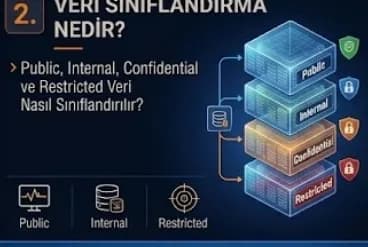
What Is Data Classification? How Are Public, Internal, Confidential and Restricted Data Classified?
Data classification separates organization data into levels such as Public, Internal, Confidential and Restricted according to its sensitivity and business value. This guide covers how to build the taxonomy, automatic classification, labeling, DLP integration, KVKK mapping, DSPM context and the role of classification in AI and RAG environments.
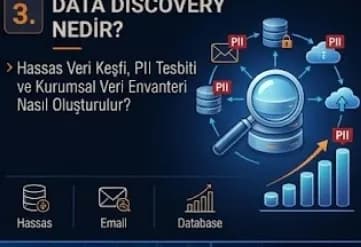
What Is Data Discovery? Sensitive Data Discovery, PII Detection and Building a Data Inventory
Data Discovery is the data security process that discovers where the data inside an organization is located, what it contains and how sensitive it is. This guide covers PII detection, structured and unstructured scanning, the corporate data inventory, data mapping, Shadow and Dark Data, DSPM and DLP integration and the discovery of new AI data sources such as vector databases and the RAG corpus.
Data Access Security: Least Privilege, RBAC, ABAC and Preventing Unauthorised Access
Data access security ensures that only the right identity accesses sensitive data, with the right authorization and for the right period. This guide covers the Least Privilege and Need-to-Know principles, the RBAC and ABAC models, access review and IGA processes, JIT access, Zero Trust with continuous authorization and authorization control in AI Agent and RAG systems.
What Is Data Encryption? Data at Rest, Data in Transit, Data in Use and Key Management
Data encryption prevents sensitive data being read by unauthorized people with cryptographic algorithms. This guide covers the Data at Rest, Data in Transit and Data in Use states, symmetric and asymmetric encryption, TDE and disk encryption, TLS and mTLS, tokenization and masking, and key management subjects such as KMS, HSM, key rotation, BYOK/HYOK and crypto-agility.
What Is Database Activity Monitoring (DAM)? Monitoring Database Access and Protecting Sensitive Data
Database Activity Monitoring (DAM) makes visible who runs which query on the database, which sensitive table they access and how much data they take out. This guide covers the DAM architectures, DBA and service account monitoring, bulk data export detection, PAM, SIEM, DLP and DSPM integrations and the monitoring of AI Agent and Text-to-SQL accesses.
Looking for professional support on this topic?
Our expert team will reach out for a free consultation as soon as possible.