What Is Immutable Backup? Unchangeable Backups Against Ransomware
What is immutable backup, how do WORM and Object Lock work, and how is an unchangeable backup architecture built against ransomware? A full guide.
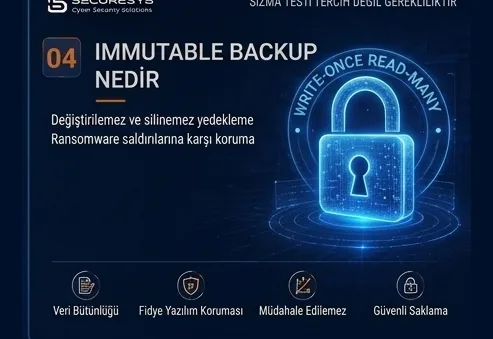
In ransomware attacks, one of an organization's greatest hopes is its backup systems.
The production environment may be encrypted.
File servers may have become inaccessible.
Databases may be corrupted.
Virtual machines may have been shut down.
However, if the organization holds a clean and secure backup, the impact of the attack can be significantly reduced.
For precisely this reason, modern ransomware groups no longer target production systems alone.
Backup servers have also become one of the critical targets in the attack chain.
From the attacker's perspective the logic is quite simple.
If the organization's backups remain intact, the likelihood of paying the ransom drops.
If the backups are deleted, corrupted or encrypted, the organization's recovery options shrink.
For this reason, in advanced attacks the attackers;
backup servers,
backup administrator accounts,
snapshot systems,
storage devices,
backup repositories,
cloud backup accounts,
the hypervisor management layer
may try to discover systems such as these.
At this point one of the most critical concepts of modern backup architecture emerges:
Immutable Backup
That is:
Unchangeable backup.
The core purpose of the immutable backup approach is that backup copies cannot be deleted, modified or overwritten for a defined period of time.
This way, even if the attacker gains high privileges, the goal is for the organization to preserve at least certain restore points.
What Is Immutable Backup?
Immutable Backup is a backup copy that cannot be modified during a defined retention period and cannot be deleted through normal operational means.
The word “immutable” in English means:
unchangeable
as its literal sense.
For example, if a backup copy was created with a 30-day immutable retention, that backup is protected against deletion or modification throughout the configured protection period.
This provides a major advantage particularly in ransomware attacks.
Because even if the attacker;
reaches the backup console,
compromises a highly privileged account,
discovers the repository,
they may still be unable to directly delete the backup copies locked as immutable.
Why Did Immutable Backup Emerge?
Classic backup systems were essentially designed against operational data loss.
For example:
- accidental file deletion,
- disk failure,
- database corruption,
- application error,
- hardware problem.
In these scenarios there is no attacker.
The backup system is a technical recovery mechanism.
The modern cyber threat model, however, is entirely different.
Now there is an attacker moving deliberately inside the system.
This attacker knows what the backup system does.
They can determine which product is in use.
They can discover where the backup repository resides.
They can try to capture administrator credentials.
They can change retention policies.
They can delete snapshots.
They can target restore points.
Consequently, a new layer had to be added on top of classic backup logic:
Protecting the backup against the attacker.
Immutable backup is the result of this need.
Why Does a Ransomware Attacker Go for the Backup First?
In advanced ransomware attacks, encryption is often not the first step of the attack.
The attacker first tries to get to know the environment.
A sample attack chain may look like this:
Initial access is obtained.
A user account is compromised.
Privileges are escalated.
The domain structure is discovered.
Administrator credentials are targeted.
Backup servers are identified.
The storage infrastructure is discovered.
Attempts are made to compromise backup administrator accounts.
Snapshots or restore points are targeted.
Critical data is exfiltrated.
Finally, production systems are encrypted.
There is an important reason behind this order.
If the attacker starts encryption too early, security teams may notice the incident.
But if they sabotage the backup system first, the impact of the attack becomes far greater.
How Does Immutable Backup Work?
Immutable backup can be implemented with different technologies.
The basic principle is always the same:
Once the backup data is created, it is made unchangeable for a defined period.
For example:
Backup created: 1 August
Retention period: 30 days
In this case the backup file can be kept under protection until 31 August.
During this period, by a normal user or an administrator;
deletion,
modification,
overwriting
operations can be blocked.
This structure can be implemented in different ways depending on the product and the storage technology.
What Is WORM Storage?
One of the frequently used concepts in the immutable backup world is:
WORM
that is:
Write Once, Read Many
as an approach.
Roughly rendered, it means:
Write once, read many times
as a description.
Once data is written onto WORM storage it cannot be modified for a certain period.
This technology has long been used in finance, healthcare, archiving and regulated sectors.
It is also extremely valuable in modern ransomware defence.
Once a backup is written onto WORM storage, modifying or deleting that data is made significantly harder for the attacker.
What Is Object Lock?
One of the important immutable mechanisms used in cloud and object storage systems is Object Lock technology.
Object Lock ensures that specific objects cannot be modified or deleted for a defined period.
For example, if backup files are kept on object storage, these files can have:
30-day Object Lock
applied to them.
Throughout this period the backup object can be protected against deletion requests.
This method is used widely, especially in S3-compatible object storage architectures.
What Is Retention Lock?
Retention Lock refers to securely locking the retention period of backup data.
For example, suppose a backup has:
90-day retention
applied to it.
In a normal backup system the administrator can change the retention period.
But in a strong retention lock configuration, shortening this period afterwards can be prevented.
This matters particularly when the attacker compromises the administrator account.
Because the attacker's goal is usually to set:
Retention = 0
or a very short period, so that backups get deleted.
Retention lock aims to reduce this risk.
Governance Mode and Compliance Mode
Some object lock systems offer different immutable modes.
In general two approaches are seen:
Governance Mode
Certain highly privileged users can remove the immutable protection when needed.
This provides operational flexibility.
However, if the attacker gains that special privilege, the protection can be bypassed.
Compliance Mode
Removing the protection during the retention period is restricted far more strictly.
This mode can provide stronger protection in regulated and high-security environments.
However, if the retention setting is wrong, being unable to delete data before the period expires can create an operational problem.
For this reason immutable design must be done carefully.
Are Immutable Backup and Air-Gap the Same Thing?
No.
Although these two concepts look close to each other, they are different.
Immutable Backup
The backup may be accessible but it cannot be modified.
Air-Gap Backup
The backup is isolated from the production environment.
For example, an immutable backup residing on object storage may be reachable over the network.
But it cannot be deleted during the retention period.
An offline backup held on tape, on the other hand, can provide a physical air gap.
In the strongest architectures the two approaches are used together.
That is, the backup can be:
both immutable
and also
isolated
at the same time.
The Difference Between Immutable Backup and Offline Backup
An offline backup is not continuously reachable over the network.
An immutable backup, even when reachable, cannot be modified.
These two methods reduce different risks.
Offline backup makes the attacker's access harder.
Immutable backup makes modifying the data harder even if access does occur.
Consequently:
Access Protection + Modification Protection
can be provided together.
What Is a Hardened Repository?
Another concept frequently used in modern backup security is the:
Hardened Repository
approach.
A hardened repository is a backup storage system with a reduced attack surface, strengthened by dedicated security controls.
In such systems;
minimal services,
restricted network access,
separate administrator accounts,
MFA,
SSH restrictions,
limiting root access,
immutable file system features,
a separate credential structure
can be used.
The aim is to stop the backup repository from being an ordinary file server.
Should the Backup Repository Be Joined to the Domain?
This is one of the most important design decisions in backup security.
In critical environments, joining the backup repository to the production Active Directory domain can create risk.
Why?
Because if the attacker obtains Domain Admin privileges, they can reach many systems bound to the domain.
If the backup repository is inside the same domain, the attacker's access to the recovery infrastructure becomes easier.
For this reason, in modern backup security the:
Domain Separation
approach can be evaluated.
The backup system may use;
separate credentials,
a separate local administrator,
a separate authentication domain
or isolated identity management
for this purpose.
The core objective is this:
Compromise of the production domain must not mean compromise of the backup domain.
Should Backup Administrator Accounts Be Separated?
Yes.
The backup administrator account being the same as the Domain Admin account used daily can create serious risk.
For example, suppose an administrator:
uses that account both for e-mail and for managing the backup system.
If this account is compromised through a phishing attack, the attacker can reach the backup system.
Instead:
the daily user account,
the server administrator account,
the backup administrator account
must be kept separate.
This approach is the principle of Privileged Access Separation.
Is MFA Mandatory on Backup Systems?
On critical backup systems, Multi-Factor Authentication should be strongly recommended.
Because the backup administrator account is a high-value account.
Even if the password is compromised, MFA forms a second layer of security.
However, MFA alone is not enough.
The attacker can steal a session token.
They can compromise the administrator's device.
MFA fatigue attacks can be carried out.
For this reason MFA;
PAM,
network segmentation,
conditional access,
separate management workstations
must be supported by controls such as these.
How Is Privileged Access Management Used in Backup Security?
PAM systems ensure that highly privileged accounts are used in a controlled manner.
Backup administrator access can be managed through PAM.
For example:
the user does not directly know the backup administrator password.
The PAM system grants temporary access.
The session can be recorded.
Commands can be logged.
Privileges can be granted for a limited period.
This approach makes it harder for the attacker to obtain a persistent administrator credential.
Should a Separate Management Workstation Be Used for Backup Administration?
In environments requiring high security, yes.
Accessing the backup management console from ordinary user computers is risky.
For example, if the administrator, from the same computer;
reads e-mail,
uses the internet,
downloads files,
management credentials may be at risk because of phishing or malware.
For this reason:
Privileged Access Workstation – PAW
or
Secure Admin Workstation
can be used.
Backup administration can then be performed only from these secure systems.
Why Is Backup Network Segmentation Important?
The backup infrastructure must not be completely intertwined with the production network.
For example, having access to the backup server from all user VLANs is a serious risk.
Instead, a separate:
backup VLAN,
firewall zone,
management network
can be used.
Access must be restricted to only the necessary ports.
An allow-list approach can be applied on the firewall.
This method makes it harder for the attacker to reach the backup system through lateral movement.
Should the Backup Server Be Exposed to the Internet?
Generally it must not be directly exposed to the internet.
Backup management interfaces being reachable over the internet increases the attack surface significantly.
If remote access is required;
VPN,
Zero Trust Network Access,
MFA,
jump server,
privileged access gateway
secure methods such as these must be used.
Should Immutable Backup Be Encrypted?
Yes.
Being immutable does not provide confidentiality.
A backup may be unchangeable, yet if the attacker can read the backup file a data breach may occur.
For this reason backup data must be encrypted:
At Rest
and
In Transit
in both states.
Especially inside the backup repository;
customer data,
personal data,
financial records,
e-mail,
ERP data,
trade secrets
may be present.
For this reason encryption is a fundamental part of backup security.
Why Is Encryption Key Management Critical?
Backup encryption keys must be protected.
If the attacker obtains the encryption key, they can read the backup data.
If the organization loses the encryption key, it may be unable to restore its own backup.
For this reason key management;
secure storage,
backup of the keys,
access control,
rotation,
separate authorization
must include these processes.
In critical environments, HSM or central key management systems can be used.
Does Immutable Backup Solve Everything?
No.
Immutable backup is a very strong protection layer but it is not sufficient on its own.
For example, suppose the organization has a 7-day immutable backup retention.
The attacker may have been inside the system for 30 days.
In that case the attacker's persistence mechanism may be present in every one of the last 7 days' backups.
Even if the backup files are unchangeable:
they may not be clean.
For this reason, threat detection and incident response processes matter alongside immutable backup.
What Is a Clean Restore Point?
A Clean Restore Point is a verified backup point where the attacker or malware is not present.
One of the most critical questions of the post-ransomware recovery process is:
“Which backup is clean?”
as the question to answer.
The newest backup is not always the best backup.
For example, the attacker entered the system on 1 July.
The ransomware was executed on 20 July.
The 19 July backup may be technically intact.
But the attacker's backdoor may be present inside the backup.
For this reason the incident response team tries to determine the attacker's initial access time.
A safe point for restore is then selected accordingly.
Should Malware Scanning Be Performed Inside the Backup?
Where possible, yes.
In modern recovery systems, backup data can be put through a malware or IOC scan before being restored.
For example, inside the backup the:
files,
registry,
startup entries,
script files,
scheduled tasks
can be analysed.
This approach can be part of:
Secure Restore
or
Clean Room Recovery
strategies.
What Is Clean Room Recovery?
Clean Room Recovery is the approach of restoring systems in an isolated and trusted environment after a cyber attack.
The aim is not to restore directly into a compromised production environment.
For example, a separate network is created.
A clean identity infrastructure is prepared.
The backup is restored.
A malware scan is performed.
System checks are carried out.
Applications are tested.
Afterwards they are moved into production in a controlled manner.
This method is important particularly in large ransomware incidents.
What Is a Cyber Recovery Vault?
A Cyber Recovery Vault is the approach of keeping critical backup copies in a highly isolated, dedicated recovery environment.
This environment is as independent as possible from production systems.
For example;
a separate identity infrastructure,
network isolation,
immutable storage,
restricted access,
MFA,
separate administrator accounts
can be used.
The purpose of a Cyber Recovery Vault is not only to store backups.
It is to create a trusted recovery point after a cyber attack.
What Should the Immutable Backup Retention Period Be?
There is no single correct period.
The retention period must be determined according to the organization's risk profile.
For example;
14 days,
30 days,
60 days,
90 days
periods such as these can be used.
However, when determining the right period, the time attackers can remain undetected inside the network must also be evaluated.
If the organization keeps only a 7-day immutable backup while the average time to detect attacks is longer, a clean restore point may not be found.
For this reason the retention strategy must not be determined by storage cost alone.
The Relationship Between Immutable Backup and RPO
The immutable backup retention period and RPO are not the same thing.
RPO:
how much data loss is acceptable
is what it expresses.
Immutable retention, on the other hand:
how long the backup will be protected in an unchangeable state
is what it expresses.
For example:
RPO = 1 hour
Immutable Retention = 30 days
may be the case.
That is, hourly backups are taken and these backups can be protected for 30 days under a defined policy.
The Relationship Between Immutable Backup and RTO
Immutable backup protects the data but it does not automatically guarantee restore speed.
For example, if the immutable backup resides on very slow archive storage, the restore may take hours.
For this reason, in terms of RTO;
storage performance,
network bandwidth,
restore architecture,
instant recovery,
DR infrastructure
factors such as these must be evaluated.
Can Immutable Backup Be Used in the Cloud?
Yes.
Cloud object storage is one of the frequently used options for immutable backup.
Thanks to Object Lock or similar mechanisms, backup objects can be protected against deletion for a defined period.
However, in cloud backup particularly the:
IAM,
MFA,
separate account,
API key security,
audit logging,
encryption,
retention lock
controls must be configured correctly.
Should Production and Backup Be in the Same Cloud Account?
In critical systems a separate-account approach may be preferable.
For example:
Production Account
and
Backup Account
can be kept apart.
Even if the attacker seizes production cloud administrator privileges, they must not automatically reach the backup account.
This approach is:
Blast Radius Reduction
that is, the principle of shrinking the impact area of the attack.
The Most Common Mistakes in Immutable Backup
The mistakes frequently encountered in organizations are as follows:
- enabling the immutable feature without changing the architecture,
- keeping the backup administrator account the same as the production account,
- not using MFA,
- setting the retention period far too short,
- including the backup repository in the production domain,
- leaving internet access unnecessarily open,
- not segmenting the backup network,
- keeping encryption keys on the same system,
- not performing restore tests,
- assuming an immutable backup is a clean backup,
- restoring directly into production after ransomware.
These mistakes can seriously reduce the advantage provided by immutable technology.
How Is Immutable Backup Tested?
Immutable backup must not be verified only in theory.
Testing must be performed.
For example, in a controlled environment;
an attempt can be made to delete the backup,
an attempt can be made to change the retention,
a deletion test can be run with an administrator account,
repository access can be checked,
a restore operation can be carried out.
The purpose is to verify that the system genuinely provides the expected protection.
How Often Should Backup Restore Testing Be Done?
Test frequency must be determined according to the criticality of the system.
On critical Tier 1 systems, restore tests can be performed more often.
For example;
monthly,
quarterly,
semi-annual
exercises can be applied.
However, technical restore alone is not sufficient.
At defined intervals a genuine:
Disaster Recovery Exercise
that is, a disaster recovery drill must be performed.
What Is Zero Trust Backup?
Zero Trust Backup is the application of Zero Trust principles to the backup infrastructure.
The basic approach is this:
No user or device is automatically considered trusted.
Backup management access is continuously verified.
Least privilege is applied.
Identities are separated.
MFA is used.
Network segmentation is applied.
Critical operations are logged.
Administrator access is brought under control.
This way the backup infrastructure becomes one of the organization's most protected systems.
Should Backup Systems Be Monitored with SIEM?
Yes.
Critical operations occurring on backup systems can be sent to SIEM or a central log management system.
For example;
deletion of a backup job,
a retention change,
a repository deletion operation,
creation of an administrator,
MFA being disabled,
login failure,
a backup policy change
can generate an alarm.
This way the attacker can be detected early while trying to sabotage the backup system.
Can Backup Security Be Supported with EDR?
Properly configured EDR/XDR solutions can be used on backup servers.
However, the performance and compatibility requirements of the backup product must be taken into account.
The purpose is;
credential theft,
malware execution,
lateral movement,
suspicious PowerShell,
ransomware behaviour
to detect activities such as these.
Leaving the backup server outside monitoring on the assumption that it is a “trusted system” can create serious risk.
How Should the Restore Order Be Determined After Ransomware?
An organization cannot restore all systems at once.
For this reason prioritization must be performed.
For example:
- Identity infrastructure
- DNS and core network services
- Critical database systems
- ERP
- Financial applications
- File systems
- User services
a recovery priority along these lines can be established.
This ordering must be determined as a result of Business Impact Analysis.
Why Is Active Directory Backup Especially Critical?
Active Directory is the central identity infrastructure of many organizations.
If AD is lost entirely;
user login operations,
server authentication,
group policy,
application access,
service accounts
may be affected.
For this reason AD backup and recovery scenarios must be tested separately.
Relying solely on a domain controller VM snapshot can be risky.
An appropriate backup and forest recovery procedure must be established for AD.
Why Is Immutable Backup Important from a Regulatory Perspective?
Even though many regulations and security standards do not directly say “use immutable backup”, they demand data integrity, business continuity, resilience and recovery controls.
For example;
ISO/IEC 27001,
ISO 22301,
DORA,
KVKK,
PCI DSS
frameworks such as these may address backup and recovery processes from different perspectives.
Especially in the finance and critical infrastructure sectors, cyber resilience requirements increase the importance of immutable and isolated backup architectures.
Immutable Backup from an ISO 27001 Perspective
Within the scope of ISO/IEC 27001, running backup management in a controlled and tested manner is important.
The organization's;
backup policy,
retention period,
access control,
restore procedure,
test results,
responsibilities
must be documented.
Immutable backup can be one of the technical security layers of this structure.
Immutable Backup from an ISO 22301 Perspective
ISO 22301 is focused on business continuity.
It aims at continuing critical processes after a disaster.
Immutable backup;
by preventing the loss of critical data,
by supporting the disaster recovery process,
contributes to ensuring business continuity.
However, from an ISO 22301 perspective backup alone is not sufficient.
Personnel,
location,
suppliers,
communication,
operational processes
must be evaluated as well.
DORA and the Cyber Resilience Perspective
In the finance sector the concept of digital operational resilience has become steadily more important.
Organizations are expected not merely to block the cyber attack but to sustain their operations when an attack does occur.
For this reason;
backup,
DR,
restore testing,
resilience testing,
incident response
must be addressed as a whole.
Immutable backup is also one of the important technical components of this resilience model.
The Most Critical Question: Can the Attacker Delete the Backup?
This is one of the most valuable questions that can be asked in backup design:
“If the Domain Admin account is in the attacker's hands, can they delete our backups?”
If the answer is:
“Yes”
then there may be a significant security gap in the backup architecture.
The second question:
“If the backup administrator account is compromised, can all restore points be deleted?”
The third question:
“If the production cloud account is compromised, is the backup account lost as well?”
These questions reveal the organization's real cyber recovery level.
Conclusion: It Is Not Enough for the Backup to Exist, It Must Be Protected from the Attacker
Modern ransomware attacks have completely changed the world of backup.
The attacker no longer encrypts only production systems.
They target the recovery infrastructure too.
For this reason it is not enough for organizations merely to say:
“We take backups.”
as their answer.
The real question is this:
“When the attacker seizes our systems, can they seize our backups as well?”
Immutable Backup is one of the strongest technical answers given to this question.
However, real protection is not achieved merely by activating the immutable feature.
In an effective architecture;
Immutable Storage,
WORM,
Object Lock,
Retention Lock,
Hardened Repository,
MFA,
separate administrator accounts,
network segmentation,
encryption,
offsite backup,
air gap
and restore tests
must be evaluated together.
The fundamental principle of modern backup security is quite clear:
The production environment may be lost. The backup environment must not be lost.
And more importantly:
The backup must not merely exist; it must be clean, secure and genuinely restorable.
Related Articles
Backup & Business Continuity
What Is Backup? Why Is It Critical for Organisations?
What is backup and why is it critical for organisations? How it differs from RAID and snapshots, why ransomware targets backups, RPO/RTO and restore testing.
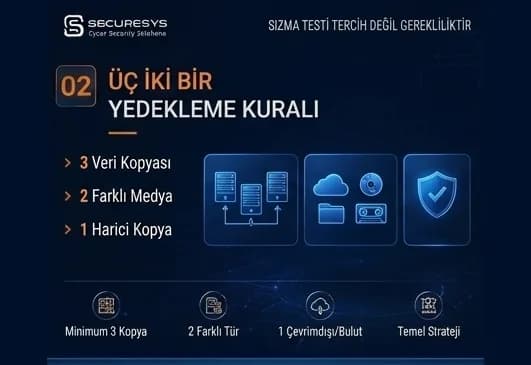
The 3-2-1 Backup Rule and Modern Backup Strategies
What is the 3-2-1 backup rule? The 3-2-1-1-0 model, immutable and air-gap backup, identity isolation and restore testing in modern backup strategy.
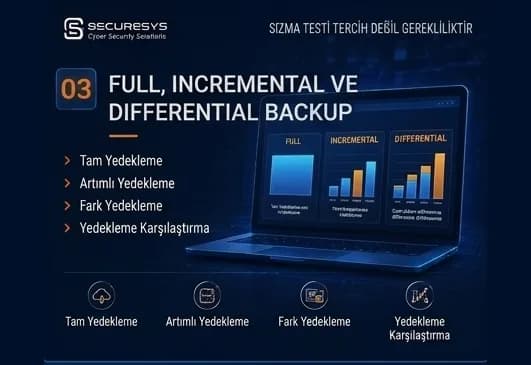
Full, Incremental and Differential Backup: Which One, When?
What is the difference between full, incremental and differential backup? How synthetic full, incremental forever, CBT and chain management affect RPO/RTO.
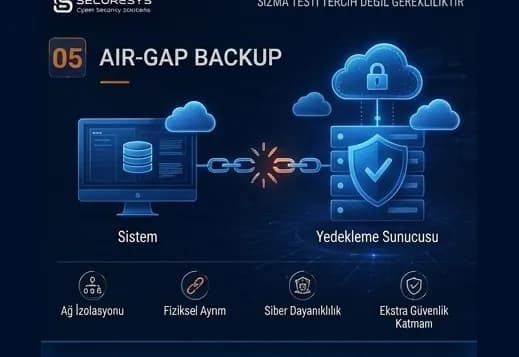
Air-Gap Backup: A Backup Architecture Isolated From Cyber Attacks
What is air-gap backup, how are physical and logical isolation built, and how does a Cyber Recovery Vault protect backups against ransomware?
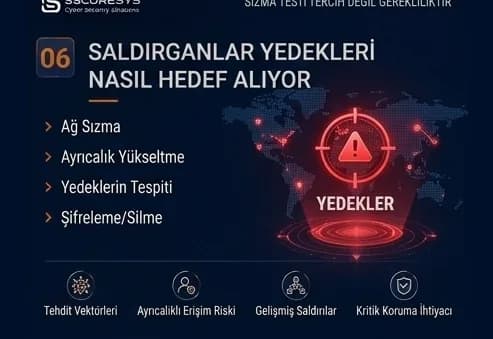
Backup in Ransomware Attacks: How Do Attackers Target Backups?
How are backups targeted in ransomware attacks? The attack chain, backup discovery, retention sabotage and choosing a clean restore point.
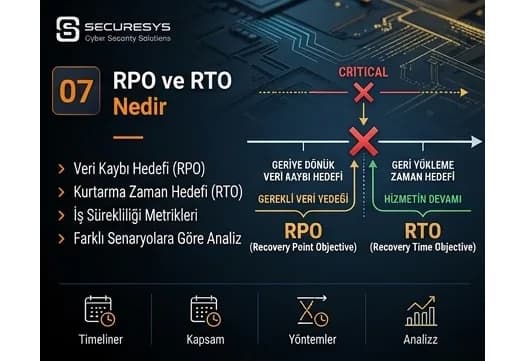
What Are RPO and RTO? The Two Critical Metrics of Business Continuity
What are RPO and RTO and how are they set? BIA, tier classification, MTD, dependency mapping and real recovery targets in a ransomware scenario.
Looking for professional support on this topic?
Our expert team will reach out for a free consultation as soon as possible.