Software Development Trends Worldwide: AI, Cloud, SaaS and the Future of the Software Industry
What are the 2026 software development trends? Explore AI, AI Agents, Cloud-Native, SaaS, DevSecOps, Platform Engineering and the software technologies of the future.
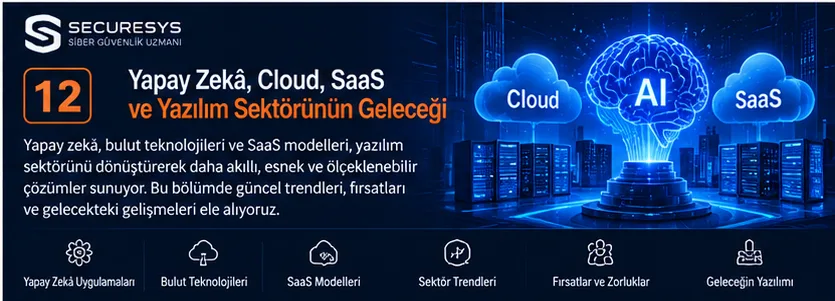
What Are the Software Development Trends?
Software development trends are the technologies, methods and architectural approaches that change the way software is designed, developed, tested, deployed and operated.
The software industry does not change merely because new programming languages emerge.
Artificial intelligence, cloud computing, automation, security, data management and user expectations also transform software development processes.
Today, software development teams are not concerned only with producing application code.
They are also concerned with the security, scalability, performance, integration, sustainability and operating costs of applications.
AI-assisted coding tools, cloud-native architectures, SaaS platforms, container technologies and DevSecOps approaches are important components of this transformation.
That said, not every new technology is suitable for every organisation.
For a technology trend to create enterprise value, it must fit real business needs, security requirements and sustainability goals.
Short answer: The trends that stand out in software development include AI-assisted development, AI Agent systems, cloud-native architectures, SaaS, platform engineering, DevSecOps, API-first design, automation, low-code/no-code and software supply chain security.
1. Why Does the Software Industry Keep Changing?
The software industry is directly affected by technological and economic developments.
Main reasons for change
- Changing user expectations
- The advance of cloud technologies
- The spread of artificial intelligence applications
- Cyber security threats
- Growing data volumes
- Wider use of mobile devices
- Automation needs
- Organisations' digital transformation goals
Example
A business that once used accounting software running only on a single computer may today demand mobile access, API integration, cloud services and automated reporting.
2. Software Technologies Standing Out in 2026
As of 2026, the key technology areas being evaluated in enterprise software development are as follows:
| Technology | Main area of use |
|---|---|
| AI-assisted development | Support for code, testing and documentation |
| Agentic AI | Execution of multi-step tasks |
| Cloud-Native | Cloud-oriented application architectures |
| SaaS | Delivering software as a service |
| Platform Engineering | Developer platforms |
| DevSecOps | Secure software development |
| API-First | Integration-oriented design |
| Serverless | Managed execution environments |
| Edge Computing | Processing data close to its source |
| Low-Code/No-Code | Visual development tools |
| SBOM | Visibility of software components |
| GitOps | Declarative operations management |
This table is not a market-share or popularity ranking.
3. What Is AI-Assisted Software Development?
AI-assisted software development is the use of artificial intelligence systems by developers in certain activities.
Areas of use
Code suggestions.
Code explanation.
Test scenario generation.
Documentation.
Error analysis.
Refactoring suggestions.
Example
While preparing data validation code for a REST API, a developer can get starting suggestions from an AI tool.
Key point
Code generated by artificial intelligence must be reviewed for functionality, security and licence terms.
4. What Is an AI Coding Assistant?
An AI Coding Assistant is an AI-powered helper tool that offers code and technical content suggestions during software development activities.
Example tools
GitHub Copilot.
Amazon Q Developer.
Gemini Code Assist.
JetBrains AI Assistant.
Cursor.
Areas of use
Code completion.
Code explanation.
Test preparation.
Error review.
Documentation.
Key point
The capabilities, data processing terms and enterprise security options of these tools may differ.
5. Will Artificial Intelligence Replace Software Developers?
Artificial intelligence can automate some parts of software development activities.
However, software engineering does not consist of writing code alone.
Areas that require human expertise
Business analysis.
Architectural design.
Security assessment.
Technical decisions.
User experience.
Risk management.
System integration.
Key point
The long-term impact of artificial intelligence on employment cannot be predicted with certainty.
On the other hand, developers' skills in evaluating and supervising AI tools can be expected to grow in importance.
6. What Is Prompt Engineering?
Prompt Engineering is the practice of preparing the instructions and context given to artificial intelligence systems so that they suit the desired results.
Core elements
Task definition.
Context.
Constraints.
Expected output.
Examples.
Example
“Prepare the validation rules and test scenarios for the customer registration API of a CRM application that uses PostgreSQL.”
Key point
Well-prepared instructions can improve the quality of results, but they do not guarantee accuracy or security.
7. What Is Agentic AI?
Agentic AI is the approach in which artificial intelligence systems work with capabilities such as planning, tool use and multi-step task execution towards specific goals.
Example activities
Information gathering.
Task planning.
Tool invocation.
Workflow execution.
Result evaluation.
Example
A software development agent can review test results in an environment it is authorised to access and prepare a bug-fix suggestion.
Key point
The access permissions of agentic AI systems and the actions they can perform should be restricted.
8. What Is an AI Agent?
An AI Agent is a software component that can obtain information from its environment, use decision-support mechanisms and carry out actions with authorised tools in pursuit of specific goals.
Areas of use
Customer support processes.
IT operations.
Code review.
Document analysis.
Report preparation.
Example
A support agent can classify an incoming request and produce a suggestion for routing it to the relevant team.
9. What Is a Multi-Agent System?
A multi-agent system is an architecture in which more than one agent works together on specific tasks.
Example roles
Analysis agent.
Code development agent.
Testing agent.
Security assessment agent.
Key point
Using multiple agents does not always mean higher accuracy or efficiency.
Coordination, cost and security complexity may increase.
10. What Is RAG?
RAG (Retrieval-Augmented Generation) is the approach that allows an AI model to draw on content retrieved from external knowledge sources when generating a response.
Areas of use
Enterprise knowledge base.
Document search.
Technical support.
Regulatory research.
Example
An enterprise assistant can search the company procedures it is authorised to access and prepare source-based answers to user questions.
Key point
Using RAG does not completely eliminate incorrect answers.
11. What Is a Vector Database?
A Vector Database is a type of database or data system used to store vector representations and perform similarity searches.
Areas of use
Semantic search.
RAG.
Recommendation systems.
Finding similar content.
Example technologies
Milvus.
Weaviate.
Qdrant.
pgvector.
Key point
Vector search does not replace traditional relational databases in every case.
12. What Is an LLM?
LLM (Large Language Model) means a large language model.
LLM systems can perform a variety of tasks on text and, in some models, on other data types.
Areas of use
Text generation.
Code generation.
Summarisation.
Question answering.
Classification.
Key point
LLM outputs must be evaluated for accuracy, privacy and security.
13. What Is LLMOps?
LLMOps covers the practices for developing, evaluating, deploying and operating applications based on large language models.
Core activities
Model selection.
Prompt versioning.
Evaluation.
Monitoring.
Cost control.
Security.
Example
The response quality and cost of an enterprise AI assistant can be measured regularly.
14. What Is MLOps?
MLOps (Machine Learning Operations) is the process and automation approach for developing and operating machine learning models.
Areas of use
Data preparation.
Model training.
Model versioning.
Deployment.
Performance monitoring.
Key point
MLOps and LLMOps are related concepts, but their requirements are not all the same.
15. Why Is AI Security Important?
Artificial intelligence systems can interact with enterprise data and external tools.
Main risks
Data leakage.
Prompt injection.
Unauthorised tool use.
Incorrect output.
Insecure integration.
Model or data manipulation.
Key point
Like other enterprise software, AI applications should be included in the security lifecycle.
16. What Is Prompt Injection?
Prompt injection is a type of attack that aims to change the behaviour of an AI system through untrusted content it processes.
Example
An attempt to have malicious instructions inside a document mixed up with the genuine user instructions given to an AI assistant.
Security approach
Trust boundaries.
Authorisation.
Tool access control.
Action approval.
Input and output evaluation.
Key point
Prompt filtering alone does not eliminate all prompt injection risks.
17. What Is Shadow AI?
Shadow AI refers to AI tools used outside an organisation's approved governance and oversight processes.
Possible risks
Sharing of confidential data.
Uncontrolled data transfer.
Compliance problems.
Lack of organisational visibility.
Example
An employee uploading a customer contract to an unauthorised AI service can create a data protection risk.
18. What Is an AI Gateway?
An AI Gateway is an intermediary layer that can be used to centralise access and traffic management between AI applications and model services.
Possible features
Model access control.
Request routing.
Usage monitoring.
Data masking.
Policy enforcement.
Audit logs.
Key point
Using an AI Gateway does not by itself mean that all AI security risks have been eliminated.
19. What Is Cloud Computing?
Cloud Computing is the model in which computing resources are delivered as a service over a network, on demand.
Service examples
Servers.
Storage.
Databases.
Networking.
Application platforms.
Software services.
Advantages
Flexible capacity.
Managed services.
Rapid resource provisioning.
Key point
Cloud computing requires an assessment of security, cost and data protection responsibilities.
20. What Is Cloud-Native?
Cloud-Native is an approach to developing and operating applications that takes advantage of the automation, elasticity and scalability of cloud environments.
Common components
Containers.
Kubernetes.
Microservices.
Declarative APIs.
Automation.
Observability.
Key point
Cloud-native applications do not have to run only on the public cloud.
21. The Difference Between Cloud-Native and Traditional Software
| Criterion | Traditional approach | Cloud-Native approach |
|---|---|---|
| Infrastructure | May involve more manual management | Automation comes to the fore |
| Deployment | May use centralised release processes | May be automated and incremental |
| Scaling | Depends on capacity planning | Dynamic options |
| Architecture | May be monolithic | May be modular or distributed |
| Monitoring | May be system-focused | Application and service-focused |
Key point
These characteristics are not strict distinctions. Traditional systems can also use automation and modern security controls.
22. What Is SaaS?
SaaS (Software as a Service) is the cloud computing model in which software is delivered as a service.
Examples
CRM.
ERP.
Project management.
Email.
Document management.
Advantages
Centralised service management.
Remote access.
Subscription options.
Key point
SaaS does not simply mean that software is sold for a monthly fee.
23. The Future of SaaS Software Development
Among the development areas that stand out in SaaS applications are integration, automation and data management.
Example trends
API-based integration.
Multi-tenant architecture.
AI features.
Automated reporting.
Identity and access management.
Key point
In SaaS products, data isolation and customer-level authorisation are critical security issues.
24. What Is Multi-Tenant Architecture?
Multi-tenant architecture is the approach that allows the same application infrastructure to be used by more than one customer or organisation through logical separation.
Areas of use
SaaS CRM.
Project management.
Enterprise platforms.
Security requirements
Tenant isolation.
Data access control.
Resource limits.
Audit logs.
Key point
Tenant isolation cannot be achieved merely by filtering in the user interface.
25. What Is Serverless?
Serverless is an execution approach in which significant parts of the infrastructure capacity are managed by the cloud provider.
Examples
AWS Lambda.
Azure Functions.
Google Cloud Run.
Areas of use
Event-driven operations.
APIs.
Data processing.
Automation.
Key point
Serverless does not mean there are no physical servers.
26. What Is Edge Computing?
Edge Computing is the approach that allows data to be processed close to its source, before or instead of being sent to a central data centre.
Areas of use
IoT.
Manufacturing.
Smart devices.
Image processing.
Applications requiring low latency.
Example
Sensor data from a production line can be analysed on a local system.
27. What Is Hybrid Cloud?
Hybrid Cloud is the use of different infrastructure environments, such as private and public clouds, together through specific integrations.
Reasons for use
Preserving existing systems.
Data hosting requirements.
Business continuity.
Flexible capacity.
Key point
A hybrid architecture can add complexity to security and network management.
28. What Is Multi-Cloud?
Multi-cloud is an organisation's use of the services of more than one cloud provider.
Possible reasons
Different service capabilities.
Business requirements.
Supplier strategy.
Geographical needs.
Key point
A multi-cloud approach does not automatically provide lower cost or higher security.
29. What Is Platform Engineering?
Platform Engineering is the approach of building and managing internal platforms that make the development and deployment activities of software teams easier.
Areas of use
Developer environments.
CI/CD.
Infrastructure automation.
Security standards.
Service templates.
Purpose
To help developers focus on product development rather than repetitive infrastructure tasks.
30. What Is an Internal Developer Platform?
An Internal Developer Platform (IDP) is a platform that allows software teams within an organisation to access certain infrastructure and development services in a standardised way.
Possible features
Service catalogue.
Application templates.
Automated environment creation.
Deployment processes.
Security policies.
Key point
The scope of an IDP may vary according to the organisation's needs.
31. What Is Developer Experience?
Developer Experience (DevEx) is the experience developers have with the tools, processes and working environments they use while producing software.
Areas of assessment
Development environment.
Documentation.
Testing processes.
Ease of deployment.
Feedback.
Key point
Improving developer experience can support the efficiency of software delivery processes.
32. What Is API-First?
API-first means addressing API design at an early stage of the software development process.
Areas of use
Mobile applications.
Web applications.
Microservices.
Enterprise integrations.
Example
The customer API of a CRM application can be designed taking into account the shared needs of web and mobile clients.
33. What Is the API Economy?
The API economy refers to organisations turning their data and functions into products, services and integration ecosystems through APIs.
Areas of use
Finance.
E-commerce.
Logistics.
SaaS.
Enterprise integration.
Key point
API access should be managed together with security, usage policies and data protection requirements.
34. The Future of Microservices
Microservice architecture allows large applications to be developed as services divided along specific business domains.
Advantages
Independent deployment.
Service-level scaling.
Technological flexibility.
Challenges
Distributed system complexity.
Service communication.
Data consistency.
Monitoring.
Key point
Microservices are not the most suitable architecture for every software project.
35. What Is a Modular Monolith?
A modular monolith is an architectural approach in which functions within a single deployable application are separated into distinct modules.
Advantages
Simpler deployment.
Module boundaries.
Lower distributed system complexity.
Example
The customer, quotation, order and project modules of a CRM application can be logically separated within a single application.
Key point
A modular monolith can be a suitable and sustainable option for many enterprise applications.
36. What Is Event-Driven Architecture?
Event-Driven Architecture is an architectural approach in which system components communicate through events.
Example events
Order created.
Payment completed.
Stock updated.
Project started.
Advantages
Loose coupling.
Asynchronous processing.
Integration flexibility.
Key point
In event-based systems, reprocessing, error handling and data consistency must be designed carefully.
37. What Is a Message Queue?
A Message Queue is an infrastructure component that enables messages to be passed between applications asynchronously.
Example technologies
RabbitMQ.
Apache Kafka.
Amazon SQS.
Azure Service Bus.
Areas of use
Order processing.
Notifications.
Data integration.
Background tasks.
38. What Is Low-Code?
Low-code is an approach that supports building applications with visual development tools and limited coding.
Areas of use
Business applications.
Forms.
Approval processes.
Dashboards.
Key point
On low-code platforms, the limits of customisation, security and integration should be assessed.
39. What Is No-Code?
No-code is a development approach that aims to build certain applications without writing traditional code.
Areas of use
Simple data applications.
Internal business processes.
Forms.
Automation.
Key point
Using no-code does not remove an application's maintenance, security and data management requirements.
40. What Is a Citizen Developer?
A Citizen Developer is a person who, while working outside a professional software development role, builds business applications using approved tools.
Example
An operations employee creating an approval form with the enterprise low-code platform.
Key point
Citizen development activities should be carried out in line with IT governance and security policies.
41. What Is Hyperautomation?
Hyperautomation is an approach to automating business processes by using more than one technology together.
Technology examples
RPA.
Artificial intelligence.
Workflow automation.
API integration.
Process analysis.
Key point
The aim of automation should be not only to reduce human intervention, but to improve process quality and control.
42. What Is Process Mining?
Process Mining is an approach to analysing how business processes actually run, using event logs from information systems.
Areas of use
Process discovery.
Bottleneck analysis.
Compliance checking.
Improvement.
Example
Delays in the transition from quotation to order can be analysed from transaction records.
43. What Is a Digital Twin?
A Digital Twin is a digital representation of a physical asset or process, linked to specific data.
Areas of use
Manufacturing.
Energy.
Logistics.
Infrastructure.
Maintenance.
Key point
Not every three-dimensional model or simulation is automatically a comprehensive digital twin.
44. The Future of IoT Software
IoT covers the technologies associated with physical devices collecting and sharing data over a network.
Areas of use
Smart manufacturing.
Energy monitoring.
Logistics.
Building management.
Healthcare technologies.
Security requirements
Device identity.
Secure updates.
Network segmentation.
Data protection.
45. What Is WebAssembly?
WebAssembly (Wasm) is a portable binary instruction format that can run in different environments.
Areas of use
Web applications.
Performance-critical components.
Certain server and edge workloads.
Key point
WebAssembly is not a technology that directly replaces JavaScript in every use case.
46. What Is a Progressive Web App?
A PWA (Progressive Web App) is a web application built with web technologies that can offer app-like features under suitable conditions.
Possible features
Adding to the home screen.
Offline use.
Notifications.
Responsive design.
Key point
PWA capabilities may differ depending on the browser and operating system.
47. The Future of Cross-Platform Development
Cross-platform development is an approach that makes it possible to use a shared codebase for more than one platform.
Example technologies
Flutter.
React Native.
.NET MAUI.
Kotlin Multiplatform.
Advantages
Code sharing.
Shared development processes.
Ease of maintenance.
Key point
Platform-specific functions and performance requirements should be assessed separately.
48. How Is Cyber Security Affecting Software Trends?
As software integrates with more systems and data, the attack surface changes too.
Key security areas
Application security.
API security.
Cloud security.
Identity security.
Container security.
AI security.
Supply chain security.
Key point
Security should not be left to the final stage of the software development process.
49. Why Is DevSecOps Becoming More Important?
DevSecOps aims to integrate security controls into development and operations processes.
Core controls
SAST.
DAST.
SCA.
Secret scanning.
IaC scanning.
Container scanning.
SBOM.
Key point
Automated security controls do not entirely remove the need for expert review.
50. Software Supply Chain Security
Software supply chain security covers the trustworthiness of the components used in developing and distributing software.
Risk areas
Open-source dependencies.
Package repositories.
Build systems.
CI/CD infrastructure.
Container images.
Third-party services.
Key point
Even if an application's own code is secure, its dependencies or development infrastructure can create risk.
51. Why Is an SBOM Important?
An SBOM (Software Bill of Materials) is a structured inventory of software components.
Areas of use
Component visibility.
Vulnerability management.
Licence assessment.
Supplier review.
Key point
Producing an SBOM does not by itself deliver security compliance or vulnerability remediation.
52. What Is Zero Trust?
Zero Trust is a security approach based on explicitly verifying access decisions and not basing trust solely on network location.
Core principles
Explicit verification.
Least privilege.
Continuous evaluation.
Use in software development
Service identities.
API access control.
Developer permissions.
CI/CD accounts.
Key point
Zero Trust is not a single security product.
53. What Is Passwordless Authentication?
Passwordless authentication covers methods that verify a user's identity without traditional password entry.
Examples
Passkey.
FIDO2.
WebAuthn.
Key point
In passwordless authentication implementations, account recovery and device management processes must also be designed securely.
54. What Is a Passkey?
A Passkey is an authentication approach associated with FIDO standards that makes use of public-key cryptography.
Advantages
Reducing password use.
Being able to provide stronger protection against phishing.
User experience.
Key point
The security of passkey implementations also depends on registration, recovery and device access processes.
55. What Is Privacy by Design?
Privacy by Design is the approach of addressing privacy and personal data protection requirements from the early stages of system design.
Core practices
Data minimisation.
Purpose limitation.
Access control.
Retention policies.
Secure default settings.
Key point
Privacy controls are not limited to preparing a privacy notice.
56. How Do KVKK (Turkish Personal Data Protection Law) and GDPR Affect Software Development?
Applications that process personal data must take the relevant data protection obligations into account.
Software requirements
Access control.
Data minimisation.
Retention and destruction.
Data transfer.
Data subject rights.
Audit logs.
Key point
An application's use of certain technologies does not automatically ensure KVKK or GDPR compliance.
57. What Is Green Software?
Green Software refers to the approach that aims to assess and reduce the environmental impact of software systems.
Areas of assessment
Energy consumption.
Resource efficiency.
Workload optimisation.
Infrastructure use.
Key point
Doing less processing does not in every case mean that the total environmental impact is reduced; measurement and system boundaries matter.
58. What Is FinOps?
FinOps is an operational approach that supports finance, engineering and business teams working together, particularly in managing cloud spending.
Core activities
Cost visibility.
Budget tracking.
Resource optimisation.
Spending accountability.
Key point
FinOps is not merely an effort to reduce cloud bills; it aims to manage cost and business value together.
59. What Is Observability?
Observability helps make the internal state of a system understandable from data obtained externally.
Core data types
Logs.
Metrics.
Traces.
Areas of use
Performance analysis.
Fault detection.
Service relationships.
Operational monitoring.
60. What Is AIOps?
AIOps refers to the use of artificial intelligence and data analysis techniques in IT operations.
Areas of use
Incident classification.
Anomaly detection.
Alert correlation.
Root cause analysis support.
Key point
The recommendations and automated actions of AIOps systems should be supervised according to their level of risk.
61. Skills of the Future for Software Developers
In software development, it is important to consider technical and organisational skills together.
Areas that stand out
Software architecture.
API design.
Data management.
Cloud technologies.
Secure coding.
DevSecOps.
AI tools.
Problem solving.
Key point
Knowing a particular programming language does not by itself cover all software engineering skills.
62. Which Languages Should Software Developers Learn?
The choice of programming language should be made according to the target application area.
Web development
JavaScript.
TypeScript.
Python.
Java.
C#.
Mobile development
Kotlin.
Swift.
Dart.
Systems development
C.
C++.
Rust.
Go.
Data and AI
Python.
SQL.
Key point
No single language can be said to be the best option in all areas.
63. Why Are Rust and Go Attracting Attention?
Rust
It stands out for its memory safety and systems programming features.
Go
With its concurrency model and simple approach to development, it is used particularly in certain server and infrastructure applications.
Key point
Rust and Go do not have to replace Java, C# or Python in every project.
64. Why Is TypeScript Important?
TypeScript is a programming language that adds a static type system on top of JavaScript.
Areas of use
Web applications.
Frontend.
Backend.
Enterprise applications.
Advantages
Type checking.
Development tooling.
Ease of maintenance in large codebases.
Key point
Using TypeScript does not prevent all runtime errors.
65. The Role of Python in Artificial Intelligence
Python is one of the important programming languages used in the data science and machine learning ecosystem.
Areas of use
Data analysis.
Machine learning.
Automation.
API development.
AI applications.
Key point
Python is not the only option for AI development.
66. The Future of Enterprise Software
In enterprise software, integration, automation and data-driven decision support continue to be important.
Areas of development
Intelligent CRM.
ERP automation.
Predictive analytics.
AI-assisted support systems.
Process automation.
API integrations.
Example
A CRM application can analyse past customer interactions and offer assessment suggestions to the sales team.
Key point
AI-assisted decision systems should be evaluated for accuracy, bias and data protection.
67. Artificial Intelligence in CRM Software
Areas of use
Customer interaction summaries.
Sales opportunity analysis.
Quotation preparation support.
Task suggestions.
Customer service.
Example
A sales representative can generate a customer summary from past meeting records.
Key point
The sharing of customer data with AI services should comply with authorisation and data protection policies.
68. Artificial Intelligence in ERP Software
Areas of use
Demand forecasting.
Financial anomaly analysis.
Procurement support.
Inventory optimisation.
Operational reporting.
Example
An ERP system can use historical order data to generate forecasts for inventory needs.
Key point
The accuracy of forecasts depends on data quality and the models used.
69. The Future of Warehouse and Logistics Software
Areas of development
Barcode and RFID.
IoT integration.
Automated inventory tracking.
Route optimisation.
Robotic system integration.
Predictive analytics.
Example
A WMS application can analyse stock movements and produce suggestions for warehouse layout.
70. The Role of Cyber Security Expertise in the Software Industry
Collaboration between software development and cyber security teams is important.
Areas of joint work
Security requirements.
Threat modelling.
Source code analysis.
API security.
Penetration tests.
DevSecOps.
Incident response.
Key point
Security is the responsibility not only of the security team, but of all relevant roles in the software lifecycle.
71. How Should Organisations Evaluate New Software Technologies?
Stage 1: Identifying the business need
The problem the technology is expected to solve is defined.
Stage 2: Technical suitability
The existing infrastructure and integrations are assessed.
Stage 3: Security
Risks and controls are examined.
Stage 4: Cost
The total cost of ownership is calculated.
Stage 5: Pilot
A limited-scope implementation is carried out.
Stage 6: Measurement
Success criteria are evaluated.
Stage 7: Roll-out
The solution found suitable is expanded in a controlled manner.
72. Common Mistakes in Software Trends
Choosing the technology before the need
It can cause unnecessary complexity.
Trusting AI output without control
It can lead to incorrect or insecure results.
Neglecting security
It can increase data and system risks.
Not planning integrations
It can cause data inconsistency.
Underestimating costs
It can create long-term operating problems.
Ignoring user needs
It can make it harder for the software to be adopted.
73. Possible Scenarios for Software Development Beyond 2026
The future of the software industry does not depend on a single technology.
Scenario 1: AI-assisted development
More automation may be used in code, testing and documentation activities.
Scenario 2: Security-focused software
DevSecOps and supply chain security may gain greater importance.
Scenario 3: Integrated enterprise platforms
More data sharing may be achieved between CRM, ERP and other systems.
Scenario 4: Managed infrastructures
Cloud-native and platform engineering approaches may influence new application development processes.
Scenario 5: AI agents
The use cases for agent-based automation in certain enterprise workflows may expand.
Key point
These scenarios are not settled future outcomes, but possibilities that can be assessed on the basis of current technological developments.
74. SECURESYS's Approach to Software Development, AI Security and DevSecOps
SECURESYS aims to assess organisations' software development, integration and security requirements in an integrated way.
Enterprise Software Development
Custom applications can be developed for CRM, project management, warehouse, inventory and other enterprise business processes.
Web and Mobile Application Development
Web and mobile software solutions suited to business needs can be prepared.
API and System Integration
Integrations that enable secure data exchange between enterprise applications can be built.
Source Code Analysis
Security risks in software source code can be assessed.
Application Security Testing
Security tests of web, mobile and API applications can be carried out.
DevOps and DevSecOps
The integration of development, testing, deployment and security processes can be supported.
AI Security
The data security, access control, prompt injection and integration risks of AI applications can be assessed.
Bastiyon AI Gateway
Solutions addressing security requirements in enterprise AI use, such as access policies, data masking, auditing and tool usage controls, can be evaluated.
SOC and Security Monitoring
The monitoring, analysis and response processes for application and infrastructure security events can be supported.
In the SECURESYS approach, the future of software requires artificial intelligence, automation and cloud technologies to be addressed together with the principles of security, data protection and sustainable software engineering.
Frequently Asked Questions (FAQ)
1. What are the software development trends?
AI-assisted development, cloud-native, SaaS, DevSecOps, platform engineering, API-first and automation are among the important trends.
2. What is AI-assisted software development?
It is the use of AI tools in code, testing, analysis and documentation activities.
3. What is an AI Coding Assistant?
It is an AI tool that offers code and technical content suggestions to software developers.
4. Will artificial intelligence replace software developers?
It may automate some tasks, but the extent of the profession's long-term transformation is not certain.
5. What is Agentic AI?
It is the approach that supports AI systems in carrying out multi-step tasks towards specific goals.
6. What is an AI Agent?
It is a software component that can process information for specific goals and carry out actions with authorised tools.
7. What is RAG?
It is the approach that allows an AI model to draw on content retrieved from external knowledge sources when generating a response.
8. What is cloud-native?
It is a software development approach that takes advantage of the automation and scalability of cloud environments.
9. What is SaaS?
It is the cloud computing model in which software is delivered as a service.
10. What is serverless?
It is an execution approach in which a significant part of infrastructure management is carried out by the service provider.
11. What is Platform Engineering?
It is the approach of building standardised development and deployment platforms for software teams.
12. What is API-first?
It means addressing API design at an early stage of the software development process.
13. What is low-code?
It is an approach that supports application development with visual tools and limited coding.
14. What is no-code?
It is an approach that aims to develop certain applications without writing traditional code.
15. What is DevSecOps?
It is the integration of security controls into software development and operations processes.
16. What is an SBOM?
It is a structured inventory of software components.
17. What is an AI Gateway?
It is an intermediary layer that can centralise access and traffic management for AI model services.
18. What is prompt injection?
It is an attack that aims to change the behaviour of an AI system through untrusted content.
19. Which programming languages will be important in the future?
Python, TypeScript, Java, C#, Go, Rust and other languages may remain important in different areas of use; it is not possible to give a definitive ranking.
20. How should organisations prepare for software trends?
They can prepare by identifying business needs, carrying out security and cost assessments, and obtaining measurable results through pilot implementations.
Conclusion: The Future of Software Is Being Shaped by Artificial Intelligence, Automation and Security
The software development industry is being transformed by the influence of artificial intelligence, cloud computing, automation and security technologies.
AI-assisted development tools offer new ways of working in code, testing and documentation activities.
Agentic AI systems are creating new possibilities for the automation of multi-step tasks.
Cloud-native architectures and SaaS platforms are diversifying the models by which software is developed and delivered.
Platform Engineering, DevOps and DevSecOps approaches support the standardisation and security of development processes.
API-first, microservices and event-driven architectures are used in the integration of enterprise systems.
At the same time, new technologies can also bring data security, cost, complexity and governance risks.
Succeeding in the future of the software industry is possible not merely by using new technologies, but by choosing the right technology to suit the right business need, developing it securely and managing it sustainably.
Sources and References
NIST AI Risk Management Framework: https://www.nist.gov/itl/ai-risk-management-framework
OWASP Top 10 for LLM Applications: https://genai.owasp.org
OWASP Application Security Verification Standard: https://owasp.org/www-project-application-security-verification-standard/
NIST Secure Software Development Framework: https://csrc.nist.gov/projects/ssdf
Cloud Native Computing Foundation: https://www.cncf.io
Kubernetes: https://kubernetes.io
Docker: https://www.docker.com
OpenGitOps: https://opengitops.dev
OpenTelemetry: https://opentelemetry.io
DORA: https://dora.dev
FinOps Foundation: https://www.finops.org
Green Software Foundation: https://greensoftware.foundation
FIDO Alliance: https://fidoalliance.org
SPDX: https://spdx.dev
CycloneDX: https://cyclonedx.org
Personal Data Protection Authority (KVKK): https://www.kvkk.gov.tr
Related Articles
Software Development, Enterprise Applications & DevSecOps
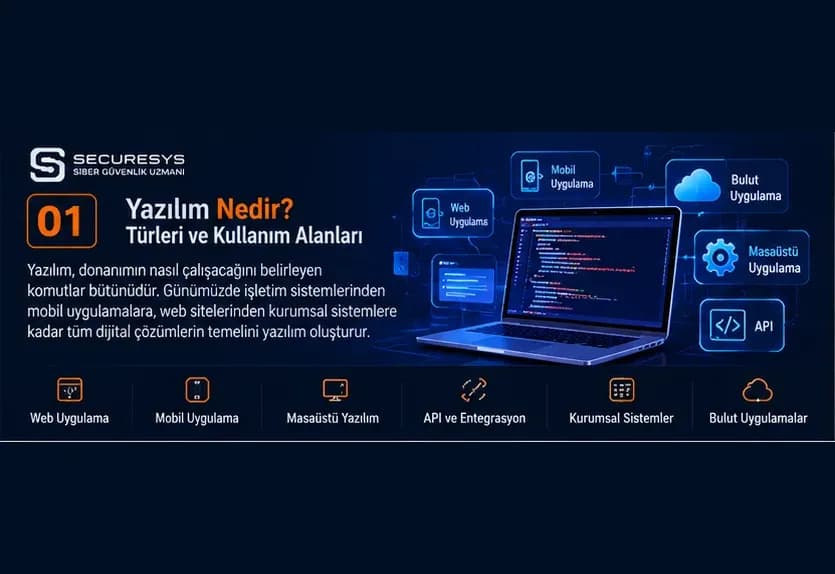
What Is Software? Types, Uses and the Most Widely Used Software Worldwide
What is software and what are its types? A complete guide to CRM, ERP, warehouse tracking, inventory management, web and mobile apps, and custom software.
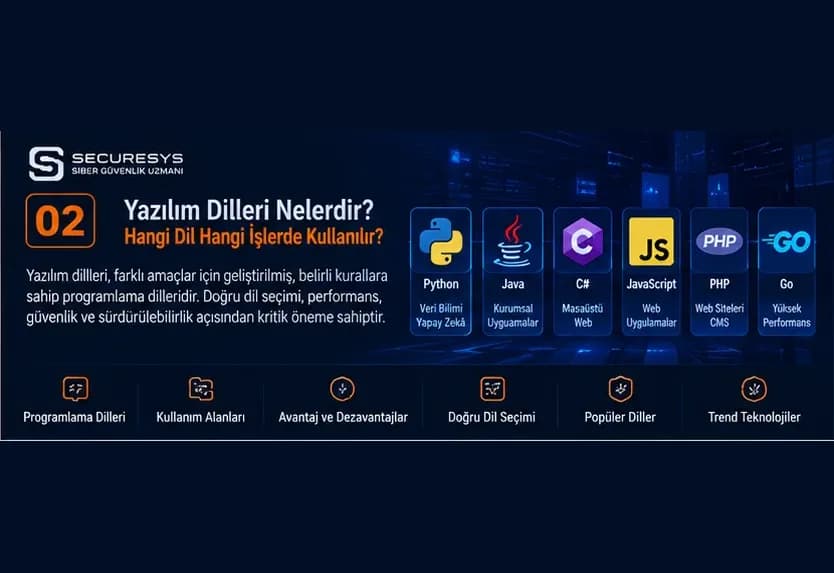
Programming Languages Explained: What Is Each One Used For?
What are programming languages? Learn what Python, Java, C#, PHP, JavaScript and others are used for, with CRM, ERP and inventory software examples.
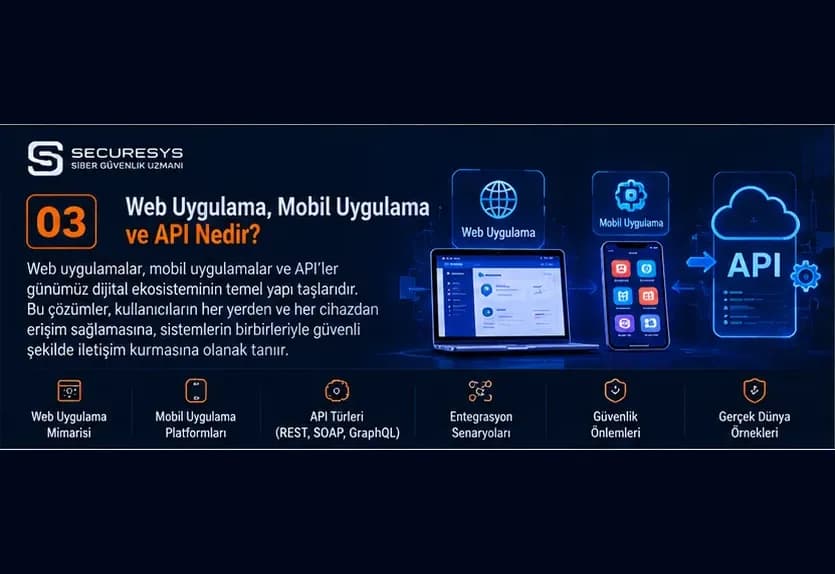
What Is a Web Application? A Guide to Web-Based Software, Frontend and Backend Development
What is a web application? Explore frontend, backend, APIs, databases, cloud architecture and how CRM, ERP, warehouse and inventory software is developed.
What Is a Mobile App? A Guide to Android, iOS and Cross-Platform Mobile Software Development
What is a mobile app and how is it developed? Explore Android, iOS, Flutter, React Native, mobile CRM, warehouse tracking and inventory software.
What Is an API? REST API, GraphQL, Microservices and Enterprise Software Integrations
What is an API and how does it work? A guide to REST API, SOAP, GraphQL, webhooks, microservices, CRM–ERP integration, inventory management and API security.
What Is CRM Software? A Guide to Customer Tracking, Sales Management, Quotation and Project Tracking Systems
What is CRM software? Explore customer tracking, sales, quotations, orders, contracts, project management, ERP integration and custom CRM development.
Looking for professional support on this topic?
Our expert team will reach out for a free consultation as soon as possible.