What Is a Web Application? A Guide to Web-Based Software, Frontend and Backend Development
What is a web application? Explore frontend, backend, APIs, databases, cloud architecture and how CRM, ERP, warehouse and inventory software is developed.
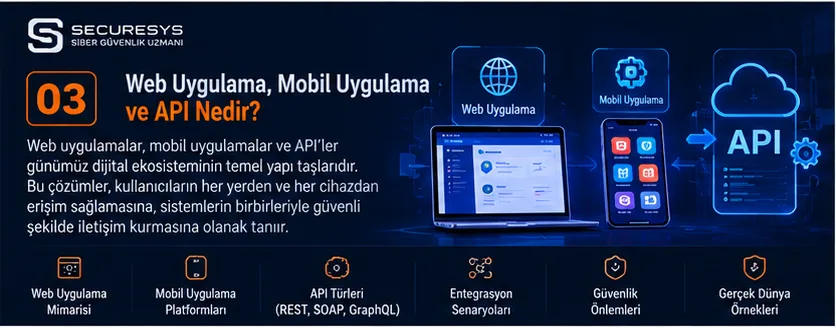
What Is a Web Application?
A web application is a software system that users access through an internet browser to view data, create records, carry out transactions and manage business processes.
Web applications can be developed to run over the internet or only within an organisation's internal network.
Today, many business processes such as customer relationship management, sales, inventory, warehousing, accounting, human resources, project management and e-commerce are run through web applications.
For example, a web-based CRM system used by a company can allow customer records and sales opportunities to be managed from different locations.
Similarly, a web-based inventory tracking programme can record product inflows and outflows centrally.
Warehouse tracking software, in turn, can help monitor stock across different warehouses, shelf locations and shipment processes from a single management panel.
Short answer: A web application is software that runs in a browser and allows users to perform specific functions. Enterprise web applications can be used to digitise processes such as CRM, ERP, warehouse management, inventory tracking, quotation management and project tracking.
1. How Does a Web Application Work?
In a web application, the user accesses the system through a browser.
The browser displays the application's interface.
When the user performs an action, the request can be forwarded to a server or another service, depending on the application's architecture.
The backend layer applies the necessary business rules.
Data can be retrieved from the database or a new record can be created.
The result is sent back to the user interface.
Simplified workflow
- The user opens the web application.
- Authentication is performed.
- The user's permissions are checked.
- The requested action is started.
- The backend applies the relevant business rules.
- If necessary, a database operation is performed.
- The result is shown to the user.
Example: CRM software
A sales representative logs in to the web-based CRM system.
They create a new customer record.
The application validates the customer information.
The record is added to the database.
Authorised users can view the new customer record.
2. What Is the Difference Between a Website and a Web Application?
Although the concepts of a website and a web application are related, their purposes of use can differ.
Websites mostly focus on presenting information and content.
Web applications, on the other hand, allow users to carry out specific operations.
| Feature | Website | Web Application |
|---|---|---|
| Main purpose | Presenting content and information | Running transactions and processes |
| User account | Not always required | Often used |
| Data operations | May be present | Usually a core function |
| Workflow | May be limited | May be extensive |
| Example | Corporate presentation website | CRM management panel |
| Integration | Depends on need | Often important |
Key point
There is no strict technical boundary between these two concepts.
A website can also include user accounts, data operations and interactive features.
3. What Is Web-Based Software?
Web-based software is a software solution that users can access through a browser.
Web-based software can enable a company to work on the same system from different devices and locations.
Examples of web-based software
CRM software.
ERP system.
Warehouse tracking software.
Inventory tracking programme.
Project management software.
Quotation and order management.
Accounting application.
Human resources software.
Example
A company's sales team may be in Istanbul, its accounting team in Ankara and its warehouse in Izmir.
With web-based enterprise software, authorised employees can access the same business processes.
4. What Are the Advantages of Web Applications?
When developed with an appropriate architecture and infrastructure, web applications can offer a number of advantages.
Centralised management
Application updates can be managed centrally.
Multi-device access
Access is possible from desktop and mobile browsers.
Integration
Communication with different software systems can be established through APIs.
Scalability
Infrastructure and architecture can be developed according to needs.
Centralised data management
Authorised users can be enabled to work on the same data source.
Example
In web-based inventory tracking software, a product dispatch recorded by one user can be reflected on other users' screens through appropriate transaction and synchronisation mechanisms.
5. What Are the Disadvantages of Web Applications?
Web applications may have certain limitations.
Dependence on network connectivity
Many web applications need a server connection in order to carry out operations.
Server and infrastructure requirements
Suitable infrastructure is required for the application to run.
Security risks
Authentication, authorisation and application security must be designed correctly.
Performance
Network latency and server capacity can affect the user experience.
Browser compatibility
The application needs to be tested in the supported browsers.
6. What Is Frontend?
The frontend is the interface layer of a web application that users see and interact with.
Frontend developers work on the user experience and interface behaviour.
Frontend components
Menus.
Forms.
Tables.
Charts.
Buttons.
Search fields.
Dashboards.
Example
In CRM software, the customer list, the quotation creation screen and the sales performance charts are presented in the frontend layer.
7. Which Technologies Are Used in Frontend Development?
Technologies such as HTML, CSS, JavaScript and TypeScript are used in frontend development.
HTML
Creates the structure of the page.
CSS
Manages visual design and layout.
JavaScript
Supports interactive behaviour.
TypeScript
Adds features such as type checking to JavaScript development.
Common tools
React.
Angular.
Vue.
Example
In warehouse tracking software, product search, barcode information display and stock list filtering can be provided by frontend components.
8. What Is React?
React is a JavaScript library used to build user interfaces.
Areas of use
CRM panels.
ERP interfaces.
Project management.
E-commerce.
SaaS applications.
Example
The interface of CRM software containing a large number of customer, quotation and project records can be developed with React.
Key point
Using React alone does not guarantee performance or security.
9. What Is Angular?
Angular is a frontend framework that can be used particularly in extensive web applications.
Areas of use
Enterprise management panels.
ERP applications.
CRM systems.
Business process software.
Example
The frontend layer of an enterprise application with many modules and user roles can be developed with Angular.
10. What Is Vue?
Vue is a JavaScript framework used to develop user interfaces.
Areas of use
Management panels.
Web applications.
CRM interfaces.
Inventory tracking systems.
Example
A web-based inventory tracking application for a small or medium-sized business can be developed with Vue.
11. What Is Backend?
The backend is the layer that covers the business logic, data operations and services running on the server side of a web application.
The backend ensures that user actions are carried out in accordance with the rules.
Backend responsibilities
Authentication.
Authorisation.
Data processing.
Business rules.
Database operations.
API services.
Integrations.
Example
In inventory tracking software, when a user wants to dispatch 50 units of a product, the backend can check the current stock quantity and the user's transaction permissions.
12. Which Languages Are Used in Backend Development?
Different programming languages and frameworks can be used in backend development.
| Language | Technology examples |
|---|---|
| C# | ASP.NET Core |
| Java | Spring Boot |
| Python | Django, FastAPI |
| PHP | Laravel, Symfony |
| JavaScript | Node.js |
| TypeScript | NestJS |
| Go | Go HTTP ecosystem |
| Ruby | Ruby on Rails |
Key point
When choosing a backend technology, project requirements, security, performance, maintenance and team competence should be assessed.
13. What Is Full Stack Software Development?
Full stack development means working on both the frontend and backend layers of a web application.
Example technology stack
Frontend: React and TypeScript.
Backend: ASP.NET Core.
Database: PostgreSQL.
API: REST.
Example
A full stack developer can build the customer record screen of CRM software and the backend services that this screen uses.
14. What Is a Database?
A database is a system that enables application data to be stored and managed in an organised way.
Common databases
PostgreSQL.
Microsoft SQL Server.
MySQL.
Oracle Database.
MongoDB.
Example
In CRM software, customers, quotations, orders, tasks and user records can be stored in the database.
15. The Difference Between SQL and NoSQL Databases
| Criterion | SQL Databases | NoSQL Databases |
|---|---|---|
| Data model | Generally relational | Document, key-value, graph and other models |
| Schema | Defined relational structure | Can be flexible depending on the product |
| Example | PostgreSQL | MongoDB |
| Use | Transactional enterprise systems | Specific flexible-data and scaling scenarios |
Key point
SQL and NoSQL options are not direct alternatives to each other in every situation.
The data model and business requirements are what decide.
16. What Is an API? Why Is It Used in Web Applications?
An API enables software components to communicate with each other through defined rules.
API use cases
Frontend–backend communication.
CRM–ERP integration.
Inventory tracking–e-commerce integration.
Warehouse–cargo integration.
Accounting integration.
Example
An order created in a web-based CRM system can be transferred to the ERP system through an API.
17. What Is a REST API?
REST is an architectural approach used in the design of web services.
HTTP methods can be used in REST APIs.
Common methods
GET.
POST.
PUT.
PATCH.
DELETE.
Example
In inventory tracking software, a GET request can be used to view the product list.
A POST request can be used to create a new product.
Key point
Using HTTP methods correctly does not remove the need for authorisation and data validation.
18. What Is GraphQL?
GraphQL is a query language and runtime approach for APIs.
It allows clients to query the data fields they need.
Areas of use
Complex interfaces.
Different data sources.
Mobile and web applications.
Example
A CRM panel can use GraphQL to query specific fields of the quotation and task records related to customer information.
19. What Is a Webhook?
A webhook is an integration method that sends an automatic notification to another system when a specific event occurs.
Example
A quotation is approved in the CRM software.
The webhook is triggered.
The project management system can start the process of creating a new project.
Points to consider
Request validation.
Secure communication.
Repeated notifications.
Error handling.
20. What Is Web Application Architecture?
Web application architecture defines how system components are organised and how they communicate with each other.
Core components
Frontend.
Backend.
Database.
API.
Identity management.
File storage.
Monitoring.
Example
In warehouse tracking software, the user interface, stock services, order management and database can be designed as separate components.
21. What Is Monolithic Architecture?
Monolithic architecture is an approach in which the core functions of an application are developed within a single application structure.
Advantages
Simpler development at the start.
Centralised deployment.
Less distributed-system complexity.
Limitations
Module dependencies in growing applications.
Deployment processes becoming more complex.
Example
A small company's CRM and inventory tracking modules can be developed within a single application.
22. What Is Microservices Architecture?
Microservices architecture is an approach in which application functions can be designed as separate services.
Example services
Customer management.
Order management.
Inventory management.
Warehouse management.
Invoicing.
Advantages
Independent development and deployment options.
Separate scaling of specific services.
Challenges
Distributed system management.
Communication between services.
Data consistency.
Monitoring.
Security.
Key point
Microservices architecture is not necessary for every project.
23. How Is Web-Based CRM Software Developed?
The CRM software development process begins with analysing business needs.
Core modules
Customer management.
Sales opportunities.
Quotation.
Order.
Contract.
Project.
Task.
Reporting.
Example process
A customer record is created.
A sales opportunity is opened.
A quotation is prepared.
The quotation is approved.
An order is created.
A project is started.
The invoicing process is carried out.
Technical components
Frontend.
Backend.
Database.
API.
Authorisation.
Reporting.
24. How Does Web-Based ERP Software Work?
ERP is an enterprise software system that integrates a company's different processes.
Modules
Finance.
Accounting.
Procurement.
Sales.
Inventory.
Warehouse.
Production.
Human resources.
Example
When a sales order is created, the ERP can trigger the related inventory and procurement processes.
Technical requirements
Transaction integrity.
Data consistency.
Authorisation.
Integration.
Reporting.
25. What Is Web-Based Warehouse Tracking Software?
Web-based warehouse tracking software enables warehouse operations to be managed through a browser.
Core features
Goods receipt.
Warehouse locations.
Shelf management.
Stock inflow and outflow.
Order picking.
Shipment.
Stock counting.
Returns.
Example
A company has three warehouses.
Authorised users can view the stock and shipment status of the warehouses through the web-based warehouse management system.
26. How Is a Web-Based Inventory Tracking Programme Developed?
When developing inventory tracking software, the data model and transaction rules are important.
Core data fields
Product code.
Product name.
Barcode.
Warehouse.
Quantity.
Unit.
Serial number.
Lot.
Core operations
Stock inflow.
Stock outflow.
Transfer between warehouses.
Stock counting.
Returns.
Reporting.
Key point
To keep stock quantities accurate during concurrent transactions, appropriate transaction integrity and concurrency controls must be applied.
27. How Does a Barcode-Based Warehouse Tracking System Work?
In barcode-based warehouse tracking systems, products can be identified by barcode or QR code.
Workflow
The product barcode is scanned.
The system finds the product record.
The transaction type is determined.
Quantity and location information is recorded.
A stock movement is created.
Example
The warehouse worker scans the product's barcode.
The product is placed in the relevant shelf location.
The system updates the location information.
28. What Is Web-Based Project Management Software?
Project management software is used to plan and track work.
Core modules
Project card.
Task.
Assignee.
Calendar.
Progress.
Document.
Reporting.
Example
A software company is developing a custom inventory tracking application for a customer.
The analysis, development, testing and go-live stages can be tracked in project management software.
29. What Is a SaaS Web Application?
SaaS is a model in which software is delivered as a service.
Examples of SaaS applications
Cloud CRM.
Online project management.
Web-based inventory tracking.
Warehouse management.
Human resources.
SaaS characteristics
Subscription model.
Centralised maintenance.
Multi-customer architecture options.
Scalability.
Key point
In SaaS applications, separating customer data and controlling access is critically important.
30. What Is Multi-Tenant Architecture?
Multi-tenant architecture is the design of a software infrastructure so that it serves more than one customer or organisation.
Example
A SaaS CRM platform can be used by different companies.
Each company's customer and quotation records must be separated appropriately.
Security requirements
Tenant isolation.
Authorisation.
Data separation.
Logging.
Secure configuration.
Key point
Using a multi-tenant structure does not, on its own, mean that secure data isolation has been achieved.
31. What Is a Cloud-Based Web Application?
Cloud-based web applications are software systems hosted on cloud infrastructure.
Areas of use
CRM.
ERP.
Inventory tracking.
Warehouse management.
Project management.
E-commerce.
Advantages
Flexible infrastructure options.
Centralised access.
Benefiting from managed services.
Points to consider
Data security.
Service continuity.
Access control.
Backup.
Cost management.
32. What Is an On-Premise Web Application?
An on-premise web application is a web application hosted on infrastructure managed by the organisation itself.
Areas of use
In-house CRM.
Custom ERP.
Warehouse management.
Systems that process sensitive data.
Key point
An on-premise setup does not necessarily mean the application is closed off from the internet.
The access model must be designed separately.
33. How Is Web Application Security Ensured?
Web applications can carry risks in areas such as authentication, authorisation, data processing and API security.
Core controls
Secure authentication.
MFA.
Authorisation.
Input validation.
Secure session management.
Encryption.
Logging.
Security testing.
Example
In CRM software, a user must not be able to view another customer's record simply by changing the URL.
Risks of this kind should be addressed with object-level authorisation controls.
34. What Is the OWASP Top 10?
The OWASP Top 10 is an awareness resource on the major categories of security risk in web applications.
Risk examples
Access control vulnerabilities.
Cryptographic failures.
Injection.
Insecure design.
Security misconfiguration.
Key point
The OWASP Top 10 is not, on its own, a complete application security standard or test scope.
For more detailed verification, OWASP ASVS and the related testing guides can be used.
35. What Is Web Application Penetration Testing?
Web application penetration testing is the assessment of an application's security vulnerabilities within an authorised scope.
Test areas
Authentication.
Authorisation.
Session management.
Input validation.
File upload.
API security.
Business logic.
Example
In inventory tracking software, unauthorised users being able to change product quantities can pose a serious security risk.
36. Why Is Source Code Analysis Important in Web Applications?
Source code analysis supports the identification of security and quality issues during the development stage or the maintenance process of an application.
Analysis areas
Insecure coding.
Input validation.
Authorisation.
Use of secrets.
Dependencies.
Example
In CRM software, building database queries in an insecure way can lead to an injection risk.
Source code analysis can help identify issues of this kind.
37. What Is DevOps in Web Applications?
DevOps supports collaboration and automation across software development and operations processes.
Core processes
Version control.
CI/CD.
Automated testing.
Deployment.
Monitoring.
Example
A new version of warehouse tracking software can be deployed in a controlled manner after passing automated tests.
38. What Is DevSecOps in Web Applications?
DevSecOps aims to include security controls in software development and deployment processes.
Controls
SAST.
DAST.
SCA.
Secret scanning.
Container security.
CI/CD security.
Example
For a new version of a CRM application, security scans can be integrated into the automated development pipeline.
39. How Is Web Application Performance Improved?
Performance matters for both user experience and operational efficiency.
Improvement areas
Database queries.
Caching.
Frontend optimisation.
Server capacity.
Network latency.
API performance.
Example
In inventory tracking software with thousands of product records, pagination and appropriate database indexes can improve performance.
40. What Is Web Application Scalability?
Scalability is the ability of an application to handle growing user and transaction loads.
Scaling methods
Vertical scaling.
Horizontal scaling.
Caching.
Load balancing.
Database optimisation.
Example
When the order volume of an e-commerce application grows, the infrastructure capacity and the application architecture can be reassessed.
41. How Does the Web Application Development Process Work?
A professional web application development process consists of different stages.
1. Requirements analysis
Business requirements are identified.
2. Business analysis
User roles and processes are examined.
3. UI/UX design
The user experience is planned.
4. Technical architecture
The frontend, backend, database and integrations are determined.
5. Development
The application components are built.
6. Testing
Functional, performance and security tests are carried out.
7. Go-live
The application is put into use through an appropriate deployment process.
8. Maintenance
Defects are fixed and new needs are assessed.
42. What Determines the Cost of Developing a Web Application?
The cost of a web application depends on the scope of the project.
Cost factors
Number of modules.
Number of users.
Business rules.
Integrations.
Data volume.
Security requirements.
Design.
Testing.
Maintenance.
Example
The development cost of a simple customer record screen differs from that of an enterprise CRM platform with quotation, order, project, warehouse, inventory and accounting integrations.
43. Off-the-Shelf Web Software or a Custom Web Application?
| Criterion | Off-the-Shelf Software | Custom Web Application |
|---|---|---|
| Getting started | Usually faster | Requires a development process |
| Customisation | Bound by product limits | Can be designed to fit needs |
| Integration | Depends on existing APIs | Custom integrations can be developed |
| Maintenance | May depend on the vendor | Depends on the contract and team structure |
| Cost | May follow a licence/subscription model | May involve project and maintenance costs |
Key point
The decision between off-the-shelf software and custom development should be made by weighing total cost of ownership and business needs together.
44. Common Mistakes When Developing a Web Application
Skipping requirements analysis
It can lead to the wrong scope and the cost of rework.
Neglecting the user experience
It can make it harder for the application to be adopted.
Leaving security until the end
It can create vulnerabilities that are difficult to fix.
Designing the database poorly
It can cause performance and data integrity problems.
Planning integrations late
It can affect the project schedule.
Running testing inadequately
It can lead to errors in the live environment.
Not creating a maintenance plan
It can reduce long-term sustainability.
45. SECURESYS Web Application Development and Enterprise Software Solutions
SECURESYS provides analysis, design, development, integration and security services for organisations' web-based software needs.
Custom Web Application Development
Web applications that fit organisations' business processes can be designed and developed.
CRM Software Development
Solutions can be built for customer, sales, quotation, order, contract and project management processes.
ERP and Enterprise System Integrations
Data exchange and process integrations between different business applications can be developed.
Warehouse Tracking Software
Web-based solutions can be prepared for warehouse operations, shelf locations, product movements and shipment processes.
Inventory Tracking Programme
Software can be developed for product inventory, stock inflows and outflows, barcode and reporting needs.
Project Tracking Software
Systems can be created that include project cards, tasks, assignees, calendars and progress reports.
API Development
Integrations can be provided between CRM, ERP, warehouse, inventory, accounting and other systems.
DevOps and DevSecOps
Software development, testing, deployment and security processes can be supported.
Web Application Security Testing
Testing and analysis services aimed at assessing the security level of web applications can be provided.
In the SECURESYS approach, web application development is not merely about building a user interface; it is about designing a secure, scalable and sustainable software system that fits the company's needs.
Frequently Asked Questions (FAQ)
1. What is a web application?
It is software that is accessed through a browser and allows users to carry out transactions.
2. What is web-based software?
It is a software solution developed using web technologies and generally used through a browser.
3. What is the difference between a website and a web application?
A website mostly presents content, whereas a web application focuses on managing transactions and processes. However, there is no strict boundary between the two concepts.
4. What is frontend?
It is the application interface that users see and interact with.
5. What is backend?
It is the layer that covers server-side business rules, data operations and services.
6. What is full stack?
It is an approach that covers the frontend and backend development areas together.
7. Which languages are used to develop a web application?
JavaScript, TypeScript, C#, Java, Python, PHP and other suitable technologies can be used.
8. What is React?
It is a JavaScript library used to develop user interfaces.
9. What is Angular?
It is a frontend framework used in web application development.
10. What is Vue?
It is a JavaScript framework used to build user interfaces.
11. What is web-based CRM software?
It is a CRM application that allows customer and sales processes to be managed through a browser.
12. What is a web-based inventory tracking programme?
It is software that allows products and stock movements to be tracked through a web interface.
13. Can warehouse tracking software be web-based?
Yes. Warehouse operations can be run through a web-based management panel.
14. What is an API?
It is an interface that enables different software components to communicate.
15. What is a REST API?
It is a web service interface designed in line with REST principles.
16. What is a SaaS web application?
It is a web application model in which the software is delivered as a service.
17. How is web application security ensured?
It is supported by controls such as secure design, authentication, authorisation, testing and regular maintenance.
18. How long does web application development take?
It varies according to the scope of the project, its technical complexity and the team's capacity.
19. Should a custom web application or off-the-shelf software be preferred?
It should be assessed according to business needs, cost, customisation and maintenance requirements.
20. What should be considered when choosing a company to develop a web application?
Technical competence, project management, security approach, maintenance, support and integration experience should be assessed.
Conclusion: What Does Web Application Development Offer Businesses?
Web applications help businesses manage their different processes in a digital environment.
CRM software supports customer relationships and sales processes.
ERP software can integrate the processes of different departments.
Warehouse tracking software can manage product movements and warehouse operations.
An inventory tracking programme can make it easier to monitor inventory.
Project management software can support the planning and tracking of work.
API integrations can enable different software systems to work together.
DevOps and DevSecOps processes can contribute to carrying out development, deployment and security activities more systematically.
In a successful web application project, the main goal is not merely to build working software; it is to deliver a secure, sustainable and extensible solution that adds value to the company's business processes.
Sources and References
MDN Web Docs: https://developer.mozilla.org
React: https://react.dev
Angular: https://angular.dev
Vue: https://vuejs.org
ASP.NET Core: https://learn.microsoft.com/aspnet/core
Spring Boot: https://spring.io/projects/spring-boot
Django: https://www.djangoproject.com
Laravel: https://laravel.com
OWASP: https://owasp.org
NIST Secure Software Development Framework: https://csrc.nist.gov/projects/ssdf
Related Articles
Software Development, Enterprise Applications & DevSecOps
What Is Software? Types, Uses and the Most Widely Used Software Worldwide
What is software and what are its types? A complete guide to CRM, ERP, warehouse tracking, inventory management, web and mobile apps, and custom software.
Programming Languages Explained: What Is Each One Used For?
What are programming languages? Learn what Python, Java, C#, PHP, JavaScript and others are used for, with CRM, ERP and inventory software examples.
What Is a Mobile App? A Guide to Android, iOS and Cross-Platform Mobile Software Development
What is a mobile app and how is it developed? Explore Android, iOS, Flutter, React Native, mobile CRM, warehouse tracking and inventory software.
What Is an API? REST API, GraphQL, Microservices and Enterprise Software Integrations
What is an API and how does it work? A guide to REST API, SOAP, GraphQL, webhooks, microservices, CRM–ERP integration, inventory management and API security.
What Is CRM Software? A Guide to Customer Tracking, Sales Management, Quotation and Project Tracking Systems
What is CRM software? Explore customer tracking, sales, quotations, orders, contracts, project management, ERP integration and custom CRM development.
What Is Warehouse Tracking and Inventory Management Software? A Guide to WMS, ERP, Barcodes and Inventory Control
What is warehouse tracking software? Explore WMS, barcode, RFID, ERP integration, multi-warehouse and inventory management in our complete guide.
Looking for professional support on this topic?
Our expert team will reach out for a free consultation as soon as possible.