What Is a Mobile App? A Guide to Android, iOS and Cross-Platform Mobile Software Development
What is a mobile app and how is it developed? Explore Android, iOS, Flutter, React Native, mobile CRM, warehouse tracking and inventory software.
What Is a Mobile App?
A mobile app is software developed to run on smartphones, tablets, handheld terminals and similar portable devices.
Mobile apps allow users to access information, create data, carry out transactions and communicate with other systems through their devices.
Today, mobile apps are not used only for social media, messaging or games.
Many corporate processes, such as banking, healthcare, education, logistics, production, sales, customer management, warehouse operations and inventory tracking, can be run through mobile apps.
For example, a sales representative can record customer visits through mobile CRM software.
A warehouse employee can scan barcodes and manage product movements using mobile warehouse tracking software.
A technical service employee can record tasks, the materials used and service reports through a field service app.
Short answer: A mobile app is software that runs on Android, iOS or other supported mobile platforms and allows users to perform specific tasks. Enterprise mobile apps can support CRM, ERP, inventory tracking, warehouse management, field service and project management processes.
1. What Are Mobile Apps Used For?
Mobile apps allow users to carry out tasks without being tied to a computer.
Main areas of use
- Customer management
- Sales and order tracking
- Inventory management
- Warehouse operations
- Barcode and QR code scanning
- Field service management
- Project and task tracking
- Financial transactions
- E-commerce
- Personnel management
- Reporting
- Notification and approval processes
Example
In a logistics company, an employee can view the products to be prepared for shipment through a mobile warehouse tracking app.
Barcode scanning can be used to check that the products belong to the correct order.
When the task is completed, the warehouse management system can be updated.
2. What Types of Mobile Apps Are There?
Mobile apps can be classified according to their development methods and purposes of use.
Core development approaches
- Native mobile app
- Cross-platform mobile app
- Hybrid mobile app
- Progressive Web App (PWA)
By purpose of use
Enterprise mobile app.
Mobile CRM.
Mobile ERP.
Warehouse tracking app.
Inventory tracking app.
Field service app.
E-commerce app.
Banking app.
Healthcare app.
3. What Is a Native Mobile App?
A native mobile app is an application developed for a specific operating system and platform.
Android
Languages such as Kotlin and Java can be used.
iOS
Languages such as Swift can be used.
Advantages
Direct access to platform features.
Strong integration with device capabilities.
A user experience specific to the platform.
Points to consider
Separate development and maintenance work may be required for each platform.
Example
Custom barcode-enabled warehouse tracking software for Android handheld terminals can be developed natively so that it integrates with the device manufacturer's SDK.
4. What Is a Cross-Platform Mobile App?
Cross-platform development is an approach that supports using a shared codebase for more than one platform.
Common technologies
Flutter.
React Native.
Kotlin Multiplatform.
Advantages
Shared code.
Sharing some development and maintenance activities.
Targeting multiple platforms.
Limitations
Additional development may be required for platform-specific features.
Native components may be used for some hardware integrations.
Example
Flutter or React Native can be considered for a mobile CRM app that will run on both Android and iPhone.
5. Differences Between Native, Cross-Platform and PWA
| Criterion | Native | Cross-Platform | PWA |
|---|---|---|---|
| Target platform | Platform-specific | Multiple platforms | Supported browsers |
| Code sharing | Limited | Can be high | Web-based |
| Hardware access | Broad | Depends on plugins and native modules | Depends on browser capabilities |
| Store distribution | Common | Common | Not always required |
| Offline use | Depends on design | Depends on design | Depends on caching and platform support |
| Maintenance | Per platform | Shared and platform-specific | Web deployment model |
Important: The most suitable approach should be chosen by evaluating device features, target users, security requirements and long-term maintenance costs.
6. What Is Android App Development?
Android app development is the creation of software for devices that use the Android operating system.
Examples of Android devices
Smartphones.
Tablets.
Industrial handheld terminals.
Mobile devices with barcode readers.
Technologies used
Kotlin.
Java.
Android SDK.
Jetpack Compose.
Example applications
Mobile CRM.
Barcode-based inventory tracking.
Warehouse management.
Field service.
Order picking.
7. What Is Kotlin?
Kotlin is a programming language widely used in Android development that can work together with the Java ecosystem.
Areas of use
Android apps.
Backend services.
Multiplatform software.
Example
A stocktaking app that a warehouse employee will use on an Android handheld terminal can be developed with Kotlin.
The app can receive data from the barcode reader and send it to the central inventory system through an authorised API.
8. What Is iOS App Development?
iOS app development is the creation of apps for iPhone devices.
Technologies used
Swift.
SwiftUI.
Apple development tools.
Examples
Mobile CRM.
Manager approval app.
Field sales.
Mobile project management.
Corporate reporting.
Example
A company manager can review quotations and purchase requests with an app that runs on an iPhone.
9. What Is Swift?
Swift is a programming language used to develop apps on Apple platforms.
Areas of use
iOS.
iPadOS.
macOS.
Other supported Apple platforms.
Example
In a mobile CRM app, customer search, meeting notes, calendar and notification functions can be developed with Swift.
10. What Is Flutter?
Flutter is an open-source toolkit developed by Google that supports building user interfaces for multiple platforms.
Flutter apps use the Dart language.
Areas of use
Android.
iOS.
Web.
Desktop.
Applications that can be developed with Flutter
Mobile CRM.
Inventory tracking programme.
Warehouse tracking app.
Field service management.
Order management.
Project tracking.
Example
A mobile CRM app offering the same functions to a company's Android and iOS users can be developed with Flutter.
11. What Is React Native?
React Native is an open-source framework that enables mobile app development using the React approach.
Technologies used
JavaScript.
TypeScript.
React.
Areas of use
Enterprise mobile apps.
Mobile CRM.
Field service.
E-commerce.
Mobile project management.
Example
A development team that already uses React in an existing web application can consider React Native for a mobile app project.
However, not all web and mobile interface code can be shared automatically.
12. Flutter or React Native?
| Criterion | Flutter | React Native |
|---|---|---|
| Main language | Dart | JavaScript / TypeScript |
| Ecosystem | Flutter | React |
| Interface approach | Flutter widget system | Integration with native platform components |
| Platform integration | Plugins and native code | Modules and native code |
| Enterprise use | Suitable scenarios exist | Suitable scenarios exist |
Which one should be preferred?
The following questions should be answered when making the decision:
Which technology does the development team know?
Which are the target devices?
Is there a barcode or special hardware integration?
Is offline operation required?
How will long-term maintenance be carried out?
13. What Is a Hybrid Mobile App?
Hybrid mobile apps are approaches that allow web technologies to be used inside a mobile app shell.
Technology examples
Ionic.
Capacitor.
Areas of use
Corporate forms.
Simple workflows.
Internal applications.
Key point
The suitability of a hybrid approach should be assessed according to the app's hardware access and performance requirements.
14. What Is a PWA?
A Progressive Web App (PWA) is a web approach that aims to give web applications certain app-like mobile features.
Features
Adding to the home screen.
Offline functions in suitable environments.
Notification support.
Access through the browser.
Example
A company's task tracking system can be offered as a PWA and opened from the home screen on supported devices.
Points to consider
PWA features may differ depending on the operating system and browser.
15. What Is an Enterprise Mobile App?
An enterprise mobile app is mobile software that a business develops for its employees, customers or business partners.
Examples
Mobile CRM.
Mobile ERP.
Warehouse tracking.
Stocktaking.
Field service.
Personnel app.
Purchase approval.
Project management.
Example
A business's field employees can complete their tasks through a mobile app and transfer the results of their work to the head office.
16. What Is Mobile CRM Software?
Mobile CRM software is an application that allows customer relationships and sales processes to be managed from mobile devices.
Core features
Customer records.
Prospects.
Sales opportunities.
Visit planning.
Viewing quotations.
Task tracking.
Notifications.
Example
After a customer visit, a sales representative can record meeting notes in the mobile CRM app.
This information can be synchronised with the central CRM system.
17. The Difference Between Mobile CRM and Web CRM
| Feature | Web CRM | Mobile CRM |
|---|---|---|
| Usage environment | Browser | Mobile device |
| Screen | Wide screen options | Mobile screen |
| Camera | Depends on browser support | Device integration |
| Location | Depends on permission and support | Mobile device features |
| Offline operation | Depends on architecture | Depends on architecture |
| Usage scenario | Office and management | Field and mobile work |
Key point
Mobile CRM and web CRM do not have to use separate data sources.
Both interfaces can connect to the same backend and API infrastructure.
18. What Is Mobile Warehouse Tracking Software?
Mobile warehouse tracking software is software that allows warehouse operations to be carried out on a phone, tablet or handheld terminal.
Core features
Goods receipt.
Barcode scanning.
Shelf put-away.
Product transfer.
Stocktaking.
Order picking.
Shipping.
Returns.
Example
When new products arrive at the warehouse, the employee scans the barcode.
The product quantity and warehouse location are recorded.
The central warehouse management system processes the relevant movement.
19. What Is a Barcode-Based Mobile Inventory Tracking Programme?
A barcode-based mobile inventory tracking programme allows products to be identified and stock movements to be recorded through a mobile device.
Areas of use
Retail.
Warehousing.
Production.
Logistics.
Technical service.
Example
A store employee scans product barcodes during stocktaking.
The count results are transferred to the inventory tracking system.
The system can report the differences between expected stock and the actual count.
20. The Difference Between QR Codes and Barcodes
Barcodes and QR codes are encoding formats that allow information to be read by optical methods.
Barcode
Usually consists of linear lines.
QR code
Has a two-dimensional data encoding structure.
Usage examples
Product identification.
Warehouse location.
Fixed asset tracking.
Serial number.
Service records.
Key point
The reliability of a code depends not only on its visual format but also on the verification and data management processes in the system.
21. Mobile Warehouse Management with RFID
RFID is a technology that allows tags to be read using radio frequency.
Areas of use
Inventory.
Warehousing.
Asset tracking.
Logistics.
Difference from barcodes
With suitable hardware and tags, RFID can read without requiring a direct line of sight.
Example
In a warehouse, products with RFID tags can be tracked with suitable readers.
Key point
The use of RFID should be assessed according to cost, environmental conditions and operational requirements.
22. What Is a Mobile ERP App?
Mobile ERP is an application that provides access to certain functions of an ERP system from mobile devices.
Example operations
Order approval.
Stock enquiry.
Purchase request.
Financial reporting.
Production status.
Example
A manager can evaluate a purchase request through a mobile ERP app.
23. What Is Field Service Management Software?
Field service software allows technical service and maintenance teams to manage their work orders.
Core features
Service request.
Work order.
Technician assignment.
Appointment.
Materials used.
Service report.
Customer approval.
Example
A technical service employee can record the maintenance of a customer's device through the mobile app.
The spare parts used can be transferred to the inventory tracking software.
24. What Is Mobile Order Management?
Mobile order management allows orders to be created and tracked from mobile devices.
Areas of use
Field sales.
Distribution.
Retail.
Wholesale.
Example
A field sales representative creates a customer order through the mobile app.
The order is transferred to the ERP system.
Stock availability is checked.
The warehouse can start the shipping process.
25. What Is Mobile Project Management Software?
Mobile project management software allows projects and tasks to be tracked from mobile devices.
Core features
Task list.
Assignment of owners.
Status updates.
Notifications.
Viewing documents.
Progress tracking.
Example
A project manager can check the status of tasks in a software development project from the mobile app.
26. How Do Mobile Apps Work with APIs?
Mobile apps mostly communicate with backend services through APIs.
Example architecture
Mobile app.
API.
Backend.
Database.
Example
A barcode is scanned in the mobile inventory tracking app.
The app queries the relevant product information through the API.
The backend checks authorisation and business rules.
The result is returned to the mobile screen.
27. Integrating Mobile Apps with CRM and ERP
Mobile apps can be integrated with existing enterprise systems.
Integration examples
Mobile CRM – central CRM.
Mobile warehouse – WMS.
Mobile inventory – ERP.
Mobile service – inventory management.
Mobile sales – accounting.
Example
A quotation created in the mobile CRM app can be transferred to the central CRM system.
When the quotation is approved, the process of creating an order in the ERP can be started.
28. What Is an Offline Mobile App?
An offline mobile app is an application that can perform certain functions without an internet connection.
Areas of use
Warehousing.
Field service.
Field sales.
Production.
Example
A warehouse employee can carry out a stocktake in an area without an internet connection.
The data is stored securely on the device.
When a connection becomes available, it is synchronised with the central system.
Points to consider
Data conflicts.
Authorisation.
Local data security.
Synchronisation errors.
29. Data Synchronisation in Mobile Apps
Synchronisation keeps the data on the mobile device and in the central system consistent.
Example
Two different warehouse employees are processing the same product.
The central system must process stock movements consistently.
Technical requirements
Transaction ID.
Duplicate request control.
Conflict management.
Timestamps.
Transaction logs.
Key point
Data integrity is critically important, particularly in stock and financial transactions.
30. Why Is Mobile App Security Important?
Mobile apps can process customer, financial, personnel and operational data.
For this reason, security requirements should be defined at the start of the development process.
Core controls
Secure authentication.
Authorisation.
Encrypted communication.
Secure data storage.
Session management.
API security.
Logging.
Security testing.
Example
A user who logs in to a mobile CRM app must be able to access only the customer records they are authorised to see.
31. What Is OWASP MASVS?
The OWASP Mobile Application Security Verification Standard (MASVS) is a standard that can be used to assess mobile app security.
Examples of scope
Secure data storage.
Cryptography.
Authentication.
Authorisation.
Network communication.
Platform interaction.
Code security.
Key point
MASVS provides verification requirements for mobile app security.
OWASP MASTG resources can also be used in testing.
32. What Is Mobile App Penetration Testing?
Mobile app penetration testing is the assessment of a mobile app's security risks within an authorised scope.
Test areas
Authentication.
Authorisation.
Local data storage.
API communication.
Session management.
Application configuration.
Example
In a mobile warehouse tracking app, users being able to modify stock records belonging to other warehouses without authorisation can pose a significant security risk.
33. Source Code Analysis in Mobile Apps
Source code analysis helps identify security and quality issues during the software development process.
Areas checked
Insecure data storage.
Hard-coded secrets.
Insecure API usage.
Authorisation errors.
Dependency risks.
Example
Embedding secret API keys directly in the source code of a mobile app can pose a security risk.
34. How Does the Mobile App Development Process Work?
A professional mobile app development process consists of different stages.
Stage 1: Requirements analysis
User needs are identified.
Stage 2: Platform selection
Android, iOS or a cross-platform approach is evaluated.
Stage 3: UI/UX design
The mobile user experience is prepared.
Stage 4: Technical architecture
The backend, API and database are designed.
Stage 5: Development
The mobile app is built.
Stage 6: Testing
Functional, performance and security tests are carried out.
Stage 7: Deployment
The app is made available through suitable channels.
Stage 8: Maintenance
Bugs are fixed and new versions are prepared.
35. What Are Mobile App Tests?
Mobile apps should go through different kinds of testing.
Test types
Functional testing.
Usability testing.
Performance testing.
Security testing.
Compatibility testing.
Integration testing.
User acceptance testing.
Example
A barcode-based inventory tracking app should be tested on different Android handheld terminals.
36. Mobile App Publishing Process
Mobile apps can be distributed through different methods.
Android
Google Play.
Enterprise device management.
Authorised private distribution methods.
iOS
App Store.
Enterprise and private app distribution methods supported by Apple.
Key point
Enterprise distribution methods depend on the current rules and eligibility conditions of the platform providers.
37. Mobile App Update and Maintenance Process
Mobile apps require regular maintenance after going live.
Maintenance activities
Bug fixes.
Security updates.
Operating system compatibility.
Performance improvements.
New features.
API compatibility.
Example
When the API used by a mobile CRM app changes, the mobile app may also need to be updated.
38. How Can Mobile App Performance Be Improved?
Performance directly affects the user experience.
Areas of improvement
Optimising network requests.
Data caching.
Image optimisation.
Local data management.
Backend performance.
Example
In a mobile inventory tracking app containing thousands of products, presenting product lists with pagination or suitable data loading methods can improve performance.
39. What Determines the Cost of Mobile App Development?
The cost of mobile app development depends on various factors.
Core factors
Number of platforms.
Number of screens.
Business rules.
Backend development.
API integrations.
Device integrations.
Offline operation.
Security.
Testing.
Maintenance.
Example
The development effort for a simple customer registration app differs from that for a mobile warehouse tracking system with barcode readers, offline capability and ERP integration.
40. Off-the-Shelf Mobile App or Custom Mobile Software?
| Criterion | Off-the-Shelf Mobile App | Custom Mobile Software |
|---|---|---|
| Getting started | Usually faster | Requires a development process |
| Customisation | Limited by the product | According to requirements |
| Integration | May be limited to existing connections | Custom integrations can be developed |
| Maintenance | May depend on the vendor | Depends on the contract and team structure |
| Cost | May involve licence/subscription fees | May involve development and maintenance costs |
Key point
Off-the-shelf and custom development options should be evaluated according to business requirements.
41. Common Mistakes When Developing Mobile Apps
Choosing the wrong platform
The devices of target users should be analysed.
Not assessing the need for offline use
Connectivity conditions matter in field and warehouse apps.
Neglecting API security
The backend services of the mobile app must also be protected.
Ignoring the user experience
It is important for field employees to be able to carry out tasks quickly.
Planning hardware integrations late
Barcode and special device integrations should be assessed early.
Keeping the test scope narrow
Different devices and operating system versions should be taken into account.
Not creating a maintenance plan
Long-term sustainability may be affected.
42. SECURESYS Mobile App Development and Enterprise Software Solutions
SECURESYS provides analysis, design, development, integration and security services for organisations' mobile app needs.
Android App Development
Custom mobile apps for Android devices can be developed.
iOS App Development
Mobile solutions can be prepared for iPhone and iPad users.
Cross-Platform Development
Multi-platform apps can be evaluated using technologies such as Flutter and React Native.
Mobile CRM Software
Mobile apps can be developed for customer, sales, quotation and visit management.
Mobile Warehouse Tracking Software
Goods receipt, barcode, shelf management, stocktaking and shipping processes can be supported.
Mobile Inventory Tracking Programme
Solutions can be built for product receipts and issues, inventory and barcode-based stock operations.
Field Service Software
The task, material and service report processes of technical service teams can be digitalised.
ERP and API Integrations
Mobile apps can be integrated with existing enterprise systems.
Mobile App Security Testing
Tests can be carried out to assess the security of the mobile app and its APIs.
DevOps and DevSecOps
The development, testing, deployment and security processes of mobile apps can be supported.
In the SECURESYS approach, mobile app development is not just about building an app that runs on a phone; it is about digitalising a business's field and operational processes in a secure, integrated and sustainable way.
Frequently Asked Questions (FAQ)
1. What is a mobile app?
It is software that runs on smartphones, tablets and similar mobile devices.
2. What is mobile app development?
It is the process of analysing, designing, developing, testing and deploying apps that will run on mobile devices.
3. Which language is used to develop an Android app?
Languages such as Kotlin and Java can be used.
4. Which language is used to develop an iOS app?
Swift is the most widely used language.
5. What is Flutter?
It is an open-source toolkit that supports developing apps for multiple platforms.
6. What is React Native?
It is a framework that enables mobile app development with the JavaScript and React ecosystem.
7. What is a native mobile app?
It is an app developed for a specific mobile platform.
8. What is a cross-platform mobile app?
It is an app that targets multiple platforms with a shared codebase.
9. Is Flutter or React Native better?
It depends on the project's needs, the team's skills and device integrations.
10. What is mobile CRM software?
It is an application that allows customer and sales processes to be managed from mobile devices.
11. What is mobile warehouse tracking software?
It is software that allows warehouse operations to be carried out on a mobile device or handheld terminal.
12. What is a barcode-based inventory tracking app?
It is a mobile app that allows products and stock movements to be managed by scanning barcodes.
13. What is a mobile ERP app?
It is an application that provides access to certain functions of the ERP system from mobile devices.
14. Can a mobile app work without the internet?
Yes. With a suitable offline architecture and synchronisation design, certain functions can work without a connection.
15. Does a mobile app use an API?
Yes. Mobile apps can communicate with backend services through an API.
16. How is mobile app security ensured?
It is supported by controls such as secure design, authentication, authorisation, encryption, testing and regular maintenance.
17. What is mobile app penetration testing?
It is the assessment of a mobile app's security risks within an authorised scope.
18. How long does mobile app development take?
It varies depending on the scope, number of platforms, integrations and technical requirements.
19. What does the cost of mobile app development depend on?
It depends on factors such as screens, functions, platforms, API integrations, security, testing and maintenance.
20. What should be considered when choosing a mobile app development company?
Technical competence, project management, security, integration experience, and maintenance and support terms should be evaluated.
Conclusion: What Does Mobile App Development Offer Businesses?
Mobile apps enable businesses to offer digital services to their employees and customers from different locations.
Mobile CRM software can support sales and customer relationship processes.
Mobile warehouse tracking software can help warehouse operations run faster.
A barcode-based inventory tracking app can make it easier to monitor inventory transactions.
Field service software can digitalise the task and reporting processes of technical teams.
Mobile ERP apps can support remote access to enterprise processes.
API integrations can enable mobile apps to work together with existing enterprise systems.
DevOps and DevSecOps processes can help mobile apps be developed in a more controlled way and bring security controls into those processes.
The core aim of a successful mobile app project is not merely to develop software that runs on mobile devices, but to create a secure, usable and sustainable digital solution that meets users' real needs.
Sources and References
Android Developers: https://developer.android.com
Kotlin: https://kotlinlang.org
Apple Developer: https://developer.apple.com
Swift: https://www.swift.org
Flutter: https://flutter.dev
React Native: https://reactnative.dev
OWASP MASVS: https://mas.owasp.org/MASVS/
OWASP MASTG: https://mas.owasp.org/MASTG/
NIST Secure Software Development Framework: https://csrc.nist.gov/projects/ssdf
Related Articles
Software Development, Enterprise Applications & DevSecOps
What Is Software? Types, Uses and the Most Widely Used Software Worldwide
What is software and what are its types? A complete guide to CRM, ERP, warehouse tracking, inventory management, web and mobile apps, and custom software.
Programming Languages Explained: What Is Each One Used For?
What are programming languages? Learn what Python, Java, C#, PHP, JavaScript and others are used for, with CRM, ERP and inventory software examples.
What Is a Web Application? A Guide to Web-Based Software, Frontend and Backend Development
What is a web application? Explore frontend, backend, APIs, databases, cloud architecture and how CRM, ERP, warehouse and inventory software is developed.
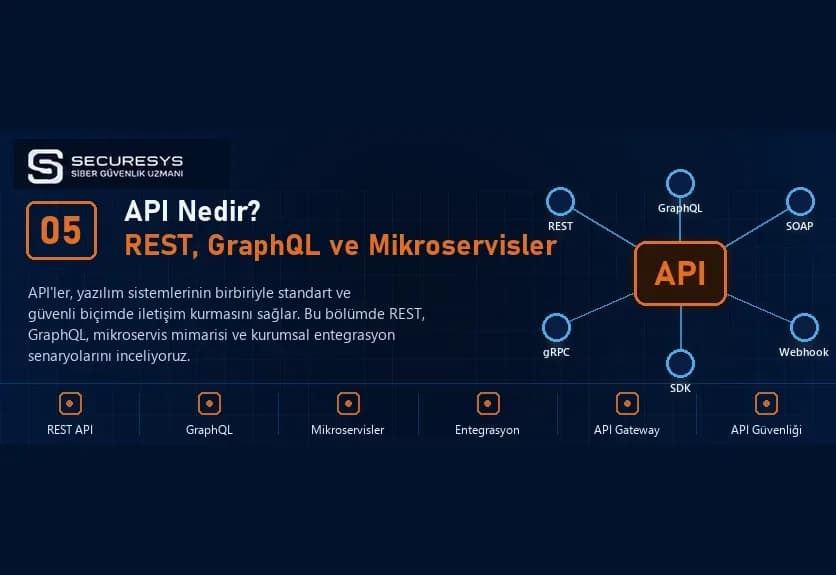
What Is an API? REST API, GraphQL, Microservices and Enterprise Software Integrations
What is an API and how does it work? A guide to REST API, SOAP, GraphQL, webhooks, microservices, CRM–ERP integration, inventory management and API security.
What Is CRM Software? A Guide to Customer Tracking, Sales Management, Quotation and Project Tracking Systems
What is CRM software? Explore customer tracking, sales, quotations, orders, contracts, project management, ERP integration and custom CRM development.
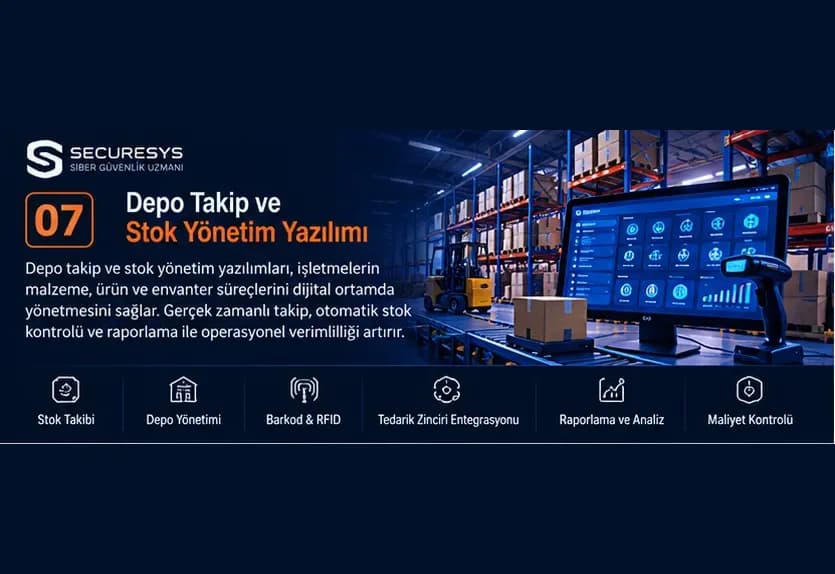
What Is Warehouse Tracking and Inventory Management Software? A Guide to WMS, ERP, Barcodes and Inventory Control
What is warehouse tracking software? Explore WMS, barcode, RFID, ERP integration, multi-warehouse and inventory management in our complete guide.
Looking for professional support on this topic?
Our expert team will reach out for a free consultation as soon as possible.