What Is Warehouse Tracking and Inventory Management Software? A Guide to WMS, ERP, Barcodes and Inventory Control
What is warehouse tracking software? Explore WMS, barcode, RFID, ERP integration, multi-warehouse and inventory management in our complete guide.
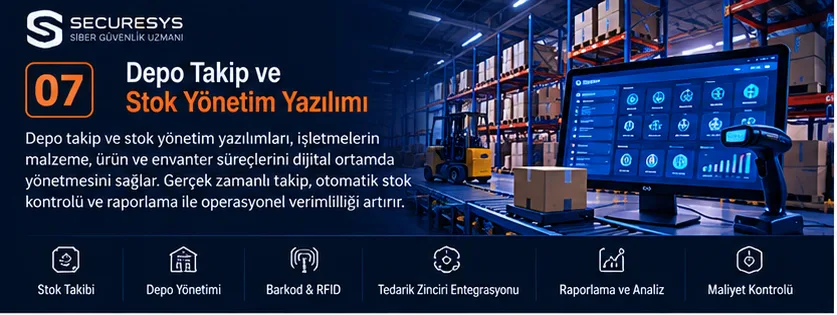
What Is Warehouse Tracking Software?
Warehouse tracking software is software that allows businesses to manage the products in their warehouses, stock movements, shelf locations, goods receipt operations, order preparation processes and shipping operations in a digital environment.
Warehouse tracking software helps businesses monitor where their products are located, in what quantities they are available and which operations they have gone through.
Today, warehouse operations are no longer just about recording goods coming in and going out.
Modern warehouse management systems can support many features such as barcodes, QR codes, RFID, mobile handheld terminals, stock counting, order picking, shipping, returns and ERP integration.
For example, imagine a business with three warehouses in Ankara, Istanbul and Izmir.
A central warehouse tracking software can allow authorised users to view product quantities and movements across the different warehouses.
While a stock tracking programme manages the total quantity of products and their inbound and outbound movements, a more comprehensive WMS (Warehouse Management System) can also manage shelf locations, product picking and in-warehouse operations.
Short answer: Warehouse tracking software is a system that digitalises warehouse operations. Stock tracking software monitors product quantities and movements. A WMS, on the other hand, can manage more detailed warehouse processes, from goods receipt and shelf put-away to order picking and shipping.
1. What Is Stock Tracking Software?
Stock tracking software is software that allows businesses to monitor the quantities of their products and materials, stock inbound and outbound movements, transfers and inventory status.
Core functions
- Creating product records
- Viewing stock quantities
- Stock entry operations
- Stock withdrawal operations
- Transfers between warehouses
- Stock counting
- Minimum stock alerts
- Stock reporting
Example
Imagine that a business has 250 network switches in its warehouse.
When 40 units are shipped to a customer, the stock tracking system records the corresponding movement.
Under the appropriate transaction rules, the remaining available stock quantity is updated.
2. The Difference Between Warehouse Tracking Software and a Stock Tracking Programme
| Criterion | Stock Tracking Software | Warehouse Tracking Software |
|---|---|---|
| Main purpose | Monitoring product quantities and movements | Managing warehouse operations |
| Stock inbound and outbound | Core function | Core function |
| Shelf management | Depends on the product | Common |
| Order picking | Depends on the product | Common |
| Goods receipt | Can be supported | Can be managed in detail |
| Shipping | Basic or via integration | Operational process |
| Handheld terminal | Can be supported | Widely used |
| Multi-warehouse | Depends on the product | Common |
Key point
There is no firm product boundary between these concepts.
Advanced stock tracking software can also offer warehouse management features.
3. What Is a WMS?
WMS (Warehouse Management System) means a system for managing a warehouse.
A WMS is a software system that supports the planning, execution and monitoring of operations inside a warehouse.
WMS areas of use
Goods receipt.
Shelf put-away.
Location management.
Order picking.
Packing.
Shipping.
Returns.
Stock counting.
Example
Hundreds of orders are being prepared in an e-commerce warehouse.
A WMS can support workflows that determine from which shelves the orders will be picked.
4. The Difference Between a WMS and an ERP
ERP and WMS are complementary systems.
| Criterion | ERP | WMS |
|---|---|---|
| Main focus | Enterprise resource management | Warehouse operations |
| Finance | Common | Generally not the main focus |
| Purchasing | Common | Can be supported through integration |
| Stock | At enterprise level | At warehouse and location level |
| Shelf management | Depends on the module | Common |
| Order picking | Depends on the module | Common |
| Shipping | Depends on the module | Common |
Example
A sales order is created in the ERP.
The order is transferred to the WMS.
The WMS manages the product picking and shipping processes.
The results of the operations are sent back to the ERP.
5. What Is Inventory Management?
Inventory management covers controlling the quantity, movement and status of a business's products, materials and related assets.
Types of inventory
Raw materials.
Semi-finished goods.
Finished goods.
Trade goods.
Spare parts.
Consumables.
Example
A manufacturing business can track its raw materials, the materials used in production and its finished products through an inventory management system.
6. What Is a Stock Card?
A stock card is the record in which a product's core information is held in the system.
Stock card fields
Product code.
Product name.
Barcode.
Category.
Unit.
Brand.
Model.
Serial number.
Lot information.
Example
Product Code: PRD-00125
Product Name: Network Switch
Category: Network Products
Unit: Piece
Barcode: 8690000000000
Key point
Barcodes, serial numbers and lot numbers serve different purposes.
7. What Is a SKU?
A SKU (Stock Keeping Unit) is a code used in stock management to identify a product or a product variant.
Example
Different colour, capacity or package options of the same product can be managed with separate SKUs.
Why is a SKU important?
Product differentiation.
Stock tracking.
Reporting.
Order management.
Key point
A SKU can be defined by the business and is not the same thing as the global barcode standard.
8. What Is a Barcode Stock Tracking System?
A barcode stock tracking system is a combination of software and hardware that enables products to be identified by barcode and stock transactions to be recorded.
Core components
Stock tracking software.
Barcode label.
Barcode reader.
Database.
Mobile or desktop application.
Example
The barcode of a product arriving at the warehouse is scanned.
The system finds the corresponding stock card.
The product quantity and warehouse information are recorded.
A stock entry movement is created.
9. The Difference Between a Barcode and a QR Code
Barcodes and QR codes are different optical encoding methods.
Barcode
Generally uses one-dimensional encoding.
QR code
Has a two-dimensional data encoding structure.
Areas of use
Product identification.
Shelf coding.
Fixed asset tracking.
Serial number.
Service operations.
Key point
The use of barcodes and QR codes should be assessed according to reader compatibility and data requirements.
10. What Is an RFID Warehouse Tracking System?
RFID (Radio Frequency Identification) is a technology that enables tags to be read using radio frequency.
Core components
RFID tag.
RFID reader.
Antenna.
Software.
Areas of use
Warehouse.
Logistics.
Manufacturing.
Fixed assets.
Inventory.
Example
Products with RFID tags can be tracked with suitable readers.
Key point
The performance of RFID systems depends on environmental conditions, the type of tag and the hardware design.
11. Barcode or RFID?
| Criterion | Barcode | RFID |
|---|---|---|
| Reading method | Optical | Radio frequency |
| Line of sight | Generally required | Not always required |
| Tag cost | Generally lower | Depends on the type of tag |
| Bulk reading | Limited | Possible in suitable systems |
| Use | Common product tracking | Special inventory and logistics scenarios |
Which should be chosen?
Transaction volume, product type, environmental conditions and investment cost should be assessed.
12. What Is a Mobile Handheld Terminal?
A mobile handheld terminal is a portable device used to collect data and carry out transactions in warehouse and field operations.
Features
Barcode reading.
Wireless connectivity.
Touch screen.
Running enterprise applications.
Areas of use
Goods receipt.
Stock counting.
Order picking.
Shipping.
Example
A warehouse worker can create a stock movement by scanning a product's barcode on a handheld terminal.
13. What Is Mobile Warehouse Tracking Software?
Mobile warehouse tracking software enables warehouse operations to be managed through mobile devices.
Functions
Product lookup.
Barcode reading.
Goods receipt.
Transfer.
Counting.
Order picking.
Example
An employee views, in the mobile application, the product to be placed at a shelf location.
They scan the product and shelf barcodes.
The system records the put-away transaction.
14. What Is Multi-Warehouse Management?
Multi-warehouse management is the central tracking of a business's multiple warehouses.
Core features
Warehouse-based stock.
Transfers.
Authorisation.
Reporting.
Location management.
Example
There are 100 units in the Ankara warehouse, 50 in the Istanbul warehouse and 75 in the Izmir warehouse.
A central stock tracking system can show these quantities on a per-warehouse basis.
15. What Is a Transfer Between Warehouses?
A transfer between warehouses is the movement of products from one warehouse to another.
Example process
Transfer request.
Source warehouse approval.
Product withdrawal.
Shipping.
Destination warehouse receipt.
Transfer completion.
Key point
It may be necessary to separately track that products are in transit or at the transfer stage.
16. What Is the Goods Receipt Process?
Goods receipt is the inspection of products arriving at the warehouse and their admission into the system.
Core steps
Order check.
Product check.
Quantity check.
Barcode scanning.
Record creation.
Shelf put-away.
Example
Of the 100 products arriving from the supplier, 98 were received in sound condition.
The system records the quantity actually accepted.
Missing or damaged products can be reported separately.
17. What Is Shelf and Location Management?
Shelf management makes it possible to track the physical locations of products within the warehouse.
Example location
Warehouse A.
Aisle 03.
Shelf 05.
Level 02.
Example code
A-03-05-02
Advantages
Finding products.
Picking.
Counting.
Placement control.
18. What Is Putaway?
Putaway is the process of placing received products into suitable warehouse locations.
Placement criteria
Product size.
Weight.
Shelf capacity.
Product category.
Movement frequency.
Example
Frequently used products can be placed in more easily accessible locations according to operational needs.
19. What Is Picking?
Picking is the collection of products from the warehouse in order to prepare customer orders.
Picking methods
Single-order picking.
Batch picking.
Zone picking.
Wave picking.
Example
A customer ordered three different products.
A WMS can direct the picking of the products from the relevant shelves.
20. What Is Packing?
Packing is the process of checking and packaging the products picked for an order.
Operations
Product verification.
Quantity check.
Packaging.
Labelling.
Shipping preparation.
Example
The products belonging to the order are verified by scanning their barcodes, and the packing operation is completed.
21. What Is Shipment Management?
Shipment management is the tracking of the processes by which products leave the warehouse and are delivered.
Core information
Order.
Customer.
Products.
Quantity.
Shipping date.
Courier.
Tracking number.
Example
An order completed in the WMS can be turned into a shipment through a courier integration.
22. What Is Returns Management?
Returns management enables products that come back from customers to be assessed and the appropriate actions to be taken.
Process
Return request.
Product receipt.
Inspection.
Status determination.
Stock update.
Key point
Not every returned product should be added directly to sellable stock.
23. What Is a Stock Count?
A stock count is the comparison of the quantities recorded in the system with the physical quantities.
Types of count
Full count.
Cycle count.
Zone count.
Example
A product shown as 250 units in the system was found to be 248 units in the physical count.
The difference is investigated, and a correction can be made in line with authorised approval processes.
24. What Is Cycle Counting?
Cycle counting is the partial counting of stock at certain periods or according to certain rules.
Areas of use
High-movement products.
Critical stock.
Specific shelf zones.
Advantage
It can support regular stock verification without completely stopping warehouse operations.
25. What Is a Minimum Stock Level?
The minimum stock level is the lower stock threshold defined for a particular product.
Example
Minimum stock: 20 units.
Current stock: 15 units.
The system can send an alert to purchasing or the relevant team.
Key point
The minimum stock level should be determined according to demand and supply conditions.
26. What Is Safety Stock?
Safety stock is the additional stock quantity held against uncertainties in demand or supply.
Determining factors
Demand variability.
Lead time.
Supply reliability.
Service level target.
Key point
Safety stock should not be set at the same quantity for every product.
27. What Is FIFO?
FIFO (First In, First Out) is a method based on the principle that the first product in is the first product out.
Areas of use
Warehouse operations.
Stock management.
Specific product groups.
Example
It can be planned that products received into the warehouse earlier are shipped first.
28. What Is FEFO?
FEFO (First Expired, First Out) is based on dispatching first the product with the nearest expiry date.
Areas of use
Food.
Pharmaceuticals.
Chemical products.
Example
Products with an earlier expiry date can be given shipping priority.
29. Lot and Serial Number Tracking
Lot and serial number tracking supports product traceability.
Lot number
Identifies a specific production batch.
Serial number
Can identify a specific product individually.
Areas of use
Electronics.
Manufacturing.
Healthcare.
Food.
Example
The serial number of a device tracked under warranty can be linked to stock and service records.
30. What Is Fixed Asset Tracking Software?
Fixed asset tracking software enables a business's equipment and assets to be monitored.
Example assets
Computer.
Monitor.
Server.
Network device.
Office equipment.
Core information
Asset number.
Serial number.
Location.
Custodian assignment.
Status.
Key point
Fixed asset management and commercial stock management may involve different business processes.
31. What Is Stock Reservation?
Stock reservation is the setting aside of a certain quantity of a product for an order or a job.
Example
Current stock: 100 units.
Reserved stock: 30 units.
Available stock: 70 units.
Key point
Reservation rules help prevent stock from being mistakenly allocated to more than one order at the same time.
32. What Is Negative Stock?
Negative stock is the situation in which a product quantity in the system falls below zero.
Possible causes
Missing record.
Incorrect transaction order.
Integration error.
Concurrent transaction problem.
Key point
Negative stock does not always mean that there is physically a negative quantity of products.
In most cases it indicates a record or process inconsistency.
33. Data Consistency in Stock Tracking Software
In stock management, concurrent transactions can affect data integrity.
Example
Two users withdraw stock for the same product at the same time.
The system should apply controls that prevent the total withdrawal from exceeding the available stock.
Technical methods
Database transactions.
Concurrency control.
Transaction ID.
Idempotency.
Audit logs.
34. ERP Integration with Warehouse Tracking Software
ERP integration enables warehouse and enterprise processes to work together.
Integration examples
Purchase order.
Goods receipt.
Sales order.
Stock movement.
Shipping.
Returns.
Example
A purchase order is created in the ERP.
When the products arrive at the warehouse, the WMS carries out the goods receipt.
The accepted quantities can be transferred to the ERP.
35. CRM Integration with Stock Tracking Software
CRM and stock systems can work together in sales processes.
Example
A sales representative creates a quotation in the CRM.
The stock tracking system reports the available quantity of the product.
When the customer approves the quotation, the order and reservation processes can be initiated.
Key point
Creating a quotation should not automatically mean a stock reservation; this behaviour should be determined by business rules.
36. E-Commerce and Marketplace Stock Integration
Stock integration is important for businesses operating across multiple sales channels.
Integration areas
Product.
Price.
Stock.
Order.
Returns.
Courier.
Example
When a product is sold on an e-commerce channel, the central stock system is updated.
The up-to-date stock information can be passed on to the other sales channels.
Points to watch
API limits.
Synchronisation delays.
Risk of double selling.
Error handling.
37. Accounting Integration with Stock Tracking
Accounting integration supports linking stock movements to financial processes.
Example transactions
Purchase invoice.
Sales invoice.
Returns.
Stock valuation.
Key point
Stock valuation and accounting records should be managed within the framework of the relevant legislation and accounting policies.
38. What Is Warehouse Automation?
Warehouse automation is the use of software, hardware and control systems in warehouse processes.
Technology examples
Barcode.
RFID.
Conveyor.
Automated storage systems.
Robotic picking.
Sensors.
Example
Automated storage systems can be integrated with a WMS to support product put-away and picking processes.
39. What Is WMS API Integration?
WMS API integration enables the warehouse management system to share data with other software.
Example API functions
Product lookup.
Stock lookup.
Goods receipt notification.
Order creation.
Shipment status.
Example
An ERP system can send order information to the WMS API.
The WMS can start the order preparation process.
40. Reporting in Warehouse Tracking Software
Warehouse reports enable operational processes to be evaluated.
Report examples
Warehouse-based stock.
Product movements.
Stock count differences.
Shipping performance.
Order preparation time.
Stock turnover rate.
Return rate.
Key point
The reliability of reports depends on accurate and up-to-date data records.
41. What Is a Warehouse KPI?
A KPI is an indicator that enables warehouse performance to be measured.
Example KPIs
Order accuracy rate.
On-time shipping rate.
Stock accuracy rate.
Order picking time.
Return rate.
Example
By regularly measuring the rate of wrong-product shipments, areas for operational improvement can be identified.
42. AI-Assisted Inventory Management
Artificial intelligence methods can be used for analysis and forecasting in stock and warehouse processes.
Areas of use
Demand forecasting.
Stock optimisation.
Anomaly detection.
Order forecasting.
Warehouse layout recommendations.
Example
Historical sales data can be used to try to forecast the future demand for particular products.
Points to watch
Data quality.
Model accuracy.
Seasonality.
Human oversight.
43. Warehouse Tracking Software Security
Warehouse management systems contain data that is important from a commercial and operational standpoint.
Security controls
Authentication.
Role-based authorisation.
Warehouse-based access.
Encrypted communication.
Logging.
Backup.
Security testing.
Example
A warehouse worker should be able to create stock movements only in the warehouse they are authorised for.
44. Authorisation in Stock Tracking Software
Authorisation determines which operations users can perform.
Example roles
Warehouse worker.
Warehouse manager.
Purchasing.
Sales.
Finance.
System administrator.
Example
A warehouse worker can carry out a stock count.
However, manager approval may be required for a stock adjustment.
45. Logging and Audit Trails in Warehouse Systems
Audit logs make it possible to trace stock movements.
Information that can be recorded
Transaction type.
User.
Date and time.
Product.
Warehouse.
Quantity.
Transaction reference.
Example
When a product's stock quantity is changed, the user who carried out the operation can be recorded.
46. Backup in Warehouse Tracking Software
Because warehouse systems support a business's operational processes, backup is important.
Core requirements
Regular backups.
Restore tests.
Data integrity.
Business continuity plan.
Example
Verified backup mechanisms are needed so that the warehouse system can be restored after a database failure.
47. Off-the-Shelf Warehouse Tracking Software or Custom Software?
| Criterion | Off-the-Shelf Software | Custom Software |
|---|---|---|
| Getting started | Generally quick | Development is required |
| Customisation | Limited by the product | According to business needs |
| Integration | Depends on existing APIs | Custom integrations can be developed |
| Maintenance | May depend on the vendor | Depends on the development and support model |
| Cost | Licence or subscription | Project and maintenance cost |
Key point
When deciding, the total cost of ownership and operational requirements should be assessed together.
48. How Is Custom Warehouse Tracking Software Developed?
Stage 1: Business analysis
Warehouse operations are examined.
Stage 2: Data model
Product, warehouse, location and movement structures are designed.
Stage 3: Workflow design
Goods receipt, transfer, picking and shipping processes are defined.
Stage 4: Technical architecture
The frontend, backend, database and API structure are planned.
Stage 5: Mobile integration
Handheld terminal and barcode reader requirements are assessed.
Stage 6: Development
Software modules are built.
Stage 7: Testing
Functional, integration, performance and security tests are carried out.
Stage 8: Go-live
Data migration and user training are completed.
49. What Determines the Cost of Developing Warehouse Tracking Software?
Cost factors
Number of warehouses.
Number of products.
Number of users.
Shelf and location management.
Barcode or RFID.
Mobile devices.
ERP integration.
E-commerce integration.
Reporting.
Security.
Maintenance.
Example
The development cost of a simple stock tracking programme that handles product inbound and outbound in a single warehouse differs from that of a system that includes multi-warehouse, barcode, RFID, WMS and ERP integration.
50. What Should Be Considered When Choosing Warehouse Tracking Software?
Operational fit
It must meet existing warehouse processes.
Ease of use
It is important that warehouse workers can carry out transactions quickly.
Mobile support
Compatibility with handheld terminals and mobile devices should be assessed.
Integration
Compatibility with ERP, CRM, accounting and e-commerce systems should be examined.
Security
Authorisation and data security should be assessed.
Scalability
Growth in warehouse and transaction volume should be taken into account.
51. Common Mistakes in Warehouse Management Projects
Not analysing warehouse processes
May lead to an incorrect software design.
Not standardising product codes
May create data inconsistency.
Choosing the wrong barcode infrastructure
May lead to operational problems.
Neglecting authorisation
Unauthorised stock transactions may take place.
Planning integrations late
The project timeline may be extended.
Not designing counting processes
Stock accuracy may fall.
Neglecting user training
The rate of erroneous transactions may increase.
52. SECURESYS Warehouse Tracking and Inventory Management Software Solutions
SECURESYS provides software development, integration and security services for businesses' warehouse, stock and inventory processes.
Custom Warehouse Tracking Software
Web-based solutions tailored to businesses' warehouse operations can be developed.
Stock Tracking Programme
Product records, stock inbound and outbound, transfer and counting processes can be digitalised.
WMS Development
Solutions can be built for goods receipt, shelf management, order picking and shipping processes.
Barcode Stock Tracking
Barcode- and QR code-based product tracking systems can be developed.
Mobile Warehouse Software
Applications can be prepared for mobile handheld terminals and tablets.
Multi-Warehouse Management
Central management of different warehouses can be supported.
ERP and CRM Integration
Warehouse and stock systems can be integrated with existing enterprise applications.
E-Commerce Integration
Order, product and stock information can be linked with different sales channels.
API Development
Custom API services can be built for warehouse and stock management systems.
Software Security Testing
The security controls of web, mobile and API components can be assessed.
In the SECURESYS approach, warehouse tracking software is not merely a system in which product quantities are recorded; it is an enterprise software solution that enables operations, from goods receipt to shipping, to be managed in a secure, traceable and sustainable way.
Frequently Asked Questions (FAQ)
1. What is warehouse tracking software?
It is software that enables the management of products, locations, stock movements and operations inside a warehouse.
2. What is a stock tracking programme?
It is a system that enables product quantities and stock movements to be tracked.
3. What is a WMS?
Warehouse Management System, that is, a system for managing a warehouse.
4. What is the difference between a WMS and an ERP?
A WMS focuses on warehouse operations, while an ERP focuses on enterprise resource and process management.
5. What is a barcode stock tracking system?
It is a system in which products and stock movements are recorded using barcodes.
6. What is RFID warehouse tracking?
It is a method that enables products or assets to be tracked with RFID tags and readers.
7. What is mobile warehouse tracking software?
It is software that enables warehouse operations to be managed through mobile devices.
8. What is a handheld terminal?
It is a portable device used to collect data and carry out transactions in warehouse and field operations.
9. What is multi-warehouse management?
It is the central tracking of multiple warehouses.
10. What is a stock counting programme?
It is software that enables physical stock quantities to be compared with system records.
11. What is FIFO?
It is a method based on the principle that the first product in is the first product out.
12. What is FEFO?
It is a method based on dispatching first the product with the nearest expiry date.
13. What is a SKU?
It is a code used in stock management to identify a product or a variant.
14. Can warehouse tracking software be integrated with an ERP?
Yes. It can be connected through a suitable API or other integration methods.
15. Can stock tracking software be integrated with e-commerce?
Yes. Product, stock and order information can be shared between systems.
16. How is warehouse tracking software security ensured?
It is supported by authentication, authorisation, logging, backup and security testing.
17. Should off-the-shelf warehouse software or custom software be preferred?
The decision should be based on business needs, integrations and total cost of ownership.
18. How long does it take to develop warehouse tracking software?
It varies depending on the modules, the number of warehouses, integrations and technical requirements.
19. What does the cost of warehouse tracking software depend on?
It depends on the number of users, the number of warehouses, barcode, RFID, integration, security and maintenance requirements.
20. What should be considered when choosing a company to develop warehouse tracking software?
Experience with warehouse processes, integration, mobile device compatibility, security and maintenance capabilities should be assessed.
Conclusion: What Do Warehouse Tracking and Inventory Management Software Offer Businesses?
Warehouse tracking software helps businesses manage their warehouse operations more systematically.
Stock tracking programmes enable product quantities and movements to be monitored.
WMS systems support goods receipt, shelf management, order picking and shipping processes.
Barcode and RFID technologies can make it easier to identify and track products.
Mobile handheld terminals help warehouse workers carry out transactions on the spot.
ERP and CRM integrations can link sales, purchasing, stock and warehouse processes.
E-commerce integrations support managing stock information across different sales channels.
Authorisation, data integrity, logging and backup controls are important for the reliability of warehouse systems.
The core aim of a successful warehouse tracking software project is not merely to show where products are located; it is to build a sustainable management system that improves stock accuracy, makes operational processes traceable and supports the growth of the business.
Sources and References
GS1 – Barcode and Identification Standards: https://www.gs1.org
GS1 – RFID: https://www.gs1.org/standards/rfid
Oracle Warehouse Management: https://www.oracle.com/scm/logistics/warehouse-management/
SAP Extended Warehouse Management: https://www.sap.com/products/scm/extended-warehouse-management.html
Microsoft Dynamics 365 Supply Chain Management: https://www.microsoft.com/dynamics-365/products/supply-chain-management
OWASP: https://owasp.org
NIST Secure Software Development Framework: https://csrc.nist.gov/projects/ssdf
Related Articles
Software Development, Enterprise Applications & DevSecOps
What Is Software? Types, Uses and the Most Widely Used Software Worldwide
What is software and what are its types? A complete guide to CRM, ERP, warehouse tracking, inventory management, web and mobile apps, and custom software.
Programming Languages Explained: What Is Each One Used For?
What are programming languages? Learn what Python, Java, C#, PHP, JavaScript and others are used for, with CRM, ERP and inventory software examples.
What Is a Web Application? A Guide to Web-Based Software, Frontend and Backend Development
What is a web application? Explore frontend, backend, APIs, databases, cloud architecture and how CRM, ERP, warehouse and inventory software is developed.
What Is a Mobile App? A Guide to Android, iOS and Cross-Platform Mobile Software Development
What is a mobile app and how is it developed? Explore Android, iOS, Flutter, React Native, mobile CRM, warehouse tracking and inventory software.
What Is an API? REST API, GraphQL, Microservices and Enterprise Software Integrations
What is an API and how does it work? A guide to REST API, SOAP, GraphQL, webhooks, microservices, CRM–ERP integration, inventory management and API security.
What Is CRM Software? A Guide to Customer Tracking, Sales Management, Quotation and Project Tracking Systems
What is CRM software? Explore customer tracking, sales, quotations, orders, contracts, project management, ERP integration and custom CRM development.
Looking for professional support on this topic?
Our expert team will reach out for a free consultation as soon as possible.