What Are Enterprise Software Solutions? A Guide to ERP, CRM, SaaS and Industry-Specific Software Types
What is enterprise software? Explore ERP, CRM, HRM, WMS, MES, BI, DMS, BPM, accounting, SaaS and industry software, plus integration and selection criteria.
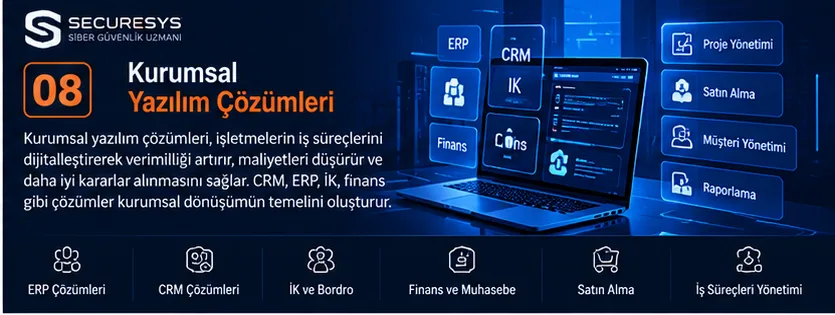
What Is Enterprise Software?
Enterprise software is the general term for software systems used to manage business processes such as finance, sales, human resources, production, inventory, warehousing, procurement, customer relations and operations.
Enterprise software supports different departments in working from shared data and shared business processes.
A business may use a CRM for customer relations, an ERP for finance and resource management, a WMS for warehouse operations and HRM software for employee management.
These systems can run as separate applications, or they can be connected to one another through APIs and other integration methods.
For example, a sales representative creates a customer quotation in the CRM.
Once the quotation is approved, the order is transferred to the ERP system.
The ERP triggers the necessary inventory or procurement transactions.
The WMS manages product picking and shipment processes.
The accounting system carries out invoicing.
BI software, in turn, can report on the relevant data.
Short answer: Enterprise software is software that allows businesses to manage their various business processes in a digital environment. ERP, CRM, HRM, WMS, MES, BI, DMS, BPM, accounting and project management systems are among the main types of enterprise software.
1. What Is Enterprise Software Used For?
Enterprise software supports managing business processes in a centralised, controlled and traceable way.
Main purposes of use
- Digitalising business processes
- Automating repetitive tasks
- Sharing data between departments
- Managing customer and order information
- Tracking financial and operational records
- Supporting reporting and decision-making
- Preserving institutional memory
- Establishing authorisation and audit mechanisms
Example
When the sales, finance and warehouse teams of a business each use different Excel files, this can lead to data inconsistency.
Integrated enterprise software can help reduce this risk by establishing shared records and controlled workflows.
2. What Are the Types of Enterprise Software?
Enterprise software is divided into different categories according to its purpose of use.
| Software type | Stands for | Main purpose of use |
|---|---|---|
| ERP | Enterprise Resource Planning | Enterprise resource management |
| CRM | Customer Relationship Management | Customer and sales management |
| HRM / HRIS | Human Resource Management / Information System | Human resources |
| WMS | Warehouse Management System | Warehouse management |
| MES | Manufacturing Execution System | Production operations |
| BI | Business Intelligence | Business intelligence and reporting |
| DMS | Document Management System | Document management |
| BPM / BPMS | Business Process Management | Business process management |
| SCM | Supply Chain Management | Supply chain management |
| EAM | Enterprise Asset Management | Enterprise asset management |
| ITSM | IT Service Management | IT service management |
| LMS | Learning Management System | Training management |
Key point
These categories are not separated by hard boundaries.
For example, an ERP platform may also include CRM, WMS or human resources modules.
3. What Is ERP Software?
ERP (Enterprise Resource Planning) stands for enterprise resource planning.
ERP software can allow a business to manage its finance, procurement, sales, inventory, production and other operational processes in an integrated way.
ERP modules
Finance.
Accounting.
Procurement.
Sales.
Inventory.
Production.
Human resources.
Projects.
Reporting.
Example
In a manufacturing business, when a customer order is received, the ERP system can assess inventory and production requirements.
A procurement process can be started for the materials required.
Once production is complete, shipment and invoicing can be carried out.
4. What Are the Advantages of ERP Software?
ERP systems can link the data and business processes of different departments.
Possible advantages
Centralised data management.
Operational visibility.
Workflow standardisation.
Reporting.
Financial control.
Integration.
Points to watch
ERP projects are not just a matter of installing software.
They require business analysis, process design, data migration, user training and change management.
5. Widely Used ERP Software Worldwide
The enterprise ERP market includes many platforms aimed at businesses of different sizes.
Example ERP platforms
SAP S/4HANA: An ERP platform used in finance, supply chain and operational processes in large and mid-sized businesses.
Oracle Fusion Cloud ERP: Offers cloud-based finance and enterprise resource management solutions.
Microsoft Dynamics 365: Includes applications for finance, supply chain, sales and other enterprise processes.
Oracle NetSuite: Offers cloud-based ERP and business management solutions.
Odoo: A modular platform that includes ERP, CRM, inventory, accounting and other business applications.
Infor CloudSuite: Offers enterprise applications aimed at specific industries.
Key point
These examples are not a ranking by market share. The right platform should be chosen according to the sector, budget, integration needs and business processes.
6. What Is CRM Software?
CRM (Customer Relationship Management) stands for customer relationship management.
CRM software manages customer records, sales opportunities, quotations, meetings and the related business processes.
CRM modules
Customer management.
Leads.
Sales opportunities.
Quotation management.
Order tracking.
Task management.
Reporting.
Example
A software company records an enquiry from a new customer in its CRM system.
A needs analysis is carried out.
A quotation is prepared.
After the customer approves it, the project process can be started.
7. CRM Platforms Used Worldwide
Example CRM software
Salesforce: Offers cloud applications for sales, customer service and customer relationship management.
Microsoft Dynamics 365 Sales: A sales management solution integrated with the Microsoft ecosystem.
HubSpot CRM: Supports customer relations, sales and marketing processes.
Zoho CRM: A cloud-based CRM platform for sales and customer management.
Pipedrive: CRM software focused on sales opportunities and sales pipeline management.
Odoo CRM: The customer relationship management module of the Odoo ecosystem.
Key point
Licensing, customisation, data model, API and integration features can differ between CRM platforms.
8. What Is the Difference Between ERP and CRM?
| Criterion | ERP | CRM |
|---|---|---|
| Main purpose | Resource and operations management | Customer and sales management |
| Finance | Common | Integration or add-on module |
| Sales opportunities | Depends on the module | Core function |
| Inventory | Common | Integration or add-on module |
| Customer relations | Depends on the module | Core function |
| Project management | Depends on the module | Depends on the module |
Example
The CRM manages the sales conversations held with the customer.
The ERP, on the other hand, can manage the procurement, inventory and finance transactions of the approved order.
9. What Is HRM Software?
HRM (Human Resource Management) stands for human resources management.
HRM software supports the administrative and operational processes relating to employees.
Areas of use
Personnel records.
Leave management.
Recruitment.
Performance.
Training.
Organisational structure.
Example
An employee submits an annual leave request.
The manager reviews the request.
The approved leave is entered into the relevant records.
10. The Difference Between HRM, HRIS and HCM
These concepts are related but have different focuses.
HRM
Refers to human resources management processes.
HRIS
A human resources information system.
HCM
Human Capital Management refers to the human capital management approach.
Key point
Software vendors may use these terms with different scopes. A product should not be chosen on the category name alone.
11. Payroll and Personnel Management Software
Payroll software supports the management of employee wages and the related calculations.
Core functions
Wage information.
Timesheets.
Leave.
Payroll.
Reporting.
Key point
Compliance with the labour, social security and tax legislation in force must be assessed separately in payroll processes.
12. What Is a WMS?
WMS (Warehouse Management System) is a warehouse management system.
WMS software enables the management of products and operations inside the warehouse.
Core functions
Goods receipt.
Shelf put-away.
Stock movements.
Order picking.
Packing.
Shipment.
Stocktaking.
Example
An order created in the ERP is transferred to the WMS.
The WMS supports the picking of the products and their preparation for shipment.
13. Stock Tracking and Inventory Management Software
Stock tracking software manages product quantities and movements.
Core features
Product card.
Warehouse-level stock.
Stock in and out.
Transfer.
Stocktaking.
Minimum stock alert.
Example
A business can view the stock quantities in three different warehouses from a central system.
14. What Is an MES?
MES (Manufacturing Execution System) stands for manufacturing execution system.
An MES supports the tracking and management of operations on the shop floor.
Areas of use
Production orders.
Workstation tracking.
Production data.
Quality control.
Traceability.
Example
The ERP creates the production plan.
The MES can track the operations actually carried out on the shop floor.
15. The Difference Between ERP and MES
ERP focuses on enterprise planning and resource management.
MES focuses on the execution and monitoring of production operations.
Example
The ERP can plan which product will be produced and in what quantity.
The MES can record the actual production data from the production line.
Key point
Integrating ERP and MES can make it possible to relate production plans to what is actually achieved on the shop floor.
16. What Is SCM?
SCM (Supply Chain Management) is supply chain management.
SCM software supports procurement, planning, logistics and distribution processes.
Areas of use
Demand planning.
Supplier management.
Procurement.
Logistics.
Distribution.
Example
A manufacturing business can manage material supply and delivery plans with SCM applications.
17. Procurement Management Software
Procurement software enables control of purchasing processes.
Core functions
Purchase request.
Quotation collection.
Supplier comparison.
Order.
Delivery.
Approval.
Example
A department raises a product request.
The request is sent to the manager for approval.
Once approved, a purchase order is prepared.
18. Supplier Management Software
Supplier management supports monitoring the registration and performance information of the suppliers a business works with.
Core information
Supplier record.
Contact details.
Contracts.
Product and service categories.
Performance evaluation.
Example
An IT company can manage its product, service and independent expert suppliers in different categories.
19. What Is BI?
BI (Business Intelligence) stands for business intelligence.
BI software supports the analysis and reporting of data coming from different sources.
Areas of use
Sales analysis.
Financial reporting.
Operational performance.
Inventory analysis.
Management dashboards.
Example
A manager can view monthly sales figures, active projects and collection status on a single dashboard.
20. BI Platforms Used Worldwide
Example platforms
Microsoft Power BI: A data analysis, reporting and visualisation platform.
Tableau: Offers data visualisation and analytics solutions.
Qlik Sense: A data analysis and interactive reporting platform.
Looker: Offers business intelligence and data modelling solutions within the Google Cloud ecosystem.
Key point
The success of a BI platform depends not only on visual reports but also on data quality and correct metric definitions.
21. What Is a Dashboard?
A dashboard is a management screen on which specific data and performance indicators are presented visually.
Example indicators
Monthly sales.
Open quotations.
Active projects.
Overdue tasks.
Stock status.
Collections.
Example
A company's management panel can show sales, finance and project data together.
22. What Is a DMS?
DMS (Document Management System) is a document management system.
A DMS enables corporate documents to be stored, classified, searched and managed.
Document examples
Contract.
Quotation.
Order form.
NDA.
Project plan.
Delivery document.
Certificate.
Example
The contract and delivery documents for a customer project can be stored in a central document system.
23. The Difference Between a DMS and File Sharing
Simple file sharing provides shared access to files.
A DMS, on the other hand, can offer additional document management features.
DMS features
Version control.
Metadata.
Approval workflow.
Search.
Authorisation.
Retention policies.
Audit logs.
Key point
Not every cloud file storage service is a full-featured DMS.
24. What Is BPM?
BPM (Business Process Management) stands for business process management.
BPM covers the modelling, implementation, monitoring and improvement of business processes.
Areas of use
Purchase approval.
Leave request.
Quotation approval.
Contract approval.
Project initiation.
Example
If a purchase request is above a certain amount, it can be sent to senior management for approval.
25. What Is BPMN?
BPMN (Business Process Model and Notation) is a standard that enables business processes to be modelled visually.
Core components
Task.
Event.
Decision point.
Flow.
Participant.
Example
The stages of quotation creation, manager approval, customer approval and order creation can be modelled with a BPMN diagram.
26. What Is Workflow Automation?
Workflow automation enables processes that follow specific rules to be executed by software.
Examples
Quotation approval.
Task assignment.
Contract reminder.
Order notification.
Invoicing request.
Example
When a quotation status changes to approved, a task can be created for the relevant team to open the project.
27. What Is RPA?
RPA (Robotic Process Automation) is an approach that enables repetitive user-interface tasks to be automated with software robots.
Areas of use
Data transfer.
Report preparation.
Form filling.
Specific system operations.
Key point
RPA does not replace a proper API integration in every case.
If the systems offer an API, direct integration should generally be considered separately.
28. What Is Accounting Software?
Accounting software supports businesses in managing their financial recording and accounting processes.
Core functions
Current accounts.
Invoices.
Collections.
Payments.
Accounting entries.
Reporting.
Example
When a sales order is completed, the relevant invoicing information can be transferred to the accounting system.
29. The Difference Between Pre-Accounting and General Accounting
Pre-accounting
Focuses on tracking day-to-day commercial transactions.
General accounting
Covers recording financial transactions in line with accounting standards and legislation.
Key point
Using pre-accounting software does not mean that all of a business's statutory accounting obligations are being met.
30. E-Invoice and E-Archive Integration
E-document integrations support carrying out invoicing processes electronically.
Areas of use
E-invoice.
E-archive invoice.
Document status.
Accounting integration.
Key point
E-document processes should be assessed within the framework of the current legislation in Türkiye and the technical regulations of the Revenue Administration.
31. What Is E-Commerce Software?
E-commerce software is a system that enables products and services to be sold through digital channels.
Core features
Product catalogue.
Basket.
Order.
Payment integration.
Inventory.
Shipping.
Returns.
Example
A business can integrate the orders on its e-commerce site with its ERP and warehouse management system.
32. B2B and B2C E-Commerce Software
B2B
Refers to trade between businesses.
B2C
A sales model from business to consumer.
B2B software features
Customer-specific pricing.
Corporate account.
Quotation.
Order approval.
Current account integration.
B2C software features
Product catalogue.
Basket.
Payment.
Shipping.
Returns.
33. What Is Project Management Software?
Project management software supports the planning, execution and monitoring of projects.
Core functions
Project card.
Tasks.
Owners.
Calendar.
Milestones.
Documents.
Reporting.
Example
In a software development project, analysis, development, testing and go-live activities can be tracked.
34. Project Management Platforms Used Worldwide
Example platforms
Jira: A platform widely used for work and task tracking in software teams.
Microsoft Project: Offers project planning and schedule management solutions.
Asana: Supports teams in managing their work and project processes.
Trello: Offers Kanban-based task and workflow management.
Monday.com: Offers work management and project tracking solutions.
ClickUp: Brings together task, project and team collaboration features.
Key point
The platform should be chosen according to the project type, team size, integration and reporting needs.
35. What Is ITSM?
ITSM (IT Service Management) is information technology service management.
ITSM software supports the management of IT service requests and the related processes.
Areas of use
Service requests.
Incident management.
Problem management.
Change management.
Asset management.
Example
An employee reports a computer fault through the service portal.
The request is assigned to the relevant support team.
The resolution process is tracked.
36. Help Desk and Ticketing Software
Help desk software enables support requests to be recorded.
Core features
Ticket number.
Customer or user.
Priority.
Responsible team.
Status.
Response and resolution records.
Example
When a customer raises a technical support request, the system can generate a ticket number automatically.
37. What Is EAM?
EAM (Enterprise Asset Management) stands for enterprise asset management.
EAM software supports managing the lifecycle of physical assets.
Areas of use
Machinery.
Equipment.
Maintenance.
Faults.
Asset performance.
Example
The maintenance and fault records of the machines in a production facility can be managed through an EAM system.
38. What Is CMMS?
CMMS (Computerized Maintenance Management System) is a computerised maintenance management system.
Core functions
Maintenance plan.
Work order.
Fault record.
Spare parts.
Maintenance history.
Example
A periodic maintenance task for a production machine can be created automatically.
39. What Is an LMS?
LMS (Learning Management System) is a learning management system.
LMS software enables training content and learning processes to be managed.
Areas of use
Corporate training.
Distance learning.
Exams.
Certificates.
Training reporting.
Example
A company can assign cyber security awareness training to its employees and track their completion status.
40. Software Used in the Healthcare Sector
Different types of enterprise software can be used in healthcare organisations.
Examples
Hospital information management system.
Patient registration system.
Appointment management.
Laboratory information system.
Imaging systems.
Key point
Processing health data can give rise to special security, privacy and regulatory requirements.
41. Finance and Banking Software
Software used in the finance sector supports transaction and operational processes.
Examples
Banking applications.
Payment systems.
Risk management.
Credit processes.
Compliance and reporting.
Key point
Security, availability, transaction integrity and regulatory obligations are critically important in financial systems.
42. Software Used in the Manufacturing Sector
Different software systems can work together in manufacturing businesses.
Examples
ERP.
MES.
WMS.
SCM.
CMMS.
Quality management.
Example
The production plan is prepared in the ERP.
The MES tracks what is actually produced.
The WMS manages the warehouse processes for the finished products.
43. Software Used in the Logistics Sector
Logistics businesses use different software to manage transport and warehouse processes.
Examples
WMS.
TMS.
Fleet management.
Shipment tracking.
Route planning.
What is a TMS?
TMS (Transportation Management System) is a transportation management system.
It supports the management of transport planning and shipment operations.
44. Software Used in the Education Sector
Different management systems can be used in educational institutions.
Examples
LMS.
Student information system.
Exam management.
Course planning.
Training reporting.
Example
An educational institution can manage student records and online learning processes with different systems.
45. Construction and Real Estate Software
Project and operations management are important in the construction and real estate sectors.
Examples
Project management.
Cost tracking.
Site management.
Real estate CRM.
Contract management.
Example
A construction company can monitor its project budget, procurement and work programme through enterprise software.
46. Software Used in Professional Services Firms
Project-based processes are important in consultancy, software and cyber security firms.
Software needs
CRM.
Quotation management.
Orders.
Project management.
Contracts.
Resource planning.
Invoicing.
Collections.
Example
A cyber security company can convert a customer quotation into a project once it has been approved.
Within the project, it can track expert assignment, service procurement, delivery and invoicing processes.
47. What Is SaaS?
SaaS (Software as a Service) is a cloud computing model in which software is delivered as a service.
SaaS applications are usually accessed over the internet.
Examples
Cloud CRM.
Cloud ERP.
E-mail services.
Project management platforms.
Document sharing systems.
Key point
SaaS does not simply mean a monthly subscription. It refers to the delivery and operating model of the service.
48. The Difference Between SaaS and On-Premise
| Criterion | SaaS | On-Premise |
|---|---|---|
| Hosting | Service provider's infrastructure | Infrastructure managed by the organisation |
| Initial setup | Usually faster | Infrastructure setup may be required |
| Updates | The provider can manage them | May be the organisation's responsibility |
| Customisation | Limited by the product | Depends on the solution |
| Data control | Depends on the contract and architecture | Managed by the organisation |
| Cost | Service fees | Infrastructure, licences and operations |
Key point
In both models, security responsibilities must be defined carefully.
49. What Are PaaS and IaaS?
PaaS
Platform as a Service is a managed platform service for developing and running applications.
IaaS
Infrastructure as a Service is the delivery of infrastructure resources such as virtual servers, networking and storage as a service.
How it differs from SaaS
SaaS delivers a ready-made software service.
PaaS provides a platform for developing and running applications.
IaaS provides infrastructure resources.
50. What Are Low-Code and No-Code Software?
Low-code and no-code platforms use visual tools in application development processes.
Low-code
Supports building applications with limited or targeted levels of coding.
No-code
Aims to build certain applications without writing traditional code.
Areas of use
Forms.
Approval processes.
Simple business applications.
Workflow automation.
Key point
Complex integration, security and scalability requirements must be assessed separately.
51. API Integration in Enterprise Software
API integration enables different enterprise software to work together.
Example integrations
CRM–ERP.
ERP–WMS.
ERP–MES.
CRM–accounting.
E-commerce–inventory.
HRM–payroll.
Example
An order approved in the CRM can be transferred to the ERP system.
The ERP can pass the order to the WMS.
The WMS can report the shipment result back to the ERP.
52. Data Management in Enterprise Software
The success of enterprise software is directly related to data quality.
Core topics
Data accuracy.
Duplicate records.
Data ownership.
Access control.
Data lifecycle.
Example
If the same customer is recorded under different names in different systems, this can cause reporting and integration problems.
53. What Is Master Data Management?
MDM (Master Data Management) is the set of approaches and processes for managing core enterprise data consistently.
Examples of master data
Customer.
Product.
Supplier.
Employee.
Location.
Example
Matching the customer identities used in the CRM and ERP systems supports data consistency.
54. Enterprise Software Security
Enterprise software can contain commercial, financial and personal data.
Core security controls
Multi-factor authentication.
Role-based access.
Object-level authorisation.
Encrypted communication.
Logging.
Backup.
Security testing.
Example
A sales employee should be able to access only the customer records they are authorised for.
55. KVKK (Turkish Personal Data Protection Law) and Data Protection in Enterprise Software
Enterprise software can process personal data.
Topics to be assessed
Purposes of processing.
Legal grounds.
Obligation to inform.
Data minimisation.
Retention and destruction.
Access control.
Data transfer.
Key point
Software running in a cloud or on-premise environment does not, on its own, mean regulatory compliance.
56. DevOps and DevSecOps in Enterprise Software
DevOps and DevSecOps approaches support enterprise software development and operations processes.
DevOps
Focuses on carrying out development and operations processes through collaboration and automation.
DevSecOps
Aims to integrate security controls into the software development lifecycle.
Example controls
Code analysis.
Dependency analysis.
API security testing.
Configuration checks.
CI/CD security.
57. How Is an Enterprise Software Project Planned?
Stage 1: Requirements analysis
Business processes and objectives are identified.
Stage 2: Analysis of existing systems
The applications and data sources in use are examined.
Stage 3: Solution selection
Off-the-shelf software and custom development options are evaluated.
Stage 4: Architecture design
Integration, security and infrastructure are planned.
Stage 5: Implementation
The software is configured or developed.
Stage 6: Testing
Functional, integration and security tests are carried out.
Stage 7: Go-live
Data migration and user training are completed.
Stage 8: Maintenance
The system is monitored and improved.
58. What Should You Consider When Choosing Enterprise Software?
Fit with business processes
The software must meet real needs.
Integration
Compatibility with existing systems should be assessed.
User experience
It is important that employees can use the software efficiently.
Security
Authorisation, data protection and security controls should be reviewed.
Scalability
The growth of the business should be taken into account.
Total cost of ownership
Licence, infrastructure, development, training, maintenance and support costs should be evaluated.
59. Off-the-Shelf Enterprise Software or Custom Software?
| Criterion | Off-the-Shelf Software | Custom Software |
|---|---|---|
| First use | Usually quick | A development process is required |
| Fit with business processes | Depends on configuration and customisation | Can be designed to the need |
| Integration | Depends on the product's APIs | Custom integration can be developed |
| Licence | Subscription or licence | Project and maintenance model |
| Updates | Depends on the vendor | Depends on the development team |
| Maintenance | Depends on contract terms | Depends on contract terms |
Key point
For some businesses off-the-shelf software is more suitable, while for other organisations custom development may be the better choice.
60. What Determines the Cost of Enterprise Software Development?
Main cost factors
Number of modules.
Number of users.
Business rules.
Integrations.
Data migration.
Reporting.
Security.
Testing.
Maintenance.
Example
The development cost of a simple customer tracking application is not the same as that of an enterprise platform that includes ERP, CRM, WMS, project management and accounting integration.
61. Common Mistakes in Enterprise Software Projects
Not carrying out requirements analysis
This can lead to the wrong product or architecture being chosen.
Over-customising
This can increase cost and maintenance complexity.
Planning data migration too late
This can make the go-live process harder.
Neglecting integrations
Data inconsistencies can arise between systems.
Neglecting user training
Adoption of the software can become difficult.
Skipping security testing
This can leave critical vulnerabilities in the live environment.
62. SECURESYS Enterprise Software Development and Integration Solutions
SECURESYS provides software development, system integration, security and consultancy services aimed at helping organisations digitalise their business processes.
Custom ERP and Enterprise Application Development
Software modules can be developed for the operational requirements of businesses.
CRM and Sales Management
Customer, quotation, order and sales processes can be digitalised.
Project Management Software
Project cards, tasks, deliverables and documents can be managed.
Warehouse and Inventory Tracking Software
Solutions can be developed for product, warehouse, inventory and shipment processes.
Workflow Automation
Approval and operational processes can be turned into digital workflows.
API and System Integration
Data sharing can be provided between CRM, ERP, accounting, warehouse and other applications.
Document Management
Managing corporate documents in an authorised and traceable way can be supported.
Software Security Testing
Security assessments of web, mobile and API applications can be carried out.
DevOps and DevSecOps
Automation of development, testing, deployment and security processes can be supported.
In the SECURESYS approach, enterprise software development is not merely about building a new application; it is about analysing a business's existing processes and developing secure, integrated, scalable and sustainable digital solutions.
Frequently Asked Questions (FAQ)
1. What is enterprise software?
It is software used to manage a business's finance, sales, production, human resources and operational processes.
2. What are the types of enterprise software?
ERP, CRM, HRM, WMS, MES, BI, DMS, BPM, SCM, ITSM and other industry-specific software are among the main types.
3. What is ERP?
It is enterprise resource planning software.
4. What is CRM?
It is customer relationship management software.
5. What is HRM?
It refers to the human resources management approach and the related software systems.
6. What is a WMS?
It is a warehouse management system.
7. What is an MES?
It is a manufacturing execution system.
8. What is BI?
It is the business intelligence and data analysis approach.
9. What is a DMS?
It is a document management system.
10. What is BPM?
It is the business process management approach.
11. What is SaaS?
It is a cloud computing model in which software is delivered as a service.
12. What is the difference between ERP and CRM?
ERP focuses on resource and operations management, while CRM focuses on customer and sales processes.
13. Can enterprise software be integrated with each other?
Yes. They can work together through APIs and other integration methods.
14. What is custom enterprise software?
It is a software solution developed according to the needs of the business.
15. Should you choose off-the-shelf or custom software?
The decision should be made according to business needs, integration, budget and total cost of ownership.
16. Why is enterprise software security important?
Because these systems can contain commercial, financial and personal data, they require security controls.
17. How long does enterprise software development take?
It varies according to the project scope, modules, integrations and technical requirements.
18. What does the cost of enterprise software depend on?
It depends on users, modules, integrations, security, infrastructure and maintenance requirements.
19. Can artificial intelligence be used in enterprise software?
Yes. It can be used in reporting, forecasting, automation and decision support processes.
20. What should you consider when choosing a company to develop enterprise software?
Its capabilities in business analysis, technical architecture, integration, security, testing and maintenance should be evaluated.
Conclusion: Why Is Enterprise Software Important for Businesses?
Enterprise software allows businesses to manage their different departments and processes in a digital environment.
ERP can integrate finance, procurement, inventory and operational processes.
CRM supports customer relations and sales processes.
HRM manages human resources processes.
WMS supports warehouse operations, while MES supports processes on the production shop floor.
BI software enables data to be analysed and reported.
DMS helps manage corporate documents.
BPM and automation solutions support the standardisation of workflows.
SaaS, PaaS and IaaS models offer options for different software and infrastructure needs.
API integrations, in turn, enable different systems to work together.
The core purpose of a successful enterprise software investment is not merely to use digital tools, but to manage business processes in a secure, measurable, integrated and sustainable way.
Sources and References
SAP: https://www.sap.com
Oracle ERP: https://www.oracle.com/erp/
Microsoft Dynamics 365: https://www.microsoft.com/dynamics-365
Salesforce: https://www.salesforce.com
Odoo: https://www.odoo.com
Microsoft Power BI: https://www.microsoft.com/power-platform/products/power-bi
Object Management Group – BPMN: https://www.omg.org/spec/BPMN/
NIST Cloud Computing: https://csrc.nist.gov/projects/cloud-computing
OWASP: https://owasp.org
NIST Secure Software Development Framework: https://csrc.nist.gov/projects/ssdf
Personal Data Protection Authority (KVKK): https://www.kvkk.gov.tr
Next Chapter
Related Articles
Software Development, Enterprise Applications & DevSecOps
What Is Software? Types, Uses and the Most Widely Used Software Worldwide
What is software and what are its types? A complete guide to CRM, ERP, warehouse tracking, inventory management, web and mobile apps, and custom software.
Programming Languages Explained: What Is Each One Used For?
What are programming languages? Learn what Python, Java, C#, PHP, JavaScript and others are used for, with CRM, ERP and inventory software examples.
What Is a Web Application? A Guide to Web-Based Software, Frontend and Backend Development
What is a web application? Explore frontend, backend, APIs, databases, cloud architecture and how CRM, ERP, warehouse and inventory software is developed.
What Is a Mobile App? A Guide to Android, iOS and Cross-Platform Mobile Software Development
What is a mobile app and how is it developed? Explore Android, iOS, Flutter, React Native, mobile CRM, warehouse tracking and inventory software.
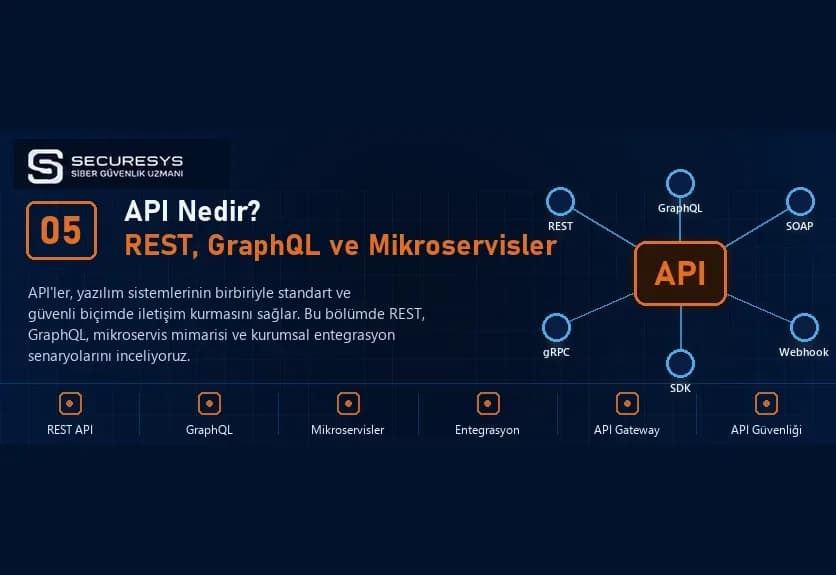
What Is an API? REST API, GraphQL, Microservices and Enterprise Software Integrations
What is an API and how does it work? A guide to REST API, SOAP, GraphQL, webhooks, microservices, CRM–ERP integration, inventory management and API security.
What Is CRM Software? A Guide to Customer Tracking, Sales Management, Quotation and Project Tracking Systems
What is CRM software? Explore customer tracking, sales, quotations, orders, contracts, project management, ERP integration and custom CRM development.
Looking for professional support on this topic?
Our expert team will reach out for a free consultation as soon as possible.